The arrival of both virtual reality headsets and of remotely controlled personal robots presents an interesting step forward for teaching and learning. This talk will touch on some of the possibilities and hurdles along this path.
On Sunday, Nov 8, 1500 UTC, Learning2gether met David Winet to catch him previewing the presentation he is giving officially on Nov 14 at the CATESOL Conference in Anaheim, California http://www.catesol.org/2015_annual_conference.aspx. In this presentation, Dave speculated on some strikingly interesting affordances to education of Virtual Reality Headsets and Robots for Teaching and Learning.
We were joined by Vanessa Vaille in the HoA and by Peggy George, Rita Zeinstejer, and Maha Abdelmoneim in the Chatwing text chat, http://chatwing.com/vancestev.
There is mention in our chat logs of Google Cardboard, which David showed us, with a cell phone inside running an app that split the screen in such a way that each split could be seen through Cardboard by one eye, creating a 3D effect, as with the old Viewmaster some of us used to have as kids. This has been exploited by the NY Times, as reported in this article, NYT VR: How to Experience a New Form of Storytelling From The Times:
(thanks to John Hibbs for calling our attention to this link) http://www.nytimes.com/2015/11/08/magazine/nyt-vr-how-to-experience-a-new-form-of-storytelling-from-the-times.html
Next day, Vanessa pointed us to an interesting take on VR by Brian Alexander, who checked out the NY Times VR project, http://bryanalexander.org/2015/11/09/impressions-of-new-york-times-vr/. Vanessa mentioned our hangout in a comment there. In reply to her comment, i said, “We liked the idea, shown in one of the videos, of a robot whose face is that of a learner as in a Skype call, interacting in the space through which the robot is moving, or instead of building worlds in Second Life for immersive education, sending a robot or drone or tiny camera (as in optical surgery) into the real location where the learner can view the panorama by turning his/her head. The potential would suggest a quantum development for POV (point-of-view) technology in learning, as reality checks noted in this post are worked through.”
Interesting new developments with educational/ESL implications: immersive, dynamic (not stills) headsets, head turning, walking, immersive audio, AR overlay, robots.
not to mention often more expensive, especially if you don’t institutional affiliation. I don’t have that or a cell phone but traded off long distance for wi-fi access. That adds up
This video is unlisted. Be considerate and think twice before sharing.
This session was originally planned as an introduction to Bb Collaborate. However, It was switched at the last minute to Hangout on Air because the grant from LearningTimes for use of the Webheads Room expired Oct 31. This was discovered Sat night Nov 7 in USA and there seemed little hope of having the grant renewed in time for the Nov 8 event, so we set up the HoA instead. However, 2 hours after Learning Times were contacted, Hope Kandel got back to us that she had renewed the grant for our continued free use of this facility for another year. That was midnight her time, great response from our sponsor company http://www.learningtimes.com.
So we had acted too quickly to get the HoA in place, but having done that, we went with it. For this reason, there were two events scheduled for this session:
In this presentation, I will illustrate how i have been doing my online work from basically anywhere – at home, from a coffee shop, at the airport and even in a moving bus! Abundant Wifi connections and mobile broadband have made this possible and all busy moms should learn the art of managing this approach to work. I will be sharing some of the tools and applications that i have used – and provide some reviews on them.
Invite to talk: If you are interested in task-based experiential learning, authentic tasks, design-based research, online learning, MOOCs, open education, the World Health Organization (WHO), or taking a bus ride in Turkey, you might want to attend the following session: Developing Online Experiential Learning through Educational Design Research Thomas C. Reeves, Ph.D. Professor Emeritus of Learning, Design, and Technology The University of Georgia
Date: Monday November 2, 2015 Time: 2:00-3:00 pm in Indiana, presumably
Optional Web Conferencing Participation: Web browser: https://bridge.iu.edu (Conference ID to dial: 233222878)
Talk Abstract: This presentation will describe how the World Health Organization took an award-winning experiential learning course that takes place on a bus traveling down the “cold chain” for time- and temperature-sensitive pharmaceutical products in Turkey, and moved it online as an award-winning authentic tasks-based experiential learning environment. This conversion was driven by the application of educational design research (also known as design-based research). Similarities and differences in the objectives of the two courses as well as of the learning activities, tools, and technologies deployed in two courses will be illustrated. The presentation concludes with examples of design principles that can be applied to the design of other online experiential learning environments.
Sat Nov 7 Digital Assessment Tools on Classroom 2.0
Date: Sat., November 7, 2015
Time: 9:00am PT/10:00am MT/11:00am CT/12:00pm ET
Location: Blackboard Collaborate (http://tinyurl.com/cr20live)Peggy George, Lorie Moffat and Tammy Moore will be hosting another Classroom 2.0 LIVE show. As an extension to the Classroom 2.0 Ning community, Classroom 2.0 “LIVE” shows are opportunities to gather with other educators in real-time events, complete with audio, chat, desktop sharing and closed captioning. A Google calendar of upcoming shows is available at http://live.classroom20.com/calendar.html.We are so excited to have a group of amazing teachers from the Madison Elementary School District in Phoenix, AZ joining us as our special guest presenters on November 7th. They will be sharing their stories and experiences using digital assessment tools focusing on Kahoot, Socrative, Plickers, Google Forms, & Answergarden. The presenters are: Kim Thomas, Rae Dewberry, Julie Leckman, and Jessie McKinley. Kim is the Tech Integration Facilitator for Madison District, Rae teaches language arts and social studies to 5th – 8th grade highly gifted students, Jessie teaches Kindergarten – 4th Grade General Music, and Julie teaches 8th grade Math. It will be a great opportunity for you to learn many ways you can be using formative assessment in your classrooms!More information and session details are at http://live.classroom20.com. If you’re new to the Classroom 2.0 LIVE! show you might want to spend a few minutes viewing the screencast on the homepage to learn how we use Blackboard Collaborate, and navigate the site. Each show begins at 12pm Eastern (GMT-5) and may be accessed in Blackboard Collaborate directly using the following Classroom 2.0 LIVE! link at http://tinyurl.com/cr20live. All webinars are closed captioned.On the Classroom 2.0 LIVE! site (http://live.classroom20.com) you’ll find the recordings and Livebinder from our recent“Marcie Hebert: Featured Teacher” session with our special guest Marcie Hebert. Click on the Archives and Resourcestab.When tweeting about Classroom 2.0 LIVE, be sure to use #liveclass20. Special thanks to our sponsors Weebly, The Learning Revolution and Blackboard Collaborate!Classroom 2.0 LIVE Team: Peggy George, Lorie Moffat, Tammy Moore, Steve Hargadon
Learning2gether Episode 298 – Sun Nov 1 1400 UTC Week 1 EVO moderator training meet and greet
Electronic Village moderators for the EVO 2016 sessions met online in a revolving-door Hangout on Air (HoA) for a meet-and-greet to kick off the new round of EVO moderator training. Mbarek Akaddar provided an overview of the training session, and Nina Liakos talked about why moderator training is important for experienced moderators and new moderators alike. The general public were welcome to attend and share ideas and questions by listening in the stream and interacting with moderators in the hangout and other participants in real-time in our Chatwing chat space http://chatwing.com/vancestev.
This was billed as a good opportunity to meet next year’s moderators and learn firsthand about what will be on offer when EVO opens for registration on Jan 3, 2016.
The event was organized as follows:
If the Hangout is full you can watch the stream and interact with participants in the real-time text chat (We will encourage participants in the HoA to say a few words and then make space for others)
EVO moderators were able to use that link to join us in the Hangout, ten at a time. (only ten participants are allowed to join a HoA at a given moment, but we intended to play musical chairs with the seating and show how we can cater to many participants in the HoA itself, and in the stream and real-time text chat)
(To better understand the process – read, or at least look at the pictures, here
I just wanted to show my enthusiasm for EVO. I’ve been a participant for years and it has always contributed to my development. I look forward to the learning how to contribute to it next year by helping in the moderation of Minecraft EVO with Vance, Marijana, Barbie, Jeff, Tamas and others. I gotta go now. I’ll be watching the recording and catching up.
Vance’s note – This was my mistake. I had clicked on the icon of one participant in the chat to mute that person and had inadvertently SELECTED that person’s icon to display until I noticed it much later, and clicked again to release it so that the current speaker would display. I wish I had seen this note at the time, but the chatwing chat was scrolling by much too fast. In any event, well noted, Hazel! Apologies …
Moodle for Teacher is my mentoring session. I am so much looking forward to it as I really want to learn more about Moodle even though I have a Certificate from CRO Moodle Platform
Sorry @NIna and @Vance, I have to go now, as mentioned before I could only stay for approx 30 mins as other commitments shortly. It’s been great and will catch up with recording later…
The problem we had with Trello is that we did not seem to be able to keep the planning there without also interacting there, which made it difficult to go back to conversations. For me, at least
I haven’t, but my internet keeps dropping out, so I don’t want to risk it! I can just about follow the chat, so will watch the recording later on to see what I’ve missed!
want to tell Karina that she should use her mobile phone for the hangouts. It takes less bandwidth and she can still use the VPN
Yes, next time.Nina Liakos 10:05 AM
Pls remember to use the chatwing chat guysme 10:05 AM
share the link to your blog, please
I want to encourage colleagues to participate in EVO and am prepping information posts for my blogs. Until I know more about 2016 offerings, I’ll refer to past sessions. btw a friend and colleague in Texas has been working with DREAMers and refugees. I’m trying to interest her too, especially since her group is involved in education.
Curt bonk astounded his audience with a litany facts and data as he went on for almost two hours on the fascinating and ellusive subject of MOOCs. In the process he reviewed his new book and special journal issue on “MOOCs and Open Education,” discussed what is happening around the world in terms of MOOCs and open education, as well as the co-editing process, how to coordinate projects, the steps in editing a book and special issues, and whatnot, for a mind boggling hour and 50 minutes.
Curt Bonk (Ph.D) is Professor at Indiana University teaching psychology and technology courses and President of CourseShare. Drawing on his background as a corporate controller, CPA, educational psychologist, and instructional technologist, Bonk offers unique insights into the intersection of business, education, psychology, and technology. He received the CyberStar Award from the Indiana Information Technology Association, the Most Outstanding Achievement Award from the U.S. Distance Learning Association, the Most Innovative Teaching in a Distance Education Program Award from the State of Indiana, and, in 2014, the Mildred B. and Charles A. Wedemeyer Award for Outstanding Practitioner in Distance Education. A well-known authority on emerging technologies for learning, Bonk reflects on his speaking experiences around the world in his popular blog, TravelinEdMan. He has authored several widely used technology books, including The World Is Open: How Web Technology Is Revolutionizing Education (2009),Empowering Online Learning: 100+ Activities for Reading, Reflecting, Displaying, and Doing (2008), The Handbook of Blended Learning (2006), and Electronic Collaborators(1998). His recent book, Adding Some TEC-VARIETY: 100+ Activities for Motivating and Retaining Learners Online (2014), is freely available to download as an eBook at http://tec-variety.com/ in Chinese as well as English. And his latest book with Routledge, MOOCs and Open Education Around the World, as well as a special issue of the International Journal on E-Learning on the same topic both came out in July 2015 (see http://www.moocsbook.com/). See Bonk’s homepage for his archived talks and Web resources at: http://php.indiana.edu/~cjbonk/. Curt can be contacted at: cjbonk@indiana.edu orcurt@worldisopen.com.
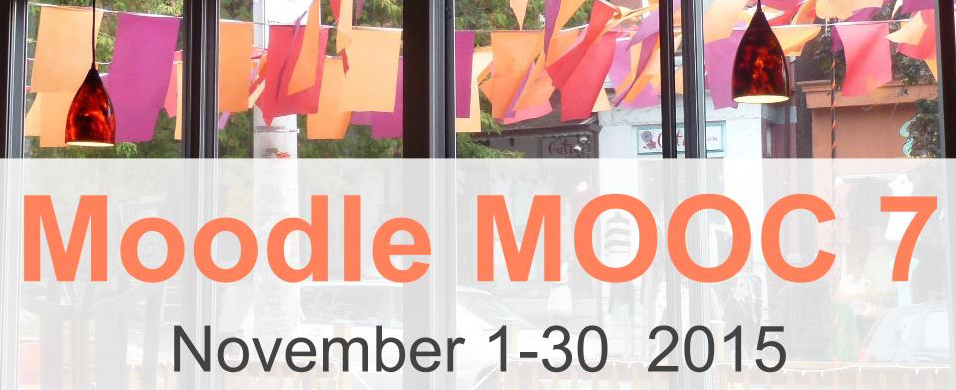
Moodle MOOC 7 (MM7) is scheduled to take place from November 1 – 30, 2015 on Moodle for Teachers. The purpose of the MOOC is to connect for instruction and learning, reflective practice, social and collaborative learning, cultural exchange and peace, personal and professional development, community building, best practices and challenges involved in teaching with technology, student engagement with the content, peers, and the facilitator, and learning to teach online with Moodle course and learning management system.
MM7 includes webinars and Moodle training. The presenters of the webinars will focus on connecting online for collaborative learning and teaching with technology, education technology, professional development, and topics that pertain to teaching and learning online and/or on mobile devices/smartphones.
The Moodle training will take place on Moodle for Teachers (M4T) Moodle website and will focus on active learning, reflection, sharing, and collaboration. The aim of the course is for the participants to learn through meaningful connections and social interactions. Participants, who wish to receive a certificate of participation, will be required to document their learning experiences by keeping a blog, wiki, website, or any other artifact that will include a description and reflection of the live sessions and/or recordings.
The Moodle training will include Moodle, Google Drive Docs, blogs, Google Apps, Mobile Devices, Virtual Classes, and other online learning environments for face-to-face, blended, and fully online learning. In addition, participants will learn to use Movenote, Screencast-o-matic, PresentMe, SlideSpeech, Plotagon, Smore, Quizlet, eMaze, Slideshare, Evernote, Movenote, and other technologies for effective and engaging student-based activities. The live presentations will include the speakers’ reflective process on teaching and learning in fully online and blended learning formats.
Instead of having a Moodle MOOC group or face for each Moodle MOOC, I thought it may be more practical to have one group for all the Moodle MOOCs around the world. So spread the word and join educators, technology developers, and Moodlers for the next Moodle MOOC in the month of November on Moodle for Teachers for free teacher development and training on how to teach and learn online using Moodle and other technologies. Here’s the link http://moodle4teachers.org/course/view.php?id=87
Earlier this past two weeks
Episode 304: Sun Oct 18 LEARNING2GETHER with Jeff Magoto about the new ANVILL-LTI
This comprehensive mail is copy / pasted from Steve Hargadon
Library 2.015 is all day on Tuesday, October 20th. Anyone from anywhere in the world can participate for free (as long as they have an Internet connection)! Links for the conference are below. There are 50 sessions and 3 keynotes, and the schedule with connecting information is listed for time zones throughout the world.
We’re celebrating the fifth anniversary of our conference! Huge thanks and a shout-out to founding partner The School of Information at San José State University and its director (and conference co-chair), Dr. Sandra Hirsh, for the vision and support that has made this unique event a reality. With their help the conference community has grown to over 21,000 members, and we encourage you to learn more, make connections, and get future announcements by joining Library 2.0.
We sincerely hope you will join us. Below are event links, plus some sample posts and tweets you can use if you’re able to help us promote either or both of these events. You can also forward this post/email. Please do let your networks know–it’s all free!
Sample Posts + Tweets:
The conference hashtag is “#lib2015” | The Teacher Librarian Day hashtag is “#tlday15”
Sample post (conference): “The fifth annual Library 2.015 Worldwide Virtual Conference will be held on October 20th, 2015 from 7am – 8pm US Pacific / 10am – 11pm US Eastern (International Times available on the site). Everyone is invited to participate in the conference, designed to foster collaboration and knowledge sharing among information professionals worldwide. Register for free as a member of the Library 2.0 network to attend and to be kept informed of future events! http://www.library20.com“
Sample post (pre-conference): “Teacher Librarian Day is Monday, October 19th, five great hours of free online sessions on ‘Teacher Librarians and School Culture.’ This pre-conference bonus to the annual Library 2.0 conference features Joyce Valenza, Michelle Luhtala, Shannon Miller, Ross Todd, Naomi Bates, Karen Bonano, and Craig Seasholes leading a panel on ‘Social Justice @Library.’ All welcome, more information athttp://www.teacherlibrarian.org.”
Sample tweet (conference): “Join us Oct 20 for the 5th annual Library 2.0 conference 50 presentations + keynotes all free and online #lib2015http://www.library20.com“
Sample tweet (pre-conference): “Join us Oct 19 for Teacher Librarian Day all free and online – awesome lineup #tlday15 http://www.teacherlibrarian.org“
Mon Oct 19-25 International Facilitation Week Unconference
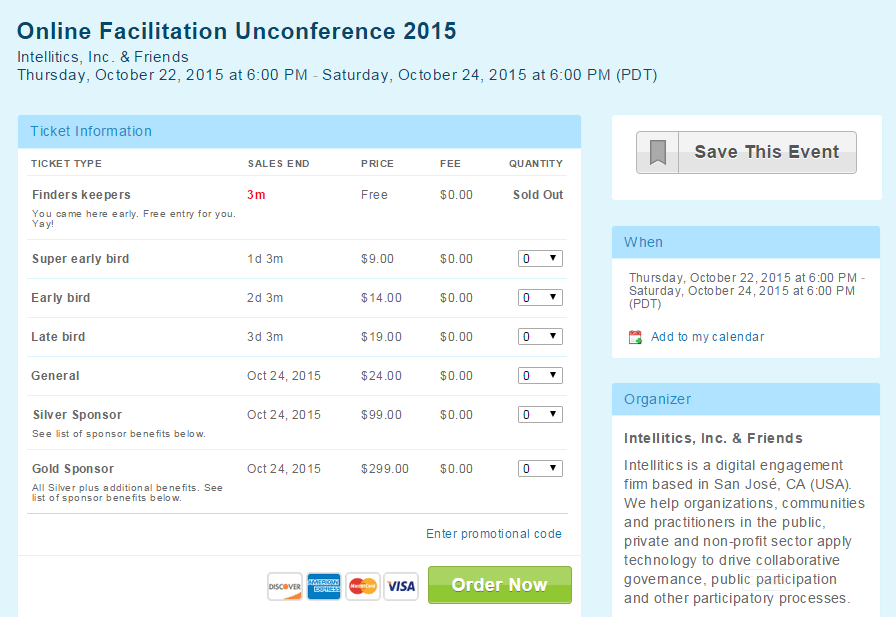
International Facilitation Week takes place next week, October 19-25. And for the third year in a row, we’re putting together a little online unconference to share and learn about facilitation in virtual environments:
However, we know that a good number of original innovators, super early adopters and veterans of this work can still be found on this very Yahoo group, and we would really love to have you join us. Please use discount code “Oldschool” for $15 off the regular price. 😉
Normally L2g does not post announcements of commercial events here, but because of the nature of this “unconference” I posted a request for more information on the Yahoo Group that sent the announcement
Fri and Sat Oct 23-24 IATEFL Web Conference ‘Making connections across borders in ELT
Note, to attend this conference you have to register separately for Day 1 and Day 2
Also, it’s free for anyone to participate. Archived recordings may be available only to IATEFL members.
IATEFL Web Conference ‘Making connections across borders in ELT’ – Day 1
After a successful inaugural Web Conference held in October 2014, IATEFL have decided to hold a second Web Conference in October 2015. ‘Making connections across borders in ELT’ will be held over two days:
Friday 23 October 2015 at 14.00-20.45 BST (13.00-19.45 GMT)
Saturday 24 October 2015 8.30-15.30 BST (7.30-14.30 GMT).
We would love you to come along and join in. This will be a fantastic opportunity both for members and non-members of IATEFL to network, learn and share information with colleagues all over the world.
This registration is just for Friday 23 October. You need to register for Saturday 24 October separately. Registration ensures that you receive all the latest updates and information and logging into the event using the unique URL that you will be sent enables you to purchase an attendance certificate after the event should you require it.
Talks will include the development of creativity and team skills in the classroom, English for social justice, teacher research, psychology, teaching in challenging and low resource contexts, inclusive education, and the impact of technology. Confirmed speakers for the two days include Christina Broadus-Rebuffet, Nathan Arthur, Judy Boyle, Juup Stelma, Stephen Ryan, Laxman Gnawali, Thais Borges, Mercedes Viola, Susan Hillyard and Paul Driver.
Event: ‘Making connections across borders in ELT’ – Day 1 When: Friday 23 October 2015, 02:00 PM – 08:45 PM Time Zone: (GMT) Greenwich Mean Time : Dublin, Edinburgh, Lisbon, London (Please note that Daylight Saving Time (+01:00 hr) is in effect during this time) Audio Conference Details: VOIP
Web Conference “‘Making connections across borders in ELT’ – Day 2”
The following information appeared in an “update” for Day 2, but contains some information about Day 1. The update was distributed in email by the IATEFL Web Conference committee
This message is to give you a sneak preview into the talks that you can enjoy over Friday 23 and Saturday 24 October.
Christina Broadus-Rebuffet ‘Improvisation, confidence, and making the passive active’
Judy Boyle ‘Education for Social Justice: human trafficking and the next generation’
Juup Stelma ‘Language Teachers doing Research: What, How and Why’
Nathan Arthur ‘Bring out the team-player in your trainees: Using project management principles in the classroom’
Paul Driver ‘EdTech and Creative Media Practice in ELT’
Stephen Ryan ‘Psychology in language learning: What’s in it for teachers?’
Thais Borges ‘I speak Brazilian English: A non-native perspective of EFL teaching and learning in Brazil’
In addition to this we will also be holding three interactive panel discussions over the two days, offering you, the participant, the chance to get involved and share your experiences.
IATEFL President, Marjorie Rosenberg will be focusing on ‘Creativity in the classroom’
Mercedes Viola Deambrosis and Susan Hillyard will be leading discussions on ‘Diverse students and how different teachers are supporting them’ and
Kenan Dikilitaş, Richard Smith and Dr. Judith Hanks will be investigating‘Teacher research in action’.
Don’t forget to tell your colleagues to register so that they can ensure they receive all the latest updates and reminders from us over the next few days.
You can attend ‘Making connections across borders in ELT‘ by clicking on the unique URL sent to you in the confirmation email when you registered for the Web Conference. You can also find this URL below. You will then need to enter the email address you used to register.
When: Saturday 24 October 2015, 08:30 AM – 03:30 PM
Time Zone: (GMT) Greenwich Mean Time : Dublin, Edinburgh, Lisbon, London (Please note that Daylight Saving Time (+01:00 hr) is in effect during this time)
Mon Oct 19 thru Oct 30 – Virtually Unstoppable – K12 Online Conference presentations released
The K12 Online conference is an asynchronous event where the presentations are set-piece artifacts created by some of the world’s greatest teachers on topics they are passionate about. Quality is quite high and they generally model best practices not only in pedagogy but in presentation and innovative use of ed-tech tools. The presentations are released according to the schedule here,
The conference goes full swing the following week, same time on Oct 19 with the release of three to five presentations a day for the next two weeks, winding up with the release of the last batch at 8:00 AM EDT, Fri., Oct. 30
I recently attended the ISTE conference in Philadelphia, which is a huge showcase of best practices and most appropriate technologies for enabling those practices displayed in a massive physical space. K12 Online is the free annual conference that many of those in and around ISTE participate in each year, also to showcase best practices leveraged by technology, but in a virtual space. And it is happening now.
The first K12 Online Conference took place in 2006 so this would be the tenth, which is one reason it’s theme this year is “Virtually Unstoppable.” There are several very unique aspects to K12 Online, and one of these is that it is totally asynchronous. This means that you don’t have to show up at a particular time for it, but that its presentations are simply made available at a certain time. This is another unique aspect of the conference, the presentations are released bit by bit, day by day. For example, this is the third day of the conference, and three presentations were released today (for a total of 9 so far, plus a keynote, which was posted online a week ago.
Another unique aspect of this conference has to do with the fact that its presenters have to produce attractive and inspiring artifacts designed to play out online, much as we might ideally ask our students to do. The presentations are not long, 10-20 minutes, but tend to model the most creative techniques the presenters can muster. As such each presentation is a digital story with a message designed as an incubator of ideas that will appeal to teachers, and in turn, their students.
The presentations introduce how cutting edge technologies might relate to our classrooms. And you can have a look now or later, as you wish, even years later. All such artifacts produced over the past ten years are archived at the conference website. There are many gems in that archive, and because they bring technology to bear on perennial issues in teaching, how to engage and motivate and make students and teachers want to learn, they tend to be eternally relevant today.
At iTunesU you can watch on-the-fly or download any or all the recordings and play them offline on your iPad or mobile device
Search for K12 Online Conference at iTunesU (see screenshot) http://screencast.com/t/UPcejzxeKJhR
This is one of my favorite recurring online conferences, and a good opportunity for teachers with iPads and mobile devices to network and boost their mastery of those devices as pertains to practice and pedagogy.
Sat. Oct 31 on Classroom 2.0 – Marcie Hebert shares how she has implemented Makerspaces in her school
Time: 9:00am PT/10:00am MT/11:00am CT/12:00pm ET
Location: Blackboard Collaborate (http://tinyurl.com/cr20live)
Peggy George, Lorie Moffat and Tammy Moore will be hosting another Classroom 2.0 LIVE show. As an extension to the Classroom 2.0 Ning community, Classroom 2.0 “LIVE” shows are opportunities to gather with other educators in real-time events, complete with audio, chat, desktop sharing and closed captioning. A Google calendar of upcoming shows is available at http://live.classroom20.com/calendar.html.
Join us on Saturday, October 31st, when our special guest will be Marcie Hebert. We are so excited to have Marcie on Classroom 2.0 LIVE as our Featured Teacher for the month of October! This will be an excellent opportunity to learn about some of the amazing ways Marcie is effectively integrating technology in her teaching! We are looking forward to having Marcie share how she has implemented Makerspaces in her school and some of the projects her students are creating in the computer lab including 3D printing, coding, robotics and Google Apps for Education.
Marcie is the Technology Director and Computer Lab Teacher for grades 4-8 in a Catholic School, St. Joan of Arc School, in Louisiana. She is a tech lover, Maker, Google for Education Certified Trainer, an organizer/leader for the Google Educator Group Louisiana and EdCamp NOLA, and is the co-founder of #LAedchat. Follow her on @mrsmhebert
More information and session details are at http://live.classroom20.com. If you’re new to the Classroom 2.0 LIVE! show you might want to spend a few minutes viewing the screencast on the homepage to learn how we use Blackboard Collaborate, and navigate the site. Each show begins at 12pm Eastern (GMT-5) and may be accessed in Blackboard Collaborate directly using the following Classroom 2.0 LIVE! link at http://tinyurl.com/cr20live. All webinars are closed captioned.
On the Classroom 2.0 LIVE! site (http://live.classroom20.com) you’ll find the recordings and Livebinder from our recent “Green Screens + iPads = iMagic!”session with our special guest Jennifer Garcia. Click on the Archives and Resources tab.
When tweeting about Classroom 2.0 LIVE, be sure to use #liveclass20. Special thanks to our sponsors Weebly, The Learning Revolution and Blackboard Collaborate!
Interactions in ANVILL from the Formulaic to the Pragmatically Pleasing
ANVILL-LTI is web-based software that has three aims: 1) to provide language teachers with a set of speech and lesson creation tools that make it easy to practice and assess spoken language, 2) to build a community of teachers who are willing to share their lessons and ideas around listening and speaking, and 3) to understand (from a CALL developer’s perspective) what kinds of computer-based interactions teachers and students find most beneficial and interesting. We explored these by looking at some of the most popular tasks teachers assign in ANVILL—from telecollaborations to listen n’ repeat, and the results those tasks yield.
ANVILL is a free and versatile LMS that focuses on allowing learners to interact in voice with teachers and each other in a tastefully designed flipped learning environment. That environment is succinctly defined in a 10-page manual available here, http://babel-old.uoregon.edu/ylc/downloads/anvill-LTI%20overview-v.3.pdf; with a page each devoted to ANVILL’s main features (voiceboards, portfolios, chat, and integration with other LMS’s such as MOODLE).
This screen shot was made at a point where most participants who attended the Bb Collaborate event online were present. They are shown in the detachable participants list, above)
Where? The event will be held in Blackboard Collaborate (Elluminate)
Select the option “Enter as a guest” and enter your FULL !!! name into the box. (All attendees are “guests”).
Find further free webinars for teachers of foreign languages at http://v.gd/webinars
Imelda Elliott is a professor and head of a school of modern languages. She taught English in secondary schools before doing her PhD and becoming a university lecturer.
As head of department, she has been involved in setting up a languages for all policy at her university. She has always been interested in teaching and learning.
She is involved in language teacher education as the head of a Masters programme on teaching English and as joint head of a Masters Master of Arts in Language Teaching Management, Instructional Design and Technology.
Sat Oct 17 0900 Pacific Time Classroom 2.0 – Jennifer Garcia –Green Screens + iPads = iMagic!
Date: Sat., October 17, 2015
Time: 9:00am PT/10:00am MT/11:00am CT/12:00pm ET
Location: Blackboard Collaborate (http://tinyurl.com/cr20live)
Peggy George, Lorie Moffat and Tammy Moore will be hosting another Classroom 2.0 LIVE show. As an extension to the Classroom 2.0 Ning community, Classroom 2.0 “LIVE” shows are opportunities to gather with other educators in real-time events, complete with audio, chat, desktop sharing and closed captioning. A Google calendar of upcoming shows is available at http://live.classroom20.com/calendar.html.
We are very excited to have Jennifer Garcia joining us as our special guest presenter on Saturday, October 17, for her presentation: “Green Screens + iPads = iMagic!” She will be sharing projects her students have done using green screens on the iPads with DoInk’s Green Screen App. We’ll get a guided tour of the entire process including setup, equipment, apps, workflow, assessment strategies and possible issues to be aware of. We’ll also get to see a few examples of her student work and have access to the online lessonsshe created to help you as you build your own projects. We’ll also get to see some examples from other teachers along with their resources. This will be most beneficial to teachers who have access to iPads in their classrooms, but it’s always exciting to learn about tools, apps and the possibilities for enhancing digital story telling with any tools you may have access to and we would welcome participants willing to share the tools and project examples for digital storytelling projects you are using in your classrooms.
More information and session details are at http://live.classroom20.com. If you’re new to the Classroom 2.0 LIVE! show you might want to spend a few minutes viewing the screencast on the homepage to learn how we use Blackboard Collaborate, and navigate the site. Each show begins at 12pmEastern (GMT-5) and may be accessed in Blackboard Collaborate directly using the following Classroom 2.0 LIVE! link at http://tinyurl.com/cr20live. All webinars are closed captioned.
On the Classroom 2.0 LIVE! site (http://live.classroom20.com) you’ll find the recordings and Livebinder from our recent “MineCraftEDU” session with our special guests Laura Briggs, Kim Harrison and Trish Cloud. Click on the Archives and Resources tab.
When tweeting about Classroom 2.0 LIVE, be sure to use #liveclass20. Special thanks to our sponsors Weebly, The Learning Revolution and Blackboard Collaborate!
Sun Oct 18 noon GMT Jeff Lebow proposed a Hangout on Air
This is a follow-up discussion in the ELT Live G+ Community to a pre-conference workshop Jeff did last weekend at KOTESOL2015, http://jefflebow.net/node/339. Not sure if anyone from that will show up, but I will be hanging out and delighted to connect with any ELTLivers out there. Regular tune-in spot at http://eltlive.com/live
On Monday October 12 Christel Broady presented to Learning2gether about Improving Language Learning and Teaching by Using Free Google Tools in K-20
Dr. Christel @BroadyESL discussed with us Improving Language Learning and Teaching by Using Free Google Tools in K-20. Participants were able to visit http://webheadsinaction.org/live to watch the event stream live and interact with folks in the Hangout on Air via http://chatwing.com/vancestev. At showtime Monday we posted the direct link to the HoA live for all those who wanted to join us there. Several did, we were near our maximum capacity with other viewers in the stream/
Event description: An overview on how free tools can assist ELT professionals and learners in all everyday professional activities. Practical ideas that can be implemented immediately as well as training sources to deepen the understanding how the tools work.
Sometimes it’s easier to share videos in Google drive rather than Youtube which is not accessible to all students. Plus I love creating Lesson slides directly in the drive and adding it to the class materials folder for students to access whenever.
Social apps in schools is a bit touchy here in Italy, but using sites like Twiducate is safe and private offering social interaction without the public interaction. I’m looking at EdMettle too for the same, has anyone tried it?
OMG – I’ve lost the sound altogether now (on my super duper brand new machine ) so I’m giving up all together – please say a BIG thanks for all the great links …. very useful indeed.
I like Google Maps too for a class on ‘directions’ in English language. I get the students to create their own location and give directions in a dialogue.
HoA is a great tool for Teaching online, I have used it but what I really look for is an interactive whiteboard to use when tutoring students online live
I recently have used EZTalks which has a great screen sharing tool and interactive whiteboard plus it’s free for up to 3 in a session
I tried Wisiq and also some separate boards but for some reason they are usually buggy . even Wiziq staff told me that my bandwidth was not good enough so I usually use hangouts
There is a link there to an article I published explaining more concisely: Stevens, V. (2013) Tweaking Technology: How Communities Meet Online Using Google+ Hangouts On Air with Unlimited Participants. TESL-EJ, November 2013–Volume 17, Number 3. Available http://www.tesl-ej.org/wordpress/issues/volume17/ej67/ej67int/
Sat Oct 10 1600 UTC Classroom 2.0 – Engaging students with MinecraftEDU
Date: Sat., October 10, 2015 in Blackboard Collaborate (http://tinyurl.com/cr20live)
Peggy George, Lorie Moffat and Tammy Moore hosted another Classroom 2.0 LIVE show. As an extension to the Classroom 2.0 Ning community, Classroom 2.0 “LIVE” shows are opportunities to gather with other educators in real-time events, complete with audio, chat, desktop sharing and closed captioning. A Google calendar of upcoming shows is available at http://live.classroom20.com/calendar.html.You can replay the recording and explore the comprehensive archive here: http://live.classroom20.com/archive-and-resources/minecraftedu
This is an archive of a Classroom 2.0 presentation on MinecraftEDU with Laura Briggs (@LauraBTRT), Kim Harrison (@k4sons) and Trish Cloud (@trishcloud) sharing their experiences and stories about how they are engaging their students with MinecraftEDU both during the school day and in an after school club and summer camp. MinecraftEDU is a special version of Minecraft designed specifically for classroom use. It has been used to teach a wide range of subjects and is designed to be open-ended which allows content to be built around any subject area. Teachers have used the game to teach history, math, art, programming, creative writing, science, music, digital citizenship and more! It hosts a library of lessons and activities that are available for free and there is an active teacher community exploring and sharing uses of Minecraft in the classroom.
On the Classroom 2.0 LIVE! site (http://live.classroom20.com) you’ll find the recordings and Livebinders on the Archives and Resources tab.
Each show begins at 12pm Eastern (GMT-5) and may be accessed in Blackboard Collaborate directly using the following Classroom 2.0 LIVE! link at http://tinyurl.com/cr20live. All webinars are closed captioned.
When tweeting about Classroom 2.0 LIVE, be sure to use #liveclass20. Special thanks to our sponsors Weebly, The Learning Revolution and Blackboard Collaborate!
Classroom 2.0 LIVE Team: Peggy George, Lorie Moffat, Tammy Moore, Steve Hargadon
Sun Oct 11 YLTSIG webinar with Jamie Keddie
Nellie Deutsh has arranged an IATEFL YLTSIG webinar on October 11
Jamie Keddie is a teacher, trainer and international conference speaker. He is the founder of the recently-relaunched Lessonstream. Jamie’s areas of interest include the use of visual materials, storytelling and video technologies in the classroom. His publications include ‘Images’ (OUP 2009) and ‘Bringing online video into the classroom’ (OUP 2014).
In the last few years, online video has been embraced and reinvented by young people. In this webinar, I would like to examine a number of recent case studies which serve to introduce YouTube youth cultures to teachers. Be warned – you may be shocked! I will also talk about why understanding this can be useful to those of us who work with teenagers.
This event is being held to celebrate World Teacher’s Day with a 10 in 10 for 10, a free 10 hour marathon of webinars. Each webinar will be 10 minutes long and utilize 10 slides only. The idea is to get to the heart of the subject. We will open one webinar room lasting 10 hours so there is only one link to enter the webathon.
Or Register at http://efltalks.com/ and use the entry you will be taken to immediately on registration.
The host or hosts will have a 2 minute window to thank the presenter, mention the speaker’s site or email and then introduce the next speaker. This will allow for 5 speakers per hour so we hope to have 50 speakers during the course of the marathon.
Current educational research tells us that one of the most effective things we can do to help our students learn better is to tighten up the feedback cycle, giving them faster and more timely comment and critique on their work. This session will provide you with ideas techniques and tools for improving student progress by providing better and more effective feedback with+Google Drive.
And this links to a complete paper on the topic here:
Date: Sat., October 3, 2015
Time: 9:00am PT/10:00am MT/11:00am CT/12:00pm ET
Location: Blackboard Collaborate (http://tinyurl.com/cr20live)Peggy George, Lorie Moffat and Tammy Moore will be hosting another Classroom 2.0 LIVE show. As an extension to the Classroom 2.0 Ning community, Classroom 2.0 “LIVE” shows are opportunities to gather with other educators in real-time events, complete with audio, chat, desktop sharing and closed captioning. A Google calendar of upcoming shows is available at http://live.classroom20.com/calendar.html.We are very excited to be able to feature Stephanie Suter. Stephanie is an experienced and inspired Edu.Buncee Ambassador who is a fantastic elementary teacher in Southold Elementary School, New York. Edu.Buncee is a web-based creation and presentation tool that is really simple to use and enables you to easily bring together all kinds of content (Buncee artwork, photos, videos, drawings, audio, and links) onto one digital canvas, making a cloud-based, shareable creation. Student’s can use Buncee to turn their experiences and lessons into multimedia digital stories, travel scrapbooks, research projects, and more. Teachers can create interactive lessons and multimedia presentations, flip their classrooms, and send home beautiful newsletters and invitations to parents and the local community. Stephanie will describe Edu.Buncee and provide us with examples and stories about how she uses it in her classroom.More information and session details are at http://live.classroom20.com. If you’re new to the Classroom 2.0 LIVE! show you might want to spend a few minutes viewing the screencast on the homepage to learn how we use Blackboard Collaborate, and navigate the site. Each show begins at 12pmEastern (GMT-5) and may be accessed in Blackboard Collaborate directly using the following Classroom 2.0 LIVE! link at http://tinyurl.com/cr20live. All webinars are closed captioned.On the Classroom 2.0 LIVE! site (http://live.classroom20.com) you’ll find the recordings and Livebinder from our recent “eCyberMission” session with our special guest Matt Hartman. Click on the Archives and Resourcestab.
When tweeting about Classroom 2.0 LIVE, be sure to use #liveclass20. Special thanks to our sponsors Weebly, The Learning Revolution and Blackboard Collaborate!
Classroom 2.0 LIVE Team: Peggy George, Lorie Moffat, Tammy Moore, Steve Hargadon
On Saturday October 3 at 0730 UTC, 11:30 in UAE, Jim Buckingham had finally found a parking place and was heading up to his presentation room at the TESOL Arabia Chapter SIG Conference, while Vance Stevens was getting the Hangout on Air and Learning2gether spaces properly configured from his home in Al Ain, UAE.
We were planning to converge at a distance on Jim’s on-site presentation at the TESOL Arabia SIG conference in Dubai on professional development opportunities available online via TAEDTech SIG and #learning2gether. Meanwhile Chris Fry in Barcelona was waiting for the stream to start on our Google+ event page, and Halima Ozimova in Tashkent was in Chatwing waiting for me to provide the URL to the live chat. Eventually Glenys Hanson from France joined us in the HoA as well, http://www.glenys-hanson.info/
The event was billed as …
Online PD? TESOL Arabia? Discover such opportunities today
Jim Buckingham, Zayed University, UAE
Vance Stevens, HCT-CERT, UAE
This TAEdTech SIG session gives an overview of what online professional development opportunities TESOL Arabia already supports and those planned for the future. The presentation will also feature a “live” demonstration of online professional development strategies currently being used by TESOL Arabia’s Education Technology SIG with special attention placed on how these strategies are free, easy to use and available to anyone.
Here is the Chatwing text chat for this session copy / pasted below:
Vance Stevens – I’m waiting for the presenter Jim to enter the HoA before posting the direct link, but if you’re looking for it, let me know and I’ll post it here sooner.
Halima Ozimova – Am waiting for a colleague from Russia May be her University could be the sponsor for Your trainings?!!!
Vance Stevens – ok, here I’m waiting for the presenter to enter the HoA, I’ll post the direct link here shortly
he isn’t due to start until 0800 UTC ( in 8 min)
He could be having problems there, it’s complicated to set up a Hangout at a live event
On Sunday September 27 at the usual time of 1400 UTC Learning2gether met with Rob Howard to talk about the upcoming EFL Talks 10 in 10 for 10 – What, why, and how can you participate? Participating with us in the chat were Rita Zeinstejer from Argentina and Halima Ozimova from Tashkent. Nellie Deutsch was also there; she will be helping Rob mount his event from a single URL at WizIQ. Maha Abdulmoneim and Art Oglesby were known to be in the stream
Next Sunday Oct 4 Learning2gether will be a part of the EFLTalks program, at http://efltalks.com/
EFLtalks is a non-profit mission to produce an open and free space to share advice, tips and ideas to the next generation of EFL professionals. The project mixes the ideas of a webathon with a Pecha Kucha and TED talks all into one. Real blended teaching.
For the event, celebrating World Teachers’ Day, Rob and his team will kick-off a free 10-hour marathon of mini-webinars. Each speaker will have only 10 minutes using only PowerPoint 10 slides to make their point about their subject. We will open one webinar room lasting all 10 hours so there is only one link to enter the webathon, and viewers may come and go as time permits.
Our chat wth Rob on Sept 27 was in Google+ Hangout on Air
Mon Sep 21 1930 EDT Richard Byrne on marketing your teaching materials on TES
Monday night, September 21st, at 7:30pm EDT Richard Byrnewill be presenting a free one-hour Webinar on strategies for using blogs, social media, and email to promote the resources that you can sell through the TES Marketplace.
Register to attend live, or to receive a link to watch the recording, HERE.
This event is sponsored by TES. The TES Marketplace is open to any educator who wants to offers free and or premium resources to other educators. Educators who sell their resources through the TES Marketplace receive 100% for resources purchased in the U.S. There’s no limit to how much you can earn.
In the Webinar Richard will share his best strategies for promoting the materials without feeling like you’re turning yourself into a sales person. A TES representative will also be on the webinar show the unique features of the TES Marketplace.
Thu Sept 24 European Day of Languages 2015 in Hangout
Says you have to register to receive the Hangout link; what if you just want to watch the stream?
The event passed before the organizers would provide a solution, but they posted a document detailing how they would meet with others in their circle (see link at end of this post)
Welcome to the European Day of Languages 2015 we will celebrate on 24th September 2015. Because the 26th September is a Saturday and our school is closed that day we want to celebrate that event on the 24th September already.
This event is set up every year by the European Council in Brussels for all kind of schools in Europe to raise awareness about one common Europe community on one hand and to express the lingual diversity of all members of the EU on the other hand: “Being convinced that linguistic diversity is a tool for achieving greater intercultural understanding and a key element in the rich cultural heritage of our continent, the Council of Europe promotes pluralingualism in the whole of Europe.” Fourty-seven member countries belong to this community including the islands outside the European continent which belong to the EC as well.
Download mp3: https://learning2gether.net/wp-content/uploads/2015/09/fall-blog-festival-with-vance-stevens-lhm-mae_ick.mp3?
On Monday September 21 Learning2gether joined forces with the Fall Blog Festival organized by Nellie Deutsch. The annual Fall Blog Festival #fallblogfest is a one day blog festival event showcasing bloggers, their work, and valuable tips for blogging for reflective practice, work with students, business and other reasons.
Highlights include: Why blog, background to blogging, influential bloggers, getting started, and best practices and challenges involved in blogging. Certificates of Participation will be available to those who attend 60% of the webinars and write a blog post about the event. Submission of the links to the blog posts and attendance area are on Moodle for Teachers website. Click to http://moodle4teachers.org/course/view.php?id=92 to enrol in the webathon for 2015, though no need to sign up for the class with your name unless you want the certificate.
Here is an excerpt of text chat during this session, copied from WizIQ
Some of the conversation below has to do with the fact that Nellie set up the link to the event on the assumption that anyone could easily join without pre-registration, but when we tried to get in, the system would drop us from the event (because another unregistered person was already using that link). Some of us worked out that the way in was to register through our WizIQ accounts (in my case, in the nick of time for my session!). The chat shows where Nellie and others were dealing with the problem and helping to get people in.
Peggy: Today’s blogging event is right at the top of Vance’s page: http://learning2gether.pbworks.com/w/page/32206114/volunteersneeded#Nextupcomingevents Tiziana: In Italy it is 4 pm and I need to be up till late to follow a lot of events but…
it is worth doing!! It is my CPD on line Nives: Hi Tiziana 🙂 Susan: Aloha Everyone! Not sure how long I can be here. Bad internet and on a chromebook. Sound not very clear but slides are GREAT. Dr. Nellie Deutsch: Nives, ‘m sharing link with you Peggy: time zones can be so confusing! I rely on timeanddate.com to help me! Tiziana: Hi NIVES! HI PEGGY!! Peggy: Hi Tiziana! Great to see you! Nives: Thank you Dr Nellie Dr. Nellie Deutsch: Peggy, I also use timetable links Nives: Brian is trying now Peggy: https://plus.google.com/u/0/communities/109504049211076695836 Dr. Nellie Deutsch: Nives, the link is for one person Tiziana: Hi ! PLESED to be on line and learn from so many communities on line which are really engaging!! Dr. Nellie Deutsch: Hi Brian Nives: Ok Dr Nellie no problem Brian B: Hi Dr Nellie Dr. Nellie Deutsch: Let me know if your friends need a unique link to come in Peggy: I don’t know how Vance keeps up with so many networks but he is amazing!!!! Peggy: http://webheadsinaction.org/live Brian B: Thanks for the link Dr Nellie Nives: Great to see you here Brian … no idea how long this will last but let’s enjoy it while we can 🙂 Peggy: http://chatwing.com/vancestev Tom: Nives, do not leave the session. It’s a continuous class, all day long. Nives: There are many ways to have BackChannel chats when not all can join a HOA Nives: Thanks for letting me know TOM 🙂 Brian B: Its taken along time to get here so I will not be leaving yet. Peggy: http://tesl-ej.org/pdf/ej67/int.pdf Nives: Good Brian let’s hang out here today 🙂 Peggy: Chatwing helps you to feel connected with other people in the same event 🙂 Rob Howard: Good question Nives: Dr Nellie – what will happen with people following the Twitter or FB links which are not working ? Nives: Hi Rob 🙂 Rob Howard: Hi Nives! Dr. Nellie Deutsch: good question Nives: I agree Peggy – chatting during an event in a backchannel keeps (me) motivated and engaged. Dr. Nellie Deutsch: Nives, you can tell them to register Peggy: love that description! you know it’s working when you’re learning new things is when your practice changes 🙂 Nives: Register … I did that and it did not work…! Dr. Nellie Deutsch: Maybe the link I shared will work for them if they add their names Peggy: yes Nives! I find that if there is no way to chat during webinars it’s easy to get up and walk away and get distracted. 🙂 Nives: Let’s hope so Dr Nellie Dr. Nellie Deutsch: Smore is more Dr. Nellie Deutsch: http://tinyurl.com/vance2015fbf Peggy: Thank you Vance for all you do to bring these amazing professional learning experiences to all of us through Learning2gether!!!!! Nives: Yes Peggy or do something else on another page and not really ‘pay attention’ just listen passively Peggy: exactly Nives! Nives: 🙂 @Peggy Peggy: you can’t get the link with your name unless you register. That’s how I finally got it. Nives: Will the recording also have the same problem Dr Nellie when trying to access it ? Rob Howard: I hope we learn! Peggy: good question Nives 🙂 Nives: Peggy I did register twice with 2 diverse emails and still no luck until magically it just happened… Rob Howard: Very positive! Nives: I think we always learn as long as we experience something, no? Nives: Or at least I do … Peggy: will the recordings for these sessions be separate recordings for each session or one long recording? Peggy: sorry Nellie. Not prepared to take the microphone today. Tom: Going to grab a cup of tea! Dr. Nellie Deutsch: One long one and my Youtube for each one Peggy: we did a show yesterday that was a preview of the K12 Online Conference. The recording and Livebinder links are here: http://live.classroom20.com/archive-and-resources/k12-online-conference-preview Peggy: thanks Nellie Peggy: what is the url for your youtube channel? Dr. Nellie Deutsch: I think it will work, Nives Nives: Oh good idea YouTube one for each Dr Nellie – I will rely on those recordings. Peggy: Thank you Vance for this great presentation! Tom: Thanks Vance! Dr. Nellie Deutsch: https://www.youtube.com/playlist?list=PL8JUcjyABKxnNx8kpdaBkmTcFEP9shyi9 Peggy: I guess Vance can’t see our chat today Peggy: thanks Nellie!!
Peggy was right, the text chat was underneath another module in my view of the WizIQ interface and I wasn’t able to see it during the event. However, I see it now, and I certainly appreciate the nice things people said about Learning2gether 🙂
GEC members are welcome to participate in Global Collaboration Day onSeptember 17, 2015. Companies, non-profits, and schools will be coming together in a global demonstration of global collaboration. There are activities available for individuals and for classrooms. If you browse our separate site for Global Collaboration Day, you’ll find something for everyone!
To get started, we recommend that you take a look at our overview page.
We also have new videos that will help you understand this event.
Conversation about Learning2gether starts at 27 minutes into the audio, minute 38, 43 etc.
Sat Sep 19 1400 UTC Anna Uhl Chamot – IATEFL LASIG Learner Autonomy SIG Webinar
The LASIG, Learner Autonomy Special Interest Group of the IATEFL, would like to invite you to take part in its first webinar on Saturday 19th September 2015 at 3pm BST / 2pm UTC /4pm CEST. In this webinar Anna Uhl Chamot is going to explain How language learning strategies can foster Learner Autonomy.
The webinar is free both for members and non-members of LASIG.
On Sunday September 13 1300 UTC Learning2gether met with Lucy Gray and Peggy George to learn about Global Collaboration Day coming up on Sept 17 http://www.globalcollaborationday.org/about.html, a first annual demonstration of global collaboration for educators, encouraging students, teachers, organizations and companies to host virtual events involving technology on September 17, 2015.
The primary goal of this whole-day event is to demonstrate the power of global connectivity in classrooms, schools, universities, and institutions of informal learning and around the world. Global Collaboration Day will introduce others to the tools, resources, projects and programs that are available to educators today. Tag: #globaled15
You can join us in HoAvia its direct link posted here at show time
and posted to Twitter hash tag #learning2gether
If the Hangout is full, listen to the stream and interact with us in the text chat
You can let us know if you want to join the Hangout
We will let you know via the stream when space comes available
When you enter the Hangout
Wear a HEADSET to avoid broadcasting speaker sound back into the Hangout
Switch OFF the stream as it is on a delay and will create an echo for you
Please MUTE YOUR MIC when not actually speaking into it during the HoA
We would like invite you to join Global Collaboration Day, our first annual demonstration of global collaboration for educators. We are encouraging students, teachers, organizations and companies to host virtual events involving technology on September 17, 2015. (And since September 17 takes nearly 48 hours to start and finish across the globe, check out the calendar in your own time zone for all the activities!)
The primary goal of this whole day event is to demonstrate the power of global connectivity in classrooms, schools, universities, and institutions of informal learning and around the world. Global Collaboration Day will introduce others to the tools, resources, projects and programs that are available to educators today. We currently have over 130 schools and organizations representing about 29 different countries; 25 outreach partners have also committed to joining this worldwide event. Approximately 52 events are listed on our site and this list is growing by the day. There is no cost to participate at any level.
Here is how people and organizations can participate:
companies and organizations with large reach can serve as outreach partners and in return, we will post their link and logo on our website
Examples of events that are currently scheduled include a Twitter chat on global learning, an asynchronous Twitter poll on chocolate, a survey on sunlight around the world, and a class live streaming using Periscope. Many organizations are hosting webinars and other activities to introduce educators to tools, resources and programs that will help them connect their classroom to the world. We recommend that activities be simple in scope and have low barriers to entry in order to attract participants. Ideas are listed on our host page. Events can be geared towards any audience including students, teachers, parents, and organization leaders.
Yes! Classroom 2.0 with Steve Hargadon back in 2007 was the beginning for many of us on this wonderful adventure with web 2.0 and connecting with educators from around the world!
which site can’t you open Halima? the main site for Global Collaboration Day? it may be a bandwidth problem since you are also in the Hangout and that takes a lot of bandwidth.
We try to use Chatwing as much as possible given the nature of herding cats, so as to include people in the stream in a conversation they can participate in. However, those in the chat moved their discussion into the Hangout chat (where on my computer, I can’t copy / paste it). But Nellie Deutsch can do that, and she sent me what appears below:
Peggy George
9:29 AM
Hi Nellie! Great to see you!
youcanbookme is an amazing scheduling tool! it’s really easy to use as a presenter!
you can also sign up to help as a volunteer moderator during the Global Education Conference to help moderate Blackboard Collaborate sessions. I love doing that rather than being a presenter.
Robert Wachman
9:41 AM
Sounds interesting.
me
9:41 AM
people find reading challenges
challenging
Halima Ozimova
9:42 AM
I REALLY need Help! BCS Trainers do not know about #Tesol #evo Trainings http://kitoblog.com/
me
9:42 AM
can mess with google hangout
Peggy George
9:42 AM
the K12 Online Conference is a month before the Global Ed Conference It’s from October 19-30 with the kickoff keynote on Oct. 12. http://k12onlineconference.org/
me
9:43 AM
I’d love to be part of that, Peggy.
BCS?
Halima Ozimova
9:44 AM
Peggy cannot open Your site! How to E-mail to You?
Peggy George
9:45 AM
There are many opportunities to volunteer for the K12 Online Conference either as a presenter or helper. There is an Organizer team and a number of different committees.
me
9:45 AM
Who cannot open what site, Halima
Halima Ozimova
9:45 AM
Dr Nellie! Peggy’s site
Robert Wachman
9:45 AM
Age 12?
Peggy George
9:45 AM
Everything is pretty much in place for this year for K12 Online but watch for the volunteer webinar next year to see how to get involved.
me
9:46 AM
I’m available this year. I have no idea about next year.
Peggy George
9:46 AM
I don’t know what BCS is
which site are you having trouble getting into Halima?
Robert Wachman
9:47 AM
Thanks, Lucy!
Peggy George
9:48 AM
Nellie is definitely a connected educator leader around the world!!
it’s one educator at a time and a very slow process.
Peggy George
9:49 AM
My weekly webinars that I host on Classroom 2.0 LIVE often have 8-10 people each week from other countries!
me
9:50 AM
but Peggy, how many turn up in total?
Thank you, Peggy
Peggy George
9:50 AM
Halima, that is my “About.me” page. Is that the link that won’t open for you?
Nellie, each week we meet on Saturdays and often have between 30-50 people. We record everything so many people also watch recordings if they can’t make it on Saturdays.
me
9:51 AM
That’s great, Peggy.
less on webinars
Halima Ozimova
9:52 AM
Peggy I am reading Your site
Peggy George
9:52 AM
Is this the link that won’t open for you? It’s working for me so maybe it’s just a bandwidth issue for you. https://about.me/peggy_george
I often go back to watch recordings from previous years!
I also love to be able to invite presenters to come and do their presentations for us on Classroom 2.0 LIVE if I think it is something our participants might really find valuable.
I have found some outstanding presenters in the Global Ed Conference
me
9:54 AM
Lucy, where are getting funding? I self-fun and it’s getting hard.
fund
Halima Ozimova
9:54 AM
Dr.Nellie! A GOOD QUESTION!!!
me
9:55 AM
Steve does that, Vance
Peggy George
9:55 AM
Steve hosts a LOT of virtual conferences each year!!!
there is almost one every month of the year!
Robert Wachman
9:56 AM
Is Global Ed site mobile-friendly? Can I access on my iPad?
Peggy George
9:56 AM
he sends out weekly emails to anyone who signs up for the Learning Revolution (free) to announce upcoming activities
yes it is Robert (website). Are you referring to Blackboard Collaborate or the website?
Robert Wachman
9:57 AM
website…for archived material.
Thinking I’d like to listen to sessions while doing the dishes, etc.
Robert, I think you can view the recordings from the archives if they are mp4 video recordings. If they are blackboard collaborate recordings you would need the app to view them
great Nellie! yes the calendar link is on the home page for Learning Revolution
Robert Wachman
10:02 AM
I’ve got a laptop I can use, too. but I usually have my iPad in the kitchen, just easiest.
Peggy George
10:03 AM
you can watch the blackboard collaborate recordings on an ipad using the app
me
10:03 AM
Where do we add to the calendar?
Peggy George
10:03 AM
fortunately we don’t have to understand how Google Calendar works (behind the scenes) to make it work. It just works!
me
10:03 AM
I have my calendar called Integrating Technology
Robert Wachman
10:04 AM
Susan Gaer has given online workshops on Google Calendar, Vance.
Vance Stevens
10:04 AM
there’s a suggestion Robert, L2g session lead!
How can I copy the chat here, it isn’t copyable in my browser
Peggy George
10:05 AM
Nellie are you a partner with the Learning Revolution? You could share your calendar with them too.
Not sure, Peggy. I know Steve asked me to be a sponsor, but I self fund what `I do
Halima Ozimova joined group chat.
Peggy George
10:07 AM
it’s really easy to pick sessions to moderate for the Global Ed Conference
everyone helps each other out!
there is no charge to be a partner Nellie. Sponsors provide financial support.
Robert Wachman
10:08 AM
What’s the timeline for volunteer/moderators?
When do people need to start getting involved? Orientation?
Peggy George
10:08 AM
it’s throughout the entire conference Robert
Delphine Chiao
10:08 AM
thank you, Nellie. I got it into my calendar.
Peggy George
10:09 AM
they even provide training on a recording on how to moderate blackboard collaborate
me
10:09 AM
Thank you, Delphine.
Robert Wachman
10:09 AM
I’ll be in Nepal in Oct.
Vance Stevens
10:09 AM
cool
Peggy George
10:09 AM
Nikki is a huge help for people who want to learn how to moderate and she’ll meet you in a room to provide individualized help
me
10:09 AM
I know do webinars on BB, Adobe Connect, Zoom and WizIQ
Robert Wachman
10:09 AM
I’ll be back home about Nov. 7.
me
10:10 AM
know = now
have a great time, Robert
thank you, Lucy
Robert Wachman
10:10 AM
Thanks, Nellie.
Peggy George
10:11 AM
It has been really great to hear you describe the Global Collaborate Day and the conference Lucy!!! Really informative and now we’ll be able to share the recording link with other people who couldn’t join us.
me
10:11 AM
I’ll see you in Baltimore, Robert
Peggy George
10:11 AM
seeing and hearing you great Robert!
Delphine Chiao
10:12 AM
a wonderful time to listen your sharing. thank you for all sharing.
would you put that in Chatwing? I can’t copy from here
Delphine Chiao left group chat.
Peggy George
10:15 AM
so many fantastic opportunities for us to connect with each other for professional learning!
thank you Robert!!!
me
10:15 AM
thank you
great chat
Lucy Gray
10:15 AM
Thanks everyone!
See you online next week and in November!
Ah
Peggy George
10:15 AM
Thanks everyone for joining us! Have a great weekend! (what’s left of it)
Halima Ozimova
10:15 AM
Thank YOU!
Peggy George
10:16 AM
I get some of my best geography lessons from Vance!
I’ve been going to ISTE every year since 2005!
Robert Wachman
10:16 AM
Thanks, Everyone. I’ll definitely check out events o the 17th and sign up to be a volunteer in Nov.
Peggy George
10:16 AM
Bye everyone!
Robert Wachman
10:17 AM
Will keep a journal and take lots of photos to share in Nepal.
Peggy George
10:17 AM
thanks for your willingness to volunteer Robert!!
Robert Wachman
10:17 AM
Glad to help out; sounds like a great way for a mostly retired educator to be involved.
Lucy Gray
10:18 AM
Yes
me
10:18 AM
you get invited to visit places
Halima Ozimova
10:18 AM
DESPITE FEELING MYSELF LIKE among GURUS i nevertheless try too!
Robert Wachman
10:19 AM
Thanks. I
I”m going to say good night (10 p.m. here) and see if I can listen to a Global Ed session while doing the dishes!
Halima Ozimova
10:19 AM
May I say THANK you!!!
me
10:20 AM
smart phone make things easier
Great to see you, Halima
Peggy George
10:20 AM
the video part of virtual conferences is so valuable because we can see places and people we would never be able to meet face to face!
me
10:20 AM
so true, Peggy
Peggy George
10:20 AM
love being able to see classrooms around the world in these virtual conferences!
me
10:20 AM
have you tried Zoom.us?
Lucy Gray
10:21 AM
Also WhatsApp
Peggy has a new favorite tool
Peggy George
10:22 AM
yes my new favorite tool is Blab!!! awesome for interviews and conversations! much easier to use than hangouts and better quality. Many people can come in and out of the conversations
Diving into the archives of sites like Classroom2.0, Webheads, and my own sites offers great value, but we’ve not figured effective ways to encourage and facilitate that.
The topic was Office 365, a Microsoft ecosystem that provides a suite of apps for sharing Office documents online and for working on them collaboratively. There are a number of other features that facilitate the interaction between student and teachers in the online or blended environment.
We were joined by Benjamin Stewart and Piry Herrera, both colleagues and teacher-trainers at Universidad Autónoma de Aguascalientes in Mexico, where both use Office 365 in innovative ways. We were particularly impressed by the ideas the presenters shared for exploring the affordances of the environment with their future-teacher students in ways that were clearly modeling to them a very humanistic and engaging pedagogical approach to leveraging technology as an enabler of learning.
We noted that the university in Aguascalientes has a licence that makes possible all teachers and students to use this tool and to maintain ePortfolios for the duration of their stay at the university, but we naturally discussed what the students could do with these ePortfolios (i.e. how they could retrieve their content) when they left the Office 365 environment, and also how they could port what they were learning about Office 365 into a free web 2.0 ecosystem they might design for their own students when they go to work in less well-endowed workplaces after graduation.
Benjamin and Piry proved themselves knowledgeable presenters whom the participants in Hangout and in-stream engaged in lively dialog (via text chat in the latter case). The result was a discussion lasting around 1.5 hours, but well worth reviewing, and we hope you enjoy it.
The event had been planned with Jeff Lebow and ELTLive, but Jeff had to bow out at the last moment, rare for Jeff. However he had set up two notices at his ELTLive community spaces
You could have listened to the stream in a video embed while chatting with us in real-time in the Chatwing window embedded in the location of your choice (both pointing to the same stream and Chatwing live text chat)
Good morning! Set my alarm so I could tune in although I’m not an Office 365 user. Always love to learn from Jeff and Vance! Greetings from Phoenix AZ.
great response! once they get going further along in their training it will be a great way for them to help each other with peer feedback/suggestions realizing that is a great way to learn together. 🙂
I’m sure the students really appreciate knowing exactly when they will be observed and what the tutor will be looking for via the calendar. Great idea!
I’m really enjoying hearing about this teacher education program because I was a teacher education professor for Arizona State University for many years before I retired. 🙂
Hi – I’m wondering if everyone can use the email from any provider – I guess they just have to use Outlook – but can it be used with a gmail fro example
Last year my teacher trainers used onedrive for exchanging files – i.e. they were uploading and downloading rather than collaborating live in a Google doc!
I’m not completely clear about what the students are recording. Is it their reflection/synthesis of the lesson or is it the actual lesson being delivered in the classroom with students?
by having the students capture all of this documentation in One Drive throughout the program it will make it really easy for them to create a digital portfolio to use for many purposes including job searching 🙂
excellent point! it’s good for students to learn multiple platforms/tools so they can move easily between them for use later when they are no longer in the program.
haha Vance! not renting this auditorium 🙂 Definitely keep going! Very informative!
But surely the students need their own subscription? – I just checked it’s $70 / year for an individual (that’s if they want to collaborate on a document rather than just view)
great point about the format similarities with Word online and their desktop versions of Word. Interesting to hear this comparison between Google Drive and Microsoft One Drive.
what happens with all of the student work/forums etc. after they leave the university? will they still be able to access everything they saved in One Drive or would they have to pay to subscribe to continue to access documents?













 Learning2gether