Preamble: With a large class it is impractical to insert comments by the UCDavis method – much too time consuming. Therefore do it the following way:
TECHNIQUE:
Recording (inserting) comments:
load file to be commented upon (which students may have made using vocaroo.com for example, and sent to you as a link) into Audacity
set preferences/Recording/Playthrough to “Overdub”
when you want to make a comment, make it.
don’t use ‘save’ but rather use ‘export multiple’. This will create several files that can later be gathered together to recreate the original. Choose the .ogg or .mp3 format to get smallish files easy to send.
Listening to inserted comments:
get Audacity
load file with comments (see method below under “Drawbacks 3.)
listen while watching the comment track.
when you see a comment is coming up, MUTE the student’s voicetrack, then unmute it after you’ve heard the comment. e. alternatively, just play the comment track, muting the students’ track altogether.
Student can use the same method to ask questions of the teacher by inserting them.
You can caption your files using labels:
Here are two ways to get the commented audio file back to the student, one with labels, the other without.
upload it to online storage (for example, to Google Docs usiing their upload feature – a red button on the left side), make it available to anyone with the URL, and then send the link to the student
Note that Google docs is not the only free place to upload files. There are many. See http://www.audiohostings.com/for a long list.
DRAWBACKS:
Students must be trained – and it’s not easy.
Teacher must save using ‘export multiple’, then the student must use ‘import’ to get the second (teacher) file into the same instance of audacity as the student file.
If two errors are close together, the second one is likely to be skipped.
The volume level of one or the other track must be adjusted.
ADDITIONAL TRICK:
Change tempo (reduce by 25-30%) to give time for teacher to insert comments into the brief pauses the student naturally makes when speaking, and for the student on listening to click ‘mute’ and after listening to make a third track with his attempt to correct his error or ask a question.
Update: Tuesday, April 3, 2012 – Vance Stevens gave a presentation entitled Learner-centered do-it-yourself LMS at the 6th eLearning in Action conference held at the Sharjah Higher Colleges of Technology, UAE
Above image from Graham Stanley’s view of Vance Stevens live from Marakkech
Keynote speech entitled Learner-centred do-it-yourself Learning Management Systems presented on-site at the IATEFL Learning Technologies SIG http://ltsig.org.uk/ conference on Opportunities, challenges and practical solutions for the integration of ICT in education in Marrakech, Morocco from 8-11 February 2012, http://ltsig.org.uk/events/13-future-events/221-marrakesh-february-2012.html;
This evening we’ll be opening our LTSIG Conference in Marrakech. We are expecting to broadcast the opening plenary via Adobe Connect. The url is: http://connectpro10829081.adobeconnect.com/r6nnnse2kg0/. Further details of the event and presentations are available on the LTSIG website: http//ltsig.org.uk.
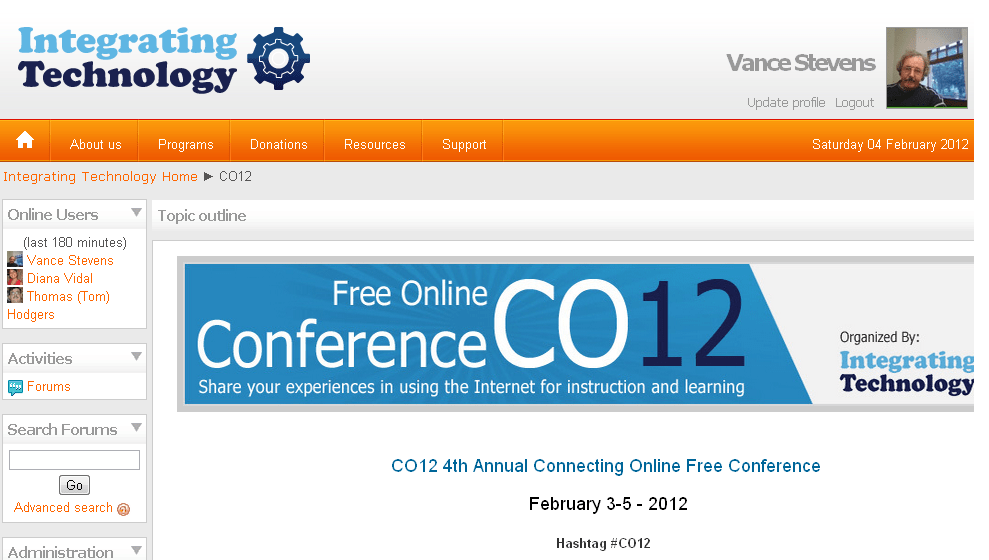
Sign on to the Nng and it becomes your conference, as shown in the screenshot below. Nellie Deutsch organizes this conference. Vance Stevens is a mere participant, enjoying the event as it coincides with our weekly Learning2gether
This Sunday, Vance again plans to be available to people in the Multiliteracies (or any other) EVO Session to discuss any aspect of these events and what we and especially you are trying to accomplish here. Perhaps Multiliteracies participants will come online to show us their Me-Portfolios
Vance will be available before noon GMT and will remain online at least until 16:00 GMT.
Noon GMT is when the CO12 conference starts Feb 5 (and for the next 11 hours)
Tuba Angay plans to come online at 14:00 GMT to talk about Multiliteracies
We’ll be joined by Beyza Yilmaz from Istanbul, who has co-authored an article on Webheads in Action http://webheads.info with Vance Stevens:
Yilmaz, B, and Stevens, V. (2012). Webheads in Action: A community of practice scaffolding multiliteraciesskills in teacher professional development. Writing & Pedagogy 4,1:135–146.
that for our learning together session this Sunday Vance again plans to be available to people in the Multiliteracies (or any other) EVO Session to discuss any aspect of these events and what we and especially you are trying to accomplish here.
Vance was available from about noon to 14:00 GMT (Sunday habit, normal time).
For our learning together session this Sunday Vance plans to be available to people in the Multiliteracies (or any other) EVO Session) to discuss any aspect of the event and what we and especially you are trying to accomplish here.
Vance can be available from about 11:00 GMT to 14:00 GMT. and will definitely be online from noon to 14:00 GMT (Sunday habit, normal time).
If you would like to join online then we can start at http://tappedin.org and move to Elluminate at http://tinyurl.com/y3eh. Or contact Vance on Skype or Google, ID = vancestev. Vance will guide you.
Announcements made to EVO Moderators and Coordinators (closed) lists, and also to these public lists:
Technology for teaching and learning fascinates me, and I’m excited about finding ways to use tools in ways that improve on what I’m already doing in class. Since it takes me time to learn how to use a new tool, and I teach in fairly low-tech environments, I focus on simple-to-use tools that I can use even without an Internet connection. Even though the examples I’ll be showing are geared toward teaching young learners and teens, I use the same techniques and activities with my adult learners. I hope you’ll find something that will prove useful for your own unique teaching situation, too!
Thank you IATEFL Young Learners sig for asking me to speak for you EVO session. If you missed the presentation,… fb.me/1vSqJkdIP
Graham Stanley announces that the 2nd weekly synchronous event in the EVO Gamification session is on Sunday 22nd at 16.00 GMT with Ozge Karaoglü talking about her experience of using and making ‘Digital Games for Young Learners’
Sunday, January 15, 2012 – Special EVO Triple-header, all but a small part of a SUPER SUNDAY of STREAMING instigated by Jeff Lebow; see http://jefflebow.net/node/283
Next was the first in a series of EVO sessions, where we invite EVO Moderators to join us at around this time the next few Sundays to discuss their sessions with other EVO participants at large, from noon GMT to 13:30 GMT –
In this event we hear from the moderator of MachinEVO, Heike Philp aka Gwen Gwasi
Heike Philp
MachinEVO is an EVO sessions workshop for video productions of language learning conversations in Second Life
MachinEVO is all about producing films of language learning conversations undertaken in Second Life. A film of Second Life (SL) is called a machinima and it is derived from a combination of machine and cinema. Essentially it means recording the screen of the application Second Life. A machininma uploaded onto a video sharing site may also be playing on a mobile app increasing the accessibility of these productions.
Location: The session took place in Second Life, at EduNation and English City
But the event was streamed live on http://webheadsinaction.org/live
(so you don’t need to be in SL to attend)
Streamed and recorded thanks to Jeff Lebow
for more details including the meeting room URL posted nearer the time of the event.
An hour after this finishes… The TESOL EVO/IATEFL LT SIG session ‘Teaching and Learning Languages through Gamification’ has its first synchronous session on Sunday 15th January at 17.00 GMT
00:00GMT –http://bit.ly/y4YvFJ – EdTechWeekly#208 – Dave Cormier, Jeff Lebow, Jennifer Maddrell, & John Schinker return from another hiatus to catch-up on the latest edtech new and topics (this will also be streamed at edtechtalk.com/live which will likely have the more active chat room)
01:00GMT – http://bit.ly/ACzejO – EVO2012 Open Hangout (part 2) – For those who are unable to participate in part#1 and/or want more hangout time.
Marijana Smolcec referred to this post when she posted this on Facebook on Dec 7, 2020
She says she’s still using the technique. Here is her tutorial video:
___________________________________________________________ This blog is written and maintained by Vance Stevens
You are free to share-alike and with attribution under https://creativecommons.org/licenses/by-sa/4.0/
The date of this update is December 8, 2020 09:00 UTC
New to this? Come first to the LIVE stream at http://webheadsinaction.org/live That stream will be broadcast also in Webheads Virtual Room in Bb Collaborate / Elluminate
Vicariously watch or listen to the live stream – How:
Go to http://webheadsinaction.org/live to simply watch or listen (separate video and audio-only streams) – You can participate live there through text chat
Go to Elluminate and monitor the Hangout there as well as interact with other participants there -How?
Go to Bb Collaborate / Elluminate http://tinyurl.com/y3eh to interact as you usually do there but also see a video broadcast including audio of the Hangout
This is your best option if you can’t reach the Hangout but want to speak via Elluminate about your session
Moderators can participate in the live Google+ Hangout – How?
Hangouts accommodate 10 simultaneous interactants in voice and video. If you don’t show your web cam then an avatar displays, so just-talk is an option.
If you are in Jeff’s circles, when you go to Google+ you will see that one of your friends (Jeff) is hanging out, and you can join us that way. Jeff will also give us a URL for the Hangout that should work for anyone else with a Google ID.
To get Jeff to add you to a circle so you can see him, fill out the contact details at http://bit.ly/yymb7r (see complete link to Google Doc below).
If joining the hangout:
Remember to wear a headset
Important Tech Tip: mute whatever you were listening to (i.e. the live stream) BEFORE you join the Hangout.
Add your gmail address to the list at http://bit.ly/yymb7 so you can receive an invitation to the Launch Hangout from Jeff Lebow at around 13:00 on Jan 8.
Flummoxed by all these instructions? Here’s a prose description of what should happen:
The show will start out in Hangout with moderators who can reach the hangout rotating through (Hangout accommodates only ten at a time). It’s like the old Skype events where Jeff would manage who was there live and send everyone else back to the stream. Only here, if any moderators can’t get into Hangout, those moderators can go to Elluminate, and they can speak from there.
Anyone wanting to simply monitor the proceedings will be happiest in the live stream at
http://webheadsinaction.org/live. There is text chat there. Elluminate will be broadcasting the same thing in jerky video (audio will be fine). The advantage to Elluminate is that, if you are having trouble reaching the Hangout, you will be able to talk there, but we won’t record you there until we have stopped the live stream.
At that point we’ll all move to Elluminate. The benefit is that there will be a recording in Elluminate from when the stream starts at 1300 GMT, since the stream itself (the Hangout) will be recorded there. But the stream recording will end with a move to Elluminate. However the Elluminate recording will continue and preserve a record of the entire event from start of the Hangout stream to finish in Elluminate.
Vance will have computers monitoring all three areas, the live stream and its associated text chat, Elluminate for whomever happens to be there, and the Hangout where I’ll be until my space is needed, and then I’ll happily go back to listening in the stream.
There are a few tricks to sort out. The most important thing is to wear headsets in the Hangout (not necessary when we get to Elluminate as I’ll have that set for only one speaker at a time to prevent echo chambers). Also, if you come into Hangout from the live stream you must mute the stream. Failure to follow either of these procedures will result in bad echo and someone will mute you. Then you have to know that only YOU can unmute yourself in the Hangout (once you’ve resolved the echo problem),
Also it’s good form to mute yourself when not talking so we don’t get your background noise (dogs barking, chickens crowing, traffic noises, whatever).
Normally we talk people through these procedures, but it’s nice if the problems can be prevented through a prior heads-up, and the more people who know about this the merrier.
These links and recordings will give you an idea of what happens during one of these events.
The Elluminate recording is also linked there, but this is a recording basically of Jeff’s Hangout being streamed into Elluminate: http://tinyurl.com/2012jan01L2G




 Learning2gether