On Sunday Feb 8 1300 GMT Jeff Kuhn and Vance Stevens presented EVO Minecraft MOOC at the free live Connecting Online CO15 Conference being held Friday, Saturday, and Sunday of that weekend. This was the first of a LEARNING2GETHER DOUBLEHEADER where Vance presented at consecutive CO15 and EVO Week 4 events
EVO Minecraft MOOC is an innovative way to model professional development incorporating elements of gaming. This EVO session is based athttp://tinyurl.com/evomc15 and is ongoing at the present time. This presentation outlines the vision behind EVOMC15 and reports on progress and outcomes so far.
On Sun Feb 1 at 1400 GMT Learning2gether hosted an EVO Minecraft MOOC Hangout on Modifying the game for language learning. With us we had EVOMC15 co-moderators David Dodgson, Jeff Kuhn, and Vance Stevens
Dave Dodgson planned to outline what his students at his former school were doing with Minecraft and what he’s been doing at his current school. He has two videos his former students made on Youtube which he has shared.
Now that the EVOMC15 particpants have tested the Minecraft waters Jeff wanted to talk about modifications for the game (nothing too technical) so folks can get a glimpse into how Minecraft can really be tweaked for specific learning content.
It was interesting to hear Jeff’s and David’s perspectives on using Minecraft with students and on the benefits of gaming and advantages of Minecraft in supporting those benefits. It was especially interesting to hear how easily one could set up a Minecraft server for classroom use (David was running one on the teacher computer in his classroom, and Jeff thought I could run one from my laptop.
“Week 2 is all about servers; what they are, how to download them, install them and some things to watch out for along the way.” Here is the schedule:
Monday 2nd Feb: An introduction to servers – What they are and the different kinds that are out there.
Tuesday 3rd Feb: To host or not to host? LAN maybe your answer
Wednesday 4th Feb: Installing a Vanilla 1.8 Server
Thursday 5th Feb: Working with Bukkit
Friday 6th Feb: The world of Forge and MinecraftEDU
Technical footnote: There were connectivity problems with HoA in UAE. Dave was having them in Gabon. He dropped out of the call at least once. In Dubai, Tomas Lorincz struggled to get in and never quite stuck (he ended up listening to the stream). I got my first disconnects in Al Ain when I was setting up for the event. This prompted me to log onto another computer, which also started disconnecting, but at least I had two in the fray. I restarted both and got one to connect, and the other appeared to connect but did not show up on the first computer. Once we were under way the first HoA froze in my browser. I could hear and people told me they could hear and see me, but that browser had no functionality (for me to mute for example). The second computer kept dropping out, I kept refreshing it, but it never joined the HoA, except that when it came time to close the recording and there was no functionality on my frozen computer, the stop recording button worked on the one that wouldn’t actually let me in the HoA.
I think things went well as far as the other participants were concerned, Tilly and Sara joined us in the HoA, and Maha and Gil Mattos were present in the stream and said all was fine, and I think the recording is ok. But it was very strange and challenging to keep things going from where I was pushing plans B and C.
Earlier this week
Sun Jan 25 1400 GMT Learning2gether with EVO Minecraft MOOC and Snake Gaming
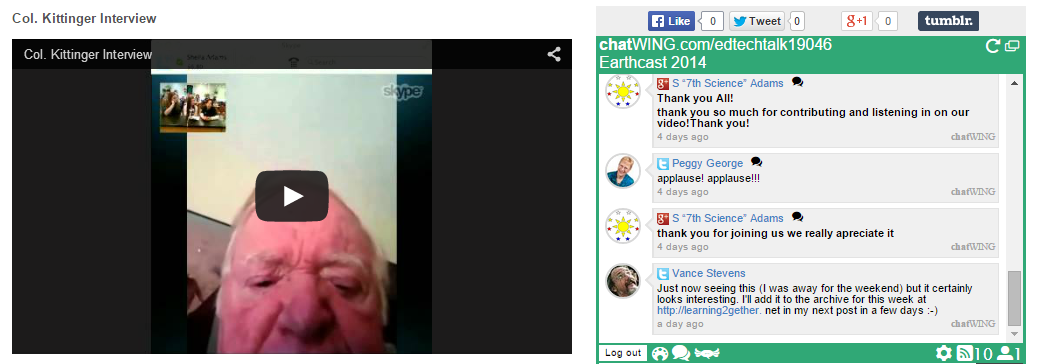
Thu Jan 29 Earthbridges interviewed Col. Joe Kittinger in Hangout for classrooms around the USA
Earthbridges.net brought Col. Joe Kittinger into classrooms around the USA, perhaps around the globe, on Thursday, January 29, 2015. He was the first person to jump from the stratosphere back in 1960! Join us when we interview him about his jump and other accomplishments during his life!
Most effective teachers have one thing in common: they make learning fun.
Join renowned educator, Vicky Loras, for Are Your Students Playing or Learning? –Both!,a free live webinar to learn how to make your classes more meaningful and engaging.
The webinar will take place on January 30th, 2015 at 6pm UTC. To join, click here: Enroll Free
In this fast-paced one-hour session, Vicky will share:
● Practical examples easily applied in any class
● A google document handout with useful information
● Interaction with attendees during and after the webinar
● Access to view and download the video recording of the webinar
Sun Jan 25 1400 GMT Learning2gether met with with EVO Minecraft MOOC and Snake Gaming co-moderators Filip and Marijana Smolčec and Vance Stevens, to talk about #EVOMC15 .
EVO Minecraft MOOC #EVOMC15 is one of the many sessions you can participate in now to mid-February 2015 at http://evosessions.pbworks.com. This session is unique in many ways, not least of which is it’s a session with pre-teen participants who are emerging as experts to guide the adults. One of these is Filip Smolčec, who blogs and produces video on his YouTube channel and Snake Gaming. We all meet in this event to talk about how the session is going, and offer advice on engaging language learners with Minecraft.
Master Minecraft Snake Gamer and Tutor Filip Smolčec (and his mom) will bring us insights and perspectives on the world of Minecraft.This Hangout on Air is a scheduled event for the Electronic Village Online #EVOMC15 – EVO Minecraft MOOC for 2015; however anyone interested is welcome to attend.See examples of Filip’s work on the EVOMC15 community page: https://plus.google.com/communities/112993649763396826671
Join EVO Flipped Learning moderators for our first live discussion. We’ll talk about what happened this week, do some small group brainstorming, and end with Q&A and a look at the week ahead.
Week 1 FL Webcast: Discussion, Tools, and Feedback
Robert Wachman, Kevin Coleman, Natasa Bozic Grojic + 34 others going
Thu Jan 22 1800-1930 GMT Thomas Strasser – Making the Most of Readers and the Latest Interactive Digital Technology
Select the option “Enter as a Guest” and key in your FULL !!! name
Click on “Enter Room”
Check [and register] for other free LPM-webinars for foreign language teachers hosted by Jürgen Wagner http://v.gd/webinars
Upcoming webinars in this series – Subscribe to newsletter for teachers of foreign languages and consult its archives by scrolling down on the same page: http://www.lpm.uni-sb.de/typo3/index.php?id=1261
Sat Jan 24 IATEFL Monthly Webinar – Leo Selivan Quizlet: more than just flashcards
Leo Selivan – ‘Quizlet: more than just flashcards’
Quizlet is an online tool and mobile app for creating flashcards. The standard format for vocabulary flashcards is a word or term on one side and L1 translation, definition or picture on the other. Studying vocabulary with flashcards aids memorizaton and recall but unfortunately doesn’t give learners much information about how new words should be used. We will look at simple strategies you can use and “tweaks” you can add to Quizlet flashcards to make them more effective and usage-oriented.
Leo Selivan has been involved in ELT for more than 13 years in various roles: teacher, examiner, trainer, senior teacher, materials writer and e-moderator. After working for 10 years for the British Council in Tel Aviv and training teachers in Armenia, Azerbaijan, France, Italy and Turkey, he is now a freelance lecturer in second language acquisition and ELT methodology. Leo’s professional interests include vocabulary acquisition, corpus linguistics and lexico-grammatical interface – the topics he often presents on at ELT conferences in Europe and has written about for the British Council – BBC website Teaching English, Modern English Teacher and The Guardian Education. Last year, Leo guest-edited the special edition of Humanising Language Teaching devoted to the 20th anniversary of the Lexical Approach. He runs a popular blog about teaching lexis (vocabulary + grammar) called Leoxicon
On Sun Jan 18 at 12 noon GMT LEARNING2GETHER met with Tom Robb, one of the creators of MReader (http://mreader.org), a free system for providing quizzes to graded readers and tracking student progress with them.
MReader was created to allow the Extensive Reading approach to be implemented in any class with access to graded or youth readers. It frees the busy teacher from the necessity of keeping track of what students have read via time-consuming reports and other feedback mechanisms. Even for the teacher already “sold” on the ER approach and who is willing to take the time and effort to counsel students, adoption of MReader presents an additional means of motivation for students, who can confirm their understanding of the books they have read and slowly amass a collection of book covers on their personal page.
MReader has over 4400 quizzes as of this writing (January, 2015) and the number is growing. The goal of the project is to have quizzes available on all ‘graded readers’ as well as the most popular native-speaker ‘youth readers’.
In this session, Tom Robb discusses the software, its development, its “gamification” aspects and the community effort behind it.
Juergen Wagner always follows up these events with a “post-paratory” announcement. He hopes that you “will not hesitate to enter your feedback into the following padlet: http://de.padlet.com/wagjuer/webinars (just state your full name and a short remark concerning last night’s EVENT!!!)”
He continues:
At times there were 71 people in the virtual meeting room from about 20 different countries
(Argentina, Austria, Bulgaria, Croatia,Finland, France, Germany, Greece, India, Italy, Macedonia, Poland, Romania, Russia, Serbia, Slowakia, South Africa, Spain, Turkey, …)
The K12 Online Conference is an all-volunteer, noncommercial effort, which means we rely completely on the contributions of generous volunteers. If you’ve ever thought about getting more involved with K12 Online, now is the time!
On Mon., Jan. 12 at 8:00pm ET, we will be livestreaming a video hangout here to talk about volunteer opportunities for the 2015 K12 Online Conference. There are a wide variety of ways to contribute, from marketing to presenting to working on live events. Some of these things only take a few minutes, while others are more involved. However you might like to be involved, there is an opportunity for you!
Hazel Workman, Dennis Newson, Fabrizio Bartoli + 6 others going
Learning2gether participants welcome “… but what we hope for are participants willing to stay the course …. go the distance … and win a certificate at the final curtain.”
On Wed Jan 14 at 1400 GMT EVO Minecraft MOOC held a meet and greet with Jeff Kuhn. Also on hand were EVOMC15 co-moderators Marijana and Filip Smolcec and Vance and Bobbi Stevens. Jeff started us off by laying out the rationale for using games in the classroom, including statistics showing that the video gaming industry was worth five times as many billion dollars as the film industry, certainly not a medium to ignore. One game that has been doing quite well in that industry is Minecraft, and our discussion explored how it can be used in class and also explored a little of Minecraft itself thanks to a screen share from Bobbi’s computer. Hope you enjoy the recording.
Followed on Fri Jan 16 by EVOMC15 Minecraft sandbox
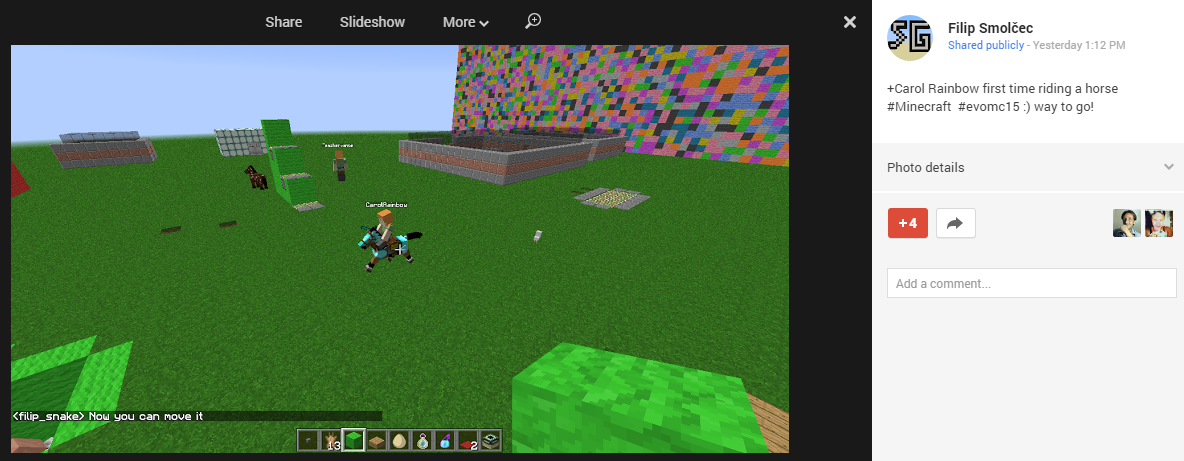
EVO Minecraft MOOC moderators and participants met at our Minecraft server for sandbox activities. On arrival were were able to press T to get a text chat in Minecraft, but we quickly established a Skype call so we could communicate hands free in voice chat.
We set up the event using http://doodle.com to produce the best times for us to meet
Here’s a taste of some of the shenanegans
Filip’s remarkable video, referred to in Tamas’s post
And kudos to Barbi
on the most advanced build and tutorial on how to escape it created by any of us noobs!
What next?
This seems to have worked well for us. Now that we’ve established proof of concept, how about someone else try and set up a sandbox meeting at a time convenient for them, and let the rest of us join you if we’re available.
In this annual event, EVO2015 Moderators talked about this year’s sessions as the EVO gets underway for its 15th year! See http://evosessions.pbworks.com
The webinar is open to anyone who is interested. It will be recorded and available on the IATEFL website for a limited time. After that it will be available only to IATEFL members.
You can access the webinar through the IATEFL websitewww.iatefl.org or directly here:
On Sun Jan 4 Learning2gether was pleased to meet with Teresa Almeida d’Eca, who presented to us on Google, a world within the World in Google+ Hangout on Air
This presentation highlighted parts of the “immense Google world” most relevant to educators while showing the extent to which it is embedded in daily life simplifying personal and group work and communication for educators and their extensive networks of colleagues worldwide. Teresa Almeida d’Eca highlighted a relevant task from her experience as an EFL educator and discuss the importance of having adopted some Google apps as part of an online professional development workshop she co-coordinated for 10 years. Finally, she showed some of the apps she currently uses when working with her online professional groups. Her presentation showed how Google users can benefit from adopting Google apps to maximize communication, collaboration and sharing with students and peers.
This presentation was shown at the Google Portugal Summit on 30 Nov. and demoed live through desktop sharing.
Sun Dec 28 2100 GMT Wesley Fryer convenes Hangout on 2014 EdTech Year in Review
Please join +Eric Langhorst , +Jason Neiffer & +Wes Fryer in a 75 minute Google Hangout starting at 4 pm Eastern – 3 pm Central – 2 pm Mountain – 1 pm Pacific on Sunday, December 28th discussing the “2014 EdTech Year in Review.” What have been the digital tools, trends, workflows, conferences, and interactions which stood out for you in 2014 as an educator and individual media publisher/sharer? What news stories from 2014 will impact schools the most in the coming year?
On Sun Dec 28 at 1500 GMT Learning2gether were fortunate to meet with David Winet who hosted a discussion on Real World Writing about Real Things for a Real Audience
Dave’s point is that students can supplement the standard writing for teacher only by using Yelp, Rottentomatoes, DearAbby, Yahoo news, PeoplesCourt, Amazon review, and comment sections to communicate their thoughts and feelings about film, food, products, books, news stories, justice, etc. with the whole internet. This is writing with a real purpose, not just writing as an academic exercise, and it gets students to write because they want to, not because they have to.
Hi and thank you for coming. Background: Academic bound students A little thing that gets students reading &writing about real things for real readers, and finding motivation to do it correctly as well as exposure to how it’s done by native speakers. The students can pick their own favorites, or the teacher can assign a movie, book, product, restaurant to review, etc. In the case of movies and restaurants students can go in groups if they wish and each write his/her own review. Obviously this is fun to go somewhere together and then compare reviews. After-class benefit and tie-in would be getting other students in the class to try a given restaurant or movie based on the review. A chance to bond!
Caveat: some students are not ready for the real world. A mix is best of standard essays and this stuff. Students must have the option to get their work corrected and the structure right before they post. A more serious or higher level class should have a short lecture and templates from the teacher to help structure a good review.
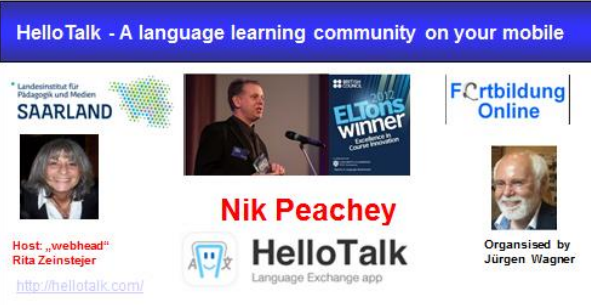
*In case anyone is interested in using these versions and publish them as guest blogposts you can do so for free or “multiply” the message via mailinglists, etc, providing you state Nik’s name as the author and cite us as the authors of the translated versions.*
Earlier this week
Sun Dec 7 Learning2gether with Ryan Buchanan about tablet technology for teachers
Mon Dec 8 Stephan Rinke on Staying sane and managing yourself with Evernote
Free webinar: “Staying sane and managing yourself with Evernote ®”
a webinar for teachers and anybody else who wants to stay sane while managing a lot of information and tasks
the basics of David Allen’s self-management system Getting Things Done®
how to make it work for you with Evernote®
how to get things out of your head into a reliable system that will allow you to use your mind for thinking rather than for remembering how to become a more focused thinker with fewer items to keep in mind
how to ensure you always have relevant information available when and as you need it
Presenter
Date: 08.12.2014 19:00h – 20:30h (Continental Time
= 18:00h – 19:30h United Kingdom
= UTC (GMT) 18:00h -19:30h
Registration: If it’s a first time registration, please send along the name of your school, university, institute, etc. to JWagner@lpm.uni-sb.de
Access link: https://webconf.vc.dfn.de/edumorph/
You will need neither a username, nor a password.
Select the option “Enter as a guest” and enter your FULL !!! name into the box. (All attendees are “guests”).
Find further free webinars for teachers of foreign languages at http://v.gd/webinars
This is from Juergen’s “post-paratory” email concerning this event
2014 has been a landmark year for open badges. We kicked off the Badge Alliance to service the growing open badges ecosystem through action-oriented working groups and tackled salient issues collaboratively. During this live session, we’ll review the accomplishments of several of the working groups, including research, standard, endorsement, and directory. We’ll learn about the objectives each working group set out to accomplish within the 6 month cycle and the process it took in order to reach those goals. This session is intended to be collabortive and we invite the audience to engage with questions and feedback.
And as always, we look forward to your ongoing participation in the Open Badges MOOC! You are welcome to continue to use the MOOC resources (badges.coursesites.com) and submit challenge assignments for review by our experts. You’ll also find an extremely useful set of resources on the Reconnect Learning site.
Anne Derryberry, Deb Everhart, and Erin Knight
MOOC leaders
Mon Dec 8 edWeb seminar on Planning Lessons for a Range of Cognition
2nd edWeb seminar on Planning Lessons for a Range of Cognition
Short on Time: Making Time to Lead and Learn as a Principal
Monday, Dec. 8 at 4 p.m. Eastern Time
REGISTER HERE Presented by Bill Sterrett, Educational leadership professor and coordinator at the University of North Carolina Wilmington
Join Leadership 3.0
Tue Dec 9 3pm ET edWeb seminar on Brain Research and Social & Emotional Development of Young Children What Brain Research Tells Us About the Social & Emotional Development of Young Children
Tuesday, Dec. 9 at 3 p.m. Eastern Time REGISTER HERE Presented by Dr. William Mosier, Professor of Early Childhood Education at Wright State University and Director of Research at the Lynda A. Cohen Center for the Study of Child Development in Dayton, Ohio
Join PreK-3 Digital Learning
Tue Dec 9 4pm ET edWeb seminar on Teaching digital photography Teaching Digital Photography: Seven Essential Elements for Instructional Success
Tuesday, Dec. 9 at 4 p.m. Eastern Time REGISTER HERE Presented by Keith Kyker, District Library Media Specialist in Valdez, Alaska
Join LMC @ The Forefront
Wed Dec 10 3pm ET edWeb seminar on overcoming barriers to creativity Overcoming the Barriers to Creativity
Wednesday, Dec. 10 at 3 p.m. Eastern Time REGISTER HERE Presented by Steven Anderson, Content and Relationship Evangelist for Promethean
Join ReEnergize Today’s Connected Classroom
Wed Dec 10 4pm ET edWeb seminar on why design matters Why Design Matters: How a Well-Designed Website Can Increase K-12 Community Engagement
Wednesday, Dec. 10 at 4 p.m. Eastern Time REGISTER HERE Presented by Gina Beisel, Schoolwires’ Senior Manager of Creative Services; Kyle Taylor, Schoolwires’ Graphic Designer; and Amber Wolfe, Schoolwires’ Web Designer
Join Parent Involvement & Community Engagement in K-12
Wed Dec 10 5pm ET edWeb seminar on HOT web tools H.O.T. Web Tools to Ignite Your Classroom
Wednesday, Dec. 10 at 5 p.m. Eastern Time REGISTER HERE Presented by Rachel Langenhorst, K-12 Technology Integrationist in Rock Valley, Iowa
Join Amazing Resources for Educators
Thu Dec 11 EdTech Mojo webinars on Online Teaching Fundamentals and Learning Positivity
Online Teaching Fundamentals
A review of basic skills, tips and tactics to managing an online course effectively.
zoom link: https://delhi.zoom.us/j/854918338
Learning Positivity
Research shows that optimists are sick less, recover from illness faster, earn higher income, achieve higher GPAs, have stronger immune systems, suffer from depression less, have lower rates of divorce, and a whole host of other benefits. This workshop will review current methods in the Positive Psychology movement to increase a positive mindset.
zoom link: https://delhi.zoom.us/j/854918338
Thu Dec 11 edWeb seminar on E-rate 2.1 next step for E-rate moderation
E-rate 2.1 – The Next Step for E-rate Modernization
Thu Dec 11 IATEFL YLTSIG ‘ELT through Rhythm and Rhyme’ Click here to access the Class
Sat Dec 13 Steven Anderson on Classroom 2.0 LIVE
Date: Sat., December 13, 2014
Location: http://tinyurl.com/cr20live (http://tinyurl.com/cr20live)Peggy George, Lorie Moffat and Tammy Moore will be hosting another Classroom 2.0 LIVE show. As an extension to the Classroom 2.0 Ning community, Classroom 2.0 “LIVE” shows are opportunities to gather with other educators in real-time events, complete with audio, chat, desktop sharing and closed captioning. A Google calendar of upcoming shows is available at http://live.classroom20.com/calendar.html.Classroom 2.0 LIVE is so fortunate to have so many awesome, passionate educators join us each week to help us learn and grow in our profession, and we have another great special guest this week! Steven Anderson (@web20classroom) is returning to Classroom 2.0 LIVE and I know you are going to be charged up and excited as you hear Steven sharing a fantastic new classroom tool called ClassFlow. ClassFlow is a free, cloud-based tool that enables teachers to create lessons, deliver interactive content across multiple devices, and assess student understanding. With ClassFlow, teachers can build and access interactive lesson plans from any web browser. In addition, it allows teachers to foster student engagement by connecting mobile devices such as tablets and laptops to classroom displays and interactive whiteboards. Teachers can use real-time student responses to instantly adjust any lesson plan when it matters the most – in the moment of learning. Steven will demonstrate how ClassFlow works and provide examples of ways it is being used in classrooms across all grade levels.Steven lives in Winston-Salem, NC and is an educator, speaker, blogger, #Edchat Co-Creator, author, learning evangelist, Dad, Edublogs Twitterer Of The Year, ASCD Emerging Leader, Top 50 Innovators in Edu just to mention a few of his amazing accomplishments, and we can’t wait to learn together with him about this great tool! Steven blogs at: blog.web20classroom.orgMore information and session details are at http://live.classroom20.com. If you’re new to the Classroom 2.0 LIVE! show you might want to spend a few minutes viewing the screencast on the homepage to learn how we use Blackboard Collaborate, and navigate the site. Each show begins at 12pm Eastern (GMT-5) and may be accessed in Blackboard Collaborate directly using the following Classroom 2.0 LIVE! link at http://tinyurl.com/cr20live. All webinars are closed captioned. Unsure of the time in your time zone? Click on the “Time Zone Conversion” link on our home page.On the Classroom 2.0 LIVE! site (http://live.classroom20.com) you’ll find the recordings and Livebinder from our recent ”Hour of Code” session with our special guests Kevin Hodgson and Gail Poulin. Click on the Archives and Resources tab. When tweeting about Classroom 2.0 LIVE, be sure to use #liveclass20. Special thanks to our sponsors The Learning Revolution, Weebly, and Blackboard Collaborate!Classroom 2.0 LIVE Team: Peggy George, Lorie Moffat, Tammy Moore, Steve Hargadon
On Sun Dec 7 Learning2gether is spending time with Ryan Buchanan talking about tablet technology for teachers, in a presentation subtitled:
“Why’s and How’s of My Desire to Get on the Other Side of My Students’ Screens” or “Making Students’ Digital Interface Work: App Flashcards”
Ryan writes: Let’s talk about getting on the important side – the “looked-at” side – of the students’ devices. I offer suggestions that I act on to make learning more attractive for my Saudi Digital Natives using Quizlet & other great apps.
Please preview my Quick Quizlet Prezi below – four short (less than 3 minutes each) YouTubes introducing the app with step-by-step creation & a sample of lesson delivery.
Also, here’s my Tablet Technology for Teachers Prezi with a screenshot step-by-step of other tablet-mediated teaching tools, including Bluetooth, Google Keep, Merriam Webster Dictionary, SimpleDifferent Website Builder & Socrative.
Ryan had planned a flipped presentation where he presented material he wanted to discuss beforehand and provided the links above. During the conversation, we went (as you would in a truly flipped classroom) into the philosophical issues of digital natives and immigrants and how wrong it is to make them park their networks at the door of the classroom and not bring them in. Thus the conversation went on to the teaching philosophy that would incorporate these networks and accompanying devices into the classroom with the result that we flipped the presentation even further as something we didn’t actually get to but for later, people could look at the following links, shared during the conversation:
Some were interested in contrasting engaging students with mobile technologies with the interactive activities that Robert Wachman, one of our participants, developed decades ago (with Larry Staten) as part of LAEI (Live Action English Interactive). In the chat, Robert directed us to cpli.net, which is the website for Command Performance Language Institute. Here’s a link to a movie showing how a whole unit works. Unfortunately, one can’t actually do it themselves online, just see how it works. They are looking into creating an app for the software, but that’s still in the future.
And here’s a link to a demo movie of a unit for the newer More Live Action English Interactive, but first one really shows the kind of exercise we were talking about: dragging an object to a window and triggering the playing of a video clip if it’s the correct object.
Gamification as a useful concept for teaching language
online tools for implementing Gamification
some ideas on how to use Gamification.
This Gamification webinar is followed by a 5-minute professional development presentation for teachers of English or other languages as a second language (Webinar in English).
Who?
Presenter: Marie-Hélène Fasquel
Host: Cathia Gaita Kinaci
When? 1.12.2014 19:00 Uhr – 20:30 Uhr (Berlin Time Zone)
Sessions are free, but please register with JWagner@lpm.uni-sb.de If it’s a first time registration, please send the name and address of your school, university or institution
Wed Dec 3 Nellie Deutsch – Teachers micro-teaching in pairs
Teachers Micro Teaching in Pairs’. The class will start at 09:00 PM(GMT+04:00) Abu Dhabi, Muscat. Click here to access the class
Dec 4 Using Voice Thread By Kirsty Digger
VoiceThread is a cloud-based tool that can be used in a variety of formats to present material, comment of material or for discussion. Basic accounts are free and offer an excellent opportunity for students and faculty to learn through a non-linear format. Take a tour of VoiceThread, learn about its features and discuss possibly scenarios for application of VoiceThread in your own classroom.
Peggy George, Lorie Moffat and Tammy Moore will be hosting another Classroom 2.0 LIVE show. As an extension to the Classroom 2.0 Ning community, Classroom 2.0 “LIVE” shows are opportunities to gather with other educators in real-time events, complete with audio, chat, desktop sharing and closed captioning. A Google calendar of upcoming shows is available at http://live.classroom20.com/calendar.html.
The Hour of Code week is almost here (Dec. 8-14, 2014) and we are thrilled to have two outstanding teachers as our special guests to kick off the Hour of Code week. They will share details about the Hour of Code and tips and resources you can use to get your classes involved in this exciting, life-changing experience. Gail Poulin and Kevin Hodgson will share their passions for coding and programming with students as creators as well as consumers through their stories and student examples. Gail Poulin teaches Kindergarten and Kevin teaches 6th grade in William E. Norris School in Southampton, MA. Hour of Codehttps://twitter.com/dogtraxhttps://twitter.com/poulingail
More information and session details are at http://live.classroom20.com. If you’re new to the Classroom 2.0 LIVE! show you might want to spend a few minutes viewing the screencast on the homepage to learn how we use Blackboard Collaborate, and navigate the site. Each show begins at 12pm Eastern (GMT-5) and may be accessed in Blackboard Collaborate directly using the following Classroom 2.0 LIVE! link athttp://tinyurl.com/cr20live. All webinars are closed captioned. Unsure of the time in your time zone? Click on the “Time Zone Conversion” link on our home page.
On the Classroom 2.0 LIVE! site (http://live.classroom20.com) you’ll find the recordings and Livebinder from our recent ”20 Need-to-Know Features of GAFE You Should Be Using Today” session with our special guest Lisa Thumann. Click on the Archives and Resources tab. When tweeting about Classroom 2.0 LIVE, be sure to use #liveclass20. Special thanks to our sponsors The Learning Revolution, Weebly, and Blackboard Collaborate!
Classroom 2.0 LIVE Team: Peggy George, Lorie Moffat, Tammy Moore, Steve Hargadon
Nov 24 1800 GMT – Listening to Learners in Social Media’
10:00 PM ((GMT+04:00) Abu Dhabi, Muscat) Enter the Class
Tue Nov 25 19:38 GMT: Jason R. Levine on ‘WizIQ test class’.
The class will start at 11:38 PM(GMT+04:00) Abu Dhabi, Muscat and is 60 minutes long. View complete information
Thu Nov 27 1700 GMT Jason R. Levine on Learn How to Micro Teach on WizIQ Enter the Class and fetch the recording
Throughout November -Educational Technology & Global Issues – An IATEFL LTSIG & GISIG event
An online event unlike anything you have heard before!
The IATEFL Learning Technologies SIG and Global Issues SIG are putting together an exciting month-long online event. The format will be a series of audio episodes, almost like a weekly radio show. Each episode will feature a full interview with an expert in the field of technology discussing different problematic aspects of edtech and global issues, as well as success stories of where technology is genuinely making a difference. After each episode, listeners can continue the conversation by contributing in various moderated discussions or leaving their own audio comments at our site. It promises to be an event like nothing you’ve ever heard before! Join in now on http://edtechconcerns.com
Catch up on what you missed at http://edtechconcerns.podomatic.com/











 Learning2gether