Learning2gether with David Winet at TESOL Baltimore Classrooms of the Future – VR and AR and Robots, Oh My!

Learning2gether Episode 325

On Wed and Thu Apr 6 and 7, David Winet gave two talks as part of the 2016 TESOL Baltimore Classroom of the Future series of presentations, the topics of which can be subsumed under the catchy title of the first one,”VR and AR and Robots, Oh My! ”

The above video is from the Learning2gether Apr 7 David Winet presentation on robots in the classroom of the future from TESOL Baltimore in the Classroom of the Future pavilion in the Expo Hall, entitled:
Superblend: Using Robots for ESL Telepresence, or how to be in two places at one time

Dave Winet asked Vance Stevens to try and archive his talk at TESOL 2016. Ever pushing the edge of the envelope, Dave will attempt to get a robot to join his presentation (ironically bringing two entities into the same physical space at one time) whereas Vance will attempt to surmount bandwidth challenges to webcast the event via HoA. Join our fiasco or witness a seminal event, webcast from TESOL Baltimore. Anything can happen.

And it worked!! :-))

Google+ Hangout on Air:


Summary: Robots permit ESL “telepresence,” being in two places at one time. Students can learn and interact with people, places and things in faraway places or nearby. Robots allow teachers to extend the learning realm for students, generating interest and excitement. An actual robot will be in attendance at the presentation!
Objective: To acquaint attendees with the idea of using robots, controlled through internet, to allow students to actually be in two places at once — the comfortable, safe classroom environment, and the exotic, exciting places a robot can visit. The attendees will see how this kind of McLuhanesque extension of ourselves leads to learning language and culture in a visceral, 100%-present kind of way. Attendees will be able to have a go at controlling the robots themselves, both inside the Convention Center and at great distances such as Paris, France, and will understand how students’ interest can be magnified by face-to-face contact with real people, places and things that matter to and intrigue them. Whether it’s by attending a regular university class, “visiting” Machu Picchu or Times Square in real time, or interviewing the man-on-the-street in Peoria, London or Mumbai, the use of robots will be seen to offer tremendous potential for learning language, understanding culture and participating in meaningful group experience with their classmates. I am requesting 45 minutes to explain to attendees how to: drive the robot, give participants a chance to try it for themselves, and use robots in different locales for different types of learning.

April 6, 2016 – VR and AR and Robots, Oh My! Recording:

https://sas.elluminate.com/site/external/jwsdetect/nativeplayback.jnlp?sid=75&psid=2016-04-06.0959.M.7AE801FFB697DA460D4BF25AA8C21B.vcr

Summary

The new 3-D virtual reality headsets are something like the 2-D virtual reality site Second Life but even more compelling and immersive for listening, speaking and reading at every level. Remote-control robots also offer tantalizing prospects for English teaching. Put together, they can create an effective enhanced-reality learning environment.

Abstract

Realistic 3-D “virtual world” environments using Oculus Rift, Google Cardboard and other headsets create an immersive environment for students to learn in a non-mediated, direct fashion not unlike the way children learn their own languages, but with the added educational benefit of “augmented reality” elements such as explanatory words superimposed on real-world settings and the ability to generate testing and competition within those environments, seamlessly connecting the real world, imaginary worlds and ESL tasks all in one. Personal robots, another emerging technology with educational potential, allow a learner or a whole class to experience “telepresence,” that is, the ability to be in two places at once, for example, in a classroom in Peoria and inside the Coliseum in Rome, able to move around in real time, communicate with real people in a faraway place, and, with the addition of “augmented reality” elements, to use those experiences for language acquisition. Pairing 3-D headsets with robots can take the immersive educational experience one step further by obviating the need for a smartphone or mouse for navigation and just allowing natural body movements like head-turning and walking to inform the learning experience. Participants will try out VR headsets during the presentation.

CALL-IS webcasts from TESOL in Baltimore

The Learning2gether Blackboard Collaborate room was used on April 6, 7, & 8 for CALL-IS events being webcast from the annual TESOL Convention in Baltimore.  This room is available on a long-standing grant from LearningTimes, http://learningtimes.com, to Learning2gether as an instantiation of Webheads in Action, and LearningTimes have kindly agreed to support TESOL CALL-IS webcasts through donation of two additional rooms as well, to support the need to run two Collaborate rooms at the same time for EV fair classics, and at 20 min intervals on other occasions throughout the conference.

See the CALL-IS schedule at http://call-is.org/ev/schedule.php

Announcements

In addition, the webcast announcement has been posted to the CALL-IS Facebook and Twitter Accounts.  You can find them here:

Be sure to “like” and “follow” the interest section before the conference to stay connected on social media.

Use the hashtag #EVILLAGE2016 in your tweets to help promote the electronic village.

Connection information found at http://callis2016.pbworks.com/ is replicated here, with some enhancments

Wed Apr 6 1200-1320 UTC Hot Topics – Online course development in MOOCs

Hot Topics: Going Massive — Online Course Development in MOOCs. 8:00-9:20 am, EDT

Recording: https://sas.elluminate.com/site/external/jwsdetect/nativeplayback.jnlp?sid=75&psid=2016-04-06.0522.M.7AE801FFB697DA460D4BF25AA8C21B.vcr 


Wed Apr 6 1330-1515 UTC Intersection CALL-IS with MWIS – Content for mobile apps

InterSection: CALL-IS with MWIS: Creating, Adapting, and Using Content for Mobile Apps. 9:30 – 11:15 am, EDT

Recording: 


Wed Apr 6 TESOL Baltimore Classroom of the Future – David Winet on VR and AR and Robots, Oh My!

https://learning2gether.net/2016/04/06/learning2gether-with-david-winet-at-tesol-baltimore-classrooms-of-the-future-vr-and-ar-and-robots-oh-my/


Wed Apr 6 Best of EVO 2016

The Electronic VIllage Online (EVO) Best of 2016. 1:00-2:50pm, EDT

Recording:
https://sas.elluminate.com/p.jnlp?psid=2016-04-06.0930.M.C8153D6D03399FE73783B2B813CEF5.vcr&sid=75  

2016-04-14_1816chairs8callis

Wed Apr 6 1900-2045 UTC Developers Showcase

Developers’ Showcase. 3:00-4:45pm, EDT

Recording: https://sas.elluminate.com/site/external/jwsdetect/nativeplayback.jnlp?sid=75&psid=2016-04-06.1228.M.7AE801FFB697DA460D4BF25AA8C21B.vcr


Wed Apr 6 2245 – 0000+ UTC CALL-IS Open Meeting

CALL-IS Open Meeting. 6:45-8:15pm, EDT

Recording:
https://sas.elluminate.com/site/external/jwsdetect/nativeplayback.jnlp?sid=75&psid=2016-04-06.1600.M.7AE801FFB697DA460D4BF25AA8C21B.vcr 


Earlier this week

Sun Mar 20 1300 UTC LEARNING2GETHER about HELLO THERE with Jennifer Verschoor

https://learning2gether.net/2016/03/20/learning2gether-about-hello-there-with-jennifer-verschoor/

Tue Mar 23 Virtually Connecting with Alan Levine, Maha Bali, many others

http://screencast.com/t/UxwRN32FN

Virtually Connecting on Twitter: https://twitter.com/VConnecting


Fri Mar 25 1730 UTC EVO Minecraft MOOC server tour by Aaron Schwartz and Jeff Kuhn at OU CALL Conference

Aaron Schwartz invited the #EVOMC16 to a conference presentation where he and Jeff Kuhn will be discussing their EVO experiences and inviting folks to tour the EVO Server during the afternoon tech fair at the Ohio University CALL Conference

https://sites.google.com/site/ohiocallconference2014/ohio-university-call-conference-2015/ohio-university-call-conference-2016-8th-annual-call-conference-2016

The presentation, titled “Minecraft for Professional Development and Networking,” will be an informal part of the fair, but we will have computers open demonstrating our G+ Community via our Adobe Connect meeting spac link:

https://adobeconnect.oit.ohio.edu/evomc16/

If you are available, please join us on the server and/or in the adobe connect session so you can interact with other teachers and CALL professionals and demonstrate our community in action!

You can interact with other participants at our Google+ community Event here

https://plus.google.com/u/0/events/c2he8vbb63ln566cfr0rmupfgmc

The tech fair was scheduled for 1:30pm to 2:30pm EST…that’s 5:30-6:30pm UTC.


Sat Mar 26 More updates and feedback on Remind educational community engagement tools

If you participated in our Remind.com webinar last year you are probably already convinced about how valuable this tool is for strengthening home/school communication. There have been some great new updates to Jordan Pedraza and a panel of teachers and administrators return to share these updates. Joining her on the panel: Michael Buist, 5th Grade Teacher at Knox Gifted Academy in Chandler, AZ (@mrsjeff2u);; Joe Oliphant, Co-Principal and Former 2nd Grade Teacher, Propel Braddock Hills High School, Braddock Hills, PA (@Joe_Oliphant).

Remind helps school communities deepen relationships and engagement through instant and safe communication through text and mobile app messages. Better communication leads to stronger communities and improved outcomes. Teacher-parent engagement is critical to student success, and Remind helps connect these support networks with simple, accessible messaging. In this webinar, we’ll share how educators use light-touch communication to extend student learning, increase parent involvement, and strengthen relationships in their classrooms and schools.

Jordan Pedraza currently leads Community at Remind and has worked in the ed tech space for almost 10 years with experiences in higher education, k-12, policy research, and international settings. Before Remind, Jordan led Community with Google for Education and helped universities, k-12 schools, and ministries of education adopt various Google tools. Jordan is deeply passionate about helping communities explore and adopt technology for new learning models and creativity.

More information and session details are at http://live.classroom20.com. If you’re new to the Classroom 2.0 LIVE! show you might want to spend a few minutes viewing the screencast on the homepage to learn how we use Blackboard Collaborate, and navigate the site. Each show begins at 12pmEastern (GMT-5) and may be accessed in Blackboard Collaborate directly using the following Classroom 2.0 LIVE! link at http://tinyurl.com/cr20live. All webinars are closed captioned.

On the Classroom 2.0 LIVE! site (http://live.classroom20.com) you’ll find the recordings and Livebinder from our recent ”Global Google Mapping” session with Kathy Beck. Click on the Archives and Resources tab.

Classroom 2.0 LIVE Team:
Peggy George, Lorie Moffat, Tammy Moore, Paula Naugle, Steve Hargadon

Visit Classroom 2.0 at: http://www.classroom20.com/?xg_source=msg_mes_network


Mar 31 Designers for Learning #OpenABE Service-MOOC Webcast

Please join our free Designers for Learning webcast tomorrow as part of ourinstructional design service-MOOC. We will be reviewing our progress as we reach the mid-point of the 12-week MOOC. Over 1,300 participants have enrolled in the free and open course that centers on the design and development of open educational resources (OER) for adult basic education (ABE). In this project-based MOOC, participants are networking and gaining instructional design experience while developing instructional materials that will be made available for free to adult educators and learners in the Adult Learning Zone group on OER Commons.

Read more about the webcast and Designers for Learning’s involvement in upcoming conferences where participants from our projects will be presenting:

#OpenABE Service-MOOC Webcast

Please join our free live webcast tomorrow, Thursday, March 31st (see the time where you live) as part of our instructional design service-MOOC on Canvas Network. You can view the live webcast (or find the link to the recording after) on the Live Webcast and Recordings page within Canvas. Here is a webcast overview:


Dr. John Baaki will host our conversation. In addition to a few of our course facilitators and subject matter experts, we have assembled a small panel of participants from this course who will share their perspectives as educators working with our target audience of adult learners, including Ruth Sugar, Patricia Hernandez, Alfons Prince, and Magxina Wageman. As in past webcasts, course participants are asked to please post your questions or comments before the webcast in our Ask a Subject Matter Expert forum, or live tweet questions and comments during the webcast using the #openabe hashtag on twitter.


Sat Apr 2 1700 UTC Classroom 2.0 – Dr Royce Kimmons on Copyright and Fair Use

We have had so many great presenters on Classroom 2.0 LIVE sharing the ways they use technology in their classrooms to support learning. In almost every webinar questions come up about issues related to copyright and fair use. We are excited to be able to get some background and answers to our questions in this week’s webinar with our special guest presenter: Dr. Royce Kimmons. We hope you will plan to join us for this valuable information!

Description:
“The Liberating New World of Open Educational Resources (OER): Copyright, Fair Use, and Open Licensing” Educational professionals typically either ignore copyright or are frightened by it, which either leads to gross misuse of copyrighted materials or failure to use these materials in meaningful ways. This presentation will help educators understand the basics of copyright, fair use, and open licensing and will provide a glimpse of the exciting new world of open educational resources (OER).(@roycekimmons)

Dr. Kimmons is currently an Assistant Professor for Instructional Psychology and Technology at Brigham Young University. He specializes in social networking, teacher education, technology integration, professional development, web applications and game development.

More information and session details are at http://live.classroom20.com. If you’re new to the Classroom 2.0 LIVE! show you might want to spend a few minutes viewing the screencast on the homepage to learn how we use Blackboard Collaborate, and navigate the site. Each show begins at 12pm Eastern (GMT-5) and may be accessed in Blackboard Collaborate directly using the following Classroom 2.0 LIVE! link at http://tinyurl.com/cr20live. All webinars are closed captioned.

On the Classroom 2.0 LIVE! site (http://live.classroom20.com) you’ll find the recordings and Livebinder from our recent ”Fostering Learning, Engagement and Community with Remind” session with Jordan Pedraza, Community at Remind, @JordanPedraza; Michael Buist, 5th Grade Teacher at Knox Gifted Academy in Chandler, AZ (@BuistBunch); Carla Jefferson, Instructional Technology Coordinator, Darlington, SC (@mrsjeff2u); Joe Oliphant, Co-Principal and Former 2nd Grade Teacher, Propel Braddock Hills High School, Braddock Hills, PA (@Joe_Oliphant). Click on the Archives and Resources tab.

Classroom 2.0 LIVE Team: Peggy George, Lorie Moffat, Tammy Moore, Paula Naugle, Steve Hargadon

Visit Classroom 2.0 at: http://www.classroom20.com/?xg_source=msg_mes_network


Sat-Sun Apr 2-3 Learning2gether with SLMOOC16

https://docs.google.com/document/d/1SHsoYS6KW2vQDRIq-nA16mTYlRYHlB3V_22WM4wWwTw/edit?usp=sharing

Here’s SMORE: https://www.smore.com/z6bna

http://maps.secondlife.com/secondlife/Madhupa

Presenter’s bios

https://docs.google.com/presentation/d/13RvFsrRPtbHk8nk3Tq3GPMF3pOfD9mxlT5Rk-zSVmKo/edit?usp=sharing

https://www.haikudeck.com/e/d0b6eed21a/?isUrlHashEnabled=false&isPreviewEnabled=false&isHeaderVisible=false
SLMOOC16 – Created with Haiku Deck, presentation software that inspires;

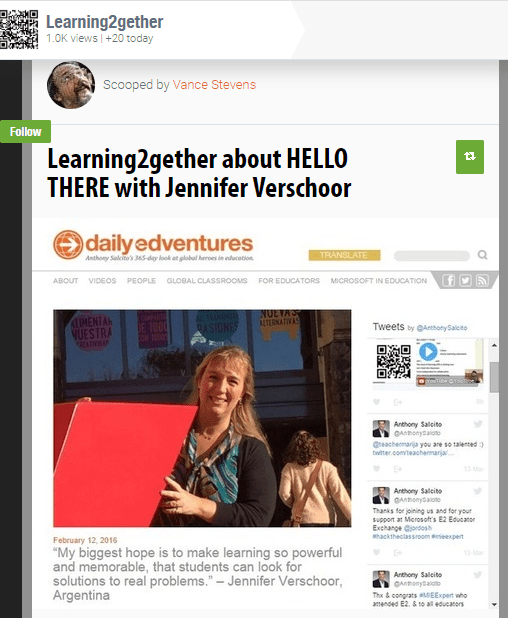
 

Learning2gether about HELLO THERE with Jennifer Verschoor

Learning2gether Episode 324


Download mp3:
https://learning2gether.net/wp-content/uploads/2016/03/learning2gether-about-hello-there-with-jennifer-verschoor-and-ana-maria-menezez-jhjzsynxjbq.mp3?

Vance has known and worked online and face-to-face with Jennifer Verschoor for many years. She was one of the most-successful co-moderators of the 2010 Multiliteracies EVO session:
http://goodbyegutenberg.pbworks.com/w/page/29405319/frontpage2010evo

I was inspired to ask her to join me on Learning2gether when I read about her being honored as one of Anthony Salcito’s Global Heros in Education:
http://dailyedventures.com/index.php/2016/02/12/jennifer-verschoor/

Jennifer decided to tell us about a project she has been working on with Ana Maria Menezez

WHAT’S THE PROJECT ABOUT?

PROJECT: Hello, there!

TYPE OF LEARNING: Language

GOAL: participants will be able to develop communication skills in the English Language.

TARGET AUDIENCE: a group of teenage students (14-16) from Brazil and Argentina.

TECHNOLOGY EXPECTED: students will be using their own devices (cell phones, tablets or computers) to communicate in Edmodo.

STAKEHOLDERS: teachers, parents, directors.

DEADLINE: project will be developed during four weeks.

PROJECT DESCRIPTION:18 students from Brazil will be paired up with 18 students from Argentina to communicate during 4 weeks.

Objective:  to learn as much as they can about the other student and the place where he/she lives during this period of time. At the end of the 4 weeks, each student will write a report to the teacher expressing what they have learned.

Platform: students from both countries will join an Edmodo group. Both teachers, from Brazil and Argentina, will be the managers of the group. Students will be divided in small groups in Edmodo (pairs) where they can develop a conversation. Their communication can be via text, audio files, videos, photos using any kind of file they wish to attach to their messages. Teachers will have access to their communication the whole time.

Teachers’ role: to get students in contact, divide them into pairs and manage their conversation. Students’ messages don’t need to be corrected by the teacher beforehand as the objective is not accuracy but the development of a conversation. However, the teacher can prepare activities to be carried out in class with some common mistakes observed (without identifying students).

Final Task: by the end of 4 weeks, each student should publish a report to their teacher, explaining how the communication took place and what he/she learned about the other student. The final report should contain at least 200 words and images/ videos to illustrate it.

The reports will be posted on a common wiki: http://projecthellothere.pbworks.com/  which will then be shared with parents.

How this works at show time

If space is available, up to 10 people can join us in the HoA directly at the live link posted to our various spaces at show time.
Participants can alternatively watch the stream, and also chat with us live in real time

Announcements

2018-04-21_1357scoopitHELLOJen1
2018-04-21_1358scoopitHELLOjen2

Earlier this week

Sat Mar 19 EVO Minecraft MOOC in a quest for the Ender Dragon

https://learning2gether.net/2016/03/19/evo-minecraft-mooc-in-a-quest-for-the-ender-dragon/


Sat Mar 19 1700 UTC Kathy Beck – Google Global Mapping – on Classroom 2.0

We are in for a real treat with the presentation by Kathy Beck, this week! She has some awesome advice and resources to share with us about Global Google Mapping. This is Kathy’s description for her presentation:

Global Google Mapping – can you say it 3 times fast? You have made a global connection and now you want to share your world with them, and see views of their location as well. However – your field trip budget doesn’t afford your students to travel to and SEE the locations where you have made those global connections. Let me show you some fabulous ways to utilize Google Tools to create “visual visits” as well as sharing about your own location. You will learn how to easily use some Google tools, as well as web tools like Heganoo, Thinglink, Skype, Newseum, World Explorer and apps such as Newsy, Stuck on Earth, Globe for iPad and cross-platform tools such as Flat Stanley and Duolingo. Resources and links provided. http://bit.ly/GlobalGoogleMapping

Kathy Beck, is an Instructional Technology Coordinator in a large school district in North Carolina. She has a BS in Elementary Education and Psychology from the University of Pittsburgh and a MA in Educational Media and Instructional Technology from Appalachian State University. She has taught at the elementary level, in the classroom and computer lab and now serves 7 schools, training educators and working with both teachers and students collaboratively on projects integrating technology. She is passionate about the integration of technology and is a frequent enthusiastic presenter of technology tools and activities at local, state, national and virtual conferences.

More information and session details are at http://live.classroom20.com. If you’re new to the Classroom 2.0 LIVE! show you might want to spend a few minutes viewing the screencast on the homepage to learn how we use Blackboard Collaborate, and navigate the site. Each show begins at 12pm Eastern (GMT-5) and may be accessed in Blackboard Collaborate directly using the following Classroom 2.0 LIVE! link athttp://tinyurl.com/cr20live. All webinars are closed captioned.

On the Classroom 2.0 LIVE! site (http://live.classroom20.com) you’ll find the recordings and Livebinder from our recent ”Participate Learning” session with Brad Spirrison. Click on the Archives and Resources tab.

When tweeting about Classroom 2.0 LIVE, be sure to use #liveclass20. Special thanks to our sponsors: The Learning Revolution and Blackboard Collaborate!

Classroom 2.0 LIVE Team: Peggy George, Lorie Moffat, Tammy Moore, Paula Naugle, Steve Hargadon

Visit Classroom 2.0 at: http://www.classroom20.com/?xg_source=msg_mes_network


EVO Minecraft MOOC in a quest for the Ender Dragon

Learning2gether Episode 323


Download mp3:
https://learning2gether.net/wp-content/uploads/2016/03/evo-minecraft-mooc-pursues-the-ender-dragon-xw-ntvi54pm.mp3?

On Saturday March 19 Aaron Schwartz announced an EVOMC16 server party to “open up the End portal” on the EVO Minecraft MOOC Survival Server. He invited all who are whitelisted to “Come experience the End with us.” The event turned out to be an in-world adventure shared among Linda Gielen, Rose Bard, Mircea Patrascu, Aaron Schwartz, and Vance Stevens

Rose Bard activates the end portal

Rose shows how we secured our base at The End

The End is described on p.32 of the Mojang Minecraft Combat Handbook. It’s complicated to set up. It’s accessed through a lava pool surrounded by End portal blocks, and once there you are surrounded by a swarm of Endermen and have to build structures that they cannot surmount. It’s a treat and privilege to be invited on such a journey. I was a bit out of my depth, but you can experience it vicariously with me here:

2018-04-21_1355scoopitEnderD1
2018-04-21_1356scoopitEnderD2

Earlier this week

Sun Mar 6 Zoom Meeting at Mircea Patrascu’s server

https://learning2gether.net/2016/03/06/zoom-meeting-at-mircea-patrascus-server-and-call-is-webcaster-training-2/

Sun Mar 6 CALL-IS Bb Collaborate Refresher

https://learning2gether.net/2016/03/06/zoom-meeting-at-mircea-patrascus-server-and-call-is-webcaster-training-2/

Tue Mar 8 VSTE Minecraft Server Party

Monday, March 7th, is Minecraft Monday!

We are going to have a Worldedit lesson!

When you get into VSTE Place type /warp we to get to the class area.

This page has links to the live view (and recording) of our meeting tonight and our voice channel in Discord.
http://zwaaa.org/vepln-minecraft-monday/

I’m excited to learn Worldedit. I need to make 12 copies of half mountains for my fourth graders to create volcano cross-sections. This is coming to me just in the nick of time!

John, Mr Zwaaa, and Blake, Techplex, will help us with Discord, an app for talking while playing. Go ahead and download Discord to your computer or other device and we will help you connect to us via voice.

The VSTE Place Minecraft server has been upgraded to 1.9 so go ahead and update your version so you can connect.

Previously … 

We missed this one, but Monday, February 29, at 8 PM Eastern time, there was a meeting in Second Life on VSTE Island “to learn about a couple of different ways we can connect via voice while together in Minecraft. (My worlds are colliding!) Please consider joining us. John Painter will be instructing.  TechPlex Engineer will also be on hand in Minecraft March 7th to assist us with this.”

Vance received this because he is whitelisted on the VSTE Place Minecraft server.

9th Annual Virtual Worlds Best Practices in Education March 9-12, 2016

http://pioniadestiny.blogspot.ae/2016/01/9th-annual-virtual-worlds-best.html

9th Annual Virtual Worlds Best Practices in Education will be held on March 9-12, 2016. This year’s theme is Horizons.

The VWBPE Conference is a completely virtual conference that is conducted using simulated environments. Participants experience the conference through a virtual reality type setting including conference rooms, theatres, exposition halls, meeting spaces, and other types of venues similar to a brick and mortar type conference.

The conference is free to attend. The cost of the conference is covered by sponsorship and donations.

Mon Mar 14 Globinar – Russell Stannard on Breaking News English and other sites from Sean Banville

https://dl.dropboxusercontent.com/u/8905964/Breeze/FUM_BNE_07_03_2016.pdf

Recording link:  https://webconf.vc.dfn.de/p4tow6oqu92/

Thu Mar 17 – Livestream of TNTESOL Conference in Murfreesboro, TN

Jan Lanier, Title III Director for the Tennessee State Department of Education, gives her state-of-the-state address at the TNTESOL Conference in Murfreesboro, TN. In addition, featured guest speakers present on pressing issues facing ESL in the State of Tennessee

Live stream hosted in Bb Collaborate by Jennifer Meyer, with Joseph Whinery handling video

You could have joined this session live at http://learningtimesevents.org/webheads/

Here is the link to the recording:

Sat Mar 19 1400 UTC Joseph Whinery speaking at the TNTESOL conference

“Rule Out?  Rule In!  All Means All in RTI2”
Participants walk through several real examples of the “Decision Making Process for ELL Flowchart” within the TN RTI2 Implementation Guide.  Conversations move forward rather than stalemate because of the misconception of limitations.  The presentation includes not only the questions that need to be asked but also specific data and evidence necessary to address each item.

in Blackboard Collaborate (Elluminate)


Zoom Meeting at Mircea Patrascu’s server, and CALL-IS webcaster training #2 with Abe Reshad

Learning2gether Episode 322


Download mp3:
https://learning2gether.net/wp-content/uploads/2016/03/learning2gether-episode-322-scripting-on-mirceas-minecraft-server-sandbox-rbwvzf_hcha.mp3?

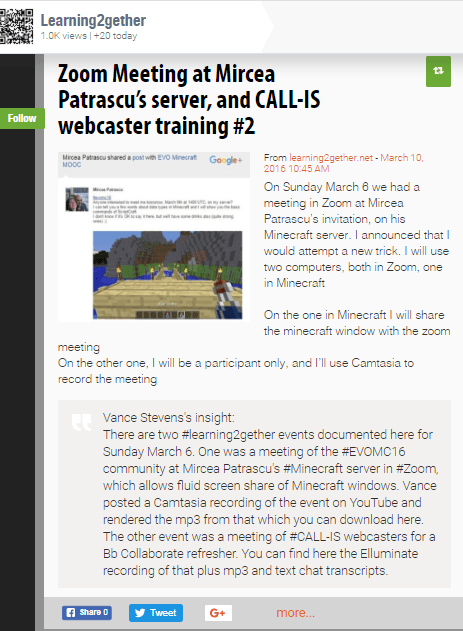
On Sunday March 6 we had a meeting in Zoom at Mircea Patrascu’s Minecraft server. This was at Mircea’s invitation, as reproduced here:

I created a Google+ event for EVO Minecraft MOOC:
https://plus.google.com/u/0/events/cru99mhp4itv6hken19usuqj7bs

Where? Come to the zoom meeting for details:
https://zoom.us/j/5786977523

I announced that I would attempt a new trick. I will use two computers, both in Zoom, one in Minecraft

  • On the one in Minecraft I will share the minecraft window with the zoom meeting
  • On the other one, I will be a participant only, and I’ll use Camtasia to record the meeting

I was expecting audio and video with participants, and a record of our activities on Mircea’s server, and here is what I got:
https://youtu.be/RbWvZF_hCHA

There wasn’t much in the Zoom chat, apart from some scripts to try on Mircea’s server. Here’s what was saved (the trick is to save the chat before the end of the meeting; once the meeting ends it’s too late 🙂

18:32:40 From  Mircea : /jsp warp wiz
18:33:14 From  Rose Bard : are you recording it, Vance?
18:34:21 From  Mircea : /js rainbow(12)
18:35:19 From  Mircea : /js box(1)
18:40:41 From  Mircea : /js box(blocks.stone)
18:41:43 From  Mircea : /js box(material,width, height,depth)
18:48:35 From  Mircea : /js box0(1,4,3,4).up(3).box(5,4,1,4)

2016-03-10_0735laughed_hard

(posted as a comment on the YouTube video)

Announcements

2018-04-21_1354scoopitMirceaServer


Sun Mar 6 1900 UTC CALL-IS Bb Collaborate Refresher


Download mp3:
https://learning2gether.net/wp-content/uploads/2016/03/2016mar06_learningtimescall-is-64k.mp3?

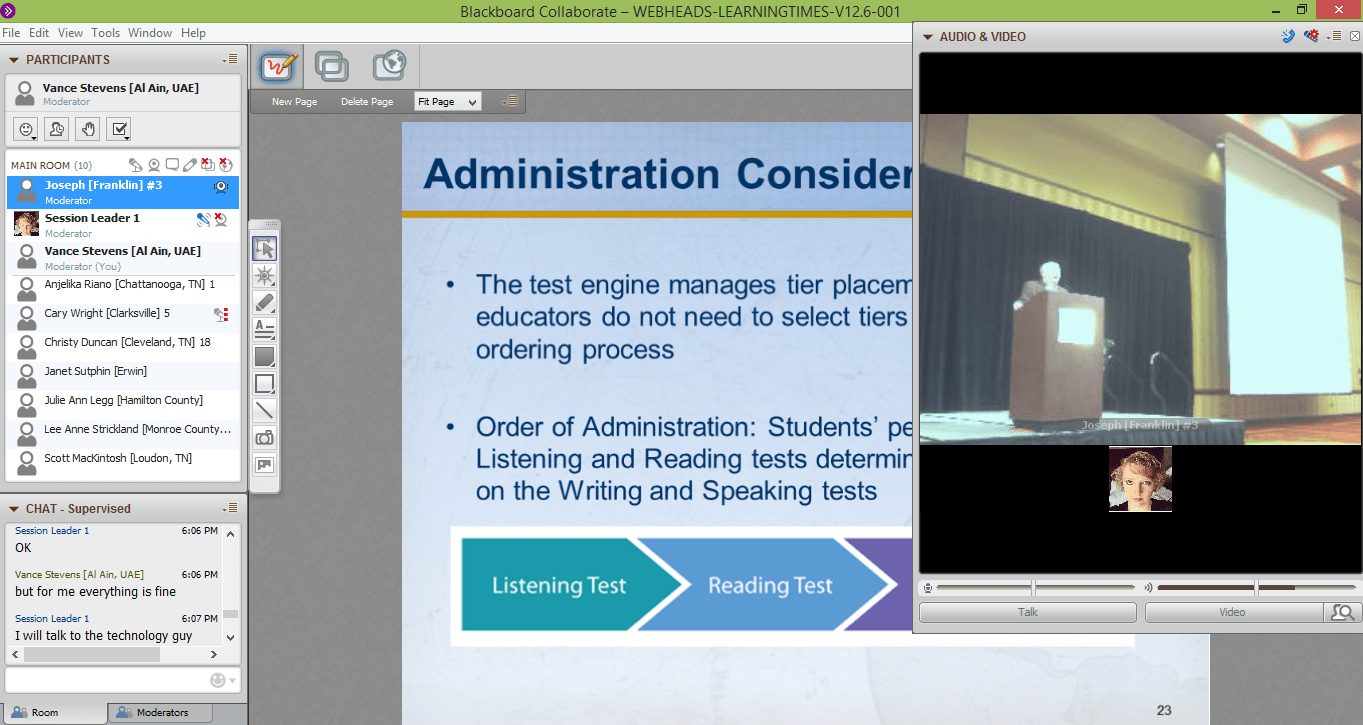
This was an open event held for volunteer webcasters at the CALL-IS EV (Electronic Village) who will be webcasting events from the annual TESOL Convention in Baltimore. Its purpose is to update and familiarize them with BbC.

According to Abe Reshad, who conducted the meeting:

“We had another successful training session this evening.  For those of you that could not attend, this session was a basic introduction to BlackBoard Collaborate as it relates to how we use it for the CALL IS in TESOL.  Some interesting questions came up and we addressed a couple of potential issues that might occur in a webcasting session.  Also, Robert Wachman successfully tested the multimedia file feature in BlackBoard Collaborate.”

Here is a link to the recorded session:
https://sas.elluminate.com/site/external/jwsdetect/nativeplayback.jnlp?sid=75&psid=2016-03-06.0905.M.7AE801FFB697DA460D4BF25AA8C21B.vcr

And to the Bb Collaborate text chat transcript:
https://docs.google.com/document/d/12ACUPHSjpPddW8U0TBXlAeT3rS32LNpbBURAZJQ4kBM/edit?usp=sharing

in preparation, participants must assure in advance that they are able to reach http://webheads.learningtimesevents.org/


Earlier this week

Sun Feb 28 1400 UTC LEARNING2GETHER with Nathan Beyerlein interviewing moderators of EVO Minecraft MOOC

https://learning2gether.net/2016/02/28/nathan-beyerlein-interviews-moderators-of-evo-minecraft-mooc-for-teflexpress/

Mon 29 Feb 1800 UTC Globinar with Russell Stannard on what Camtasia can do for teachers

E4.111-0356: The Video Learning and Teaching Revolution

Rita Zeinstejer / Host: Peggy George
NEW DATE: Monday, February 29th 2016  | 19:00h – 20:30h CET
access link: https://webconf.vc.dfn.de/videorevolution/
Info: http://v.gd/videorevolution

FREE webinar with Russell Stannard – What Camtasia can do for teachers 

http://globinars.blogspot.de/2015/06/free-webinar-with-russell-stannard-what.html

The announcement about Russell’s webinar contains a Google Form where you can enroll even now.

Here is Juergen’s pre-paratory email copy / pasted as is:

FREE GLOBINAR with Russell Stannard “Why Camtasia is quite simply the best educational software ever!”

  • Russell Stannard “Why Camtasia is quite simply the best educational software ever!”
  • Guided tour of all the key features of Camtasia
  • How to useCamtasia to blend learning, flip learning, create distance learning content
  • How to combined it with real video and even  include quizzes, hotspots, callouts and much much  more
  • Presenter: Russell Stannard
  • Host: Tilly Harrison
  • 02. 11. 2015 | 19:00h -20:30h CET (Central European Time)
  • Convert it to your own time zone
  • Registration
  • Access link: https://webconf.vc.dfn.de/secrets/
  • You will need neither a username, nor a password.
  • Select the option “Enter as a guest” and enter IMPERATIVELY your FULL !!! name into the box. (All attendees are “guests”).
  • Find further free webinars for teachers of foreign languages at http://v.gd/webinars
  • Russell STANNARD is the founder of http://www.teachertrainingvideos.com.
  • It is a website that offers free training videos that help teachers incorporate ICT into their teaching and learning. It won the Times Higher ‘Outstanding Initiative in ICT’ and the British Council ‘Technology’ award.
  • The site receives more than 300,000 visitors a year. Russell trains teachers in ICT all over the world and also runs on-line courses which are accessed by hundreds of teachers. Russell teaches part-time at the University of Warwick and is a NILE associate trainer.
  • Russell STANNARD is perhaps one of the biggest users of Camtasia in education.
  • His website http://www.teachertrainingvideos.com has hundreds of training videos and he has trained teachers in using Camtasia all over the world.
  • This is a great opportunity to find out how Camtasia works but also to learn about some of the amazing ways the technology is being used around the world including Russell’s own pioneering work on feedback with Camtasia.
  • This is quite simply a session not to be missed if you are involved in education in anyway!!
  • Info
  • Registration: http://lpm.lpm.uni-sb.de/Webinar/index2.php
  • If you hold down the control key, you can select several conferences and enroll in one go!!!

Nathan Beyerlein interviews moderators of EVO Minecraft MOOC for TEFLexpress

Learning2gether Episode 321


Download mp3:
https://learning2gether.net/wp-content/uploads/2016/02/nathan-beyerlein-interviews-moderators-of-evo-minecraft-mooc-for-teflexpress-on-hoa-and-blab-k_qytqkyiew.mp3?

This is the complete video of the entire interview session, starting with the Hangout on Air and ending with the cobbled-together Blab session of Nathan Beyerlein’s interviw of three moderators of EVO Minecraft MOOC, Rose Bard, Marijana Smolčec, and Vance Stevens.

On Sunday Feb 28 1400 UTC LEARNING2GETHER hosted Nathan Beyerlein who wanted to interview moderators of EVO Minecraft MOOC for TEFLExpress. We started in HoA, but the HoA crashed when Vance joined on another computer to try and share a Minecraft window from there. When it didn’t work and Vance exited the HoA from the second computer, it caused the whole HoA to close and the video of just that 15 min to be posted to YouTube. We couldn’t recover the HoA so we retreated to Blab where we continued recording the interview. Vance Camtasia’d the whole thing after the fact into one contiguous video segment, and you can see the results, plus text transcripts, and an audio rendition, above.

What was this about?

EVO Minecraft MOOC is an EVO session just ending its second run as a growing community of practice at
https://plus.google.com/u/0/communities/112993649763396826671.

Nathan Beyerlein is the Vietnam-based blog editor for
http://teflexpress.co.uk/blog/ and he asked to interview the co-moderators of #evomc16 for an upcoming blog post, which he has since produced:
http://teflexpress.co.uk/blog/tefl-and-minecraft/

2016-03-13_0846nate

Vance and Nathan were present for the interview of course, as well as co-moderators Rose Bard and Marijana Smolčec. Jeff Kuhn and Aaron Schwartz were traveling over spring break. Other moderators of this session were Bronwyn Stuckey, Barbi Bujitas, and Tamas Lorincz.

Nathan sent interview questions in advance which Vance has put into a Google Doc here
https://docs.google.com/document/d/1t6QRieOrVBrw7eTW0wUhGYNaz_M56l-gikwU36uaxio/edit?usp=sharing. EVOMC16 moderators were invited to respond

Where? Google+ Hangout on Air

The proceedings were livestreamed at


What actually happened?

We started out in HoA, I joined from another computer to try and screenshare a Minecraft window from there but maybe because it’s a DOS window it didn’t share, so I exited the HoA from there

MISTAKE! I was the host so even though I was still in the HoA on my other computer, my action terminated the HoA. We tried to start a new HoA but we could none of us hear anything there

In Learning2gether we’d recently learned about Blab, so we regrouped there. Check it out: https://blab.im/vance-stevens-education-minecraft

The blab video has been appended at the end of the Hangout one in the recording at the top of this post, so all components have been pieced back together. In the video, after Rose and Marijana leave, the Vance appears to be engaged in monologue but in fact he is responding to questions in text posed by the interviewer, Nathaniel, who had logged on to Blab under his Twitter handle of @natesnotions. You can see that part of the exchange in the chat transcripts, preserved here:

Text chat transcripts

Announcements

2018-04-21_1352scoopitBeyerlein

Earlier this week

Sun Feb 21 Vance Stevens answers question on gamification at 10 in 10

Learning2gether Episode 319

https://learning2gether.net/2016/02/21/vance-stevens-talks-gamification-on-efltalks-answers-10×10/


Sun Feb 21 1400 UTC Learning2gether Episode 319 CALL-IS Bb Collaborate Refresher

Learning2gether Episode 320

https://learning2gether.net/2016/02/21/learning2gether-helps-call-is-with-a-bb-collaborate-refresher/


Wed Feb 24 1530 UTC TESOL Virtual Seminar Gilda Martinez-Alba and Judith Cruzado-Guerrero on Wordless Books

This is not exactly open, and after the fact you probably won’t be able to get at the recording, but it’s free if you’re a TESOL member

http://www.tesol.org/events-landing-page/2016/02/24/default-calendar/connecting-wordless-books-to-websites-apps-and-other-texts-to-create-enthusiasm!


Sat Feb 27 1700 UTC Saturday LIVE! Show – Using Games in the Classroom

On February 27th Saturday Live hosts an “Open Mic” show on the topic of “Using Games in the Classroom.” We are using an “Open Mic” format for this show and hope you will be as excited about it as we are. We love the Open Mic format because it provides a way for all of our participants to be actively involved in the live show. For this show there will not be a guest presenter, but we are inviting all of you to join us and take the mic to engage in a conversation or share in the chat about your favorite classroom games as a teacher. Paula Naugle will facilitate the sharing and lots of great ideas will be coming from the participants. Start thinking about ways you have used games in your classroom and come prepared to share your stories and experiences on the microphone. Think back to your fondest memories of playing childhood games whether at home or at school. Think about games like dice games, board games, card games, or games using computers or mobile devices that you have enjoyed. Have you ever created original games or modified games for new purposes? Have you challenged your students to create their own games? What are some of the most successful games you have used in your classroom?

Come with your ideas, resources, and questions and together we will learn about some great possibilities for using games in the classroom and how games support learning and social/emotional development. Paula will facilitate the conversation and we hope you’ll come prepared to share something with your headset/earbuds on to take the mic and add to the conversation. We’ll have an awesome Livebinder prepared with ideas for playing and creating games and will look forward to adding your resources to the Livebinder. Invite your colleagues to join us in the conversation and we’ll all learn together.

More information and session details are at http://live.classroom20.com. If you’re new to the Classroom 2.0 LIVE! show you might want to spend a few minutes viewing the screencast on the homepage to learn how we use Blackboard Collaborate, and navigate the site. Each show begins at 12pm Eastern (GMT-5) and may be accessed in Blackboard Collaborate directly using the following Classroom 2.0 LIVE! link at http://tinyurl.com/cr20live. All webinars are closed captioned.

On the Classroom 2.0 LIVE! site (http://live.classroom20.com) you’ll find the recordings and Livebinder from our recent ”Using Technology to Engage Students with Learning Disabilities” session with Billy Krakower. Click on the Archives and Resources tab.

When tweeting about Classroom 2.0 LIVE, be sure to use #liveclass20. Special thanks to our sponsors: The Learning Revolution and Blackboard Collaborate!

Classroom 2.0 LIVE Team: Peggy George, Lorie Moffat, Tammy Moore, Steve Hargadon

Visit Classroom 2.0 at: http://www.classroom20.com/?xg_source=msg_mes_network


Learning2gether helps CALL-IS with a Bb Collaborate Refresher

Learning2gether Episode 320


Download mp3:
https://learning2gether.net/wp-content/uploads/2016/02/we2016feb21evowebheads-learningtimes-v12-6-001-64k.mp3?

On Sunday Feb 21 Learning2gether hosted an open event for volunteers who would be webcasting from the CALL-IS EV (Electronic Village) at the TESOL 2016 conference in Baltimore, Maryland this coming April 5-8. The purpose was to update and familiarize any CALL-IS volunteers hands-on with the tool.

Recordings:

This video gives the most viewable excerpts of the much longer Bb Collaborate recording. It covers uploading and driving content such as PPT slides, web tours, and screen shares. Screen share is illustrated in sandbox mode and then in showing webcast volunteers how to log on as Session Moderators and then find where the recordings are at on the elluminate.sas server via the LearningTimes interface.

Relevant links from the text chat:

Where? Blackboard Collaborate (Elluminate)
http://webheads.learningtimesevents.org/

Thanks to an ongoing grant from http://www.learningtimes.com/

Preparation:

We’ve learned a few things about Bb Collaborate and how to cope with the new .collab file system. In a nutshell, in order to use
http://learningtimesevents.org/webheads/

IMPORTANT: Configure Bb Collaborate WELL beforehand

TIP #1 -Start with the Tech Check: http://learningtimesevents.org/webheads/tech-check/

This will install the Blackboard Collaborate Launcher if you need it

TIP #2 – If the launcher won’t open on a PC try the Brute Force method; see

http://goodbyegutenberg.pbworks.com/w/page/71255037/2014_tutorials#Tip2thebruteforcemethod

Direct link to YouTube tutorial: http://youtu.be/-Zol7rZb9uo

TIP #3 – Use Firefox instead of Chrome


2018-04-21_1351scoopitBbCrefresher


Vance Stevens talks Gamification on EFLtalks Answers 10×10

Learning2gether Episode 319


Download mp3:
https://learning2gether.net/wp-content/uploads/2016/02/vance-stevens-efltalks-answers-10-in-10-for-you-zbm4cglxzpw.mp3?

On Sunday February 21 at almost exactly 1336 UTC Vance Stevens answered a prepared-in-advance question on gamification on EFLtalks Answers 10 in 10

Here is how the question was posed to me …

This video (direct link: https://youtu.be/ZBM4CgLXZPw) is part of a gallery displayed here
http://www.efltalks.com/Videos.html

I prepared my answer in ten slides (plus an 11th closing slide):
http://www.slideshare.net/vances/how-effective-is-gamification-for-learners

Certificate_of_Presentation_10x10feb21_2016

Here is more on the event in its wider context

Sat-Sun Feb 20-21 EFLtalks Answers 10×10 -10 slides in 10 minutes

Register and log in here:  https://moodle4teachers.org/mod/wiziq/view.php?id=9857

Flyer: https://www.smore.com/kteda

https://www.youtube.com/watch?v=uyWraIbgUpg&feature=youtu.be

The excitement mounts …

And as a result of this and the original effort …

2016-03-25_1532elton

Earlier this week

Sun Feb 14 1400 UTC EVO 2016 Annual Wrap-up hosted by Jeff Lebow, Teresa Almeida d’Eca, Vance Stevens, Nina Liakos, and Mbarek Akaddar

https://learning2gether.net/2016/02/14/evo-2016-annual-wrap-up-hosted-by-jeff-lebow-teresa-almeida-deca-vance-stevens-nina-liakos-and-mbarek-akaddar/


Mon Feb 15 01:00 UTC Virtual Pioneers Meet & Greet in Second Life

https://plus.google.com/u/0/events/cm5nfiks1ltlpj16hjti7jjndcc

Gather around the campfire to talk about whatever education topic is on your mind!

Meet at the Virtual Pioneers Campfire in Second Life http://maps.secondlife.com/secondlife/EduIsland%209/96/53/22

Beth S O’Connell writes “I’m not sure I”ll be there, it being Valentine’s Day, but you’re all welcome to hang out.”


Mon Feb 15 Maha Bali on Games – recorded in Blab

ℳąhą Bąℓi مها بالي  at

#disruptivebytes: Learning with Games by DisruptMediaLearnLab@disrupt_learn on Blab

watch it on
https://blab.im/disruptmedialearnlab-disruptivebytes-learning-with-games


Sat Feb 20 1700 UTC – Billy Krakower on Classroom 2.0 – Technology for students with learning disabilities

We are thrilled to have Billy Krakower joining us in this webinar to share some great tips on ways to harness the power of technology to improve learning and engagement for students who have learning disabilities. This is the focus of his new book ”Using Technology to Engage Students with Learning Disabilities” which he co-authored with Sharon Plante(@iplante). The format of this webinar will be a little different. Instead of a presentation it will be conducted as an interview with Paula Naugle facilitating the session. We are excited to learn about teaching tools and strategies they recommend for students with learning disabilities, including gifted students. We’ll be asking about using assistive technology to teach core subjects and study skills, recommendations for tools that provide better content accessibility and ways to help student connect and share through tech tools among many other things. This will be a perfect opportunity for you to join us to ask your questions about working with students who have learning disabilities. The Livebinder will have tons of excellent resources!

Billy Krakower (@wkrakower), is a full-time teacher at Woodland Park Public Schools in Woodland Park, New Jersey, where he has taught computers and special education to grades 3 and 4 for over eight years. He is the Chief Financial & Event Officer for Evolving Educators, LLC (evolvingeducators.com). Billy co-moderates two weekly Twitter chats, #NJed chat and #satchat (for educational leaders). He co-hosts “SatChat Radio,” a weekly show interviewing educators on BAM Radio Network and available on iTunes. Billy is one of the lead organizers of edcampNJ and edcampLeadership North NJ. Billy is a 2014 ASCD Emerging Leader, and a member of the NJASCD Executive board and serves as the Technology Committee Chair.

More information and session details are at http://live.classroom20.com. If you’re new to the Classroom 2.0 LIVE! show you might want to spend a few minutes viewing the screencast on the homepage to learn how we use Blackboard Collaborate, and navigate the site. Each show begins at 12pm Eastern (GMT-5) and may be accessed in Blackboard Collaborate directly using the following Classroom 2.0 LIVE! link at http://tinyurl.com/cr20live. All webinars are closed captioned.

On the Classroom 2.0 LIVE! site (http://live.classroom20.com) you’ll find the recordings and Livebinder from our recent ”Creating Media for Learning”session with Sam Gliksman. Click on the Archives and Resources tab.

When tweeting about Classroom 2.0 LIVE, be sure to use #liveclass20. Special thanks to our sponsors: The Learning Revolution and Blackboard Collaborate!

Classroom 2.0 LIVE Team: Peggy George, Lorie Moffat, Tammy Moore, Steve Hargadon

Visit Classroom 2.0 at: http://www.classroom20.com/?xg_source=msg_mes_network


EVO 2016 Annual Wrap-up hosted by Jeff Lebow, Teresa Almeida d’Eca, Vance Stevens, Nina Liakos, and Mbarek Akaddar

Learning2gether  Episode 318


Download mp3:
https://learning2gether.net/wp-content/uploads/2016/02/2015feb14evo_wrapup-64k.mp3?


On Sun Feb 14 Electronic Village Online, http://evosessions.pbworks.com, or EVO 2016, held its annual wrap-up online event live-streamed on http://webheadsinaction.org by Jeff Lebow, who helped host the event along with Teresa Almeida d’Eca, Vance Stevens, Nina Liakos, and Mbarek Akaddar. This event is where all involved in Electronic Village Online are invited to gather and talk about what they have learned and accomplished in the past 5 weeks.

Each session gets a 5 minute space in which to explain what they did and how they did it, and all EVOMC16 moderators and participants are invited to contribute to the conversation and to the subsequent recording. Moderators can set the timing of this conversation by reserving slots at a Google doc on behalf of their sessions, but participants are especially welcome to join the conversation and give their feedback on the session.

Timing for Wrap up Session of Feb 14, 2016

Session Speaker Time
Opening Jeff, Vance, Mbarek 14:00-14:15
Teachers as Designers Ania Rolinska 14:20
EVO ViLLAGE Heike Philp + 14:30
Class Research for Professional Development Asli Saglam 14:45
Flipped Learning John Graney etc 14:50
Teaching EFL to Young Learners PPT Nives Torresi and Nellie Deutsch 15:00
Moodle for Teachers PPT Nellie Deutsch 15:07
DREAM Act Anne Marie Forster Luu 15:20
ICT4ELT Sneza Filipovic, Marijana Smolcec + few participants 15:35
Teaching Pronunciation Differently Piers Messum, Roslyn Young, Glenys Hanson 15:15
Techno-CLIL for EVO 2016 Letizia Cinganotto & Daniela Cuccurullo 15:25
EVO Minecraft MOOC Vance Stevens and mods 15:35
eTextbook Janet Bianchini 15:45
Closure Guest speakers /Participants 15:50-16:00

Google+ events set for

Recordings


Text chat from http://chatwing.com/vancestev


Nellie Deutsch, Ed.D

Where was it held?

How to Configure Bb Collaborate beforehand

mbarek_FB

Announcements

2018-04-21_1349scoopitEVO2016wrapup

Earlier this week

Sun Feb 7 1400 UTC Learning2gether Episode 316 – Vance Stevens and EVOMC16 at CO16

https://learning2gether.net/2016/02/07/vance-stevens-at-co16-evo-minecraft-mooc-and-gamification-of-teacher-professional-development/

Tue Feb 9 Learning2gether #317 – Aaron Schwartz and EVOMC16

https://learning2gether.net/2016/02/09/aaron-schwartz-on-evo-minecraft-mooc/

Feb 11 Wesley Fryer and Miguel Guhlin at the EdTech Situation Room Episode 3

Recording: https://blab.im/edtech-situation-rm-episode-3-1


More information @edtechsr – http://twitter.com/edtechsr

Sat Feb 13 1400 UTC – a visit to Mircea’s Magical Minecraft server

Google+ Event Page:

https://plus.google.com/u/0/events/cr3coc3csju222u5venq2vfuu7k

In Minecraft, connect to mp.evomc.tk

All participants who filled in the form for EVOMC16 are whitelisted

For VoIP tool

This worked fine for the handful of participants present

This is where Mircea learns his magic

http://scriptcraftjs.org/

The transcript of the Bb Collaborate chat contains scripts that perform magic when applied on Mircea’s server

– You joined the Main Room. ( 5:58 PM ) –

– Your chat permission has been enabled. ( 5:58 PM ) –

– Linda Gielen [San Antonio] joined the Main Room. ( 6:06 PM ) –

– Linda Gielen [San Antonio] left the Main Room. ( 6:09 PM ) –

– Robert Ogorek [Valladolid] joined the Main Room. ( 6:09 PM ) –

Robert Ogorek [Valladolid] 6:11 PM – hi, am I in?

Session Leader 6:11 PM – hi robert, we’re in skype

– Mircea [Romania] joined the Main Room. ( 6:11 PM ) –

– Linda Gielen [San Antonio] joined the Main Room. ( 6:13 PM ) –

Mircea [Romania] 6:14 PM – hi, everyone

Robert Ogorek [Valladolid] 6:14 PM – Vance I sent you contact request
yeah, I can hear you
slash what, sorry?

Mircea [Romania] 6:16 PM

/js casa()

/js casa(‘mwood’)

6:18 PM

/js casa(‘mpavi’)

Robert Ogorek [Valladolid] 6:19 PM and how do you choose the size?
shame my mic doesn´t work

Mircea [Romania] 6:20 PM

/js stairsup()

Session Leader 6:20 PM – can you hear us?

– Rose Bard [] joined the Main Room. ( 6:22 PM ) –

Robert Ogorek [Valladolid] 6:23 PM – where did you learn it?

Mircea [Romania] 6:24 PM

/js tunnel()

/js bridge()

Robert Ogorek [Valladolid] 6:25 PM – awesome!
can we have the title of the book please?

Mircea [Romania] 6:26 PM

/js lampioane()

/jsp warp

/jsp warp citadel

/jsp warp pixart

– You left the Main Room. ( 6:43 PM ) –

– You joined the Main Room. ( 6:43 PM ) –

– Your chat permission has been enabled. ( 6:43 PM ) –

Mircea [Romania] 6:46 PM

/jsp warp frozen

/jsp warp color

/jsp warp rc

– Mircea [Romania] left the Main Room. ( 6:52 PM ) –

– Mircea [Romania] joined the Main Room. ( 6:52 PM ) –

– Rose Bard [] left the Main Room. ( 7:00 PM ) –

Mircea [Romania] 7:02 PM – http://scriptcraftjs.org

/gamemode 1

– Mircea [Romania] left the Main Room. ( 7:10 PM ) –

– Lilia Isac [Moldova] joined the Main Room. ( 7:10 PM ) –

Linda Gielen [San Antonio] 7:11 PM – http://www.playclaw.com/

– Lilia Isac [Moldova] left the Main Room. ( 7:12 PM ) –

Linda Gielen [San Antonio] 7:13 PM – https://discordapp.com/

Robert Ogorek [Valladolid] 7:13 PM – have you used: http://www.clickwebinar.com
it´s quite good

– Rose Bard [] #2 joined the Main Room. ( 7:14 PM ) –

Rose Bard [] #2 7:18 PM – always good to hear you all

Linda Gielen [San Antonio] 7:18 PM – Same here!

Robert Ogorek [Valladolid] 7:18 PM – see you

– Linda Gielen [San Antonio] left the Main Room. ( 7:19 PM ) –

– Rose Bard [] #2 left the Main Room. ( 7:19 PM ) –

and we have lots of screen shots, to be posted or linked to eventually

Sat, Feb 13 1500 UTC Judy Thompson – Literacy and Pronunciation Making the Impossible Possible

Judy writes: “I am frequently asked if there is any point teaching Pronunciation to Literacy level learners? Don’t they have enough on their minds? It is not only possible, it’s empowering and fun to teach Pronunciation from the moment students begin to study English. I’ll show you how.”

In Hangout on Air

https://plus.google.com/u/0/events/cp10ec8g8qnboet6nrvqk6bdi2s?cfem=1

Sat Feb 13 1700 UTC Classroom 2.0 LIVE with Sam Gliksman

We are really looking forward to hearing from our special guest, Sam Gliksman, on our show this week. Sam is the author of Creating Media for Learning and he has some great tips and tools to share with us for designing student-centered projects! Mobile devices are redefining the nature of our everyday interactions and media creation has become part of our everyday language. If communication is the heart of education then media creation can and should be utilized for deeper and more effective learning. In this webinar we’ll look at how to design student-centered projects that use formats such as video, animation, eBooks and more. If you have a mobile device Sam would like you to download the free DAQRI app prior to the webinar so you will be prepared to experience how it works.
Apple app for iPad/iPhone
Android appSam Gliksman has been leading innovative technology applications in private industry and education for over 25 years. He is recognized as a prominent expert on technology and educational reform, and he currently works as an independent educational technology consultant, speaker and author. Sam has been a pioneer in promoting the use of mobile technology in education. He wrote ‘iPad in Education for Dummies’ book which was released in January 2013 which is a great primer for anyone interested in the educational applications of mobile technology. He manages the ‘iPads in Education’ network which has a membership of thousands of educators worldwide and is recognized as a leading source for the use of mobile devices in education.

More information and session details are at http://live.classroom20.com. If you’re new to the Classroom 2.0 LIVE! show you might want to spend a few minutes viewing the screencast on the homepage to learn how we use Blackboard Collaborate, and navigate the site. Each show begins at 12pm Eastern (GMT-5) and may be accessed in Blackboard Collaborate directly using the following Classroom 2.0 LIVE! link at http://tinyurl.com/cr20live. All webinars are closed captioned.

On the Classroom 2.0 LIVE! site (http://live.classroom20.com) you’ll find the recordings and Livebinder from our recent ”Small Talk about Small Tech” session with Sydney Sheren. Click on the Archives and Resources tab.

When tweeting about Classroom 2.0 LIVE, be sure to use #liveclass20. Special thanks to our sponsors: The Learning Revolution and Blackboard Collaborate!

Classroom 2.0 LIVE Team: Peggy George, Lorie Moffat, Tammy Moore, Steve Hargadon

Visit Classroom 2.0 at: http://www.classroom20.com/?xg_source=msg_mes_network


Sun Feb 14 20:30 UTC EVO Village grand finale Show & Tell Games Expo on EduNation in Second Life

Come along to see what great games participants in the EVO session Villaga have created as their final projects during their Electronic Village Online session

In Second Life

Aaron Schwartz on EVO Minecraft MOOC – Installing Plugins for Minecraft and Other Server-Side Geekery

Learning2gether Episode 317


Download mp3:
https://learning2gether.net/wp-content/uploads/2016/02/aaron-schwartz-on-installing-plugins-for-minecraft-and-other-server-side-geekeryaaron-evomc16-6eev1e4_hsm.mp3


On Tuesday Feb 9,  Aaron Schwartz gave a talk to participants in Electronic Village Online Minecraft MOOC, #EVOMC16 on
Installing Plugins for Minecraft and Other Server-Side Geekery

This session was hosted by EVOMC16: Electronic Village Online Minecraft MOOC 2016
https://plus.google.com/u/0/events/c4pad9t2f049aph3rn5u6knp2v8

Online space used: Adobe Connect, http://adobeconnect.oit.ohio.edu/evomc16/

2018-04-21_1350scoopitASchwartz


Vance Stevens at CO16 – EVO MineCraft MOOC and Gamification of Teacher Professional Development

Learning2gether Episode 316


Download mp3:
https://learning2gether.net/wp-content/uploads/2016/02/vance-stevens-at-co16-evo-minecraft-mooc-and-gamification-of-teacher-professional-development-op26sbsnpay.mp3?


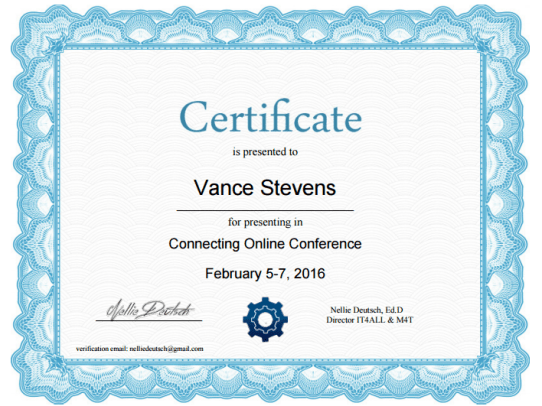
On Sunday Feb 7 at 1400 UTC Vance staked out his usual time and space at the 2016 rendition of the free online Connecting Online Conference which took place from Friday Feb 5 and ran though Sunday Feb 7
https://docs.google.com/document/d/1Kh0MBy0eKHpiMZhSXCg6Ny-mLqwP58Jdf0LTXZn5HC0/

The title of the talk was
Learning2gether with EVO Minecraft MOOC and Gamification of Teacher Professional Development

This presentation relates how #evomc16 co-moderators are using Minecraft to help teachers understand how gamification might work for them in their classrooms by giving all concerned the experience of interacting in the game.

But, Minecraft turns out to be only a vehicle for understanding the wider concept of gamification. By building elements of gamification into EVO Minecraft MOOC, this session becomes a Big G game space where participants can meet other educators to learn how their students can benefit from gamified environments. So participants here (as well as moderators) are developing their understanding of gamification while enjoying playing in the little g game of Minecraft.

Gamification is modeled in the Big G Game space through creation of a Google+ community “gameboard” and having participants figure out from there what they have to do to play the game. Eventually they end up in Minecraft in creative mode. They then graduate to coping with survival in the more challenging game environment, and through that experience learn that gamification is all about teamwork, mutual support, meeting challenges, and achieving goals, whatever they are, and however they themselves define them.

The ‘aha’ moment occurs when the players succeed in both the upper and lowercase games and realize that, if what they were trying to teach were placed in such a context, it would not only become more engaging to the learners, but their students would be taking their own learning into their own hands. This can create a powerful learning environment, but educators need to experience it for themselves in order to understand it.

These slides were repurposed for this presentation:
http://www.slideshare.net/vances/a-convergence-of-minecraft-and-clil-57860221

This follows on this blog post:
http://advanceducation.blogspot.com/2016/01/week-3-playing-big-g-game-of-evo.html

Join the conversation at the Google+ Event page
https://plus.google.com/u/0/events/c6n6fiv2gkdu2g6dfm46i36s56s

Recordings:

All presentations at Connecting Online CO16 are listed here
https://docs.google.com/document/d/1Kh0MBy0eKHpiMZhSXCg6Ny-mLqwP58Jdf0LTXZn5HC0/edit?usp=sharing

Announcements

2016-02-13_1245co16certificate

2018-04-21_1347scoopitCO16


Earlier this week

Sun Jan 31 1400 UTC Thorsten Groß’s students conduct tour of Ricarda-Huch-Schule for EVO Minecraft MOOC

https://learning2gether.net/2016/01/31/thorsten-gross-students-conduct-tour-of-ricarda-huch-schule-for-evo-minecraft-mooc/

Sun Jan 31 1500 UTC Vance Stevens presents Learning2gether Episode 314 with blogs and wikis for EVO session ICT4ELT

https://learning2gether.net/2016/01/31/learning2gether-with-blogs-and-wikis-for-evo-session-ict4el/

Wed Feb 3 1400 UTC Learning2gether Episode 315 Vance Stevens presents Minecraft and Techno-CLIL for the CLIL EVO MOOC

https://learning2gether.net/2016/02/03/vance-stevens-presents-a-convergence-of-minecraft-and-techno-clil/

Connecting Online 2016 from Fri Feb 5 thru Sun Feb 7

Here’s the schedule
https://docs.google.com/document/d/1Kh0MBy0eKHpiMZhSXCg6Ny-mLqwP58Jdf0LTXZn5HC0/

Here’s the link to enroll in the 7th annul free 3-day event:
http://nelliedeutsch.wiziq.com/course/138762-connecting-online-2016

Here’s a video about CO16 and how to enroll:
https://youtu.be/RHsh6hPcQ8Q