On Wed Nov 29 1400 UTC Learning2gether arranged to meet with Shelly Terrell to talk about her new book, Hacking Digital Learning Strategies, which she presented in the context of how her newborn daughter will be raised in a digital world, with so many implications for how she and other teachers can engage their students in the different world that most of us find ourselves in, and that others are even now just entering.
Full Quote: “Technology has connected human beings more than ever. Our devices connect us to each other and our devices connect to each other to paint a bigger picture about the way we live our lives (health, shopping, education, etc.). More than ever our digital learners need experience using technology to collaborate and solve problems with peers worldwide and they need to know how to make sense of all this data to decide how to live a meaningful life.”
During the presentation, participants could get help or find the livestream of Shelly’s presentation in Chatwing http://chatwing.com/vancestev
Participants were informed that Vance was attempting to stream the event live on https://www.youtube.com/user/vancestev/ but that bandwidth issues caused the stream to be broadcast in spurts and to cut out frequently during streaming.
YouTube recorded what it got until the stream stopped and put what it had up to that point in the can. The stream continued intermittently and would have been visible to viewers, but only 7 minutes were recorded until the stream stopped the first time. The video of that is unlisted and will be replaced when I am able to grab a full version from the Bb Collaborate recording.
The ISTE Virtual Environments Network holds Focus Sessions featuring noted practitioners of education in virtual environments, (usually) every 3rd Tuesday, in an interactive setting
On Tuesday Nov 21 at 1130 UTC Vance Stevens attempted a plenary on Flipping the flip: Organizing students around a wiki and training colleagues to do likewise at the Nov 20-21 – ELT for Generation Z Learners – Virtual Conference.
On November 26, I used OBS (Open Broadcasting Software) to record a second version (shown above) to replace the first due to issues with bandwidth over HoA.
In order to give the live audience something to take away with them when I gave my presentation at a distance, I created a slide show and gave them the tiny URL for it: http://tinyurl.com/vit-vance
Showing also the links to the wikis I would show in the next 30 minutes
There were just two slides in the original presentation, which I had titled Flipping Classes using Wikis, but on reflection, changed to Flipping Learning using Wikis.
I do use wikis in every class I teach these days to give students a portal they can go to and see what we did in every class, in case they missed the class or were distracted at some point. Often my wikis point to work the students can do in or out of class, as you can see for yourself at my current classes portal: http://vancesclass.pbworks.com. But the wikis I introduced in this presentation were not necessarily organized around classes. Rather they are meant for use in online environments either as tutorials or repositories of resources. Therefore they come more under the heading of flipped learning than flipped classroom.
Here, they say, as regards “Flipped Classroom and Flipped Learning. These terms are not interchangeable. Flipping a class can, but does not necessarily, lead to Flipped Learning. Many teachers may already flip their classes by having students read text
outside of class, watch supplemental videos, or solve additional problems, but to engage in Flipped Learning, teachers must incorporate the following four pillars into their practice.” In the handout, these are worded in such a way as to fall conveniently into the mnemonic, FLIP, where the letters stand, in part, for
Flexible Environment – where educators “create flexible spaces in which students choose when and where they learn [and] are flexible in their expectations of student timelines for learning and in their assessments of student learning.”
Learning Culture – “The Flipped Learning model deliberately shifts instruction to a learner-centered approach … As a result, students are actively involved in knowledge construction as they participate in and evaluate their learning in a manner that is personally meaningful.”
Intentional Content – “The Flipped Learning model [is used] to help students develop conceptual understanding, as well as procedural fluency [and provides] materials students should explore on their own [allowing educators] to maximize classroom time in order to adopt methods of student-centered, active learning strategies”
Professional Educator – “Professional Educators are reflective in their practice, connect with each other to improve their instruction, accept constructive criticism, and tolerate controlled chaos in their classrooms.”
To illustrate these concepts I set up my live presentation to model Flipped Learning
The conference organizers were holding their event in Skype. I wanted to show them my wikis and could not visualize how I could do that in Skype, so I suggested I set up a HoA for them. In theory I should have been able to join the session from two computers, share the screen from the second computer to the first, and broadcast the HoA from the first computer. In practice, technology did not allow this to happen as seamlessly as planned.
The video came out awful. I was monitoring what I thought it was broadcasting on computer #1 where I started the session. Perhaps because I was logged in at the same acct at computer no. 2 when I started the broadcast, YouTube might have been confused about which computer to record. I’ll bet that’s what happened (next time bring the second computer into the HoA AFTER starting the b/cast, so I am sure to get the broadcast through the VPN connected computer).
The technician in India also complained of garbled sound from me in as heard in India. Computer #1 was running under a VPN and should have produced crisp sound, but #2 was running over the regular internet where packets from HoA are not delivered faithfully. The audio on the recording is ok (not garbled) and the screenshare shows intermittently, but I didn’t get any video. Again that indicates that it was recording video from the computer not on the VPN. Since only my avatar showed there, but the video was in fact on and was visible on computer #1 which was supposed to have been doing the recording. Since the video from computer #2 was showing on computer #1, it indicates the video was not transmitting from #2 due to some blockage of HoA.
More indication of that was when they finally called me on Skype in India, which I connected through the non-VPN computer #2, and they got audio and video I believe. But computer #2 was running video through HoA (not needed since it was screen sharing, I could have turned that off). So all of that was degrading the quality of audio from me.
It’s always good to test these things beforehand but all the sessions in India both days were taking place when I was at work, and Skype is blocked at my school. I tried connecting to their conference through a hot spot from my phone and got connected to one Skype presentation, but audio was not at all clear to me, and the calls dropped. So it was a learning experience that didn’t work out well as a presentation.
The video at least has clear audio of me trying to describe these projects, but the screen share from computer #2 had severe lag so more often than not, I am talking about what I’m doing on the my screenshare before the images actually get sent to the HoA several dozen seconds later.
Six days later, I recorded the replacement video you can see here, https://youtu.be/0iaWFYSxdU4, and at the head of this article.
What was this conference about? This was its first promotional brochure
On Sunday, November 19, EVO coordinators Ayat Tawel and Martha Ramirez hosted the final live event in the October-November 2017 iteration of the 5-week EVO2018 Moderator Training. Ayat started and managed the Hangout on Air and both ladies put on a great performance modeling how an EVO session live event can be successfully facilitated, especially eliciting participant interaction through Poll Everywhere.
Participants could join us in HoA or in the stream for
A celebration of EVO2018 moderator and participant voices
You can join the event live in the HoA or you can watch it stream here
Here is the link to the Google Presentation we will be using today
While watching the stream, participants could come to the chat space http://chatwing.com/vancestev to interact with us, or join us live by going to the direct link to the HoA which we posted to our online spaces. Many did that; the HoA was full for most of the time.
Log in with Twitter or Facebook or Google, or create an acct at Chatwing and use this
The Global Education Conference (GEC) is a collaborative and world-wide community convening designed to increase opportunities for globally-connecting educators and programs significantly. It is free to attend and takes place entirely online. Our primary event seeks to present ideas, examples, and projects related to connecting educators and classrooms with a strong emphasis on promoting global awareness, fostering global competency, and inspiring action towards solving real-world problems. Through this conference, attendees will challenge themselves and others to become more active citizens of the world.
The Global Education Conference welcomes participants from all over the world and encourages submissions in any language. We provide training on the conference platform, Blackboard Collaborate, and advocate for presenters to take ownership of the presentation process when scheduling and promoting their sessions. We seek to elevate and empower presenters to share their knowledge with a global audience. This year, we have added new strands for the conference to expand our offerings. The new strands are the UN’s SDGs, Study Abroad and Exchange Programs, and Higher Education.
David Bornstein (Co-Founder + CEO, Solutions Journalism Network)
Kevin Crouch (Director of Technology Services, Consilience Learning)
Franz De Paula (Author)
Gavin Dykes (Programme Director for the Education World Forum)
Fabrice Fresse (Member of EvalUE, EvalUE)
Michael Furdyk (Co-founder, TakingITGlobal)
Terry Godwaldt (Executive Director, The Centre for Global Education)
Ed Gragert (Founder, Global Woods Consulting)
Martin Levins (President of the Australian Council for Computers in Education–ACCE)
Julie Lindsay (Founder and CEO, Flat Connections)
Sylvia Martinez (Author, speaker, publisher – Invent to Learn: Making, Tinkering, and Engineering in the Classroom)
Alan Mather (Chief, Office of College + Career Success)
Ann S. Michaelsen (Teacher and school leader, Sandvika vgs)
Anne Mirtschin (Hawkesdale P12 College, Australia)
Pam Moran (Superintendent of Schools, Albemarle County Public Schools)
Jean-Luc Moreau (President, EvalUE association)
Dana Mortenson (CEO + Co-founder, World Savvy)
Jennie Niles (DC’s Deputy Mayor of Education)
Lori Roe (Instructional Technology Specialist, Delaware Department of Education)
Maggie Mitchell Salem (Executive Director, QFI)
George Saltsman (Associate Research Professor, Director, Center for Educational Innovation and Digital Learning, Lamar University)
Ira Socol (Executive Director of Technology and Innovation, Albemarle County Public Schools)
Ariel Tichnor-Wagner (Senior Fellow of Global Competence, ASCD)
Erin Towns (Global Educator, Edward Little High School)
Liam Wegimont (Chairperson, GENE)
Dr. Jennifer Williams (Director of Education Strategy, Participate)
Below are the session titles and presenters for our 127 currently-accepted general sessions, and more of these are coming as well!
For recordings see below …
10 Ways to Easily Integrate Global Collaborations in Your Daily Curriculum – Rhett Oldham
A Joined Up Approach to Education and Learning – Christine Farrell
A World of #CollaborativePD: Build Your Global PLN Twitter Chat – Dr. Jennifer Williams, Brad Spirrison
Amplifying Student Voices Globally Via the Our Global Classroom What If Grid. – Bronwyn Joyce
Beyond Our Borders: Fostering Global Competency Through Student Travel and Virtual Exchanges – Cynthia Derrane, Jennifer Orlinski
Bridges to Argentina: Teaching and Learning with First Grade Partners and their Teachers – Susan Jacques Pierson
Bringing learning BACK INTO the classroom – Liu Yijie
Bringing the world to rural environments – Peter Raatz
Building up an organization (from scratch!) for a Global impact! – Montserrat Fregoso Fonseca, Maria Fernanda, Fregoso Fonseca
Cavando Bajo las Fs de la Educación Global para Experiencias Más Profundas – Jennifer D. Klein
Challenge Based Learning – David Lockett
Children’s Literature for Solving Real-World Problems – Tina Genay
Children’s Literature, Math, and Global Connections – Oh My! – Glenna Gustafson, Pre-service educators in the Teaching and Learning Mathematics
Citizen Science: A Global Conservation Effort – Lindsay Glasner, Kelly Schaeffer
Classroom Conversations with the World – Paul Hurteau
Connected Learning Activities through Social Service – Sebastian Panakal, Gladwin Xavier, Muhammed Fardeen, Muhammed Mufsal, Sophia T Pascal
Connecting through Architecture: Minecraft in the Language Classroom – Kathleen Reardon
Cosmopolitan Project Based Learning – Using the UN Sustainable Development Goals in PBL – Craig Perrier
Creating Global Citizens through Teen Service Travel – Joanne Trangle, Jodi Sabra
Curriculum is the most important ‘C’ word in Global Projects! – Christine Trimnell
Deep Learning – A Global Perspective – Tom D’Amico
Designing for All: Lessons from a Global Network of Maker Classrooms – Lisa Jobson, Jonelle Lorantas, Mahfuza Rahman, Elyse Gainor
Developing Global Competencies in Teacher Education through Transdisciplinary and Translational Research – Melda N. Yildiz. TBA
Developing Globally Competent Students – Ann C. Gaudino, Millersville University Graduate Students in Education
Digging Beneath the Fs for Deeper Global Learning – Jennifer D. Klein
Digital media education for digital higher educated students – Laura Malita
E.I. and Humanitarianism in Classrooms – 21st Century Learning and Citizenship Essentials – Sania Green-Reynolds
Earth Charter in Education – Dr. Valerie Schmitz, Dr. Mary Ann Kahl
Educational Diplomacy with High School Students – David Angwenyi, Ph.D, Lea Hopkins
Empowering Young Changemakers through Design Thinking – Mahika Halepete
Enhancing Intercultural Communication through an International Film Club – Helaine W. Marshall
Exploring Gender Neutral/Inclusive Bathrooms in Libraries: A Global Perspective – Raymond Pun, Kenya Flash
Flipped Learning in L2: How to Encourage Cross-Cultural Critical Thinking to Teach Global Problem-Solving Skills – Birgit A. Jensen
Food Rescue through a High School – Toni Olivieri-Barton, Colorado Springs Food Rescue
Fostering Global Citizenship Through Literature and Art – Nadia Kalman
Foundations of Global Learning: Creating Global Citizens in the First-Year Experience – Dr. Shelbee NguyenVoges
Free research-based educational material from Finland – Marianne Juntunen, Ph. D.
GEC Connect – The Game! – Julia Francis
Global Collaboration Provides Diverse Perspective for UN Sustainable Development Goals – Donna Roman, Hassan Hassan, Jen Sherman, Maire O’Keefe, Katrina Viloria
Global Collaboration: Connect Your Kids to the World – Leigh Zeitz, Ph.D., Ping Gao, Ph.D., Magda Galloway
Global Education Discourses in International Student Mobility – Uttam Gaulee, Krishna Bista
Global Learning Collaboration in a Less Tech World – Dr. Reynaldo L. Duran
Global Mentors Project: Connecting Student Teachers with Mentors from Around the World – Terry Smith
Global PBL in the Digital Age – Brad Bielawski
Global Project-Based Learning with iEARN: Sharing Impact and Opportunities – Jennifer Russell, Allan Kakinda, Hela Nafti
Global Scholar Diploma at the High School Level – Toni Olivieri-Barton
Global Students Global Perspectives – Amazing Race Project – Laurie Clement
Globally Conscious Mathematics – Kristy Beam
Globally Responsive Teaching Practice: Overcoming Social Disparities – Sajdah Ali George
Going Beyond the Hour of Code – Bryan L. Miller
Great Global Challenge Project Awardee Presentation: Why should I study a Foreign Language? – Ruth Valle, Athalo Carrao, Alexis Radney
Green Digital Footprints – Sebastian Panakal, Sophia T Pascal, Mertle Williams, Sunitha, Nisa
Harnessing Global Efficacy through Literature and Technology – Justin Peter Manwell
Harnessing the Power of Children’s Literature to Teach Math and Global Themes – Glenna Gustafson, Rachel Altizer, Leslie Angle, Delayna Doolin, Cassidy Hartsock, Jami Keen, Irene Labille, Josie Santos, Maddie Semones, Katie Smith, Malorie Tanner, Kelly Troiano
Hello Little World Skypers – the Continuing Adventures – Anne Mirtschin, Presenters from across the world (names to be added closer to the time)
High Quality Career Counselling as a Push for the Global Development – presenting best practices from the Erasmus+ Career Tree Project – Grzegorz Kata, PhD. with Robert Porzak, PhD and Jacek Łukasiewicz, PhD
High School Global Issues Class as a Springboard for Creating Young Activists – Adam Carter
How can schools be vehicles for creating community wellness? – Jennifer Moore
How might preparation for and engagement in a protest poetry festival enhance Grade 10 boys’ understanding of global conflict? – Glynnis Moore
How to create inclusion and shared power in virtual exchange partnerships. – Jack Haskell
How to Globally Mobilize High School Students to Actualize the United Nations SDGs. – Linda Flannelly, Ralph Viggiano, Megan Scharf, Pete Robinson, Ann Michelsen, Kristian Otterstad Andresen, the students at Lindenhurst and Sandvika High School
How to increase global competency in students: A research-based discussion with Empatico – Chelsea Donaldson, Angela Jo, Travis Hardy
iEARN – Girl Rising project – R. Allen Witten
Immerse Yourself in the German Culture For Free by Volunteering in Germany or Austria – Birgit A. Jensen
Integration of Global Outdoors Learning Blogs, TED Ed Lessons and Global Goals in Management Courses – Dr. Jose G. Lepervanche, Flor Lepervanche
Intercultural Competence – Shawn Simpson
Intercultural Competence For Educators: What’s In It For Me? – Dr. Whitney Sherman
Invitation to World Literature – Arthur R. Smith
Just Little ol’ Me Sharing my Global Collaboration Experiences. – Lynn Koresh
Kids @SOS Children Village Going Global with iEARN and Mathletics – Sheeba Ajmal
Kids on Earth – Howard Blumenthal
Kings of Collaboration – Jan Zanetis,Sean Forde, Ralph Krauss, Peter Paccone
La acción tutorial en la educación virtual: funciones y responsabilidades – Lic. Gustavo Beltrami
Learning math from students around the world – Chris Collins
Let’s Talk Global Education – Anne Mirtschin
Lidrazgo para el Desarrollo Social – Arlette Audiffred Hinojosa
Maverick Leadership – Mike Lawrence
Mobilizing Student Voice through Global Discussions with a Real-World Impact with WorldVuze – Julia Coburn
MOOCs for librarians/library –opportunities and challenges for digital literacy – Gabriela Grosseck + Laura Malita
More Than Current Events- A Globally Connected Triad of Tri-BOBs – Noa Daniel
My Identity, Your Identity Culture Project: Global Online Collaboration in Action – Nicolle Boujaber-Diederichs, Said Belgra, Asma Albriki
One Truth and a Million Truths: Teaching History in a Globalizing World – Nayun Eom, Dr. Marty Sleeper
Online global collaboration – enablers, barriers and implications for teacher education – Julie Lindsay
Opening up Statistics Education to a Global Audience – Larry Musolino
Optimizing OERs Globally Through ICT Literacy – Dr. Lesley Farmer
Organize, innovate and manage your global projects with free ICT tools – Barbara Anna Zielonka
Participatory Spontaneity: What Is It and How Can We Achieve It with Global Audiences Online? – Helen Teague
Power of Impact Cinema: How to bring the world into your classroom? – Gemma Bradshaw
Practice Active Global Citizenship with the K-12 Global Art Exchange – Paul Hurteau
Preparing Students for Careers in a Globally Connected World – Heather Singmaster
Preparing Teachers for Global Learning and Collaboration – Linda Haynes
Promote Global Tolerance + Celebrate Cultural Diversity by Creating New Media with the My Hero Project – Wendy Milette, Wendy Jewell, Victoria Murphy
Promoting Internationalism In Teaching And Preparing Global Citizens Through Exchange Projects: Different But The Same Project As An Example – Mr. Omar Titki
Quality Education through technology – Goal 4: Sustainable Development – Sara Abou Afach
Rainwater catchment and Practivism – Lonny Grafman
Ripples Make Waves: Bring The Global Water Crisis Into Your Classroom – Joan Roehre, Jan Zanetis
Scaling Global Competency Education – Delna Weil
Secrets to Successful Global Collaboration in Higher Education – Leigh Zeitz, Ph.D., David Stoloff, Ph.D.
Self Identity and Global Connection – Erin Dowd
Social Leadership Class Project – Arlette Audiffred Hinojosa
Student conversation on Gender and Ethics – Sean Terwilliger and Deborah Glymph
Student conversation on Girls and Sports – Sean Terwilliger, Nan Hambrose, Vanessa Campbell, Deborah Glymph
Student conversation on LGBTQ+ Issues – Sean Terwilliger and Emma Maney
Student conversation on World Religions – Sean Terwilliger and Tica Simpson
Student driven eco-initiatives towards UN’s SDGs – a case study of our GGPC grant winning entry – Ms. Kamal Preet, Ms. Anitha Bijesh
talking kites in the footsteps of J. Korczak – Ruty Hotzen
Teach-The-World Foundation: A Call to Action To Eradicate Illiteracy Around The World – Robert Torres, PhD
Teaching Math and Global Themes with Children’s Literature – Glenna Gustafson, Pre-service educators in the Teaching and Learning Mathematics
Teaching the SDGs through experiential and service learning – Caroline Weeks, Liz Radzicki, Kimm Murfitt
Tech Trip: Using EdTech to Get the Most Out of Global Travel – Kathleen Reardon
Teens Dream: A global video contest for teens to express their dreams as they relate to one of the 17 United Nations Sustainable Development Goals – Linda Staheli
The Impact of a Cultural Immersion Program on Student Perceptions of the “Other”: A Pilot Study – Sarah Thomas
The Kidlink Global projects.Perspectives and horizons for close cooperation. – Lusine Jhangirian
The positive impact of digital exchanges around the globe – Quratulain Hussain
The power of case studies – Anne Fox
Tips for starting your own DIY Global Youth Summit – Tara Kajtaniak
Tutoring Students Online to Promote Universal Access to a Quality Education – Kasey Beck, Ed Gragert, Adriana Vilela
Understanding the Reproductive Health Education Needs for Sustainable Development – Ms. Eunmi Song
University-Industry Collaboration in Vietnam: When the boss says Jump, you say Why? – Dr. Thi Tuyet Tran
Upward Mobility: Supporting the Academic Nomad through Blended Learning – Julia Zeigler, Terra Gargano
Use Design Thinking to Integrate Sustainable Development Goals (SDG) into STEM – Barbara Bray
Utilizing School-Based Virtual Field Trips for Global Learning – Dr. Stacy Delacruz
Virtual Exchanges: Harnessing Technology to Build Global Competencies and Increase Mutual Understanding Among International Youth – Katherine Hanson
Virtual STEM Competition-Your Community, Your World – Volita Russell, Tinika Fails
What’s a Crankie?? Using Creative Story Exchanges to Build Global Competence and Connect Students Across Borders – Cora Bresciano, Susan Gay Hyatt
Why and How Collaborative Projects Work Best according to the Mind, Brain, and Education Science – André Hedlund
World Peace Music Project – Yoshiro Miyata, Ayumi Ueda, Anne Mirtschin, Lorraine Leo
Write Our World – Multilingual eBooks by Kids for Kids – Julie Carey, Dr. Leigh Zeitz
Recordings of any sessions that have taken place are accessible on the conference recordings page, usually within a few minutes after a session has ended. Note: you need to be a member and logged into the conference site (all free, of course): http://www.globaleducationconference.com/page/2017-conference-recordings
The Good News – Click the link; you can still sign up and see and hear all of the recordings :-))
We are currently seeking support for our work so that we can keep our events free or low cost. If you believe in the power of globally connected teaching and learning and would like to connect with our community, please contact Steve Hargadon at hargadon@gmail.com to discuss partnership opportunities.
Sat Nov 18 0900 PT Classroom 2.0 hosts Brittany Miller on Intentional Learning Centers
Saturday, November 18, 2017
9am PT/10am MT/11am CT/12pm ET
“Intentional Learning Centers: Making the Most of Station Rotation” with Brittany MillerWe are really looking forward to hearing from our special guest presenter, Brittany Miller, who is a Digital Learning Coach in Raleigh, North Carolina at the Friday Institute for Educational Innovation. Brittany is passionate about supporting teachers with the use of digital learning in their classrooms. She believes that in order to inspire teachers to rethink their roles in the classroom, and to build their capacity for student-centered learning, we have to first shake up the way we are teaching them! She will be sharing some of the strategies she recommends in her work with teachers.
Webinar description:
One of the most popular Blended Learning Models is Station Rotation. In this session, we will be sharing how to intentionally plan and organize stations that engage students, minimize distractions, and enable the teacher to facilitate and meet individual student needs..
Brittany’s philosophy is that if we want student-centered, personalized learning in our classrooms, we must first engage teachers in the types of experiences and environments that show them how. This mindset drives her work at the Friday Institute for Educational Innovation which is the research arm of the College of Education at NC State University. She has spent the past 6 years learning with and engaging educators in schools and districts across North Carolina who are integrating digital learning into their schools and classrooms. Prior to joining the team at FI, Brittany taught 9th, 11th and 12th grade English and a Young Adult Literature elective in a digitally-enabled classroom at a high school in Wake County, North Carolina. Follow Brittany Miller on Twitter.
More information and session details are at http://live.classroom20.com. If you’re new to the Classroom 2.0 LIVE! show you might want to spend a few minutes viewing the screencast on the homepage to learn how we use Blackboard Collaborate, and navigate the site. Each show begins at 12pm EST (Time Zone Conversion) and may be accessed in Blackboard Collaborate directly using the following Classroom 2.0 LIVE! link at http://tinyurl.com/cr20live. All webinars are closed captioned.
On the Classroom 2.0 LIVE! site (http://live.classroom20.com) you’ll find the recordings and Livebinder from our recent “News Media” session with Tiffany Whitehead. Click on the Archives and Resources tab.
Classroom 2.0 LIVE Team:
Peggy George, Lorie Moffat, Tammy Moore, Paula Naugle, Steve Hargadon
You can get help and interact with us during the session in text chat at http://chatwing.com/vancestev
We might be able to troubleshoot for some of you and talk you in through communication in the stream and in the text chat.
This is a good option for holding your own EVO events; BbC (Blackboard Collaborate) should be able to accommodate all who try to connect. So it’s worthwhile to try and get it working. Then you can explain to others how you did it (that’s what moderators do 🙂
In preparation
Install the Blackboard Collaborate plugin and get connected
And especially this video created by EVOMC co-moderator Vance explaining how to brute force your BbC into cooperating with your recalcitrant .collab files
Earlier events
Sun Nov 5 1400 UTC 2nd live event in EVO2018 Moderator Training in WizIQ
Sat Nov 11 0900 PT Classroom 2.0 hosts Tiffany Whitehead on Media LIteracy
Saturday, November 11, 2017 9am PT/10am MT/11am CT/12pm ET “Media Literacy” with Tiffany Whitehead
We are thrilled to welcome Tiffany Whitehead, librarian extraordinaire, as our special guest presenter to share her insights and resources on helping students understand news literacy! Librarians play such an important role as the educational hub in our schools and there is so much we can learn from them. This is perfect timing as we celebrate Media Literacy Week, Nov. 6-10, 2017. Media Literacy is the ability to ACCESS, ANALYZE, EVALUATE, COMMUNICATE and CREATE using all forms of communication. The mission of Media Literacy Week is to highlight the power of media literacy education and its essential role in education today. Webinar Description: News Literacy: Teaching students to be discerning in a world of fake news, clickbait, and extreme bias
Teaching news literacy is more necessary and challenging than ever in a world where news is delivered at a constant pace from a broad range of sources. Since social media and filter bubbles can make it challenging to access unbiased, factual information, we must equip students to be critical as they access news sources for a variety of purposes. This lecture-style session will give an overview of the phenomenon of fake news going viral and tools educators can use to help students develop news literacy skills.
Tiffany Whitehead, aka the Mighty Little Librarian, is an obsessive reader, social media user, and technology geek. She is the Director of Library at Episcopal School of Baton Rouge in Louisiana. Tiff earned her undergraduate degree in Elementary Education and School Library Certification from Southeastern Louisiana University and her graduate degree in Educational Technology Leadership from Northwestern State University. She has served as the President for ISTE’s Librarians Network and was recognized as one of ISTE’s 2014 Emerging Leaders. Tiffany is National Board Certified in Library Media and was named one of the 2014 Library Journal Movers & Shakers. She was the 2016 recipient of the Louisiana Library Media Specialist Award.
More information and session details are at http://live.classroom20.com. If you’re new to the Classroom 2.0 LIVE! show you might want to spend a few minutes viewing the screencast on the homepage to learn how we use Blackboard Collaborate, and navigate the site. Each show begins at 12pm EST (Time Zone Conversion) and may be accessed in Blackboard Collaborate directly using the following Classroom 2.0 LIVE! link at http://tinyurl.com/cr20live. All webinars are closed captioned.
On the Classroom 2.0 LIVE! site (http://live.classroom20.com) you’ll find the recordings and Livebinder from our recent “Snapping for Learning: #Booksnaps and #Gratitudesnaps”session with Tara Martin. Click on the Archives and Resources tab.
Classroom 2.0 LIVE Team:
Peggy George, Lorie Moffat, Tammy Moore, Paula Naugle, Steve Hargadon
On Sunday Nov 5 at the usual time of 1400 UTC Learning2gether streamed, or attempted to stream, the 2nd live event in EVO2018 Moderator Training. The event itself was in WizIQ, meant to be hosted by Nellie Deutsch, who, because Nellie was called away, was replaced at the last minute by Nives Torresi.
Here is Nellie’s YouTube version of the WizIQ session
You can get universally accessible help and interact with us during the session in text chat at http://chatwing.com/vancestev
We might be able to troubleshoot for some of you and talk you in through communication in the stream and in the text chat.
The contingency fell flat because Vance forgot to add his mic to the stream
Apologies about the stream. There are many balls to juggle with encoding your stream. With Bb Collaborate, I am able to enter the room beforehand and test through using a live setup that I am getting both system sound and mic sound out the other end well before the event starts. With practice you learn that this is what you have to do, but testing reminds you, when you don’t get what you expect, that if it’s not working, oh yeah, I need my mic input at this end.
With WizIQ I could not get a live stream at the beginning. There is an option to test system sound, but when I clicked on that, the system took me to WizIQ, had me log on, and in the end, with time ticking away, I was not able to find any means of testing my system sound. If I could have got a sound check I would have seen that my mic was not working, but as it was I could only test that I could select the correct window to stream, and I played system sound as part of the test. So when the WizIQ started at the exact time it was scheduled to go live, there was no more time for testing, and it turned out I had not configured my mic sound for the stream. Too late at that point. Here’s what came out the other end, https://youtu.be/cxULW0SPPxE.
So unfortunately, people in the stream did not hear anything I said, and the recording is of what the stream sounded like. However, the WizIQ recording is fine, and I’ve since replaced the flawed YouTube stream recording with the one at the head of this blog post, the one here, https://youtu.be/M07I3bFK6BY
Earlier events
Sunday, Oct 29 1400 UTC 1st live event in EVO2018 Moderator Training
The link to the recording and the PDF of the speakers will only be sent to registered participants and both the recording and the PDF presentation will be deleted after 2 weeks. The links here may no longer play back after Nov 16, 2017.
Certificates of attendance will only be sent if the registration data is COMPLETE.
Participants who enter the room via a pseudonym or are not identifiable by their full names and surnames will be expelled from the room.
Registration during the webinar remains possible for spontaneous participants but must be completed within 15 minutes after their entry and must be complete (including postal address of their school, university, institution, organization, company or private address).
Sat Nov 4 0900 PT Tara M Martin on Classroom 2.0
Saturday, November 4, 2017 9am PT/10am MT/11am CT/12pm ET “Snapping for Learning: #Booksnaps and #Gratitudesnaps” with Tara M MartinMany educators are aware of Snapchat as an app that their teenage children or students are using enthusiastically, but most have expressed concerns about its use. If you are someone who has expressed those concerns you won’t want to miss this inspiring, informative presentation by our special guest, Tara M Martin, who has transformed the use of Snapchat into an incredible tool for learning and reflection with her creation of #Booksnaps and #GratitudeSnaps. #BookSnaps help students to connect and draw meaning from the text they are reading, and #GratitudeSnaps help connect with the positive that is in their lives in a meaningful way. Even educators are using these concepts to collaborate in meaningful ways in their own professional learning. Join us as Tara shares her stories and experiences with #Booksnaps and #Gratitudesnaps and learn how you can implement these ideas in your own classrooms whether you use Snapchat or other options such as Google Drawings.Tara M Martin (@TaraMartinEDU) is an enthusiastic educator who thrives on change and refuses to settle for the status quo. She graduated from Kansas State University with a Master of Science in Educational Leadership, has taught in the classroom several years, served as an instructional coach for four years in two different districts and now works as an innovative Curriculum Coordinator for Auburn-Washburn Public Schools. As a district administrator, she supervises instructional coaches, facilitates district-level professional development concerning curriculum implementation and provides job-embedded training opportunities. Tara’s mission is to invigorate teachers, administrators, and staff members to apply instructional practices that foster creativity, personalize learning and increase student engagement with the use of technology. While working alongside staff members of seven elementary schools, Tara believes individualizing adult learning and meeting her colleagues where they are, will increase their ability to flourish and empower students to be the key drivers of their education.Tara is a passionate educator and connected leader who continually strives to grow professionally. She inspires her international professional learning network, as well as local colleagues, with her blog R.E.A.L. She is always seeking unique ways to make learning fun, relevant and meaningful. Tara’s ambition is to lead a culture of innovative change and to motivate others to become the best they can be, all while staying R.E.A.L. and yet never reaching a plateau.More information and session details are at http://live.classroom20.com. If you’re new to the Classroom 2.0 LIVE! show you might want to spend a few minutes viewing the screencast on the homepage to learn how we use Blackboard Collaborate, and navigate the site. Each show begins at 12pm EST (Time Zone Conversion) and may be accessed in Blackboard Collaborate directly using the following Classroom 2.0 LIVE! link at http://tinyurl.com/cr20live. All webinars are closed captioned.
On the Classroom 2.0 LIVE! site (http://live.classroom20.com) you’ll find the recordings and Livebinder from our recent “Connecting the Dots: Learning with you PLN” session with Dr. Sarah Thomas. Click on the Archives and Resources tab.
Classroom 2.0 LIVE Team:
Peggy George, Lorie Moffat, Tammy Moore, Paula Naugle, Steve Hargadon
On Sunday, Oct 29, at 1400 UTC, Learning2gether hosted the 1st live event in this year’s EVO2018 Moderator Training series. This is where the moderators whose proposals were accepted receive any help needed over 4 weeks time to bring them up to prime time readiness.
This first session was billed as: Week 1 meet and greet EVO2018 Moderator Training, Oct-Nov 2017
The event was held in Bb Collaborate (BbC) and streamed on YouTube/live. In this way, anyone not able to enter BbC would be able to watch and listen to the stream, and interact with us in either the YouTube or Chatwing text chat spaces. The idea was to model for moderators one way they might conduct their own live sessions.
All moderators and participants in the EVO2018 moderator training sessions are welcome to join us in BbC, and anyone else interested was welcome to tune in to the stream and interact with us at http://chatwing.com/vancestev
Where? Blackboard Collaborate
Participants were instructed to come to Bb Collaborate directly or watch the stream on YouTube Live. For BbC, start here: http://learningtimesevents.org/webheads/
RECORDINGS
Streamed video recording and mp3 from Bb Collaborate posted above
You can get help and interact with us during the session in text chat at http://chatwing.com/vancestev
We might be able to troubleshoot for some of you and talk you in through communication in the stream and in the text chat.
Important, in preparation for this
Install the Blackboard Collaborate plugin and get connected
Sat Oct 28 1600 UTC Classroom 2.0 hosts Sarah Thomas – Learning with your PLN
Saturday, October 28, 2017 9am PT/10am MT/11am CT/12pm ET “Connecting the Dots: Learning with your PLN” with Sarah Thomas
We are thrilled to have the always energetic, passionate educational leader, Dr. Sarah Thomas, joining us today to share her vision for connected educators which inspired the creation of EduMatch. Sarah is a model for all of us as someone who is constantly thinking “outside the box” through her inspiration, reflections, challenging questions, cheerleading of the work of other educators and hard work as she spreads her message about the importance of being a connected educator.
Webinar Description: With seven billion people in the world, we each represent a tiny dot…but what a beautiful picture we make when we begin to connect! Sarah Thomas, founder of EduMatch, outlines the story behind the magical moment when the project emerged sporadically from a conversation with a fellow educator. Follow the evolution of this series of grassroots connections (and related projects), which has spread internationally. By the end of the session, educators will be encouraged to seize their own “magical moments,” and to fuel these through the power of connectivity.
Sarah-Jane Thomas, PhD is a Regional Technology Coordinator in Prince George’s County Public Schools. Sarah is also a Google Certified Innovator, Google Education Trainer, and founder of the EduMatch project, which promotes connection and collaboration among educators around the world. Through EduMatch, Sarah has published two collaborative books, EduMatch Snapshot in Education (2016) and The #EduMatch Teacher’s Recipe Guide (2017). Sarah is also on the leadership team of the ISTE Digital Equity PLN. Sarah was awarded the ISTE Making IT Happen prestigious award at ISTE 2017, “ISTE’s Making IT Happen Award honors outstanding educators and leaders who demonstrate extraordinary commitment, leadership, courage, and persistence in improving digital learning opportunities for students,” Sarah inspired educators at ISTE with her talk on “Being a Learner and Building a Personal Learning Family.”
Sarah is passionate about best practices, such as flipped/blended learning and gamification, and her passion has expanded to helping educators connect globally. This is the rationale behind the EduMatch project, which she founded in September 2014. The project belongs to all EduMatchers, and together they have grown it to include Voxer, guest blogging, and a weekly Twitter chat/podcast. Their newest development is the publishing arm of EduMatch, under which we have released two books to date. Sarah loves to connect with other educators because she strongly believes that we are all experts at something, and can learn so much from each other! Her mantra: “Let your voice be heard, and let’s all grow together.”
More information and session details are at http://live.classroom20.com. If you’re new to the Classroom 2.0 LIVE! show you might want to spend a few minutes viewing the screencast on the homepage to learn how we use Blackboard Collaborate, and navigate the site. Each show begins at 12pm EST (Time Zone Conversion) and may be accessed in Blackboard Collaborate directly using the following Classroom 2.0 LIVE! link at http://tinyurl.com/cr20live. All webinars are closed captioned.
On the Classroom 2.0 LIVE! site (http://live.classroom20.com) you’ll find the recordings and Livebinder from our recent ”Becoming a Better Teacher” session with Rushton Hurley. Click on the Archives and Resources tab.
Classroom 2.0 LIVE Team:
Peggy George, Lorie Moffat, Tammy Moore, Paula Naugle, Steve Hargadon
Learning2gether is a non-funded, free podcast put on informally by teachers forming a community of practice supporting online facilitation of topics regarding innovations in language learning and educational technology, and on education in general.
Where? The event took place in In Hangout on Airon Vance’s YouTube Channel, where you could use this link to just watch from a distance: https://www.youtube.com/user/vancestev
If you wanted to chat with the live participants while watching the streamed HoA, this was also possible, using Chatwing, a synchronous and archived text chat space, http://chatwing.com/vancestev
This is a credentialed space. You can create an account there or log in with Facebook, Google, Twitter, or Tumblr.
Unlike the HoA chat, or YouTube chat, this space can be reached by anyone in the world who
needs help to connect to the live event
or who is watching the HoA but not actually in the HoA
or even anyone who is in the HoA; let’s all focus on one chat space, this one!
We use Chatwing for all our text chat in order to have a universally inclusive conversation, not possible with Google / YouTube or HoA text chat.
HoA text chat can be seen only by those actually in the HoA.
Google chat is visible only to those logged onto Google.
Chatwing can by reached by anyone
Busy moderators can only focus on Chatwing – it is difficult to present and monitor numerous chat spaces at once .
You could also join us in the live HoA
Once the event had started, we posted the direct link to the HoA in the Chatwing text chat. Anyone wishing to join us in the HoA was able to do so by clicking on the link, up to 10 participants in the HoA at any one time. Three participants, Charo Lanao, Ayat Tawel, and Chris Fry, joined us in this way, and David Winet left word in the text chat that he was listening in and getting some ideas he might like to try in class.
What was it about?
Hanaa and Vance developed our combined slides in Google presentations here,
Learning2gether Mon Oct 16 0700 UTC to Sun Oct 22 0659 UTC – Online Facilitation Unconference 2017
This event runs alongside IAF’s International Facilitation Week, which aims to “showcase the power of facilitation to both new and existing audiences and to create a sense of community among facilitators and their groups worldwide.”
So, that’s the rough agenda in a nutshell. Please try to make room on your calendar for the slots outlined.
One thing to note is that the three daily slots – morning, evening and night Pacific Time – have been picked to maximize collaboration across continents (Americas, Europe and Australasia). The more participants stay within these boundaries, the more likely it’ll be they’ll attract session attendees from around the world.
That said, if you have assembled a group of people around a hot topic and everyone is fired up and ready to go, feel free to pick a time, any time, that works best for your group. Just try to stick within the 48-hour period from Thursday afternoon to Saturday afternoon Pacific Time.
More details to be announced as they become available.
Questions? Leave a comment below, find us on Twitter or shoot us an email. Thanks!
Your favorite online unconference on the art and practice of facilitating in virtual environments is back!
Join us October 16-22, 2017, alongside International Facilitation Week.
Share, learn, connect, and have fun with participants from (or currently based in): the United Kingdom, Ireland, Germany, Spain, Finland, Iceland, Australia, Peru, Canada, and the United States.
Please get in touch if you have any questions or concerns.
2. Tell us your expectations!
If you haven’t done so already, please let us know how you plan to “share, learn and connect” next week so we can explain to those who may still be on the fence about joining what they would be missing:
This offer is good through Monday, October 16th at 12pm noon Pacific Time (extended from today).
4. FREE & pick-your-own-price tickets
Our goal is to make the Online Facilitation Unconference as accessible and inclusive as possible. We are making a limited number of pick-your-own-price and even FREE tickets available – no questions asked! Great for students, retirees, people from developing countries etc.
Please share this opportunity with your networks and help us make sure we don’t have any of these left over by the time the conference starts. Thank you!
Earlier updates
Use discount code cyberspace to get an extra $6.00 off:
There is a fee structure that increases fees from $29 to $39 on Oct 5, and to $59 on Oct 12 (assuming you use the cyberspace link). But the organizers’ goal is to make this event as accessible and inclusive as possible. Highly discounted and/or free tickets for students, low-income people and attendees from developing countries will become available – no questions asked – as regular registrations pick up.
So, pay if you can, if not scroll to the bottom and “purchase” a free ticket, and maybe see you there – Should be fun 🙂
Monday, October 16
Orientation sessions – don’t miss!
Based on feedback from our 2015 event, we are adding a few orientation sessions to the program. Each session will take roughly 30-45 minutes and will be hosted on Zoom (video conferencing). On the agenda:
Quick introduction to the process: how does an unconference even work (and how to get the most out of it)?
Overview of technical infrastructure (online forum, QiqoChat, BYOT, social media etc.)
Participant introductions (everyone is invited to share their name, where they’re from and what topics they are interested in exploring)
Q&A
We’ll probably add one or two more of these (the extact times are yet to be confirmed). The idea is to give every attendee of the Online Facilitation Unconference at least a couple of opportunities to join an orientation, no matter where they are based (whether in Europe/Africa, Asia/Australasia or the Americas).
The first three orientation sessions have been scheduled as follows:
Monday, October 16 0100 UTC – Orientation session I (Americas + Asia/Australasia)
6pm Pacific / 9pm Eastern / 3am Berlin (10/17) / 12pmSydney (10/17)
Co-hosts: Tim Bonnemann & Palash Sanyal
Tuesday, October 17 1600 UTC – Orientation session II (Americas + Europe/Africa)
9am Pacific / 12pm Eastern / 6pm Berlin / 3am Sydney (10/18)
Co-hosts: Tim Bonnemann & Caroline Blackwell
Tuesday, October 17
Introductions and session brainstorming continues. This is an asynchronous activity so everyone can join in whenever they have time available.
Over the course of the day, we will host one or two live orientation sessions.
Orientation sessions – don’t miss!
Based on feedback from our 2015 event, we are adding a few orientation sessions to the program. Each session will take roughly 30-45 minutes and will be hosted on Zoom (video conferencing). On the agenda:
Quick introduction to the process: how does an unconference even work (and how to get the most out of it)?
Overview of technical infrastructure (online forum, QiqoChat, BYOT, social media etc.)
Participant introductions (everyone is invited to share their name, where they’re from and what topics they are interested in exploring)
Q&A
We’ll probably add one or two more of these (the extact times are yet to be confirmed). The idea is to give every attendee of the Online Facilitation Unconference at least a couple of opportunities to join an orientation, no matter where they are based (whether in Europe/Africa, Asia/Australasia or the Americas).
Introductions and session brainstorming continues. This is an asynchronous activity so everyone can join in whenever they have time available.
Over the course of the day, we will host one or two live orientation sessions.
Wednesday, October 18 – 0700 UTC – Orientation session III (Europe/Africa + Asia/Australasia)
12am Pacific / 3am Eastern / 9am Berlin / 6pm Sydney
Co-hosts: Tim Bonnemann & Lyda Michopoulou
Wednesday, October 18
Yet more introductions and session brainstorming. At this point, we should start to see a good number of sessions being added to the unconference schedule.
Over the course of the day, we will host another one or two live orientation sessions. At this point, mostly everyone should have had a chance to attend one of these. Of course, the OFU team will be available to answer any additional questions, either via email or in the online venue we will provide.
We may have a few pre-scheduled sessions on offer for either Wednesday or Thursday, details are still being confirmed.
It looks like things don’t really get under way until Thursday, but
Please join us:
Orientation session III (Europe/Africa + Asia/Australasia)
Wednesday, October 18
12am Pacific / 3am Eastern / 9am Berlin / 6pm Sydney
Co-hosts: Tim Bonnemann & Lyda Michopoulou https://zoom.us/j/529625505
Need to download and install the Zoom app, so give yourself a little extra time if necessary.
We may add one or two more of these (the extact times are yet to be confirmed). The idea is to give every attendee of the Online Facilitation Unconference at least a couple of opportunities to join an orientation, no matter where they are based (whether in Europe/Africa, Asia/Australasia or the Americas).
2. Join the online venue
We’ve set up an attendee-only online space to meet, greet and brainstorm session topics. Everyone should have received their invite yesterday afternoon/evening. Check your spam folder if you can’t immediately find it.
About half of our attendees have already shown up. We’re seeing wonderful introductions and great topic ideas: https://2017.ofuexchange.net
Don’t hesitate to contact us at hello@ofuexchange.net in case you run into any problems.
3. Bring your friends!
Unconference sessions won’t start until Thursday afternoon/evening Pacific Time. Bring your friends and colleagues using the peer2peerdiscount code:
Still a few free and “pay what you want” tickets available.
Excellent opportunity for students, retirees, or anyone else currently on a low income to still attend the event and share, learn & connect.
Please share with your networks. We want all of these to be gone by the time sessions start on Thursday, at the very latest. Thank you!
Thursday, October 19
Absolutely last chance to register for the event (last-minute rate ends at 12pm noon Pacific Time).
The first round of unconference sessions will take place during our first session slot (see the FAQ for more on how we came up with these times):
Evening slot, 4-7pm Pacific Time
We will make sure all sessions get documented and reported so those who could not attend can still find out about what happened.
Online Facilitation Unconference for Friday, October 20
Unconference sessions will take place during three time slots, calibrated to catch people awake in three land masses throughout the globe. Of course, the schedule is never really closed. Sessions may bring up ideas for more sessions. The discussion in our online venue will continue.
Fri Oct 20 1130 and 1430 UTC – Creating virtual spaces for vulnerability and transformation
Description: How can virtual facilitators create a sense of intimacy and honesty around tough topics amongst a small group of people (6-8) who are meeting repeatedly over time?
Fri Oct 20 1600 UTC – Relationship and Process – how technology can help and hinder
Using technology it is possible to offer pre designed processes to facilitators and coaches to help them deal with virtually any issue. The question then becomes how to use the technology to support effective coaching and facilitation without losing the impact and power of direct relationships. We will explore this issue and brainstorm some ideas for getting the balance right. There will be some software demonstrations and participants are encouraged to bring their favourite tool to discuss with the group.
Fri Oct 20 1700 UTC – LISTSERVs, Blogs, Structured Fora and Open Meeting Laws
Massachusetts, like most states, has an Open Meeting Law. (Some states call it a Sunshine Law.) Basically, it says that public business must be conducted in the public’s view – that is, it must be open to public visibility. A quorum of a Public Body (a Board, Committee, or Commission, etc.) is not allowed to deliberate on a matter within their jurisdiction except at a duly announced in-person meeting. They are not allowed to conduct such deliberations in private meetings, by phone, or by E-Mail (for fear that they would make some kind of secret deal of which the public would be unaware).
I want to amend the Massachusetts Open Meeting Law to permit members of public bodies to participate in Public Internet Discussions, provided that there is a public announcement of the Public Internet Discussion including instructions for free Internet access to monitor the discussion as fully as the members of the public body themselves, every statement is date and timestamped and attributed to the person who made it, an archive or transcript is kept and instructions for free Internet access to the archive is included in the announcement of the Public Internet Discussion. I envision Public Internet Discussions being asynchronous, written text-based discussions that are in operation 24 hours a day, seven days a week, for an indefinitely long period – perhaps years or even decades. In this session we can discuss issues related to this.
There are technical issues having to do with authentication, correct attribution, prevention of forgery, etc.
There are legal issues having to do with moderation when there is a requirement to have a public record.
There are political issues having to do with objections and resistance on the part of legislators who would have to change the law and on the part of special interests who feel that prohibiting Public Internet Discussions is more to their advantage than permitting them.
Fri Oct 20 1700 UTC – Hybrid sessions – Maximizing Synchronous and Asynchronous Facilitation
We will explore the pros and cons of virtual facilitation in synchronous (real-time) and asynchronous (non real-time) modes, experiencing how online tools can support both modes and your facilitation goals.
This will be a hands on session; after a 10’ presentation of the concept we will simulate a hybrid creative problem solving (CPS) session that mixes synchronous and asynchronous phases.
Validate your account by clicking on the email you are going to receive (check your spam folder)
Friday Oct 20 2000 UTC Successful online deliberation: a case study and discussion
Description: In this session, you will be presented with a rich New Zealand case study of a public deliberation process for approximately 30 minutes. This will be a starting point for group discussion following the interests of those who attend.
The deliberation topic was the pre-birth testing of human embryos and foetuses. The case study speaks to a number of issues that have been raised so far in various discussions including the respectful discussion of sensitive topics (this one backs onto abortion) in small online groups, scaleability, vulnerability and transformation, hybrid face-to-face and online processes (the main focus will be on the online process), institutional arrangements and more.
Record of session: I have some PowerPoint slides and will make a video recording (someone please remind me!). Are there any volunteer note takers willing to record the discussion?
Online Facilitation Unconference for Saturday, October 21
Unconference sessions will take place during these two time slots:
Night slot, 12-3am Pacific Time
Morning slot, 8-11am Pacific Time
There will also be some kind of closing activities, details to be confirmed.
Sat Oct 21 0800 UTC Online distributed conversations
Imagine scores or hundreds of people discussing possible solutions to a big issue. People set up local meetings of half a dozen people in their homes or a community room (just like supporters did in the campaign of Larry Sanders’ brother). They are connected by video conferencing to lots of other similar groups and the event organisers. After an introduction they discuss in their own rooms, while someone takes notes that are shared to a group who pick out common themes and ideas to be fed back to all the rooms. Over the event they reach consensus on some ways forward. That is modelled on the techniques AmericaSpeaks used to do in 21st Century Town Meetings in one big room. But now video conferencing is more reliable, we could try distributed meetings. The session will collect ideas on how to make this vision work – technically, psychologically, organisationally and financially. The output will be a list of ideas and steps we could take to create a trial of the technique.
You do NOT need to download the Join.Me app (unless you want to). You can simply just use your web-browser. World-wide phone-in numbers are available (look for “Microphone” icon), but the default call-in is +1-202-660-1314 (Washington, DC) which allows you to remain anonymous if you choose. Instead of using computer speakers, I suggest you use a headset (or ear-buds) to avoid audio-feedback.
This session will allow everyone an opportunity to give their “elevator speech” (1-minute max.) or otherwise share their thoughts about the OFU Exchange 2017 sessions, specifically, or the general state of Online Facilitation and where you think it needs to go.
I am particularly interested in hearing ideas about how we can create a “Community of Practice” for Online Facilitation, with the goal of Improving Online Discussions. The group would mostly exist online, of course, but also at face-to-face meetings.
Anyone is welcome to take notes, of course, and share them as they wish. But, in the interest of openness and accuracy, I plan to record the session and make it available for the benefit of those who are interested but unable to attend. (Email me if you want me to send the video-link later.)
I thank Tim for setting this whole thing up, but I think that we have been too scattered to take proper advantage of our collective wisdom and, so, need to talk about how to set up a “home-base” (even a temporary one) for our community-to-be.
Sat Oct 14 noon ET – Tara Lazar and Katie Davis present Picture Book Month on Classroom 2.0
Saturday, October 14, 2017 9am PT/10am MT/11am CT/12pm ET “Picture Book Month”
This week’s webinar is a very special show for us! We have the opportunity to learn all about Picture Book Month from Tara Lazar and Katie Davis, co-founders and renowned children’s authors. Picture Book Month was envisioned and founded by Dianne de Las Casas who was our special guest presenter in May, 2017 on Classroom 2.0 LIVE. Sadly, Dianne lost her life in a tragic fire recently and we wanted to honor her legacy by celebrating her life through this featured presentation about Picture Book Month. We will learn about the importance of picture books for students and Picture Book Month. They have created an outstanding Teacher’s Guide for participants in Picture Book Month. Our presenters will also share some of their special memories of Dianne de Las Casas including a special visit from John Couret who began writing children’s books because of Dianne’s inspiration.
Tara Lazar has six picture books in print with many more to come. Her latest title is “7 Ate 9: The Untold Story” from Disney*Hyperion. Next fall look for her illustrated dictionary “500 Words to Bumfuzzle Your Teachers & Bamboozle Your Frenemies”. Tara is the founder of STORYSTORM, a writer’s brainstorming challenge formerly known as Picture Book Idea Month. She is a picture book mentor for We Need Diverse Books and the co-chair of the Rutgers University Council on Children’s Literature annual conference.
Katie’s secret superpower is her ability to teach non-techy and tech-fearful writers how to become better business people by building their platforms through social media, video, and creating/building mailing lists. Also known in her niche as one of the first writer entrepreneurs, Katie has created many events and courses for writers, including How to Create Your Author Platform (and Market Your Books without Being Pushy), Video Idiot Boot Camp, and Picture Book Summit (the largest and first online conference of its kind). Her podcast, Brain Burps About Books, is consistently ranked in the top 10 book-related categories. She’s appeared regularly on WTNH and The Huffington Post. She is the director of the Institute of Children’s Literature, which provides accredited writing courses for both adult and children’s books. Katie has been honored to speak everywhere from a maximum security prison, to elementary schools, to university level, including UCONN and Yale, and has keynoted conferences and fundraising galas.
More information and session details are at http://live.classroom20.com. If you’re new to the Classroom 2.0 LIVE! show you might want to spend a few minutes viewing the screencast on the homepage to learn how we use Blackboard Collaborate, and navigate the site. Each show begins at 12pm EST (Time Zone Conversion) and may be accessed in Blackboard Collaborate directly using the following Classroom 2.0 LIVE! link at http://tinyurl.com/cr20live. All webinars are closed captioned.
On the Classroom 2.0 LIVE! site (http://live.classroom20.com) you’ll find the recordings and Livebinder from our recent ”Featured Teacher: Michael Foster” session with Michael Foster. Click on the Archives and Resources tab.
Classroom 2.0 LIVE Team:
Peggy George, Lorie Moffat, Tammy Moore, Paula Naugle, Steve Hargadon
Saturday, October 21, 2017 9am PT/10am MT/11am CT/12pm ET “Becoming a Better Teacher” with Rushton Hurley
We are so excited to have Rushton Hurley joining us to share some of his awesome, practical tips for lots of small things that can make a huge difference in providing the best possible instruction to support learners in your classroom while keeping your sanity as a teacher. Rushton’s positive, comfortable style spiced with humor and great stories always leaves us feeling motivated and inspired to give our very best every day!
Webinar description:
Every last one of us can improve. How we try to capture attention and inspire our students intellectually can take many forms, and I would contend that any effort to improve this without a focus on what can be cool and fun lessens one’s chances of success. In this Classroom 2.0 Live session, we’ll look at easy ways of getting better at getting higher quality from our kiddos. Join in for some cool, fun, and practical ideas!
Rushton Hurley (@rushtonh) has worked and studied on three continents as a high school Japanese language teacher, principal of an online high school, a teacher trainer, and a speaker. He founded and is executive director of the educational nonprofit Next Vista for Learning, which houses a free library of videos by and for teachers and students at NextVista.org. He is heavily involved in service efforts in his community and holds masters degrees in Education and East Asian Studies from Stanford University. Rushton regularly keynotes at conferences and has trained and worked with teachers and school leaders around the world His fun and thoughtful talks center on inspiration and creativity; the connection between engaging learning and useful, affordable technology; the power of digital media; and the professional perspectives and experiences of teachers at all levels. His first book, Making Your School Something Special, was released by EdTechTeam Press in January of 2017. His second book, Making Your Teaching Something Special, was released in June, 2017.
More information and session details are at http://live.classroom20.com. If you’re new to the Classroom 2.0 LIVE! show you might want to spend a few minutes viewing the screencast on the homepage to learn how we use Blackboard Collaborate, and navigate the site. Each show begins at 12pm EST (Time Zone Conversion) and may be accessed in Blackboard Collaborate directly using the following Classroom 2.0 LIVE! link at http://tinyurl.com/cr20live. All webinars are closed captioned.
On the Classroom 2.0 LIVE! site (http://live.classroom20.com) you’ll find the recordings and Livebinder from our recent ”Picture Book Month” session with Tara Lazar, Katie Davis, John Couret and Paula Naugle. Click on the Archives and Resources tab.
Classroom 2.0 LIVE Team:
Peggy George, Lorie Moffat, Tammy Moore, Paula Naugle, Steve Hargadon
On Wednesday, Oct 11, 2017, Joe McVeigh was “interviewed” by Kate from the American English for Educators Facebook Team, and together they showed us how to put on a professional webinar using the Zoom platform. American English for Educators is a US government initiative aimed at promoting American English language teaching. The topic, Empowering your Students with Media Literacy, was timely and of substance, the interview appeared to be well rehearsed and slides carefully prepared, and the language was appropriately simplified for an audience of international language teachers and ESL/EFL learners. The audience checked in from dozens of countries all over the world. Good friend Claire Siskin was there.
At the time of the event, the page had a post as the first item announcing that the event would start in 30 minutes, and FB provided a countdown indicating how long ago that was whenever viewers landed at the page. Once the countdown reached 30 minutes, the announcement morphed into a live feed with a play button.
Now you can replay the event by clicking on Videos in the FB page sidebar (above), and then looking for this video from October 11
And you can hear a recording of the broadcast, complete with staged interruptions of supposed radio programs in progress, against a picture of Orson Wells narrating the radio show, on YouTube: https://youtu.be/OzC3Fg_rRJM
One possible classroom activity, have your students create an ad (campaign) to sell a plain white towel
Here is an example ad
Another practical activity, how can you spot fake news
(here referred to as false news)
Not had enough? You can watch all of Joe’s previously recorded, published on Oct 4, 2017, hour-long #AEWebinar here: https://youtu.be/dJTYdvnf-W4
Learning2gether went into summer hiatus in August that verged on hybernation, but is now starting to come out of it. Here are events we were tracking meantime.
Sun Aug 6 last day of Moodle MOOT Virtual Conference Aug 4-6 2017
Students, teachers, and organizations will join online to celebrate and demonstrate global collaboration on September 21, 2017. On Global Collaboration Day, educators and professionals from around the world will host connective projects and events and invite public participation.
The primary goals of this 24-hour, worldwide event are to:
Demonstrate the power of global connectivity in classrooms, schools, institutions of informal learning and universities around the world;
Introduce others to the collaborative tools, resources and projects that are available to educators today;
Focus attention on the need for developing globally competent students and teachers throughout the world.
Looking to take your school global? Come find out about tools, services, projects, and programs related to globally connected teaching and learning at our signature Global Collaboration Day event. Check out the work of leading global educators, companies and nonprofit organizations at the Global Education Fair, a free, virtual meet and greet for teachers and school districts.
The Global Education Fair is modeled after traditional college fairs, but takes place entirely online, allowing participants from all corners of the world to access information about the best global education resources and programs. The purpose of this event is to connect educators to companies and organizations working in the global education space. There is a nominal fee involved for non-profits and companies seeking to present at the Global Education Fair. Educators who want to pitch specific projects can present for free.
Global Collaboration Day has arrived! One day, September 21st. all around the world = 48 actual hours to share. (Except that we’ve got events even beyond those time boundaries… so maybe this is Global Collaboration “Week?”) Plus, the Global Education Fair(10:00 am – 8:00 pm US-Eastern Daylight Time) is almost here!Over the next two+ days, students, classrooms, teachers, administrators, parents and organizations will be either attending and/or hosting events online that are designed to showcase and promote global collaboration. We (Lucy Gray+ Steve Hargadon, co-chairs of the Global Education Conference) are the calendar coordinators but not the direct conveners: that is, over 75 groups from 25 countries have designed and planned their own events which we have then organized into a directory and in special calendars to allow these events to be seen in any time zone in the world.
The third-annual Global Collaboration Day is a huge worldwide demonstration of the power of globally-connected learning. We encourage you to browse the event directory or the calendar and choose a compelling event to attend! Read directions and our website carefully to prepare. A current list of the events is at the bottom of this post.
Here are some important links for you to keep handy:
Event description: The session aims at sharing engaging online tools that will help teachers to boost creative approach to writing, storytelling and have fun collaborating online. There will be several EFL teachers from all around the world who will show how to use the tools and share their stories.
Saturday, September 23, 2017 9am PT/10am MT/11am CT/12pm ET “Spark Creativity in Your Classroom with Adobe Spark”We are so excited to welcome Suzanne Sallee as our special guest presenter for this webinar “Spark Creativity in Your Classroom with Adobe Spark.” We have had many presenters who have shared in previous webinars about Adobe Spark but Suzanne plans to drill down on some amazing features that you may not have discovered.
Adobe Spark is a suite of applications to create and share impactful visual stories. Create visually appealing graphics with Spark Post, animated videos with Spark Video, and tell web stories using text and graphics with Spark Page. These free graphic design tools are available on computers via the web or IOS apps for both iPhone and iPad. Student creativity is sparked as they use Adobe Spark tools to create digital stories, video journals, reports and research papers, posters, presentations, and other class projects.
Suzanne Sallee is a wife, mom, grandma, and the Technology Integration Specialist for the Creighton School District in Phoenix, Arizona. Prior to that, she was an elementary classroom teacher in grades 3 & 4. As a technology integration specialist, she provides technology professional learning to support teachers in developing technology-enriched learning experiences with a focus on creativity. Suzanne is an Apple Learning Specialist, Google Certified Trainer, and Seesaw Ambassador. She also serves as President-Elect and PD Committee Co-Chair for AzTEA (Arizona Technology in Education Association) and helps plan EdCamp Phoenix.
More information and session details are at http://live.classroom20.com. If you’re new to the Classroom 2.0 LIVE! show you might want to spend a few minutes viewing the screencast on the homepage to learn how we use Blackboard Collaborate, and navigate the site. Each show begins at 12pm EST (Time Zone Conversion) and may be accessed in Blackboard Collaborate directly using the following Classroom 2.0 LIVE! link at http://tinyurl.com/cr20live. All webinars are closed captioned.
On the Classroom 2.0 LIVE! site (http://live.classroom20.com) you’ll find the recordings and Livebinder from our recent “A Guide to Writing a DonorsChoose Project and Getting it Funded!” session with Francie Kugelman. Click on the Archives and Resources tab.
Classroom 2.0 LIVE Team: Peggy George, Lorie Moffat, Tammy Moore, Paula Naugle, Steve Hargadon
Wed 4 Oct 1800 UTC Susan Hillyer on Drama as a Bridge to Literacy
Drama as a Bridge to Literacy: A joint ETAS-NILE Webinar
Sat Oct 7 Featured Teacher Michael Foster on Classroom 2.0
Saturday, October 7, 2017
9am PT/10am MT/11am CT/12pm ET
“Featured Teacher: Michael Foster”Our Featured Teacher shows are always really special, and we always look forward to hearing about the amazing things teachers are doing with their students! We are so excited to welcome Michael Foster as our Featured Teacher this week. His presentation will center around connecting with peers to refresh lesson ideas. He will share story-based examples and how the same lesson ideas can be reimagined without brain damage.
Mike Foster has worn a variety of hats in his more than 20 years in education. He has taught grades 1-8 in elementary and middle school before his moving into his technology-coaching role. Mike leverages his professional experiences with the National Board for Professional Teaching Standards as well as involvement in state- and national-level assessments to help teachers reflect on their professional practice and create new paths for learning.
Mike and his family live in northern Colorado where they enjoy community outreach with several non-profit organizations. (This has resulted in a menagerie of animals in his household and connections to a rainbow of local connections that benefit children outside of school.
More information and session details are at http://live.classroom20.com. If you’re new to the Classroom 2.0 LIVE! show you might want to spend a few minutes viewing the screencast on the homepage to learn how we use Blackboard Collaborate, and navigate the site. Each show begins at 12pm EST (Time Zone Conversion) and may be accessed in Blackboard Collaborate directly using the following Classroom 2.0 LIVE! link at http://tinyurl.com/cr20live. All webinars are closed captioned.
On the Classroom 2.0 LIVE! site (http://live.classroom20.com) you’ll find the recordings and Livebinder from our recent ”Breakout EDU Game Design” session with Patti Harju. Click on the Archives and Resources tab.
Classroom 2.0 LIVE Team: Peggy George, Lorie Moffat, Tammy Moore, Paula Naugle, Steve Hargadon
Wed 11 Oct 1900 to 2200 UTC – Makerspaces Library 2.017 free online conference
Learning2gether has registered here, https://www.eventbrite.com/e/library-2017-makerspaces-registration-33783897547 (free) for the third and final of Steve Hargadon’s Library 2.017 mini-conferences this year, “Makerspaces”, to be held online on Wednesday, October 11th, from 12:00 – 3:00 pm US-Pacific Daylight Time
https://www.timeanddate.com/worldclock/fixedtime.html?msg=Library+2.017&iso=20171011T12&p1=283&ah=3
You can attend the mini-conference live or you can watch the recordings at any time afterwards. When you register, according to the announcement, you will be sent a bonus “Library Makerspaces” Resource Pack, and you’ll receive an exclusive invitation to a 90-minute pre-conference event hosted by the team from the Fayetteville Free Library: “STEAM and Making at the FFL.” Plus, we’ll be using BadgeList.com so that you can receive digital credentials for attending and participating!
Learning2gether corrected a mistake in the time where you are, reflected above. The following is copy / pasted from the email announcement
This is a free event, being held online.
REGISTER HERE to attend live or to receive the recording links afterwards.
The recordings of the keynotes and the sessions are now available!
Please also join the Library 2.0 network to be kept updated on this and future events.
This mini-conference on libraries and makerspaces is being organized in partnership with Heather Moorefield-Lang, who will serve as moderator for the opening panel and as the closing keynote speaker: “There has been a lot of talk about makerspaces in libraries over the past four years. If you are unsure what makerspaces are, think of them as creative locations for tinkering, collaborating, problem solving, and creating in a library or educational space. No matter how many maker learning spaces you may visit, you will quickly notice no two are the same. Each librarian and makerspace delivers their own brand of service to their individual community. Attendees will investigate how librarians with makerspaces can create new partnerships and collaborative efforts in and with their communities, offering further services and methods to meet patron needs.”
Joining Heather for the opening hour will be: Dr. June Abbas, PhD, a Professor in the School of Library and Information Studies (SLIS) at the University of Oklahoma, Norman campus; Leanne Bowler, Associate Professor at the University of Pittsburgh; Kristin Fontichiaro, clinical associate professor at the University of Michigan School Information; Kyungwon Koh, assistant professor at the University of Oklahoma School of Library and Information Studies.
Registered attendees can then also view their choice of the following 30-minute sessions, all of which will be recorded and available afterwards:
Bibliotecas Activas by Hilda Gómez. Full Description HERE
Finding What Fits: Approachability of Makerspaces and Making in the Library by Abigail L. Phillips, Postdoctoral Research Fellow, Utah State University | Full Description HERE
From Makerspace to Learning Commons: What’s Next by IdaMae Craddock | Full Description HERE
From Zero to System Wide Makerspace in 3 Grants and 4 Years by Rebecca Ferrer | Full Description HERE
High School Library Makerspace Programming by Cheri Price, High School Library Media Specialist | Full Description HERE
Hosting Maker Days and Forging Collaborative Partnerships in Anticipation of an Academic Library Makerspace by Tara Smith + Jessica McClean | Full Description HERE
Keeping It Fresh: How to Create and Sustain a Maker Culture that Motivates Teens by Alisha Wilson, Teacher-Librarian + Nancy Stetzinger | Full Description HERE
Librarians are Maker Champions: Here’s how you can be too! by Josh Weisgrau, Program Director for Maker Learning, Digital Promise | Jessica Parker, Director of Community, Maker Ed | Full Description HERE
Low Cost Tools to Bring Making into Your Library by Robert Pronovost, STEM Coordinator of Maker Education | Full Description HERE
Making a Difference by Kristina A. Holzweiss | Full Description HERE
Proposal for a Theoretical Framework for Small + Rural Libraries Supporting Entrepreneurs by Ben Rearick, Graduate Student Research Assistant | Full Description HERE
Smart Working for Active Makerspaces by Stephanie Piper | Full Description HERE
Volunteers at Your Library Makerspace by Rachel Seltz, Maker Coordinator | Full Description HERE
Walking the Walk: iterative design in student staff service learning projects by Morgan Chivers, Katie Musick Peery | Full Description HERE
Registration will give you access to the live event and to the event recordings. An event reminder and additional connecting information will be sent just prior to the event.
On Sunday August 6 I dropped by WizIQ for the last day of the 6th annual MoodleMoot Virtual Conference Aug 4-6 2017. The conference was one of many mounted for free throughout the year by Nellie Deutsch, and open to volunteer presenters who sign up on a Google Doc wiki to schedule and announce their presentations. I stayed for the three presentations noted below. Recordings of all are available, but in order to see them you must be enrolled in the course. Enrollment is free in Nellie’s courses.
Dr. Revathi Viswanatha discussed Use of Technology in CLIL Approach to Teaching in the Indian Context. This presentation throws light on the need for using CLIL Approach to teaching in an Indian classroom and the ways of integrating technology in such a classroom.
13:00 UTC – What to expect in online education in coming years
Parminder Mitter Chaudhuri discussed What to expect in online education in coming years- A Teacher’s Perspective. She presented on upcoming trends in online education. Are the facilitators of online education well equipped to cope with it? How profitable it will be for an Entrepreneur Teacher and a Role Model Teacher?
14:00 UTC – What about Non – Native Online English Teachers?
Halina Ostankowicz – Bazan discussed What about Non – Native Online English Teachers?
Are “the native speaker of English” and “the English teacher” synonyms?
in this session, the speaker discussed advantages and disadvantages of being a non-native Online English Teacher. As a non-native Online English Teacher, she has faced discrimination on quite a lot of occasions. Fortunately, she has not given up.
Other sessions scheduled later in the day
Using Moodle in collaborative interdisciplinary group projects – Anna Grabowska and Ewa Kozłowska
Rethinking Stress Triggers with Sue Annan
Innovation for quality leadership – Dr. Ebba Ossiannilsson
Technology Facilitates and Frustrates – Dr. Nellie Deutsch
Teaching online and handling stress – Sue Anna
Use of Technology in CLIL Approach to Teaching – Dr. Revathi Viswanathan and Abdur Rahman
Powerful Students – Rosmery Ribera
The Power of Connections – Fabiana Laura Casella
Earlier events
Thu June 22 Vance and Bobbi Stevens, Domagoj and Marijana Smolčec, Dakota Redstone, Maha Abdelmoneim, and Mircea Patrascu present EVO Minecraft MOOC at SL MOOC 2017
Sat Aug 5 Classroom 2.0 and the Google Infused Classroom
Saturday, August 5, 2017
9am PT/10am MT/11am CT/12pm ET “The Google Infused Classroom”Welcome back to a new school year! We are so excited to have two amazing educators and authors, Holly Clark and Tanya Avrith, to help us kick off our new year! They will share ideas from their new book “The Google Infused Classroom” which is based on the premise that we need to fuse great pedagogy with powerful technology tools to create meaningful learning experiences for our Generation Z students. They will go over some of the concepts from the book, as well as showcase some fun ways you can really get at student understanding in your classroom! This webinar will be a great way to get inspired for the upcoming school year – and learn ways to take learning to the next level.Holly Clark is a technology and innovation specialist from San Diego, California. She is a Google Certified Teacher, National Board Certified Teacher, and holds an MA in Technology in Education from Columbia University. She has been working with technology integration and 1:1 environments since 2000. Presently she consults with schools internationally on improving their iPad and Chromebook integrations and on using Google Apps for Education to empower learning. Holly has taught in both independent and public schools and is the co-founder of #CaEdChat.Tanya Avrith is an Education Strategist and Educational Technology Consultant living in South Florida. Tanya helps lead change by working with educators, parents, K-12 and college students. Tanya previously served as the Lead Educational Technology and Digital Citizenship Teacher at the Lester B. Pearson School Board in Montreal, Canada. While there, Tanya was instrumental in the vision and execution of the district wide Digital Citizenship Program (dcp.lbpsb.qc.ca) which resulted in her being invited to Facebook headquarters to discuss Digital Citizenship education. Tanya has presented to thousands of educators, students, and parents from all over Canada and the United States addressing strategies for learning how to harness the power of social media.
More information and session details are at http://live.classroom20.com. If you’re new to the Classroom 2.0 LIVE! show you might want to spend a few minutes viewing the screencast on the homepage to learn how we use Blackboard Collaborate, and navigate the site. Each show begins at 12pm EST (Time Zone Conversion) and may be accessed in Blackboard Collaborate directly using the following Classroom 2.0 LIVE! link at http://tinyurl.com/cr20live. All webinars are closed captioned.
On the Classroom 2.0 LIVE! site (http://live.classroom20.com) you’ll find the recordings and Livebinder from our recent “Open Mic: What’s on your Summer Bucket List?” session facilitated by Paula Naugle. Click on the Archives and Resources tab.
Classroom 2.0 LIVE Team: Peggy George, Lorie Moffat, Tammy Moore, Paula Naugle, Steve Hargadon
EVO Minecraft MOOC has completed its third iteration as an Electronic Village Online (EVO) session, and is aimed at a fourth in 2018. Community members discuss the evolution of the community, what we have learned through our experience, and implications for communities of practice forming in and around virtual worlds.
On Thursday June 22, 2017, Vance and Bobbi Stevens, Domagoj and Marijana Smolčec, Dakota Redstone, Maha Abdelmoneim, and Mircea Patrascu appeared in-world in Minecraft as part of an EVO Minecraft MOOC team to give a presentation by all accounts well received at SL MOOC 2017, hosted by Nellie Deutsch and Nan Nigrone and taking place in Second Life. (Beth O’Connell was planning to join us but was called away at the last minute to a meeting in RL).
The presenters were in Minecraft and Discord, streaming voice and video from there. Of course those whitelisted on our server who wanted to make it a playdate, were able to enter the EVO Minecraft MOOC server, TP to TeacherVance, and join us there in world and live in voice in Discord.
Thanks to our testing the day before, Vance was able to get the stream going using xSplit which broadcasts to the most recent event created at my YouTube account using the credentials and stream key stored at xSplit. This seems to work quite well for Minecraft and even allows a video thumbnail from my web cam which can be easily toggled in and out.
We took our virtual guests on a railroad ride to far flung villages on the EVO Minecraft server where we saw where zombies are cured and turned into villagers who are housed in a compound created by Rose Bard and Dakota Redstone. Community members can go there to trade with the villagers. Carrots are grown on the property which can be used to exchange for things that villagers have, and Dakota grows cane there which can be harvested and turned into paper (I showed how to do this at a crafting table). Some villagers are librarians and if you can find one of those you can trade paper for emeralds and other treasures.
Meanwhile, behind the scenes
Things went well for about 45 minutes until Bobbi and I, both in Al Ain UAE, simultaneously lost our connection to Discord and could not get it back. Meanwhile I had gone walkabout and found a boat that led across a lake to lights on the other side which lit a path through a by-now dark forest to a structure someone had created at the end of the lit path. There I found ladders I was able to ascend to safety from monsters that are active on our survival mode server at night. Mircea likely teleported to my location, as he appeared there as well. By then the only audio was my microphone narrative of what I was doing, and if the conversation was still going on in Discord, it was lost to the stream and hence to SL MOOC. It was the top of the hour, so on that note, I ended the broadcast.
All the while we were streaming we were trying to acknowledge the possible presence of viewers in Second Life, but we had no way of knowing whether or not they were there (well, we did have a way but we totally missed it). Anyone who mounts one of these endeavors knows how complicated it is, whether getting the stream working while getting set up in Minecraft and organizing people in Discord (Marijana was using it for the first time and had to be guided; Bobbi as well). Also the hosts in SL would have been equally busy mounting the stream in their virtual world and communicating with guests how to access it. Also, the event would have been early in the morning where they were (Nan overslept her alarm, she reported later). Consequently neither Nan nor Nellie replied to my emails explaining what we were doing, nor could I raise them on Skype or Facebook. So we took it on faith that they were there and played from behind the curtain as it were, not knowing what the audience was doing on the other side.
Once the event was over, and all concerned could check their emails, then the flurry of replies appeared. We had asked everyone to use Chatwing because we can organize there before the event and help anyone there reporting trouble with accessing the stream. The SL organizers had not realized that as they were handling things at their end; hence there was no message from them to us in Chatwing. For our part, we were very busy at our end and none of us were monitoring the live-stream chat. We were chatting with each other in Minecraft, and monitoring Chatwing throughout. I was monitoring stream health showing on the left of the YouTube Live window where the live chat runs on the right side, but given my limited screen real estate and the need to monitor multiple windows on my two computers, I had my Chatwing overlaying that part of the window. I was streaming in several windows on the other computer, xSplit, Discord, and Minecraft itself, so I was doing busy doing all that as well.
But for participants just joining a stream in progress, the YouTube live chat is where the action is. So we completely missed that but it’s a big lesson for next time. You definitely learn how to do this by doing it.
This was Nan’s email after the session had ended
Absolutely terrific! We’ve got the recording in the SLMOOC17 playlist on Nellie’s channel. I’m listening to what I missed. Sorry I was late. I just sent messages out to the various groups in Second Life including the MOOC participants, Open Education in Second Life, ISTE, VSTE, Real Education in Second Life, Kip Boahn’s group, and the Virtual World Education Roundtable as well as my educational groups about the location of the recording with a little positive review of the event. I also updated the Google calendar, the Google Doc schedule and the wall boards in Second Life with the link to the recording of the live stream.
You guys weren’t paying attention to the chat on YouTube live but there were a number of members of the SLMOOC, a few like Nellie who were in Minecraft too I imagine. I joined about 18 minutes in, was up late and slept through my alarm. Sorry!
Thanks so much! Such a great addition to the course! The chat in Minecraft was as informative as watching the Minecraft follow along. Thanks thanks thanks!
Thank you, Vance, Marijana and boys, and Dakota . Every live session you give on Minecraft is different and amazing!!!
And my sheepish reply 🙂
You’re right, I was pretty engrossed in multitasking across two computers, trying to drive our participants to our chatwing chat, and really sorry we missed the live stream one. Note to self for next time (in the palm of my hand, slapping it onto forehead, hope it sticks this time).
Thanks for giving us the opportunity. It was a lot of FUN as always
Marijana’s screenshot, and a picture of her and her younger son Domagoj presenting with us from the other side of Minecraft (used here with her permission)
Announcements
This message was sent to the Google+ Communities and FB groups listed below
#Learning2gether episode 370 is hosting a live stream from the #evomc17 EVO Minecraft MOOC Minecraft server Wed June 21 for practice, and on Thu June 22, the real thing with Marijana Smolčec and Beth O’Connell, at this month’s Second Life MOOC. You are all are invited to attend either or both.
Of course if you are whitelisted on our server and want to make it a playdate, you can TP to teacherVance and join us live in Discord. But it not, our aim is to stream all that, so drop by and see what we’ll be doing on Thursday
So what did we learn2gether?
I have two computers on my desk, a Windows 10 and a Windows 7. The W10 has a VPN installed on it. This is useful because it gets me around voice lag issues when streaming Hangouts on Air. Sometimes if I try to do a HoA without VPN the voice comes across like a series of horn honks and is totally unreadable. When I do the same thing over VPN things work more smoothly, though I still get frequent dropouts. Since we would be using Discord for voice as well as Minecraft I had set up to use the W10 computer for the stream. I have the latest version of Open Broadcaster Software Studio installed on my W10 computer. So I launched OBS and started setting up my scenes.
First problem, when I tried to launch Minecraft the launcher wouldn’t work. It gave this error, repeatedly:
Problem moving C:/Program Files (x86)Minecraft/tmp/tmpLauncher.tmp to MinecraftLauncher.exe with error code 5
Once I got the game going and was testing it through OBS, I got severe lag. I wondered if the VPN could be the problem so I took it out and restarted. Same thing. OBS? I stopped the encoder and tried again. Same thing. I’m trying it now while writing this next day. Same thing, all movements in slightly delayed jerks. I wasn’t going to be able to stream Minecraft from my Windows 10.
With time counting down ever closer to start time I shifted operations to my Windows 7. I launched OBS and discovered that all I had there was the classic version. I’d used it to stream Minecraft from there before and everything had worked fine, but I’d got used to the Studio interface where you cue one scene and prepare it while broadcasting another, and trying to remember Classic was going back into time stored in disused brain cells. I consulted my personal manual where I’d documented my experiences with OBS Classic at a time I was trying to figure out how to use it. https://docs.google.com/presentation/d/12KL1390JLzBsopdsMLMi6ZHNC23CEzT2biNp0mCOV3M/edit?usp=sharing
Then I remembered I also had xSplit on that computer. xSplit knows my Google account credentials and YouTube Live stream key so all I have to do is set up a streaming event on Google and give it a name, and xSplit looks in my account, finds the event, and streams to it. In the interest of time I decided to go that route.
Meanwhile people were turning up to join the show. Beth O’Connell was at school and was blocked from Discord, so she and Marijana and I had agreed to use Skype. But it turned out she wasn’t able to use Skype either. My wife Bobbi joined us in Minecraft and on Skype so I did a test stream to see if it would work. Bobbi was able to see the stream and find its recording in her recent YouTube events, but I got a message when I stopped the stream that its archive should be ready in 24 hours. Huh? (it flashed on and of the screen, so I never worked out what that was about). Still we were able to replay the recording from the events log on Bobbi’s computer and verified that we had streamed with sound and video and all components.
By now it was almost official showtime so I set an event, Bobbi went to my channel and was notified that an event was about to happen but it was waiting for me to appear, so I decided to start streaming. Everything worked fine, and Dakota Redstone was online and invited us to join him at Glitch Gulch /warp barndoor. When we arrived there we discovered that Dakota doesn’t use Skype but he was willing to use Discord. Bobbi and I were still in Skype and we were waiting for Marijana and Filip to join us, and they were also expecting to use Skype. But by now it was 20 min after our agreed start time. We were aware that Marijana had an online event set to end just as we would start ours, and it would be understandable for that one to have gone overtime. Later I found that they also had an electrical problem. By the time she and Filip got there Bobbi and I had logged off and were sitting down to dinner, but I got their messages next day.
The purpose of the test run for me was actually to figure out how to stream it. I accomplished that, and it was left only to get everyone into Discord next day. Another minor issue was that I did not know how Nancy Zigrone and Nellie were planning to feed it into Second Life, for the SL MOOC event. So I sent them an email next morning and updated all the information at the SL MOOC program so they’d have the information there as well.
This was my message, sent several hours before the event was due to start, but apparently after Nan and Nellie were heading or had gone to their respective beds.
Mon June 12 1900 EST Developing Personal Relationships in Service-Learning
Needs and Wants: Developing Personal Relationships in Service-Learning Global Citizenship is most effectively demonstrated through the experiences students engage in with local and global communities. The cumulation of honing such attitudes and skills explored in this series, including self-awareness, openness, sensitivity and adaptability, can be displayed in a student’s ability to function effectively when working toward shared goals with others. Looking at the dynamics of Community Service-Learning, the last session of this series will demonstrate ways students can create distinctions between their needs and wants along with others, and the impact communicating their needs has on building community relationships.
THE HOST Lisa Petro is a Curriculum Development Consultant and the Co-founder of Know My World, a Global Education Resource organization, which focuses in the development of Social, Emotional, Academic, and Cultural Learning (SECAL) through digital cross-cultural exchanges and integrated classroom projects. Lisa has designed Global Education curriculum and professional development workshops for teachers in the United States, Japan, Nepal, China, Mexico, Albania, Palestine and Taiwan with an emphasis on social/emotional learning and cultural competence in the classroom. Lisa continues to offer cross-cultural training in preparation for panel presentations at the United Nations Commission on the Status of Women with girls and women from all over the world through The Grail NGO. She has also presented dynamic cross-cultural workshos at the East Asia Regional Conference for Overseas Schools in Thailand and China, Congreso de Preparatoria, Preparatorias del Tecnólogico de Monterrey, ITESM in Mexico, the State University of New York Multicultural Education Conference, The Global Education Forum, and the SUNY Collaborative Online Intercultural Learning. http://www.knowmyworld.org and http://www.lisapetro.com.
THE GLOBAL EDUCATOR Genevieve Murphy is a global educator who has taught students K-12 in the United States, Japan and Taiwan. She currently designs and teaches Social and Emotional Learning at the American School Taichung in Taichung, Taiwan. Genevieve has presented professional development workshops on social, emotional and culutral projects in the United States, Japan, Nepal, China, Thailand and will be presenting at the 2017 EARCOS conference in Kota Kinabalu, Malaysia. She is also the Global Development Director and co-founder of Know My World, a global educational resource that emphasizes social, emotional and cultural learning through digital exchange and integrated classroom projects.
http://www.ast.tc.edu.tw/
GlobalEd TV is a free, inclusive, and comprehensive webinar series which spotlights theories and best practices related to multiculturalism in schools and organizations all over the world. This 5-part series is hosted monthly by the Global Education Conference Network, the Learning Revolution, and Know My World; and the series is designed to inform educators, students, and parents about the role of cultural and global competence in education.
SIGN UP – IT’S FREE! (Registered guests are not in any way required to attend the live sessions, and will receive links to the recording after each session. Attending live will provide an opportunity to ask questions and participate actively.)
This series will look at the foundations for providing students with the kinds of social and emotional attitudes needed to be effective global citizens, and it will explain and document real classroom projects that foster cultural identity, critical thinking, assumptions, communication and social responsibility. Every session will scaffold a learning path to build the appropriate attitudes for engaging in the world and with others. The culmination will be a social impact project for the local community. Each 1-hour session will feature a project being implemented in the diverse Know My World 3rd Grade Classroom in Taichung, Taiwan by educator and co-founder, Genevieve Murphy. Co-founder Lisa Petro will host the series and lead webinar participants through the project sequence, research behind each competency area and method, and share pre-recorded footage of students engaging in the instruction. At the end of each session, participants will receive a lesson sequence to replicate or modify in their classrooms.


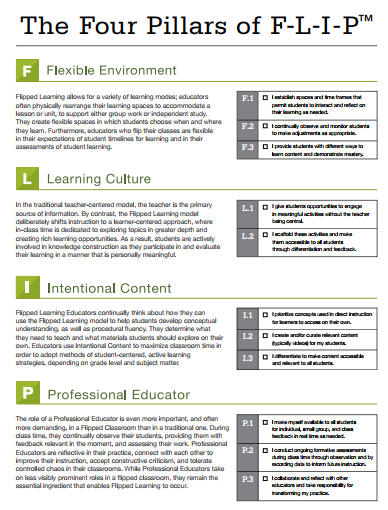


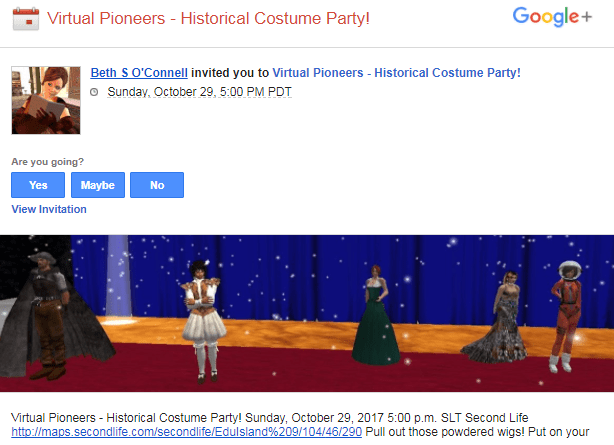
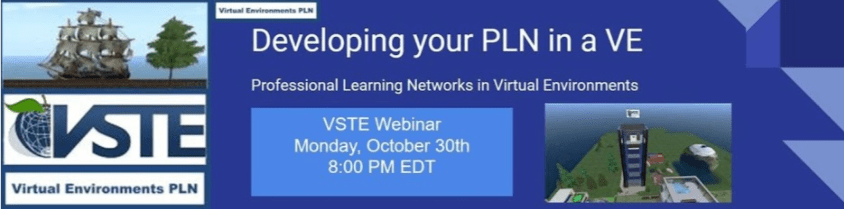


 1
1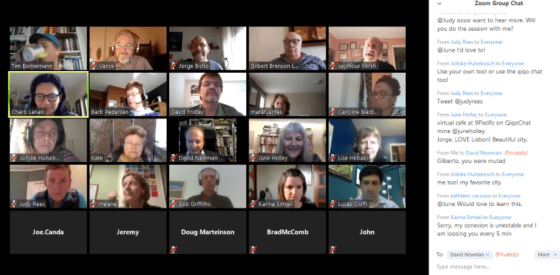


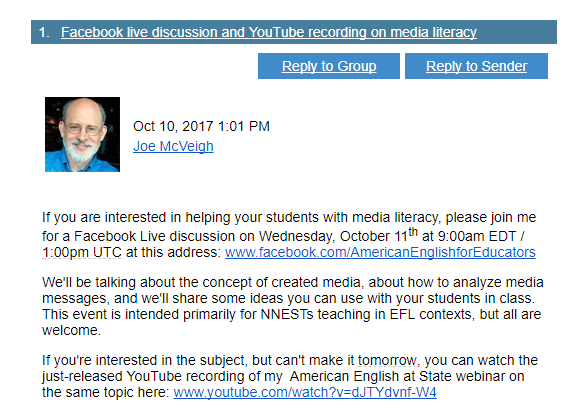
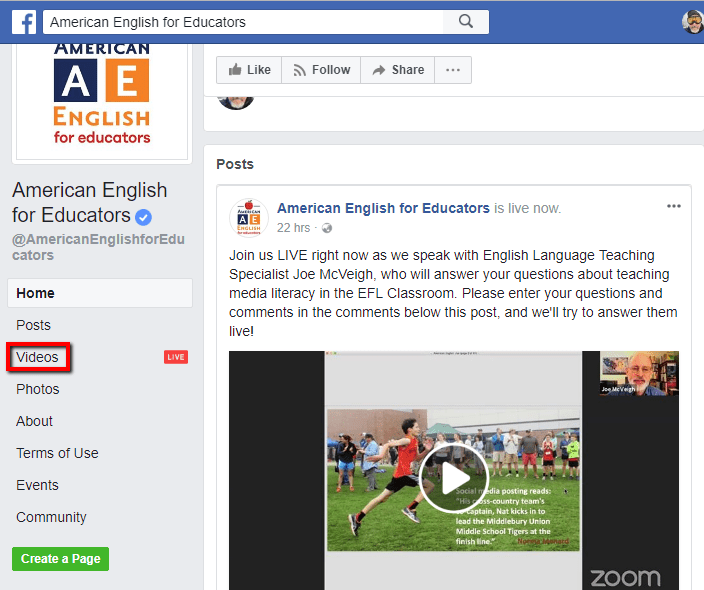
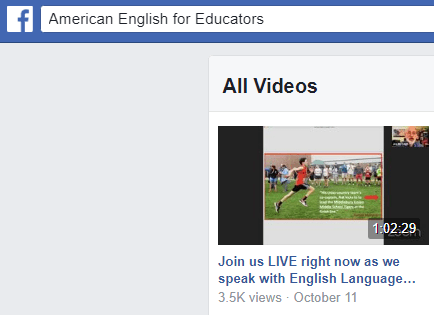
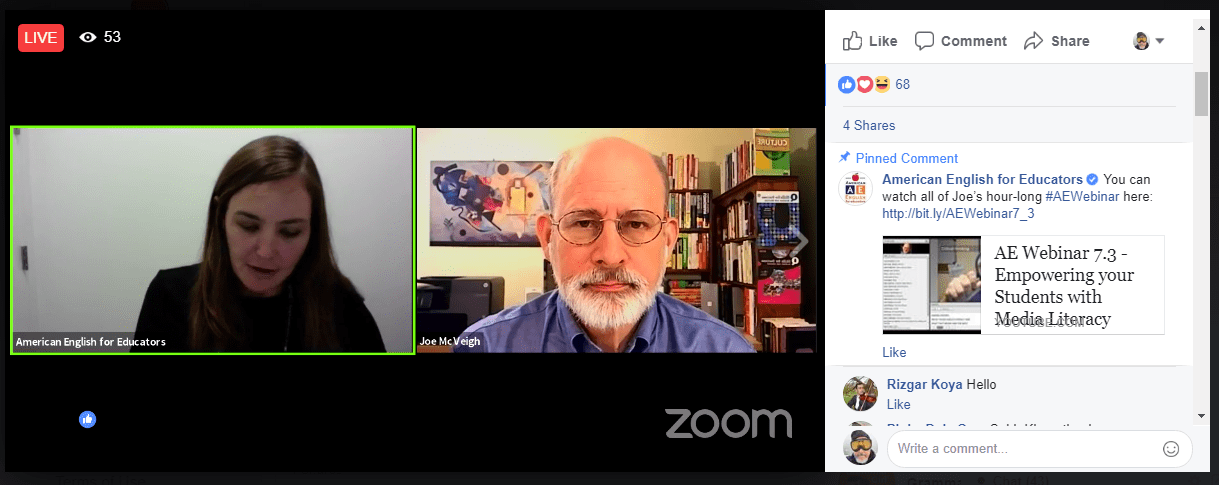
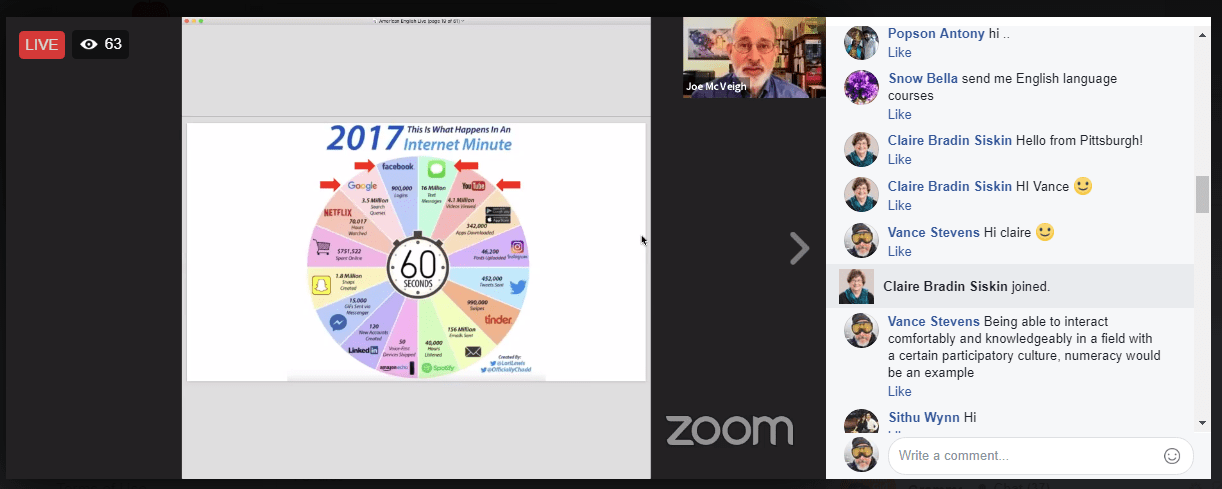


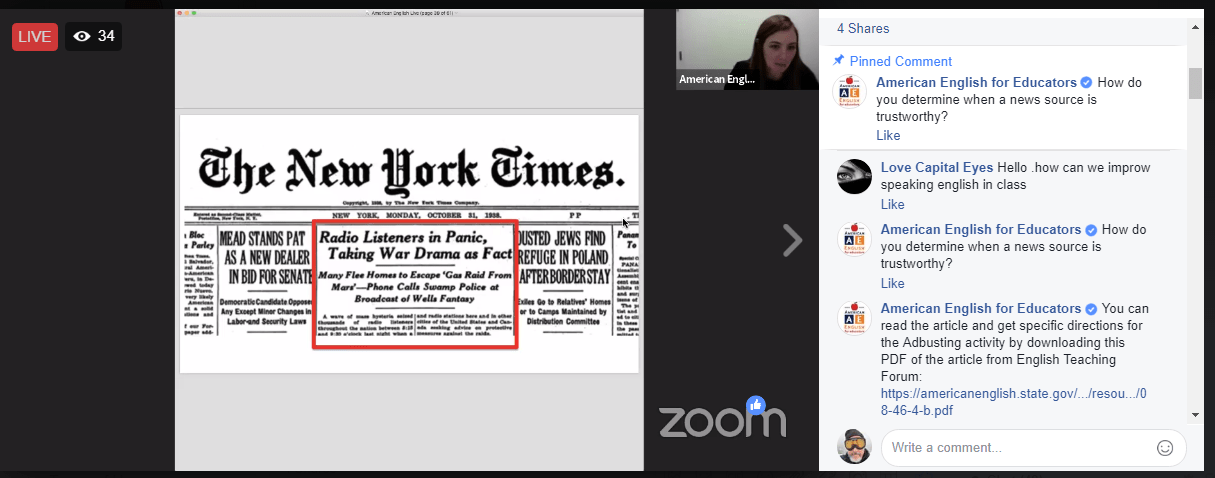

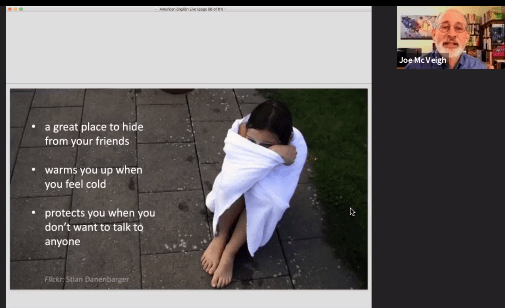
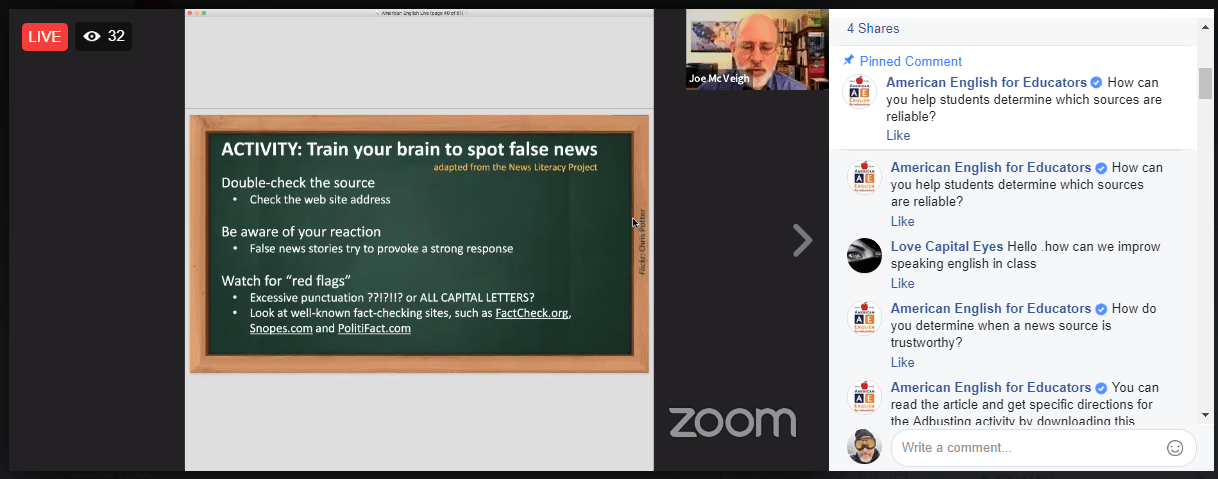






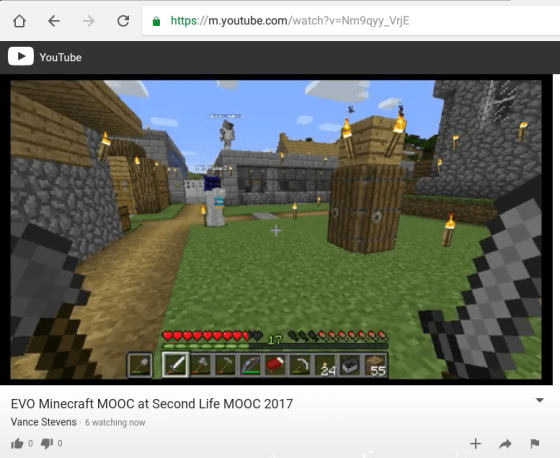 Marijana’s screenshot, and a picture of her and her younger son Domagoj presenting with us from the other side of Minecraft (used here with her permission)
 Lisa Petro is a Curriculum Development Consultant and the Co-founder of Know My World, a Global Education Resource organization, which focuses in the development of Social, Emotional, Academic, and Cultural Learning (SECAL) through digital cross-cultural exchanges and integrated classroom projects. Lisa has designed Global Education curriculum and professional development workshops for teachers in the United States, Japan, Nepal, China, Mexico, Albania, Palestine and Taiwan with an emphasis on social/emotional learning and cultural competence in the classroom. Lisa continues to offer cross-cultural training in preparation for panel presentations at the United Nations Commission on the Status of Women with girls and women from all over the world through The Grail NGO. She has also presented dynamic cross-cultural workshos at the East Asia Regional Conference for Overseas Schools in Thailand and China, Congreso de Preparatoria, Preparatorias del Tecnólogico de Monterrey, ITESM in Mexico, the State University of New York Multicultural Education Conference, The Global Education Forum, and the SUNY Collaborative Online Intercultural Learning.
 Genevieve Murphy is a global educator who has taught students K-12 in the United States, Japan and Taiwan. She currently designs and teaches Social and Emotional Learning at the American School Taichung in Taichung, Taiwan. Genevieve has presented professional development workshops on social, emotional and culutral projects in the United States, Japan, Nepal, China, Thailand and will be presenting at the 2017 EARCOS conference in Kota Kinabalu, Malaysia. She is also the Global Development Director and co-founder of Know My World, a global educational resource that emphasizes social, emotional and cultural learning through digital exchange and integrated classroom projects.

 Learning2gether