Learning2gether with the 2019 annual Electronic Village Online Kickoff event

Learning2gether Episode 397

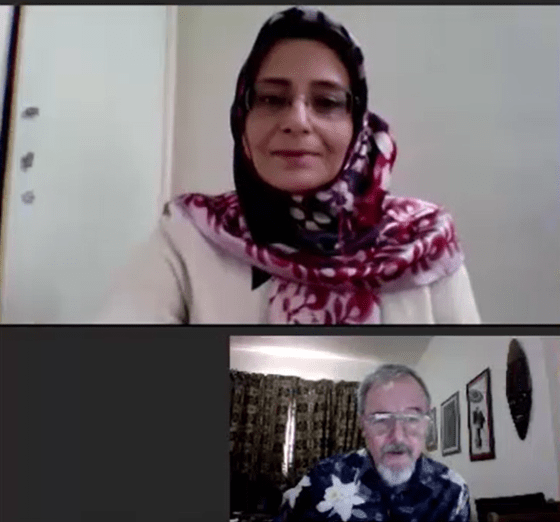
On Saturday, January 12, at 1400 UTC, coordinators, moderators, and some participants in the 2019 round of Electronic Village Online sessions met online for their annual Kickoff event. The event was held in Zoom: https://zoom.us/j/417142783

Zoom produced a recording of the event, now available on YouTube

The YouTube URL is https://youtu.be/pe2LW5U8Zzs

For the benefit of participants from Uzbekistan and other countries where YouTube is blocked, the recording was placed on Vimeo (courtesy of Nellie Deutsch)
https://vimeo.com/311321378

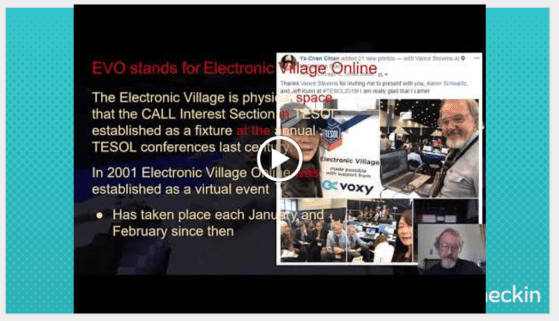
The PPT (actually a Google Slides presentation) for the Kickoff session was collaborated on by all the EVO coordinators. By kickoff time, it was ready to be shown to the world at large:
https://docs.google.com/presentation/d/1sJv-WPY5gXTONFZ-rhUddlZKyGh6QAsSTgE4LlURsD4/edit?usp=sharing

During the event all moderators present spoke about their individual sessions. Here are the  sessions on offer this year, followed by links to their descriptions:

2019-01-16_2019sessions

Preparation for Best of EVO at the upcoming TESOL 2019 conference in Atlanta

Thursday, March 14 2019: 10:30-12:20 pm in Atlanta
Friday, March 15, 2019: 1:45 – 3:00 pm in Atlanta

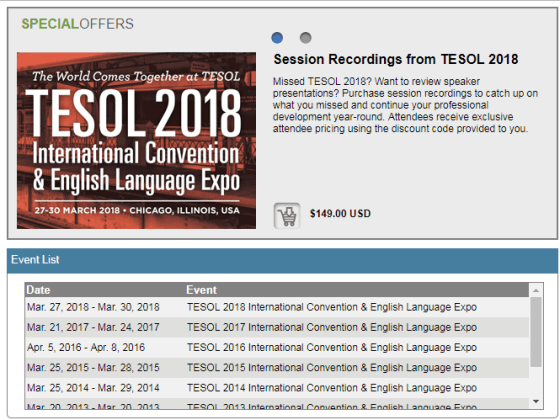
The event ended with an invitation to all moderators of 2019 EVO sessions to join us either face-to-face in Atlanta in March for the 2019 TESOL conference or from a distance at either of the two events shown in slide 21 of the presentation embedded above.

2019-01-16_1419bestevo

EVO moderators are welcome to present (in person or online) but anyone will be able to watch the presentation when it is streamed live from Atlanta.

How to join us is explained on the slides


Earlier events

Learning2gether was in haitus over the end-of-year break, as were many of the other events we follow. In November “we” (meaning Vance) were in Chile for the WorldCALL conference, and in December I tried to catch up with the #el30 MOOC that Stephen Downes had been running.

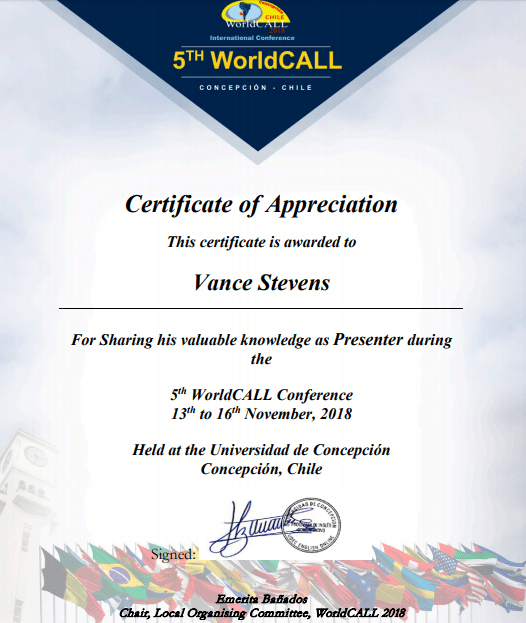
Fri Nov 16 – Vance Stevens presents ‘Gamifying Teacher Professional Development through Minecraft MOOC’ at WorldCALL 2018

https://learning2gether.net/2018/11/16/vance-stevens-presents-gamifying-teacher-professional-development-through-minecraft-mooc-at-worldcall-2018/


Mon Dec 17 – Learning2gether with Stephen Downes about eLearning 3.0

https://learning2gether.net/2018/12/17/learning2gether-with-stephen-downes-about-elearning-3-0/


Learning2gether with Stephen Downes about eLearning 3.0

2018-12-16_el30

Stephen Downes has been teaching a course on eLearning 3.0 since last October, find it at https://el30.mooc.ca/. I have been following the course obliquely up to now but it’s coincided with a long trip I had to make, traveling from Penang where my wife and I ended up in August, to Abu Dhabi in October to dispense with loose ends stemming from winding up our 20 years there, and then go to Doha to visit sons and grandchildren. From Doha, in November, we traveled on to Grand Rapids to visit Bobbi’s mom who was moved into assisted living there. In December we dropped down to Katy, Texas to deal with the house that Bobbi’s mom left. Meanwhile, for two weeks in November, I dropped down to Chile to put in an appearance at WorldCALL 2018, https://learning2gether.net/2018/11/16/vance-stevens-presents-gamifying-teacher-professional-development-through-minecraft-mooc-at-worldcall-2018/

I couldn’t find time to work on Stephen’s course during that time, apart from following its progress in a general sense. But the great thing about Stephen is that he is so open and transparent. He lives it; he models it. He is the epitome of sharing knowledge. He archives what he shares in a way that deliberately teaches it to others. So now that I’m back “home” in Malaysia, it’s not hard to pick up the breadcrumb trail to see where the course has got to before it ends with its final event on December 19.

Since Stephen has laid down a fine trail of breadcrumbs, the course is easy to follow asynchronously. Stephen’s course is shared under this Creative Commons License, https://creativecommons.org/licenses/by-nc-sa/3.0/. This stipulates that anyone can share these materials as long as we attribute their creator, and do so non commercially. The only caveats are that any alterations made must be noted, and also, the materials must be shared alike. All the foregoing are the case with postings in this blog.

Here are a few things I had figured out before I left for my trip in October.

Stephen Downes describes how he built this course in gRSShopper, here
https://halfanhour.blogspot.com/2018/09/designing-e-learning-30-in-grsshopper-1.html

This is worth looking at because in part 5 Stephen explains where you can find the video archive for the course: https://el30.mooc.ca/course_videos.htm. (I came on that before I discovered that this link is actually the Video link in the right hand sidebar)

The syllabus for the course is probably best retrieved from its newsletter postings, which are indexed here: https://el30.mooc.ca/cgi-bin/archive.cgi?page=course_newsletter.htm

There you can see that the course was announced in a post on October 10 and slated to start on October 15. The first reading posted for the course (and listening, the post includes videos) was on Why Data Culture Matters, an article (simplistically speaking) on the pros and cons of sharing data and results of its analysis.

The next newsletter appeared a week later, on Oct 16
https://el30.mooc.ca/archive/18/10_16_course_newsletter.htm

Here Stephen declares this to be “‘Week 0’ and the topic is E-Learning 2 and 2.” He says the course will start officially on October 18. He says, “I hope to be prepared by then (but probably won’t be).” He adds that “I will be incorporating tasks into the course. Don’t worry about falling behind – I’m already behind in incorporating them.” However, he does say that he will be interviewing George Siemens shortly, gives the event page as https://el30.mooc.ca/event/79, and there, sure enough, we can find the video recording.

Stephen has made it pretty clear that he won’t mind if I share it here:

In that recording Stephen says that the course will begin NEXT day with the talk he’s giving on E-Learning 3.0 at the Online Learning Summit. He said in the newsletter that he would not be able to stream the event, that he’d post a recording afterwards, but he says while waiting for George that he will attempt to stream it anyway. All this is classic Stephen, rough edges surrounding a solid gold core.

In their video George Siemens notes that all the energy that accompanied the early days of MOOCs since their first one in 2008 on Connectivism and Connective Knowledge has been followed by 5 years of “wilderness” which is beginning to get interesting again with the recent interest in artificial intelligence, and its implications for human intelligence, and “what it’s left for humans to do.” This gets to the question of what IS uniquely human? George points out that humans have a “reset problem” whereas machines get better with more data and don’t tire. What about creativity? he wonders aloud, foreshadowing one of the topics in Stephen’s course-to-come. It may not be a domain unique to humans anymore. “Beingness” may be “our final domain of human control.” Stephen interjects that if we can learn something, probably a machine can too. But we have “purpose” and “goodness”.  George agrees that humans are “being” entities, we are inherently learning entities; “we cannot unlearn.” Computers on the other hand can outlearn us.

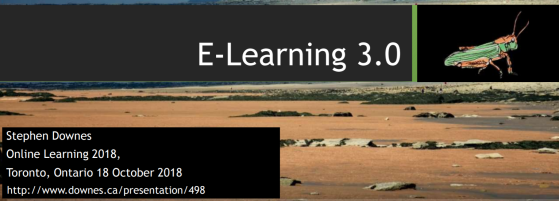
Speaking of which, this slide from his presentation on eLearning, Oct 18 in Toronto, gives the nine essential precepts of the course-to-come. The slide set accompanies the video at https://youtu.be/iCcsLZOD9fk:

2018-12-16_what_EL30

These precepts are all elaborated on in brief annotations in the course outline, and more fully developed in the focus of each week, given in the sidebar at: https://el30.mooc.ca/course_outline.htm

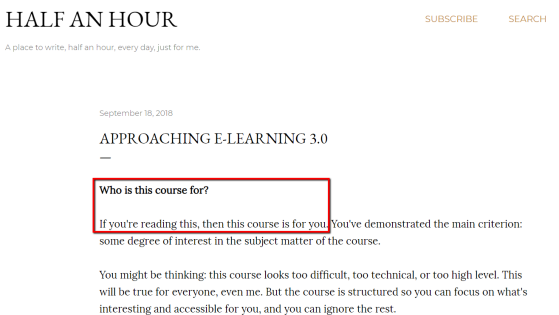
As I poke about at this course I also see that this diagram appeared in Stephen’s introduction to the course here: https://halfanhour.blogspot.com/2018/09/approaching-e-learning-30.html. I like Stephen’s approach to who should take this course, as shown here:

2018-12-20_1326intro2el30

So, back to the video, what should we be teaching in our universities when a student has such a disadvantage against machines? This segues into a conversation on connectivism and how much more relevant it has become given how the world has evolved today. Stephen sums it thusly: technology is helping us extend ourselves out into the world. George asks if we should move to a relational / random / exploratory kind of model in our educational systems. Stephen adds that the capacity to choose might be a key element in future learning, our focus of support. George concurs on the developmental aspects – we need a model of the intersection of AI and human intelligence; how they can work together to guide our educational institutions and return us to reflective, contemplative practices.

At this point in the video, George shifts the conversation focus onto Stephen’s projects. Stephen explains how the eLearning 3.0 course will focus his recent work on PLNs, connectivism, and blockchain. In the course he will be recasting old problems such as the problem of fake news, and how to reach a “knowable, trustworthy consensus” where the “bad actors don’t wreck the entire system”. He calls this “the joker problem” wherein “sometimes you just want to see the city burn”.  He says that “to get from here to there, wherever there is, this problem has to be solved.” George talks animatedly on how recent events in Turkey, Koshoggi’s murder, were spun by the major players in such a way as to warp reasoned discourse. Two more topics of the upcoming course emerge: the issue isn’t just consensus, but also one of focus. Spinners throw out enough distraction to dispel (thus control) the narrative. That’s the joker effect. George articulates a quote whose source is not quite on the tip of his tongue: “Information abundance consumes attention.”

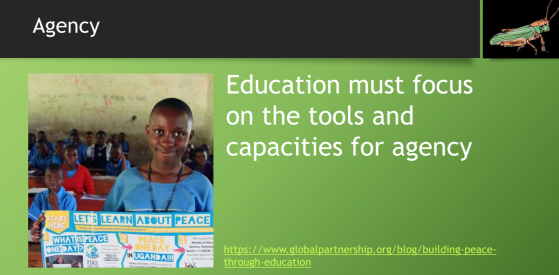
At the end of the hour, Stephen reveals that he forgot to check the chat. He apologizes but notes that one participant thinks that one strength of his courses are they are so messy. He warns his followers to get ready for more mess, to which George intones, “Making sense of the mess IS the learning, it’s not a distraction from the learning.” Indeed! And this slide wraps up what this all means for education:

2018-12-16_agency

Stephen streamed an introduction to his course, the mechanics of it, on Oct 11: https://youtu.be/hoR4VuJOa9g. He reiterates the concepts, how we got from eLearning 1 and 2 to eLearning 3 here https://el30.mooc.ca/cgi-bin/page.cgi?module=4. But he considers his official launch video to be this one from his Online eLearning Summit presentation Oct 18, e-Learning 3.0 and an outline of the core concepts. He archives this in an event called E-Learning 3.0 – The impact of the Next Wave of Emerging Learning Technologies, here: https://el30.mooc.ca/cgi-bin/page.cgi?event=77

In the video he says we are in Week minus 1 of the course, but his newsletter from just after this is entitled Week 0 wrapup, https://el30.mooc.ca/archive/18/10_21_course_newsletter.htm

So, as we can see, I’ve only just started finding out what the course is about. However I want to bring into this post, into one place, what I have been following as the course was in progress. I’m bringing these here from where I’ve been making notes in my Learning2gether wiki and in my last posting here at Learning2gether.net. I’m doing this because I want my notes all in one place, for my future reference, and for yours if you are learning about Stephen’s course through me.

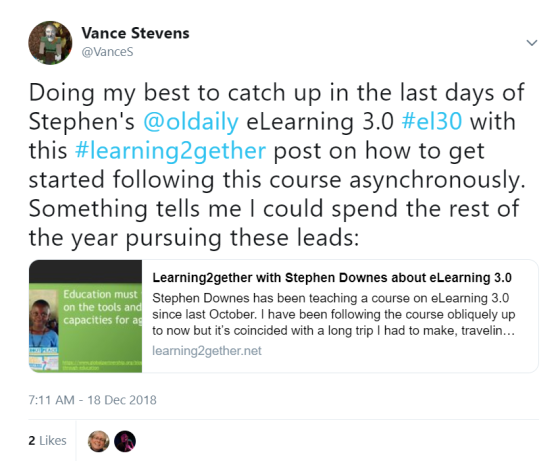
2018-12-20_0949In this tweet, I meant for the next 12 months, not just the rest of the calendar year 2018, which is almost over 🙂

Messy notes from this messy course, taken down as they appeared when Stephen’s newsletters hit my inbox, collated below seemingly at random …

In early November I noted from one of Stephen’s newsletter these
Tasks for the week beginning Oct 30;
the following wording is Stephen’s from https://el30.mooc.ca/archive/18/11_01_course_newsletter.htm

We have two tasks to choose from for this week:

  1. Subscribe to the course feeds – using the feed reader of your choice (here’s a selection) use the course OPML file (here it is) to subscribe to the course feeds. To get a badge you’ll need to show you’ve done this, maybe by writing a blog post).
    Vance’s note: THIS is the feed you need to follow, https://el30.mooc.ca/course_newsletter.xml
  2. Create a task – using a blog or some other sort of online application, create a task for participants in this course. You can do this any time through to the end of the course, so be sure to specify which course module it applies to (if you are not providing a feed to be harvested, you can email the url to me (I’ll be setting up a ‘task submission form’ soon)

And from
https://el30.mooc.ca/archive/18/11_08_course_newsletter.htm; the
Nov 07, 2018 Conversation with Ben Werdmuller was postponed to Thu Nov 8 –

from https://el30.mooc.ca/course_videos.htm
Conversation with Ben Werdmuller Nov 08, 2018 video Now working with Unlock, Ben Werdmuller co-founded Elgg and Known, worked on Medium and Latakoo, and invested in innovative media startups to support a stronger democracy at Matter. We talked about blockchain, decentralized applications, indieweb, and how people can have their own online presence. URL: https://www.youtube.com/watch?v=_QM8mAX3cV0

Resources
from Stephen’s email, but also from Week 3 Graph,
https://el30.mooc.ca/cgi-bin/page.cgi?module=7

A Gentle Introduction To Graph Theory
Vaidehi JoshiBaseCS, 2018/11/05

This is a gentle introduction to graph theory. Graphs are data structires in which entities – called ‘nodes’ – are connected to other entitis via some sort of a link – called an ‘edge’. In graph theory there are no limits on what can be connected, nor how they can be connected. Defining graphs in specific ways, however, creates the structures that underlie most of the modern web.

Web: [Direct Link] [This Post]

The Neural Network Zoo
Fjodor van Veen, 2018/11/05

Neural Networks are types of graphs. In the past I have stated that in order to be a network, a change of state in one entity in a graph must be capable of producing a change of state in another entity. Neural networks are therefore dynamic and interactive graphs. This resource describes a bunch of different neural networks. Different neural networks have different capabilities, and today are playing an increasingly important role in artificial intelligence.

Web: [Direct Link] [This Post]

Types of Machine Learning Algorithms in One Picture
Vishakha JhaTechLeer, 2018/11/05

The diagram in this resource descibes some different types of neural networks. Take a look at the specific tasks they perform – neural networks are good at things like classification and recgnition, as well as regression (that is, finding a trend or regulrity in data). I got this image from this page, which has more resourcs on neural networks.

Web: [Direct Link] [This Post]

Graph Data Structure And Algorithms
GeeksforGeeks, 2018/11/05

Graphs are important types of data structures. Instead of thinking of things in rows and columns (the way we would in a spreadsheet or a database) we think of things as nodes and edges. This page has a very brief description of a graph data structure and then a long list of things that can be done with graphs – cycling, sortinfg, spanning, searching. This page is meant to explore, not to learn – follow the links, try running some of the code (click on the r’run in IDE button’).

Web: [Direct Link] [This Post]

What college students should learn about Git
Christopher JefferyMedium, 2018/11/05

You may have heard of GitHub – the open source software repository that was recently acquired by Microsoft for $7.5 billion. GitHub is important because it allows authors to release related versions of their software, to incorporate and merge contributions from many authors, and to allow people to create their own version (or ‘fork’) any application. To do this, GitHub is structured as a Directed Acyclic Graph, creating a series of relationships among code libraries.

Web: [Direct Link] [This Post]

On Nov 6 Stephen wrote us about Distributed Ledger Technology:
https://el30.mooc.ca/archive/18/11_06_course_newsletter.htm

Today we’ll take a brief look at blockchain. Although presented as a type of currency, blockchain is in essence a graph technology. It creates a record of transactions by chaining them together such that you cannot change or revise one transaction without revising or changing all transactions. Because this is expensive and in some cases impossible, blockchain becomes a permanent record of transactions.

Topics in Distributed Ledger Technology

This is a presentation I gave twice this fall, summarizing some of the major themes in blockchain, describing how it works, surveying a number of applications, and discussing issues related to its use. https://www.downes.ca/presentation/495

The Blockchain Papers

This is a very large resource shared as a Google Doc assembling a lot of the reading I have done on blockchain over the last year or so. I am constantly contributing to it (and welcome suggestions or ideas for additional resources). Here’s the link: https://docs.google.com/document/d/1DX5nYbkd5mQ81xrLggovceIkE43rCFrOMbFLYUkBhZQ/edit#

Building a Blockchain

I also built my own toy blockchain engine last spring. Here it is: https://halfanhour.blogspot.com/2018/03/building-blockchain.html It steps the reader through fundamental concepts of a blockchain and the major elements of a blockchain engine.

Blockchain Technology Overview
Peter MellNik RobyKaren ScarfoneDylan YagaNational Institute of Standards and Technology, 2018/11/06

This is a good crisp summary that doesn’t shy away from technical detail but steps through the major elements of blockchain technology with clarity and precision. The sections on blockchain components (section 3) and consensus models (section 4) are particularly strong. It even comes with a fun blockchain use case flowchart.

Web: [Direct Link] [This Post]

Blockchain explained: What it is and isn’t, and why it matters
Brant CarsonMatt HigginsonSimon LondonMcKinsey, 2018/11/06

This podcast transcript provides a level-headed overview of blockchain technologies focusing especially on the trade-offs the use of blockchain entails (for example: less efficient databases in exchange for immutability). There’s also a nice table depicting the major use cases for blockchain. And there’s a nice look at the different motivations for employing blockchain.

Web: [Direct Link] [This Post]

Blockchain in Education
Alexander GrechAnthony F. CamilleriJoint Research CentreEuropean Commission, 2018/11/06

This is a long (136 page PDF) and detailed report on blockchains in education. The authors work slowly and deliberately in their pursuit of accuracy and clarity, which results in a presentation that will be easily understood by most readers. There is a wealth of examples in the document describing use cases, scenarios and pilot projects, and companies involved in the space.

Web: [Direct Link] [This Post]

I found Week 3 (above) of special interest because of its  exploration of the implications of blockchain for education.

Nov 14, 2018 Conversation with Maha Bali
Wed Nov 14 2018 21:00:00 GMT+0400 (Arabian Standard Time)

For week 4 of E-Learning 3.0, a conversation with Maha Bali, Associate Professor of Practice at the Center for Learning & Teaching at the American University in Cairo (AUC), on topics related to identity.

Here is more from my notes in my Learning2gether wiki on the latter part of the course, an attempt to keep a catalog of the video presentations I was missing

Wed Nov 21 at 2100 UTC next event in e-Learning 3.0 – Connectivist learning by Stephen Downes

Nov 21, 2018 Conversation with Sukaina Walji

Week 5 of E-Learning 3.0 features Sukaina Walji, Online Education Project Manager, Centre for Innovation in Learning and Teaching (CILT), University of Cape Town (UCT).

From the archived video listing at https://el30.mooc.ca/course_videos.htm this turned out to be a Conversation with Sukaina Walji and Cheryl Hodgkinson-Williams Nov 21, 2018 video

We look at the topics of open educational resources and open practices, consider some of the challenges around reuse of OERs, and discuss the potential of new resource networks (like the distributed web) to address those challenges. URL: https://www.youtube.com/watch?v=3sY6M58v3Pg

Wed Nov 28 at 2100 UTC next event in e-Learning 3.0 – Connectivist learning by Stephen Downes

Nov 28, 2018 Conversation with Viplav Baxi
Wed Nov 28 2018 21:00:00 GMT+0400 (Arabian Standard Time)

Viplav Baxi joins us for week 6 of E-Learning 3.0. He is currently  Director – Product and Digital Transformation at Oxford University Press in New Delhi, India.

We’ll talk about resources, recognition and community.

From the video list at https://el30.mooc.ca/course_videos.htm
Conversation with Viplav Baxi Nov 28, 2018 video Viplav Baxi joined us for week 6 of E-Learning 3.0. He is currently Director – Product and Digital Transformation at Oxford University Press in New Delhi, India. We talked about resources, the role of MOOCs in education today, his new ‘WhatIfEdu’ project, testing, badges and recognition, and community. URL: https://www.youtube.com/watch?v=PuSaeFStpwc

Mon Dec 5 at 2100 UTC next event in e-Learning 3.0 – Connectivist learning by Stephen Downes

From the video archive for the course at https://el30.mooc.ca/course_videos.htm we see that the topic for today was a Conversation with Pete Forsyth

Dec 05, 2018 video Week 7 of E-Learning 3.0 with Pete Forsyth, Editor in Chief of the Signpost, a community newspaper covering Wikipedia and the Wikimedia movement., and serves on the Advisory Board of the GLAM-Wiki U.S. Consortium. We talk about how Wikipedia approaches questions like managing fake news, reaching consensus, and managing content. URL: https://www.youtube.com/watch?v=1Urc4EW9hiE

Wed Dec 12 at 2100 UTC next event in e-Learning 3.0 – Connectivist learning by Stephen Downes

Dec 12, 2018 Conversation with Amy Burvall (postponed to Dec 13)

After 25 years in K-12 education, Amy Burvall is currently consulting, creating, and curating in the fields of creativity, visual thinking, and digital literacies. She joins us in week 9 of E-Learning 3.0.

Amy’s video is posted at the activity center Dec 17 as being here: https://youtu.be/idRrG8v8AkQ

The following materials are copied from Stephen’s follow-on email from the above event. You can find them online here: https://el30.mooc.ca/cgi-bin/page.cgi?task=12

Task

Create Your Experience

Be creative! Using the medium of your choice, create a representation of your experience of E-Learning 3.0. Then post your creation (or post a link to your creation) on your blog. Here’s a good example of the sort of thing you could create, by Kevin Hodgeson (who apparently also studied mind reading as he completed this Task before it was posted). If you need inspiration, visit the DS106 Assignment Bank and select one of the assignments, and then interpret it in the light of E-Learning 3.0.

Videos

The World Beyond the Word Dec 13, 2018 video Visit this page for both slides and video (the link shows a slide/video from a Seminar, Aug 19, 2012.). In order to manage the deluge of data produced by modern technology, a rapidly changing society, and challenging environmental and economic systems, we need to relearn what we understand as social and scientific literacy. The students of today and the innovators of tomorrow will speak languages we barely recognize today. What are the fundamentals of these new literacies, how do we learn them and teach them, and how do they redefine innovation in the future? In this talk I describe a future in which learning is a creative act and give an overview of the environments and technologies that will be needed to support this learning. URL: https://www.youtube.com/watch?v=M060w0NLFas

Resources

Stephen’s Web: Creativity
Stephen DownesStephen’s Web, 2018/12/13

I’ve covered the topic of creativity quite a bit over the years. This is a listing of the posts I’ve written referring to different resoruces on creativity. There’s a lot to pick and choose form.

Web: [Direct Link] [This Post]

The Sources of Innovation and Creativity
Karlyn AdamsNational Center on Education and the Economy, 2018/12/14

The following pages represent a comprehensive summary of current research and theory on the sources of innovation and creativity, both in individuals and organizations.  Based on the recurring concepts in the existing literature, the paper concludes with some recommendations for how education systems can best foster these attributes in students.

Web: [Direct Link] [This Post]

Sun Dec 16 noon EST Stephen Downes in conversation with Amy Burvall

Amy Burvall is getting up really early on a Saturday to join us.

The conversation will start at noon Eastern time (see the Event Page to see the time in your own time zone.

(That’s very clever, the page discerns your time zone; or you can click here to double check)

https://www.timeanddate.com/worldclock/fixedtime.html?msg=Sun+Dec+16+noon+EST+Stephen+Downes+in+conversation+with+Amy+Burvall&iso=20181216T12&p1=179&ah=1

From her web page: “Amy Burvall (amyburvall.com) is a professional dot-connector who helps people think and live more creatively. A 25 year veteran educator, she now freelances as a consultant specializing in creativity and visual thinking.”

Here are (some of) her videos

Task

The tasks are replicated from those set for the last session on Dec 19 this week

Create Your Experience

Be creative! Using the medium of your choice, create a representation of your experience of E-Learning 3.0. Then post your creation (or post a link to your creation) on your blog.

Here’s a good example of the sort of thing you could create, by Kevin Hodgeson (who apparently also studied mind reading as he completed this Task before it was posted).

If you need inspiration, visit the DS106 Assignment Bank and select one of the assignments, and then interpret it in the light of E-Learning 3.0.

I’m posting this on Dec 17-18 and plan to work more on it between now and Dec 19, the date of the last event of the course, Dec 18, 2018 Conversation with Silvia Baldiris and Jutta Treviranus. This talk Dec 19 for me, 1 am in the morning, which is the reason I’ve been missing all the live events since I’ve been back in Penang
Wed Dec 19 2018 01:00:00 GMT+0800 (Singapore Standard Time)
Here is its newsletter information, on Agency: https://el30.mooc.ca/archive/18/12_17_course_newsletter.htm

And the last episode was

Conversation with Silvia Baldiris and Jutta Treviranus

Videos

Conversation with Silvia Baldiris and Jutta Treviranus Dec 18, 2018 video For the last week of Learning 3.0 we had a conversation with Silvia Baldiri, who works with the Fundación Universitaria Tecnológico Comfenalco (Colombia) and Universidad Internacional de la Rioja (Spain), and Jutta Treviranus, Director of the Inclusive Design Research Centre (IDRC) and professor at OCAD University in Toronto. We talked about inclusive design, agency and the Social Justice Repair Kit. URL: https://www.youtube.com/watch?v=WIFG8rpLdYA

Resources

The Three Dimensions of Inclusive Design
GitHub, 2018/12/18

The three dimensions of the framework are:

  1. Recognize, respect, and design for human uniqueness and variability.
  2. Use inclusive, open & transparent processes, and co-design with people who have a diversity of perspectives, including people that can’t use or have difficulty using the current designs.
  3. Realize that you are designing in a complex adaptive system.

You can edit this work on GitHub.

Web: [Direct Link] [This Post]

Social Justice Repair Kit
Inclusive Design Research Centre, 2018/12/18

The goal of the Social Justice Repair Kit project is to support youth at risk who have learning differences to re-engage in education through an inclusively designed social justice platform that integrates authentic project-based learning. For youth with identified and unidentified learning differences, the Kit will add inclusive design supports to remove barriers to participation.

Web: [Direct Link] [This Post]

Contando el valor de la diversidad!
Cuentalo, 2018/12/18

These stories serve as a reference to other people who identify themselves in them and who discover in them similarities with their own life story, which in some cases may turn out to be unfavorable, however, in this discovery, possible methods of coping are identified that allow resolving or resignifying adverse situations optimistically.

Web: [Direct Link] [This Post]

Groups of diverse problem solvers can outperform groups of high-ability problem solvers
u HongScott E. PagePNAS, 2018/12/18

“We find that when selecting a problem-solving team from a diverse population of intelligent agents, a team of randomly selected agents outperforms a team comprised of the best-performing agents.” See also Problem Solving by Heterogeneous Agents, by the same authors.

Web: [Direct Link] [This Post]


However, Stephen announces: One Final Live Conversation

Let’s wrap up the course with an online conversation anyone can join. When? I’ve set a default time but I’d rather set a time by consensus. This page is open for editing. Join in and help decide when to wrap up and celebrate the end of the course.


And with this post I (Vance) have placed all my notes in one place and have set out a possibility of follow up at this blog or at one of my others. Stay tuned …


Earlier events taking place between postings at this blog

Fri Nov 16 – Vance Stevens presents ‘Gamifying Teacher Professional Development through Minecraft MOOC’ at WorldCALL 2018

https://learning2gether.net/2018/11/16/vance-stevens-presents-gamifying-teacher-professional-development-through-minecraft-mooc-at-worldcall-2018/

Mon Nov 19 1700 UTC – Factors Affecting Learner Collaboration in 3D Virtual Worlds

The EFLIS held its 3rd webinar for this year by Dr. Iryna Kozlova on Factors Affecting Learner Collaboration in 3D Virtual Worlds
Mon, Nov 19, 2018 12:00 PM – 1:00 PM EST

Here is the recording:
Factors Affecting Learner Collaboration in 3D Virtual Worlds

If you are interested in learning about research in online language learning, particularly 3D Virtual Worlds, then this is a great opportunity for you and we hope to see you online!

Abstract:
Factors Affecting Learner Collaboration in 3D Virtual Worlds

Dr. Iryna Kozlova

University of Pennsylvania

Learners’ development of collaboration skills has important implications for their language learning (Donato, 2004), fluency development (Huensch & Tracy-Ventura, 2017), and the development of interactional skills (Johnson and Johnson, 2004). When working together towards achieving a common goal, learners use language to mutually construct new knowledge by sharing their own ideas and accepting contributions from other participants (Donato, 2004). 3D virtual worlds (VWs) can provide learners with the opportunities to collaborate through multiple communication channels, which may facilitate language development (Meskill, 2005). Drawing on the results of the study on learner collaboration in 3D VWs (Kozlova, forthcoming) when students used an audio channel to interact with their peers and a text-based channel to make notes on a collaboration board, this presentation discusses the factors affecting learner collaboration. These factors include (1) learners and instructors’ familiarity with 3D VWs, (2) learners’ familiarity with the format of the learning activity, (3) learners’ experience with the spontaneous use of the second language, and (4) instructors’ use of pedagogical techniques that facilitated collaboration. Although this presentation draws on the findings of the research in 3D VWs, implications of the findings to face-to-face classroom will also be discussed.

Presenter’s bio: 

Iryna Kozlova, Ph.D., is a lecturer in the TESOL Program, Graduate School of Education, University of Pennsylvania. Her research interests include the use of second/foreign language spoken discourse in the classroom and in casual conversation, application of technology for second/foreign language teaching and learning, task-based learning, and teacher training. She has taught Applied Linguistics, ESL, and Russian in the United States and internationally.

Webinar’s details: 
Please join my meeting from your computer, tablet or smartphone.
https://global.gotomeeting.com/join/716497037 

First GoToMeeting? Let’s do a quick system check:
https://link.gotomeeting.com/system-check

Mon Nov 19 8 PM EST Data Informatics and Data Visualization in Second Life on VSTE Island

Untitled presentation.png

In Virginia students start in elementary school collecting, organizing, and interpreting data in math, science, and technology. The older the student gets the more sophisticated the expectations become in dealing with data. We imagine it’s the same with the students all over the globe.

Data Informatics examines and helps students make sense of data; reading, scanning for trends, and interpreting the data. Data Visualization is a way to take that data and make it easier to understand, more user friendly. Through data visualization we have techniques to make data easier to interpret. In 2D and 3D mediums we can show off data in expressive and meaningful ways. Bluebarker Lowtide (SL), Vasili Giannoutsos (RL) will show us examples of Data Informatics and Data Visualization and give us opportunities to build our own.

Whether you teach students to read and interpret data or you yourself are struggling for meaningful ways to share data you collect, there will be something for you in this session.

Meet us on VSTE Island in Second Life Monday, November 19, at 8 PM EST (5 PM SLT) to learn about Data Informatics and Data Visualization.

If you don’t have a Second Life account get one, it’s free. We recommend setting one up at the Rockcliffe University Consortium’s Gateway here: https://urockcliffe.com/reg/second-life/ Download and install the software. While your Second Life viewer (software) is open click this link http://maps.secondlife.com/secondlife/VSTE%20Island/61/104/22 and voila! Look for an avatar on VSTE Island and say, “Hey, I’m new!” We will take care of the rest.

Nov 20 Library 2.0 Webinar – Responding to an Active Shooter in the Library – A timely talk but not free

https://www.library20.com/group/webinar-active-shooter

TOPIC: “Responding to an Active Shooter in the Library: Protecting Patrons and Staff From a Rare But Catastrophic Event.”

PRESENTED BY: Dr. Steve Albrecht, author, Library Security: Better Communications, Safer Facilities (ALA, 2015)

DATE & TIME: Tuesday, November 20th, 2018, 4:00 pm US-EST (1-hour presentation + 30 minutes with special guests). Click herefor time zone conversions. The recording of the Webinar will be available immediately following the live broadcast, and available to all who register.

COST: $99/person

A sign of the times, unfortunately

Thu 22 Nov – 24 Nov IATEFL web conference – Finding yourself as a teacher

IATEFL Web Conference “Finding yourself as a teacher”

A 3-day web conference by IATEFL with focus on ECT Early Career Teachers

https://conference.iatefl.org/webconference/

You need to sign up for each day separately.

This year’s web conference is entitled: ‘Finding yourself as a teacher’ and will focus on the needs and challenges of the beginner teacher. While remaining open to all language teaching professionals, the conference is focusing on the early career teacher area. Over three days it will provide different sessions on topics relevant to that area including a look at the different types of language teaching both contextually and thematically, CPD options and how best to make a career out of teaching.

Day 1 – 22 November 2018
Please note: All times shown are UK time. Click here to convert to your time zone.
14.00 Web Conference Opening
Margit Szesztay, IATEFL President and Roy Cross, British Council
14.10 – 14.30 Linking and supporting beginner teachers
Margit Szesztay
14.35 – 15.35 Why we should be taking the fun out of the classroom
Diana England
15.45 – 16.45 Encouraging interaction in large classes
Zarina Suhan
17.00 – 18.00 How to get started with teaching students one-to-one
Helen Strong
18.15 – 19.15 So I’ve gotta teach kids now!?
Chris Rowland
19.30 – 20.30 The teacher and the bifocal lens
Nick Bilborough

Day 2 – 23 November 2018
Please note: All times shown are UK time. Click here to convert to your time zone.
08.45 Web Conference Day 2 Opening
09.00 – 09.45 Why should I be teaching fake news (and how?)
James Taylor
10.00 – 10.45 Dear new teacher self – advice for novice teachers (discussion)
Nati Gonalez
11.00 – 11.45 Life after training
Panel discussion
12.00 – 12.45 Using a coaching and lesson recording process with novice teachers
Valéria Benévolo França
13.00 – 14.00 Digital skills for beginner teacher courses
Marisa Constantidies
14.15 – 15.00 Lesson planning Q&A
Sandy Millin and Ruth Walpole
Day 3 – 24 November 2018
Please note: All times shown are UK time. Click here to convert to your time zone.
10.45 Web Conference Day 3 Opening
11.00 – 12.00 Managing the group dynamics
Georgia Papamichailidou
12.15 – 13.00 Minimum preparation, maximum excitation
Dominick Szulinski
13.15 – 14.00 Beginner teachers’ ELT challenges in India, Nepal and Pakistan
Panel discussion
14.15 – 15.15 The challenges of the first-year teacher – 3 Hungarian Teacher perspectives
15.30 – 16.30 How can you “…be true to yourself in the classroom”?
Open audience discussion and Q&A
16.45 – 17.15 A Teaching Assocation – what’s in it for me?
Božica Šarić-Cvjetković
17.30 – 18.15 IATEFL – taking your career to the next level
Judith Mader
18.30 – 19.30 Moving from Early Classroom Teaching into the Creation of ELT Materials
Jen Dobson and Michelle Worgan

Mon Dec 10 5 VSTE Virtual Environments PLN Meeting 8 PM Eastern Standard Time

When? December 10 5 SLT

Come to VSTE Island in Second Life! Bring something you learned at the last conference to attended to share with the rest of us.

Recent VSTE attendees will share how the sold out conference went!

I have a little app to share that I learned about in a Blues Bar in Second life! You never know where you might learn something cool if you are a lifelong learner!

See you at 5 SLT.

——————

If you don’t have a Second Life account get one, it’s free. We recommend setting one up at the Rockcliffe University Consortium’s Gateway here:https://urockcliffe.com/reg/second-life/ Download and install the software. While your Second Life viewer (software) is open click this linkhttp://maps.secondlife.com/secondlife/VSTE%20Island/61/104/22 and voila! Look for an avatar on VSTE Island and say, “Hey, I’m new!” We will take care of the rest.
Tue Dec 11 1700 UTC TEIS Webinar Series: Critical Competencies for Online Teaching

TEIS Webinar Series:Award Winning Online Teachers & Critical Competencies for Online Teaching


Date: Tuesday, December 11, 2018. 12:00-1:15 pm (EDT)

https://www.timeanddate.com/worldclock/fixedtime.html?msg=Tue+Dec+11+noon+EDT+TEIS+Webinar+Series%3A+Critical+Competencies+for+Online+Teaching&year=2018&month=12&day=&hour=12&min=0&sec=0&p1=179&ah=1

Locationiu.zoom.us/my/fpawan

Description: The Teacher Educator Interest Section (TEIS) webinar series ends the year with a discussion with Kiran Budhrani, an Instructional Designer on E-Learning from the University of North Carolina, Charlotte.  The discussion will focus on timely research on online teachers and teaching. The explosive growth in online education at the higher education level, (1.6 million in 2002 to 6.7 million students in 2015), has resulted in the need for more faculty to teach online and has changed the role of the teachers and their teaching practices. The research undertaken by Budhrani and her team involves the perspectives of 8 award winning online instructors on:

  • the core and emerging roles of online instructors
  • the key competencies for successful online teaching

The webinar will be in a conversation format moderated by Faridah Pawan, the TEIS Chair Elect-Elect. The webinar is free to all TESOL International Members and everyone else interested in the topic. (See the attached poster for additional information)

Vance Stevens presents ‘Gamifying Teacher Professional Development through Minecraft MOOC’ at WorldCALL 2018

Learning2gether Episode 396

On November 16, 2018, Vance Stevens presented ‘Gamifying Teacher Professional Development through Minecraft MOOC’ at WorldCALL 2018

20181116_214638Picture credit: Susan Mirandi

This was my proposal:

Abstract

EVO Minecraft MOOC is an ongoing community of practice of language teaching practitioners which invites newcomers to join in every January / February and then continues throughout the year with a dedicated group of teaching peers who have been interacting online in Minecraft for the past 4 years. This presentation explains how the group was formed, how it functions, and what we have learned about gamifying learning by experiencing it ourselves when playing the game Minecraft with one another. More importantly we reflect continually on how this informs our approach to teaching and learning. This presentation shares our insights and perspectives with our audience and invites them to join us online if they wish to learn more about what gamification feels like as a learning experience.

Summary

Electronic Village Online is an annual teacher training event run under the auspices of TESOL CALL-IS. EVO Minecraft MOOC is a 5-week session that has taken place in Minecraft, a wiki, and Google+ Community space each Jan / Feb since 2015. The presenter conceived the idea for EVO Minecraft MOOC as a way that he himself could develop expertise in the game and thereby use it with students. Other teachers were attracted to the concept, including some who had some experience in the game. Participants were attracted to the session for the same reasons — not that their learning paths had been prescribed for them in a neatly pre-set syllabus but that by entering the “game” or session, learning would happen for them in a way that participants would come to understand by experiencing the process that Ito et al (2010) characterize as “hanging out, messing around, and geeking out.”

We have found that Minecraft is capable of reversing the normal student teacher dichotomy whereby teachers traditionally are assumed to know more than their students. We have found through the experience of participants in our EVO session that that participants tend to take charge of their learning by guiding one another in the vagaries of the game.

This presentation explains what teachers (who are learning about the game through the experience of playing it as learners) are learning about designing worlds within the game context that will meet their curriculum objectives and create an engaging and enjoyable experience and task-based environment for learners. But above all, the paper explores how teachers can be made aware of the affordances of Minecraft by creating such spaces for one another and interacting in those spaces. It also serves as an example of how we teachers can use what we have learned through our experience with MOOCs to form communities of practice to reboot our own learning, using the community as curriculum (Cormier, 2008).

Here are the slides:

I converted this into a script for a 5 minute trailer entitled

Learn to engage your students in a gamified classroom through experiencing the participatory culture inherent in Minecraft by interacting with like-minded teaching peers in EVO Minecraft MOOC

Hi, my name is Vance Stevens. I’ve been teaching English to speakers of other languages for over 40 years. My methods have evolved over the years from the behaviorist and cognitive approaches prevalent when I started teaching, through more communicative approaches, teaching through communities of practice, through connectivism, and most recently through gamification.

Minecraft is a game that for the past decade has caught and sustained the attention of teachers wanting to introduce elements of gamification into their classrooms. However, there are two steep hurdles for teachers: (1) First is the complexity and depth of the game itself, and (2) secondly, understanding how students will interact and communicate with each other in Minecraft by engaging in self-directed critical and collaborative learning. I started EVO Minecraft MOOC to address and resolve both these problems.

EVO stands for Electronic Village Online. The actual Electronic Village is physical space that the CALL Interest Section in TESOL established as a fixture at annual TESOL conferences way back last century. In 2001 Electronic Village Online was established as a virtual event taking place each January and February ever since then. EVO consists of a baker’s dozen of sessions on topics proposed by language teachers who develop their proposals into training courses of interest to other teachers. Session moderators work from passion, no one is paid, no one pays, it’s free, and it happens every January-February. Find out more at http://evosessions.pbworks.com

EVO Minecraft MOOC is one of these sessions. We started it in 2015 and it has since become an ongoing community of practice of language teaching practitioners which invites newcomers to join in every January / February and then continues throughout the year with a dedicated group of teaching peers who have been interacting online in Minecraft for coming on 5 years now.

In November 2018 I’m presenting at WorldCALL 2018, in Concepción: Chile, about our work in EVO Minecraft MOOC. The presentation explains how the group was formed, how it functions, and what we have learned about gamifying learning by experiencing it ourselves when playing the game Minecraft with one another. More importantly we reflect continually on how this informs our approach to teaching and learning. This presentation shares our insights and perspectives with our audience and invites them to join us online if they wish to learn more about what gamification feels like as a learning experience.

As EVO Minecraft MOOC prepares to enter its 5th year engaging teachers hands-on with peers in the participatory culture their students will experience when playing the game of Minecraft, this presentation invites you to join us.

Writeup for the WorldCALL 2018 conference proceedings

Presenters have been invited to prepare a 1000 word article describing their presentations. What follows is a version that is almost twice that length, but contains about what I would like to say. I’ll have to cut my submission back substantially, but I am blogging the expanded version here:

1. Introduction

Minecraft is a game that for the past decade has caught and sustained the attention of teachers wanting to introduce elements of gamification into their classrooms (Dikkers, 2015). However, there are two steep hurdles for teachers: the complexity and depth of the game itself, and understanding how students will interact and communicate with each other in Minecraft by engaging in self-directed critical and collaborative learning (Kuhn & Stevens, 2017). EVO Minecraft MOOC was formed to resolve both these problems.

Electronic Village Online (EVO) is an annual professional development event established in 2001 under the auspices of TESOL CALL-IS and has taken place every January / February since then (Hanson-Smith & Bauer-Ramazani, 2004). EVO consists of a baker’s dozen of sessions on topics proposed each year by language teachers who develop their proposals into training courses of interest to other teachers. Moderators hope only to learn by teaching others, and participation is open to anyone free of charge.

EVO Minecraft MOOC is one of these sessions. Since it was started in 2015 it has become an ongoing community of practice (CoP) of language teaching practitioners which invites newcomers to join in every January / February and then uses its server for community development throughout each year. The community explores how teachers can be made aware of the affordances of Minecraft by creating virtual spaces for one another and interacting in those spaces. The core group of moderators have for the most part been returning year after year to sustain their practice of teaching languages and enhancing the professional development of peers through Minecraft. Participants who enjoy playing and learning with us often join the team.

This paper explains what teachers participating in EVO Minecraft MOOC are learning about the game through the experience of playing it as learners, and what they are learning about designing worlds within Minecraft that will meet their curriculum objectives and create an engaging and enjoyable experience and task-based environment for learners.

2. How Minecraft MOOC was formed and how it functions

The author has been teaching English to speakers of other languages for over 40 years. His methods have evolved over the years from the behaviorist and cognitive approaches prevalent when he started teaching (references), through more communicative approaches (references), teaching through communities of practice (references to Wenger, Lave), through connectivism (Downes, Siemens), and most recently through gamification (Gee, references).

The author became interested in Minecraft after hearing other teachers enthusiastically describe in podcasts how they were using the game with students ever since Minecraft was created by Mojang in 2009, but he was thwarted in finding a community of learners actively playing who would accept an adult in their midsts. Eventually he conceived the idea of forming EVO Minecraft MOOC as a way that he himself could develop expertise in the game and thereby use it with students.

The seed took root when the author collaborated at a distance with a Croatian colleague on an article in which she interviewed her 11-year old son on how he had become fluent in English by engaging with other European players in Minecraft, even starting his own YouTube channel (Smolčec, Smolčec, & Stevens, 2014). In conducting the literature search for that article the author discovered other teachers using Minecraft in language learning. When he proposed an EVO session on the topic, he invited Jeff Kuhn and David Dodgson to join the effort, and both accepted. Jeff Kuhn set up our first Minecraft server and other teachers were attracted to the concept, including some who already had considerable experience in the game and were able to help mentor the developing Minecraft literacy of others (Stevens, 2017).

Minecraft MOOC takes place primarily online in Minecraft. In order to attract new participants we renew our proposal each year to become an EVO session and invite people to join us at our Google+ Community (G+C), where we can interact asynchronously. In addition to a syllabus, we also have a wiki at http://missions4evomc.pbworks.com/ where we can suggest a structure for the course.

Although we have always had a syllabus, participants are attracted to the session not because their learning paths have been prescribed for them but because by entering the game, learning happens for them in a way that participants come to understand by experiencing the process. Ito et al (2010) characterize the steps in the process gamers go through as “hanging out, messing around, and geeking out,” and this is what happens with people who join us without much knowledge of Minecraft apart from a vague interest in using it with their students. Those who persist eventually become remarkably creative and capable of guiding other teachers, and their students, into adapting the game to their diverse learning goals. Our session applies the community as curriculum model whereby the community negotiates the operative syllabus for the MOOC (Cormier, 2008).

3. Discussion

This section discusses what we have learned about gamifying learning by experiencing gamification ourselves when playing the game Minecraft online with one another. First of all we have penetrated the Minecraft community of learners by becoming learners in Minecraft ourselves, learning hands-on how gamification works and might apply to our own contexts. In so doing, we come to grips with the complexity and depth of the game, understanding through doing it ourselves how students will interact and communicate with each other in Minecraft (in our case using the text chat native to Minecraft as well as Discord, a 3rd-party VOIP app frequently used by gamers, to speak to one another while in-world). Through carrying out our own projects, such as discovering temples, both on land and underwater, and excavating them for their loot, we engage in self-directed, spontaneous learning.

Through experiencing the game ourselves, we see how Minecraft brings essential skills such as critical thinking, collaboration, problem solving, and language and communication skills to bear on a range of concepts including, architecture, engineering, chemistry, mathematics, coding, history, and the list goes on and on.

This article has already cited one example of students using Minecraft to practice and improve learning a foreign language (Smolčec, Smolčec, & Stevens, 2014). That article cites many other instances, including the work of Jeff Kuhn who used Minecraft to generate ideas for ESL students writing about disaster management, and Dave Dodgson using Minecraft in Turkey in an EFL context (see also their more recent articles: Kuhn, 2015; and Dodgson, 2017).

We have found that Minecraft is capable of reversing the normal student-teacher dichotomy whereby teachers traditionally are assumed to know more than their students. We have found through the experience that participants tend to take charge of their learning by scaffolding one another in the vagaries of the game. We have also seen when, as often happens, teachers bring their children with them into the game, that these kids often become proficient more quickly than their parents, and mentor not only their parents but other adult players as well. Through this we see that a productive strategy of using Minecraft with younger students would be to set up a play space for them, encourage them to set their own goals within the curriculum, and empower them to become the experts, even to the extent of teaching the teacher how to use Minecraft to learn more about their curriculum.

More importantly we reflect continually on how what we learn through our experience collaborating with each other in-world informs our approach to teaching and learning. Our G+C has been an ideal space for sharing our screenshots and videos from in-world, and conversations around all our topics of interest ranging from helping noobies to showing each other our builds and projects. Lately we have discussed there how to replace our G+C when Google drops support for the platform in April, 2019. Meanwhile we are looking into alternatives such as Google Classroom and Moodle. We don’t intend to let what happens with G+C curtail our learning in the 2020 rendition of EVO Minecraft MOOC.

4. Conclusions

In our proposal and session materials, we invite other teachers to join us who consider themselves to be teachers with a gaming problem, gamers with a teaching problem, and teachers of gamers with a learning problem. By this we mean to address teachers who don’t already play games but would like to understand how gamification might work in their teaching contexts; teachers who already play games and would like to adapt what they know to teaching their students, and teachers who see that their students like games, and want to know how they might leverage this by fitting Minecraft into their curriculum. We consider it axiomatic that when asked by skeptics if Minecraft is in the curriculum, the reply is usually that the curriculum is somewhere in Minecraft already. We encourage our peers to join us so that together we can figure out how and where Minecraft can be utilized in anyone’s teaching curriculum.

By the time these proceedings are published, the Minecraft MOOC EVO session for 2019 will have completed its 5th year as a formal session engaging teachers hands-on in the participatory culture their students will experience when playing the game of Minecraft. However, we expect there will be an EVO Minecraft MOOC in 2020, in which case we invite any interested participants to join us. We can be easily found via EVO, http://evosessions.pbworks.com/ or in a Google search on EVO Minecraft MOOC.

5. References


Cormier, D. (2008). Rhizomatic education: Community as curriculum. Innovate, 4(5). Reprinted with permission of the publisher; available:
http://davecormier.com/edblog/2008/06/03/rhizomatic-education-community-as-curriculum/.

Dikkers, S.(Ed.). (2015). Teachercraft: How teachers learn to use Minecraft in their classrooms. Available from http://press.etc.cmu.edu/fies/Teacher-Craft_Dikkers-etal-web.pdf

Dodgson, D. (2017). Digging deeper: Learning and re-learning with student and teacher Minecraft communities. TESL-EJ, Volume 20, Number 4, Available: http://www.tesl-ej.org/wordpress/issues/volume20/ej80/ej80int/. Also available at: http://www.tesl-ej.org/pdf/ej80/int.pdf; pp. 1-12 in pdf.

Hanson-Smith, E. & Bauer-Ramazani, C. (2004). Professional Development: The Electronic Village Online of the TESOL CALL Interest Section .TESL-EJ 8, 2.(On the Internet) http://tesl-ej.org/ej30/int.html.

Ito, M., Baumer, S., Bittanti, M., boyd, d., Cody, R., Herr-Stephenson, B., Horst, H., Lange, P., Mahendran, D.,  Martínez, K., Pascoe, C., Perkel, D., Robinson, L., Sims, C., & Tripp, L. (2010). Hanging out, messing around, and geeking out. Cambridge, MA: The MIT Press. Available: https://www.academia.edu/4898770/Ito_Mizuko_S._Baumer_M._Bittanti_d._boyd_R._Cody_R._Herr-Stephenson_H._Horst_et_al._2010_Hanging_Out_Messing_Around_and_Geeking_Out_Kids_Living_and_Learning_with_New_Media._Cambridge_MIT_Press and https://www.dropbox.com/s/h69b0vyd6tumixw/8402.pdf?dl=0

Kuhn, J. & Stevens, V. (2017). Participatory culture as professional development: Preparing teachers to use Minecraft in the classroom. TESOL Journal 8, 4:753–767. https://doi.org/10.1002/tesj.359 and http://onlinelibrary.wiley.com/doi/10.1002/tesj.359/full

Kuhn, J. (2015). Meaningful Play – Making Professional Development Fun. TESL-EJ, Volume 18, Number 4, Available: http://www.tesl-ej.org/wordpress/issues/volume18/ej72/ej72int/.  Also available at: http://tesl-ej.org/pdf/ej72/int.pdf; pp. 1-8 in pdf.

Smolčec, M., Smolčec, F. and Stevens, V. (2014). Using Minecraft for Learning English. TESL-EJ 18, 2. Available: pp. 1-15 in http://www.tesl-ej.org/pdf/ej70/int.pdf

Stevens, V. (2017). Gamifying Teacher Professional Development through Minecraft MOOC. In Zoghbor, W., Coombe, C., Al Alami, S. & Abu-Rmaileh, S. (Eds.). Language Culture Communication: Transformations in Intercultural Contexts. The Proceedings of the 22nd TESOL Arabia Conference. Dubai: TESOL Arabia. Pages 75-92. Available: http://vancestevens.com/papers/evomcmooc_TACON2016.pdf and in readable text at
https://docs.google.com/document/d/1sfJX4ytxWcR_f2f26_eEu79Ukqb31t9VkglbXSdsxls/edit?usp=sharing


minecraft_audience2cropped

Mark Pegrum (to my left, above)  included a summary of my presentation in his blog post here: http://elanguage.edublogs.org/2018/11/15/global-call-gathering-in-latin-america/

“In his presentation, Gamifying teacher professional development through Minecraft MOOC, Vance Stevens explained that over the last 40 years he has taught English through behaviourist and cognitive approaches, then communicative approaches, followed by communities of practice, connectivism (aligned with the original idea of MOOCs as community-driven), and most recently gamification. He indicated that Minecraft has caught the attention of many educators over the last decade; it promotes critical thinking, collaboration, problem-solving, language and communication, and has been used for architecture, engineering, chemistry, mathematics and coding, in addition to language teaching. Gamification, he said, is about learning not in a top-down format, but by exploring in a bottom-up way. The challenges for teachers are: penetrating Minecraft communities of learners; the complexity and depth of the game; and understanding how students will interact and communicate with each other in Minecraft, and how they will engage in self-directed critical/collaborative learning. The EVO Minecraft MOOC started in 2015 to address and resolve these problems, and newcomers are welcomed every January/February.”

2018-12-14_2037audience

Here are some more photos taken by Susan Mirandi, during the presentation:

In the course of preparing for my presentation I produced a “lightning talk” which I blogged here
https://learning2gether.net/2018/11/01/vance-stevens-presents-lightning-talk-on-engaging-students-in-gamified-classrooms-using-minecraft/

The lightning talk took the form of this 6 minute video, which was a precursor to my longer talk in Concepción:

2018-12-18_worldcallPresenterCertificate

This longer talk was presented at the …

Nov 13-16 WorldCALL 5 – Universidad de Concepción Chile

http://www.worldcall.org/

Conference page: http://worldcall5.org/

Accepted abstracts
http://worldcall5.org/images/WorldCall5/ACCEPTED_ABSTRACTS_WORLDCALL_2018_v2.pdf

My paper is listed on p.3 in the list of abstracts, entitled
Gamifying teacher professional development through Minecraft MOOC

Earlier events

Mon Nov 1 1545 UTC Vance Stevens presents lightning talk on Engaging students in gamified classrooms using Minecraft

https://learning2gether.net/2018/11/01/vance-stevens-presents-lightning-talk-on-engaging-students-in-gamified-classrooms-using-minecraft/

Sun Nov 4 1700 UTC EVO Moderator Development live session 3

Where: presumably https://zoom.us/j/940453286
When: presumably Nov 4th, 2018 6PM UTC

Here’s the link to the revised slide show for Week 3:
https://docs.google.com/presentation/d/1EjaIHFGmtQJsSnprQ3DQ7wfLdu0jdjP4j_LuDqePLp8/edit?usp=sharing

Nives Torresi has provided this link to the chat transcript from the meeting
https://drive.google.com/file/d/177SkHBzIlYQxwpQH76lpAEWE2tngHFdt/view

The link to the live recording should eventually appear here
http://evopd.pbworks.com/w/page/128248656/Recordings%20of%20Live%20Events

Sun Nov 4 0001 UTC to 2000 UTC YLTSIG Annual Web Conference

https://drive.google.com/file/d/1bB7OqfT-4iXF151o6n_8J2soJUJq-V5b/view

Heike Philp tracked presentations at this conference with a series of tweets

Mon Nov 6 0100 UTC Dakota Redstone at VSTE Minecraft Mondays

2018-08-06_20.54.58.png

MINECRAFT MONDAY

Monday, November 5th, EST, we will meet at VSTE Place to work on a neighborhood which Dakotah_Redstone has already begun. Each person may try recreating their own home in the neighborhood. We will meet at 8 PM Eastern.

Time where you are:

https://www.timeanddate.com/worldclock/fixedtime.html?msg=Mon+Nov+5+2000+EST+Dakota+Redstone+at+VSTE+Minecraft+Mondays&iso=20181105T20&p1=830&ah=1

This week we will look at two resources our members have shared: music creation: within Minecraft using Note Blocks and red stone, and 101 Build Hacks. Both can help us furnish our homes!

You must have a computer Minecraft account from https://minecraft.net/en/ to join. There is a one time fee of $26.95. Download and install the software. Choose multiplayer and add a server: Name VSTE Place IP 69.175.17.26:25565 Our server is protected. If you want to be whitelisted to enter anytime you want to continue building this, or anything else, email Kim Harrison at K4sons@gmail.com or kvharris@vbschools.com from an educational email address with your real name and minecraft name.

We are currently using Minecraft version 1.12.2

Thu Nov 8 at 2000 UTC next event in e-Learning 3.0 – Connectivist learning by Stephen Downes

The materials that were here have been posted to
https://learning2gether.net/2018/12/17/learning2gether-with-stephen-downes-about-elearning-3-0/


Fri Nov 9 1300 to 1700 UTC – IATEFL LTSIG and TESOL CALL-IS joint online event on AI in ELT – Friend or Foe

9 November 2018, 1pm GMT – 5pm GMT

IATEFL LTSIG and TESOL CALL-IS joint online event

This is the call for proposals page

The role of Artificial Intelligence (AI) in ELT: friend or foe?

A 4h online event on AI, an innovative mix of 15min ‘input’ presentations and 30min audience participation sessions.

****

Christine Sabieh
Posted by
Christine Sabieh

Poster information shared on Facebook: The Role of AI in ELT, Learning and AssessmentGeorge Kormpas created the invite. www.facebook.com/events/339686013468775/permalink/…The link to the event in Adobe Connect is posted on the FB pageNo preregistration is needed to be part of the webinar– Please spread the invite.

Fri Nov 9-10 Rockcliffe University Consortium Conference – The Future Present

The Rockcliffe University Consortium Conference: The Future Present took place on November 9-10, 2018 at the Fort Mason Center, San Francisco, California

Registration closed Sept 30, 2018 but there is supposed to be virtual participation possible (I don’t see how, and it might not be free, but stay tuned)

https://rucc.confcenter.org/2018futurepr

Sun Nov 11 final live online chat for EVO moderators development

Slides: https://docs.google.com/presentation/d/1Wx6WvsnIf9drHh_hs_jnhRYTnyD-Wh1xbOpxwHCO6os/edit?usp=sharing

This is what it was about
http://evopd.pbworks.com/w/page/128243469/Week4_2018

Nives Torresi posted the chat transcripts here
https://drive.google.com/file/d/18LEdKJMo3pcTiyPhug4ELQV8H2TgmzRT/view

The slides used for the event
https://docs.google.com/presentation/d/1Wx6WvsnIf9drHh_hs_jnhRYTnyD-Wh1xbOpxwHCO6os/edit?usp=sharing

Vance Stevens presents ‘lightning talk’ on Engaging students in gamified classrooms using Minecraft

Learning2gether Episode 395

Vance Stevens’s proposal to present virtually in the lightning talks portion of the Games and Learning Community Group session at EDUCAUSE (in Denver this year) was recently accepted. The Games and Learning Community Group session took place on Thursday, November 1 at 9:45am-11:15am MT in Meeting Room 403.
https://events.educause.edu/annual-conference/2018/agenda/games-and-learning-community-group-session-open-to-all

According to the organizers, “lightning talks are limited to 5 minutes and should include easy ways for attendees to learn more about the topic if interested. This may include your contact information, links to additional resources, or a copy of the presentation.” They go on to say, “live demos at a conference can be tricky, especially if they require a solid internet connection. You may wish to record videos as an alternative to streaming or live demos.” In the end they requested a video and were reluctant to deal with live presenters at a distance.

The didn’t limit the number of characters for the title of the talk, so I made it descriptive …

Learn to engage your students in a gamified classroom through experiencing the participatory culture inherent in Minecraft by interacting with like-minded teaching peers in EVO Minecraft MOOC

Minecraft is a game that for the past decade has caught and sustained the attention of teachers wanting to introduce elements of gamification into their classrooms. However, there are two steep hurdles for teachers: (1) the complexity and depth of the game itself, and (2) understanding how students will interact and communicate with each other in promoting their self-directed critical and collaborative learning. EVO Minecraft MOOC is preparing to enter its 5th year engaging teachers hands-on with peers in the participatory culture their students will experience when playing the game of Minecraft. This presentation explains how you can join us.

The recorded talk makes a handy trailer for a talk I’m scheduled to give at WorldCALL 2018 at 3pm on Friday, November 16 in Concepción, Chile. The talk is due to last only 30 minutes and I have just been informed that

  1. I must bring a Microsoft PPT or PDF of  my slides on a thumb drive to Concepción and submit it to technical staff there in person at least 3 hours prior to my talk,
  2. The presentation will be loaded by technical staff onto the computer in the presentation room where I will be, and
  3. No presenter(s) is(are) allowed to use their own device to give their presentation

This is a bit limiting. I’m surprised that at a WorldCALL conference there would not be some means of uploading these files online. Using thumb drives where so many presenters will be inserting them into the same computers is a bit promiscuous, though I presume they feel they have protected their environment. Also it means that all presentations, both those presented and those attended when the presenter is not presenting, will be subject to gradual death by PowerPoint. I like to liven PPT up with video, especially when my topic is Minecraft, and possibly even demo the game from the podium, maybe even with other participants joining me online. Also I prefer to put my slides at Google Docs and present from a tablet. I like to walk about and swipe the screen untethered from the podium and the mouse attached to the computer there, much easier to engage with an audience that way. So I’m disappointed that scope for creativity will be constrained for all concerned, but that’s their concepcion of WordCALL, and I’ll do my best to make my part as interesting as I can; the topic is one I’m passionate about 🙂

At any rate, here are the title, abstract, and summary of my talk coming up in Chile

Gamifying teacher professional development through Minecraft MOOC

Abstract

EVO Minecraft MOOC is an ongoing community of practice of language teaching practitioners which invites newcomers to join in every January / February and then continues throughout the year with a dedicated group of teaching peers who have been interacting online in Minecraft for the past 4 years. This presentation explains how the group was formed, how it functions, and what we have learned about gamifying learning by experiencing it ourselves when playing the game Minecraft with one another. More importantly we reflect continually on how this informs our approach to teaching and learning. This presentation shares our insights and perspectives with our audience and invites them to join us online if they wish to learn more about what gamification feels like as a learning experience.

Summary

Electronic Village Online is an annual teacher training event run under the auspices of TESOL CALL-IS. EVO Minecraft MOOC is a 5-week session that has taken place in Minecraft, a wiki, and Google+ Community space each Jan / Feb since 2015. The presenter conceived the idea for EVO Minecraft MOOC as a way that he himself could develop expertise in the game and thereby use it with students. Other teachers were attracted to the concept, including some who had some experience in the game. Participants were attracted to the session for the same reasons — not that their learning paths had been prescribed for them in a neatly pre-set syllabus but that by entering the “game” or session, learning would happen for them in a way that participants would come to understand by experiencing the process that Ito et al (2010) characterize as “hanging out, messing around, and geeking out.”

We have found that Minecraft is capable of reversing the normal student teacher dichotomy whereby teachers traditionally are assumed to know more than their students. We have found through the experience of participants in our EVO session that that participants tend to take charge of their learning by guiding one another in the vagaries of the game.

This presentation explains what teachers (who are learning about the game through the experience of playing it as learners) are learning about designing worlds within the game context that will meet their curriculum objectives and create an engaging and enjoyable experience and task-based environment for learners. But above all, the paper explores how teachers can be made aware of the affordances of Minecraft by creating such spaces for one another and interacting in those spaces. It also serves as an example of how we teachers can use what we have learned through our experience with MOOCs to form communities of practice to reboot our own learning, using the community as curriculum (Cormier, 2008).

Ergo …

It seems that if I said pretty much that, reworded more conversationally and with some elaboration, this would take about 5 minutes

I worked on that part in a Google Doc (this one)
https://docs.google.com/document/d/1vH_29qTbnotbjdl-60QVB5lwatap3ndTbrod1NHYvlU/edit?usp=sharing

The organizers of the Educause event have since reported back that my lightning talk appeared in a slide presentation shown at the conference and shared here:
https://docs.google.com/presentation/d/1MH4zafJBZv-Xv-quzqjTXw8MOAI6sYcUILU8ZlQ4p88/edit?usp=sharing

Sandra Annette Rogers wrote me: I thought you might want to see the Educause Games & Learning community group meeting slides that included your lightning talk on slide 21-22. I heard there were about 30 participants.

Here are the slides introducing the event, and what my slides 21-22 looked like

2018-11-08_1804Educause_games_learning

Educause_games_learning2

Educause_games_learning3

Educause_games_learning4

Slide 22 embeds our video, so in theory it should be possible for attendees and others to enjoy our asynchronous presentation.


Earlier events


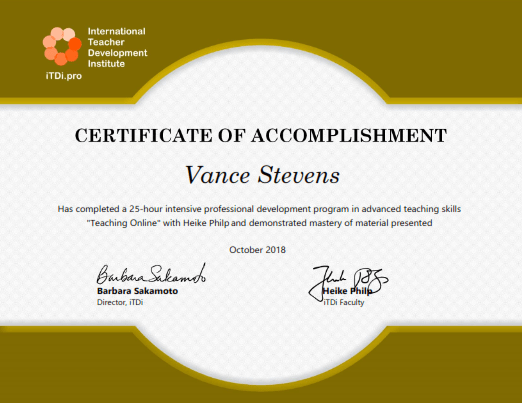
1300 start Sun Oct 7 thru Nov 4 – Teaching Online with Heike Philp – a paid iTDi course

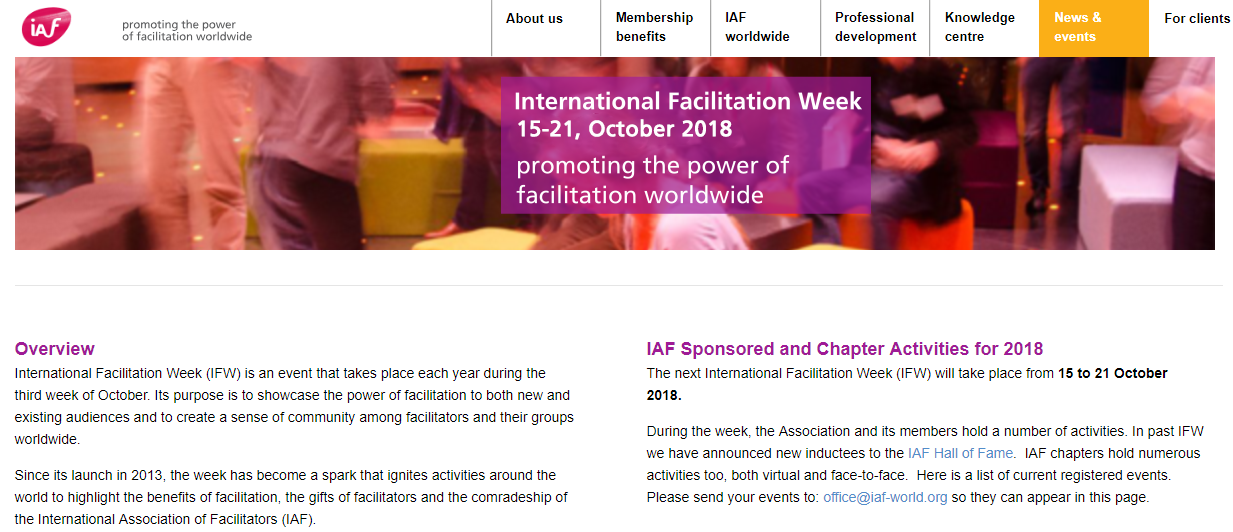
https://learning2gether.net/2018/10/15/teaching-online-with-itdi-and-international-facilitation-week/


Mon-Fri Oct 15-19 4th Annual Pearson ELT Webinar Series

To see the lineup and register (free, but required) for the events

https://longmanhomeusa.com/eltwebinars

I replicated the table of presentations here so I can see when they are and work them into a schedule on this page and convert times to UTC.

Date Time Session Presenter
Monday, October 15, 2018 12:00 p.m. EDT = 1600 UTC 21st Century Teaching and the Global Scale of English Sara Davila
Monday, October 15, 2018 2:00 p.m. EDT = 1800 UTC How to Organize a Lesson Plan Around a Short Story Sybil Marcus
Tuesday, October 16, 2018 12:00 p.m. EDT = 1600 UTC Engaging Students in the Classroom Through Photos and Images Joe McVeigh
Tuesday, October 16, 2018 2:00 p.m. EDT = 1800 UTC Space for Uncertainty: Developing Critical Thinking Skills Ken Beatty
Wednesday, October 17, 2018 2:00 p.m. EDT = 1800 UTC Teaching Grammar with Pop Songs: Ain’t No Reason Not To Sandra Heyer
Thursday, October 18, 2018 12:00 p.m. EDT = 1600 UTC Fostering Independence: Helping Students Become More Effective Self-Directed Learners Sarah Lynn
Thursday, October 18, 2018 2:00 p.m. EDT = 1800 UTC Ten Tips to Accelerate Academic Listening Michael Rost
Friday, October 19, 2018 12:00 p.m. EDT = 1600 UTC An Inductive Approach to Teaching Grammar Geneva Tesh

Here’s how the event was announced …

Joe McVeigh
On Sep 18, 2018 11:17 AM
Joe McVeigh posted in MyTESOL Lounge,

https://my.tesol.org/communities/community-home/digestviewer?CommunityKey=a4e6ad60-89a2-4c3f-9e37-cb7e3acad5fe&tab=digestviewer


The fall is a great time to work on professional development, and here is a great resource: a series of eight free webinars during the week of October 15-19.

The webinar topics include ideas for teaching grammar; developing academic listening skills; working with photos and images; using short stories; helpings students become self-directed learners; using popular songs; developing critical thinking skills; and 21st century teaching.


The presenters include TESOL professionals Sara Davila, Sybil Marcus, Joe McVeigh, Ken Beatty, Sandra Heyer, Sarah Lynn, Michael Rost, and Geneva Tesh.


These webinars are sponsored by Pearson as part of their 4th Annual ELT Webinar Series.  They take place throughout the week at either 12:00pm or 2:00pm Eastern Daylight Time.  Be sure to adjust for your own time zone.  All of the webinars are free, but you must register separately for each one. All registered participants will receive a certificate of attendance.


For complete descriptions of each webinar including exact times and to register, go to longmanhomeusa.com/eltwebinars

If you have questions about the webinars, please send them to this email address: esl_marketing@pearson.com

I hope to see you online in October!

See this posting online here

https://my.tesol.org/communities/community-home/digestviewer/viewthread?GroupId=271&MessageKey=0d4232cc-6c3b-4b12-890c-dfa4bdbe80ee&CommunityKey=a4e6ad60-89a2-4c3f-9e37-cb7e3acad5fe&tab=digestviewer&ReturnUrl=%2fcommunities%2fcommunity-home%2fdigestviewer%3fCommunityKey%3da4e6ad60-89a2-4c3f-9e37-cb7e3acad5fe%26tab%3ddigestviewer


Wed Oct 17 1900-2200 UTC – 3rd Library 2.018 mini-conference – Social Crisis Management


The third Library 2.018 mini-conference: “Social Crisis Management in a 21st Century World,” will be held online (and for free) on Wednesday, October 17th, from 12:00 – 3:00 pm US-Pacific Daylight Time (click for your own time zone). Register now to watch for free and/or to receive the event recordings.

This event is being organized in partnership with Patty Wong, Director of Library Services at Santa Monica Public Library.

Our human condition has changed dramatically and has implications for libraries of all types on a global scale. Food insecurity and hunger, housing policies and homelessness, violence, mental health service needs, social, economic, educational and racial equity, substance abuse and drug overdose – all of these and many more challenges impact the people who frequent our libraries – as customers, students, faculty, and staff. Operational decisions continue to be influenced by social concerns. Join us for a series of conversations on how libraries have developed, responded, and championed programs and services to address some of these social crises and learn about outcomes. What’s the new normal for libraries in this world of social and economic disparity? Has it altered or enhanced our core mission?

This is a free event, being held online.
REGISTER HERE
to attend live and/or to receive the recording links afterward. Please also join the Library 2.0 network to be kept updated on this and future
Participants are encouraged to use #library2018 and #librarysocialcrisis on their social media posts leading up to and during the event.

SESSION LIST as of Oct 10:

  • Active Shooter Training – Mary Soucie, State Librarian
  • Bibliotecas acción social – Judith de Méndez, Librarian.
  • Broward County Library – Reach Out Reach Up Reintegration Program – Roslyn Dean, Community Engagement Manager, Broward County Library
  • “Conversescion”: not a mis-type, a different way to inclusion of asylum seekers – Matilde Fontanin
  • Educating Information Professionals to Manage Social Crises – Jen Jumba, M.L.I.S Adjunct Faculty at SJSU and Adult Services Librarian/Supervisor at Cuyahoga County Public Library
  • From Transactional to Transformational Responses and Roles: Current and Potential Library Responses to Social Crises – Paula Miller, Director, Baltimore County Public Library
  • It’s not (just) about transition: Librarians’ role in promoting trans affirming healthcare – Mary Catherine Lockmiller, MLIS, M.Eng., AHIP
  • Meeting some basic needs of SJSU students and San Jose citizens @ the MLK Jr. Library – Peggy Cabrera, Associate Librarian for Art & Art History, Environmental Studies, Humanities & Philosophy, San Jose State University
  • Opiate Users In Your Library: A Community Health Crisis – Dr. Steve Albrecht
  • Planning to React: Creativity, planning, and community coordination in response to crisis – Christian Zabriskie, Executive Director/Founder
  • Providing Support to Library Customers with Adverse Life Challenges – Alix Midgley, LCSW
  • The Role of Libraries in Addressing Homelessness and Poverty – Dr. Julie Ann Winkelstein
  • What role can public libraries play in the fight against HIV/AIDS? Lessons from Lubuto Library Partners in Lusaka, Zambia – Elizabeth Giles, Director of Library Services


Fri Oct 19 at the Online Facilitation Unconference – Vance Stevens connects with Hossein Vakili’s class of ELT teachers in Tehran

https://learning2gether.net/2018/10/15/teaching-online-with-itdi-and-international-facilitation-week/

More about the Oct 15-21 5th annual Online Facilitation Unconference


International Facilitation Week 2018 is officially under way! https://www.iaf-world.org/site/pages/international-facilitation-week


And for the fifth time, the Online Facilitation Unconference (OFU) is happening alongside it.

This year’s OFU event consists of two phases:

  • Warm-up activities (Monday through Thursday)
  • Unconference (Friday & Saturday)

We’ve set up a Google Doc to keep the schedule and session plan updated:

https://docs.google.com/document/d/1kTUNrgaMNLI5uniLKi-tzwjaDqRvYsBdnOS3HyWwdx8/edit#


Full information here

http://ofuexchange.net/frequently-asked-questions-faq/

There it says you can participate  in this conference  for only $1 (or whatever you like) if you re interested in joining.

Register here: https://www.eventbrite.com/e/online-facilitation-unconference-2018-registration-50297146118

Ignore the prices, click on REGISTER, and scroll down to the bottom of the window till you see this:

This is an inclusive conference. If you haven’t registered by now you probably won’t at the suggested price structure. So the organizers encourage anyone to enter $1 as payment, try less if you wish, and join in the fun.

Social Media

Here are the previous announcements with description of the event

Another Online Facilitation Unconference (our fifth). This year, the event will take place October 15–21, 2018.

Once again, we will be playing alongside International Facilitation Week, a week-long celebration of great facilitation and the skilled (and sometimes brave) people around the world that make it happen, organized by the International Association of Facilitators (IAF).

If you’re still interested in exploring what role technology can play in all this, OFU is the place to be. We’re super excited and hope you can join us. Stay tuned for more updates.

Greetings!

Your OFU18 team,
Lyda, Palash & Tim

PS: Please help spread the word. See our social media channels below or simply forward this email to your friends and colleagues. Thanks!

Another Year, Another Unconference!

This year’s Online Facilitation Unconference 2018 will be our fifth event since we first started 2013.

Each year, we continue to tweak the format. We will share more details with you over the next couple of weeks regarding this year’s program.

Claim Your Super Early Bird Discount!

We’re almost ready to roll out ticket sales (incl. sponsor options), probably sometime later this week.

If you’d like to get a little bit of a head start, you can secure your ticket for only $15 using our super early bird rate. This option has been extended to September 24, at noon Pacific Time.


But actually, at this conference there is an option to pay what you like

 At an Unconference participants create the agenda.

See the FAQ to learn more about the process.

Activities are listed here: http://ofuexchange.net/session-plan/.


Sun Oct 21 1700 UTC EVO first Moderator Development Session

The official EVO 2019 Kickoff Webcast for the Moderator Professional Development took place on October 21 at 1700 UTC

on ZOOM at this location: https://zoom.us/j/197252558.

Here’s the recording (in two places) of the week 1 live online event


Tue Oct 23 Curt Bonk in Teacher Educator Interest Section webinar

The Teacher Educator Interest Section (TEIS) webinar series resumes with a discussion with Curt Bonk on E-Learning. He has been consistently listed from 2012-2018, by Education Week as a top contributor to the public debate about online education. He will be sharing his thoughts in the TEIS webinar on the emergence of at least 30  different ways in which learning is changing-for instance, it is becoming increasingly collaborative, global, mobile, modifiable, open, online, blended, massive, visually based, hands-on, ubiquitous, instantaneous, and personal.

The webinar will be in a conversation format moderated by Faridah Pawan, the TEIS Chair Elect-Elect. The webinar is free to all TESOL International Members. (See attached brochure for additional information)

What is the State of E-learning? Reflections on 30 Ways Learning is Changing 
Tue, Oct 23, 2018 12:00 PM – 1:15 PM Eastern Daylight (EDT)/Eastern Standard Time (EST)

Please join my meeting from your computer, tablet or smartphone. 
global.gotomeeting.com/join/667407845

Recordings


Oct 25 Tanita Saenkhum in TESOL webinar on academic job market


Oct 15 through Dec 19 e-Learning 3.0 – Connectivist learning by Stephen Downes

https://el30.mooc.ca/

Upcoming course events listed at https://el30.mooc.ca/course_activities.htm

All events are recorded in the Activity Center: https://el30.mooc.ca/course_activity_centre.htm

Communicate with the course via Twitter #el30

Stephen Downes describes how he built this course in gRSShopper

https://halfanhour.blogspot.com/2018/09/designing-e-learning-30-in-grsshopper-1.html

This is worth looking at because in part 5 Stephen explains where you can find the video archive for the course

https://el30.mooc.ca/course_videos.htm

(which I later discovered is actually the Video link in the right hand sidebar)

Oct 11, 2018 Elearning 3.0 – Introduction

Introduction to Elearning 3.0 – https://www.youtube.com/watch?v=hoR4VuJOa9g
Oct 17, 2018 Conversation With George Siemens

Stephen Downes and guest George Siemens get together for a conversation on how we got to this point in the history of e-learning.

https://www.youtube.com/watch?v=uDHvTPQ4tqY
Oct 18, 2018 E-Learning 3.0 – The impact of the Next Wave of Emerging Learning Technologies

This presentation explores the impact of the next wave of learning technologies emerging as a consequence of significant and substantial changes in the World Wide Web.
https://www.youtube.com/watch?v=mVnjet3cKfU


Oct 24, 2018 Conversation with Shelly Blake-Plock
Wed Oct 24 2018 20:00:00 GMT+0400 (Arabian Standard Time)

Week 1 of E-Learning 3.0 with Shelly Blake-Plock, Co-Founder, President and CEO – Yet Analytics.

Video: https://youtu.be/dsmdwnUwKkA

Applications, Algorithms and Data: Open Educational Resources and the Next Generation of Virtual Learning Oct 29, 2018 video

Using examples such as virtual containers and actionable data books, I sketch the future for the next generation of OERs as a distributed and interactive network of applications, algorithms and data. My presentation starts at 1:18:00 in the video.

URL: https://www.youtube.com/watch?time_continue=4680&v=MotTQd9U0sY

Using OPML Oct 29, 2018 video

Quick (13 minutes) description of how to use the E-Learning 3.0 OPML feed (at https://el30.mooc.ca/course_feeds.xml ) to collect the list of feeds being shared by course participants and read all their new poss in your feed reader – I demonstrate how to import OPML for both Feedly and for gRSShopper.

URL: https://www.youtube.com/watch?v=1NNLU10VitQ

Harvesting Feeds on gRSShopper Oct 29, 2018

A quick look at me approving feed and harvesting them. This is the manual process; it can all be automated, as I’ll show in a later video.

URL: https://www.youtube.com/watch?v=e1pK-rQeAI4&feature=youtu.be

Conversation With Tony Hirst, Open University Oct 31, 2018

We covered server virtualization with an in-depth look at using Docker to launch full web applications in just a few moments, and then looked at embedded programs in Jupyter notebooks, tying it all together with a discussion of how these might be used in the future.

URL: https://www.youtube.com/watch?v=mjGyVXI2zFA

What is Docker? Docker containers explained

Serdar YegulalpInfoWorld, 2018/10/31

For many years now, the leading way to isolate and organize applications and their dependencies has been to place each application in its own virtual machine. But virtual machines are bulky. Enter Docker containers. Containers make it possible to isolate applications into small, lightweight execution environments that share the operating system kernel.


Docker Hub
Docker, 2018/10/31

Docker Hub is the world’s largest public repository of container images with an array of content sources including container community developers, open source projects and independent software vendors (ISV) building and distributing their code in containers.


Sun Oct 28 1400 UTC Djalal Tebib on Sundays with BELTA

Seen on EFL Talks 10 in 10 presenters, https://www.facebook.com/groups/488962601286063/ 

More information here, https://www.facebook.com/events/190953915151708/


Sun Oct 28 1700 UTC EVO Moderator Development live session 2

Join us for the Week 2 Live Session

Where: https://zoom.us/j/940453286
When: October 28th, 2018 5PM UTC

Last year’s week 2 slides are here

https://docs.google.com/presentation/d/1opD2bes6Vm3QurHFggHaI1qZ3T0LpguVBVyVV1WMCBw/edit?usp=sharing

There was a technical issue with the recording; however the chat transcript was preserved here, https://drive.google.com/file/d/1UEVE4rMxj4K7MSywSjYlu45nUECfuthn/view


Teaching Online with iTDi and International Facilitation Week

Learning2gether Episode 394

I have joined and plan to blog some of my experiences with the iTDi course I have just started attending as a participant, Teaching Online with Heike Philp. This is a 4-week course to learn how to teach online, or if you are already experienced at that, to improve your technique. It’s not free, but it provides participants with multiple perspectives on how online courses might be constructed and delivered. It follows on the one I reviewed in my previous post, the 5-Day ESL Edtech Jumpstart Challenge with Jacqueline Vulcano
https://learning2gether.net/2018/10/07/esl-edtech-jumpstart-challenge-with-jacqueline-vulcano-reviewed/

The live sessions take place 4 times on Sundays, at 1pm GMT and started on 7 October. I am not allowed to share iTDi proprietary links or materials here, but I can share my own postings, such as this video from Week 2 in the course.

Week 2 – Vance Stevens models and demonstrates teacher autonomy with ELT teachers in Tehran

This is raw video from Oct 19, 2018 when Vance Stevens accepted an invitation to speak to Hossein Vakili’s teacher training class at Raja Language Institute in Tehran  about learner autonomy, which I suggests has to start out with teachers themselves becoming autonomous learners. This was done as Episode 394 in Learning2gether.net and also as a project for an iTDi class being given by Heike Philp on Teaching Online. It was also an opportunity for me to model and demonstrate my teaching philosophy to a group of engaged learners based on my experience practicing and reflecting on my teaching philosophy, and discuss my teaching philosophy in the context of teacher autonomy with teacher trainees in Tehran

The presentation is based on Stevens, Vance. (2007). The Multiliterate Autonomous Learner: Teacher Attitudes and the Inculcation of Strategies for Lifelong Learning. Independence, Winter 2007 (Issue 42) . Available: http://vancestevens.com/papers/archive/VanceStevens_multiliterateAutonomousLearner.pdf

Associated slides are posted here: https://www.slideshare.net/vances/lets-start-with-teacher-autonomy-multiliteracies-and-lifelong-learning/

This was not meant to be a top down presentation; it was meant to be a conversation. Hossein’s students were to read / review Vance’s materials and be prepared to ask questions in order to hold a conversation with the invited speaker (15 min). Online participants in the event will then be invited to speak to Hossein and his students about their view of online facilitation (15 min).

The presentation was in Zoom in Vance’s space at, https://zoom.us/j/5786977523. Anyone interested was welcome to attend and speak to Hossein and his students/teachers in Tehran, on October 19, 2018, 05:30 a.m. UTC.

Week 1 in the course

The assignment for week 1 was to pair yourself with someone else in the class and create a lesson to teach that person something of your choosing. I teamed with Hossein Vakili in Iran and decided for my project to teach how to introduce oneself in Arabic. I created a set of  slides which would allow me to present students with visual prompts of what to say during a typical first meeting with an Arabic speaker. I provided a spoken model while delivering the lesson, and got students to repeat the utterances as I flipped through the slides showing them what they might say next.

The lesson was supposed to last for ten minutes, and at the end of that time, I was able to engage Hossein in a scripted conversation. When I repeated the lesson with two volunteers from the iTDi class on Sunday Oct 14, I was able to get them talking to me in a reasonable semblance of an introduction in Arabic ending in an invitation to have tea.

Here is what it looked like when I recorded it in Zoom with Hossein:

On completion of the course I received a certificate 🙂

Vance_Stevens

International Facilitation Week and Online Facilitation Unconference

This brings us to International Facilitation Week, which just started today, at
https://www.iaf-world.org/site/pages/international-facilitation-week.

I have registered in the Online Facilitation Unconference again this year. It is the 5th year when this unconference has been facilitated in conjunction with IFA, and my second year to attend. Last year I posted a session on Sun, October 22, 2017 – Learning2gether with Hanaa Khamis – Voice Apps for Developing Speaking and Writing Activities – and the Online Facilitation Unconference

This year I have posted the following event for Oct 19, the first day of the Unconference: https://docs.google.com/document/d/1kTUNrgaMNLI5uniLKi-tzwjaDqRvYsBdnOS3HyWwdx8/edit#heading=h.q0rzk3kyjbi6

This segued nicely with the Week 2 assignment for the Teaching Online course. Here is the event description, as posted at Learning2gether.pbworks.com:

Hossein and Vance had connected via Heike Philp’s iTDi class the week before and as a result of that Hossein asked Vance to present at a web conference for his teachers and colleagues at Raja Language Institute in Tehran and speak to them about learner autonomy, which Vance suggests has to start out with teachers themselves becoming autonomous learners.

The presentation is based on a paper I wrote in 2007, now dated in details concerning software that was available back then, but still quite current in principle (same valid principles, different software).

Announcements

2018-10-19_1653ofu19oct

Vance’s short bio statement

Vance Stevens has worked in CALL for 40 years. He started Learning2gether in 2009, and has hosted almost 400 podcasts. He is on the editorial board of the CALL Journal and also serves on the executive board ofAPACALL. He has been editor of the On the Internet column for TESL-EJsince 2003. He has served as TESOL CALL-IS Electronic Village Online coordinator/moderator since 2003, where he started Webheads in Action in 2002 and more recently conceived, and currently co-moderates, EVO Minecraft MOOC, He archives his numerous publications and presentations at http://vancestevens.com/papers/.


Earlier this week

Mon Sept 24-Fri Sept 28- 5-Day ESL Edtech Jumpstart Challenge with Jacqueline Vulcano

https://learning2gether.net/2018/10/07/esl-edtech-jumpstart-challenge-with-jacqueline-vulcano-reviewed/

Thu Oct 4 OLLReN 2018 Annual Online Conference

OLLReN 2018 Annual Online Conference on Research into using Technology for Language Learning, organized by the IATEFL Learning Technologies SIG, Laureate International Universities and Cambridge University Press, took place on Oct 4, 2018

https://ollren.org/events/annual-conference/2018

Get the recorded replay here, and at Hash tag #OLLReN2018

https://twitter.com/hashtag/OLLReN2018


ESL Edtech Jumpstart Challenge with Jacqueline Vulcano, reviewed

Learning2gether has been on a long break while my wife and I have been focused on uprooting ourselves from the UAE, our country of residence for the past 21 years, and getting situated in a new country, Malaysia. Routine and workflow have been pretty much shattered, getting established in a new apartment and installing wifi,  while awaiting a shipment to arrive with things we couldn’t pack into suitcases, just getting around shopping and exploring on public transport and Grab, have all been insanely time consuming. 

Also we arrived on a Malaysia My Second Home visa which, when we applied for it, allowed visa holders to work part time in Malaysia, but by the time we got here that rule had been rescinded, so …

As someone who has been developing personal learning networks and training other teachers to reach each other online (through example) and (by extrapolation) their students, my thoughts for supplementing income have turned to one of the places my passion has been, and where I have been spending a lot of my spare time since the turn of the century, the online teaching environment.

It was this concatenation of recent events and the timing being right that caused me to respond to an invitation posted to the CALL-IS Community in MyTESOL on Sep 20, 2018. You’ll have to log into the website to see it, if you are a TESOL member, and then find it, but it looked like this:

2018-10-06_1704vulcano

If you’re a TESOL member you can see the link above to this profile: Jacqueline Vulcano
but anyone can visit the link to register, on Jacqueline’s web site: https://www.edtech4adultesl.com/

I clicked on the link to see if it was free (it was) and got the following message

Followed by a graphic giving the tools to be used

2018-10-06_1713jumpstartTools

Clicking on the button gets you a dialog box where you are asked your name and email and prompted to “Download Now”. When you provide the requested information it takes you to this page2018-10-06_1718downloadNow

And when you check your mail you find a link where you can actually “download now” and what you get when you do that is a larger version of poster shown in the graphic to the left of “Get the List” in the step previous to the last one.

So you didn’t really need to go through those last steps but now Jacqueline knows who is accessing her materials, nothing  wrong with that (she asked and you gave :-), but she’s already told us the six tools to be covered in the course:
G Suite, Symbaloo EDU, Remind, Seesaw, Quizlet, and USA Learns.

I was learning already. I was interested to see how Jacqueline does it. So far I’d learned that you could use a list that goes out to all TESOL members who subscribe to it to drive traffic to your site and find out who was driven there by offering them something they could download for free. Registration for the course was free as well, so I carried on.

The instructions said to look for an email from @edtech4adultesl.com.  In the email, Jacqueline welcomed me to the course, briefly explained its rationale, laid out her plan for the 5 days of the course, and encouraged me to join the Facebook page and introduce myself there. Here’s what was in the email:

Welcome to the 5-Day ESL EdTech Jumpstart Challenge!

I’m so excited you are here! Using technology with adult ESL students who have limited digital literacy skills can be a daunting task, but it’s an essential piece of their education to pursue further education and become effective in today’s workforce.

Plus, the ability to use the internet and apps like Skype and Whatsapp gives our students access to staying in touch with family and friends in their home countries.

Simplification is KEY

My goal during this challenge is to simplify your classroom technology implementation process to help you overcome the overwhelm and avoid some of the hurdles that I have faced over my many years of using technology with my students.

Throughout this week-long challenge, I’ll show you how to organize your educational technology tools and websites, lay down some foundation to scaffold your students’ learning, and get students learning English on their devices.

Our agenda for the Week

Each weekday morning, you’ll receive an email from me with the day’s lesson and a few short activities.

  • Lesson 1 – G Suite & Technology Help Sheet
  • Lesson 2 – Symbaloo
  • Lesson 3 – Remind
  • Lesson 4 – School WiFi & Quizlet Activity
  • Lesson 5 – Student Google Accounts & Quizlet Class

2018-10-07_1044joinFBgroup

The orange button takes us to a closed group, so no point in posting its URL (if you want it, follow the steps above :-). In all about 30 people had joined the group, including me.

2018-10-07_1049fbgroup

You can see in the group’s postings that the group was formed on June 30 and then activated for the first iteration of the course Aug 24-28. On Sept 17 the group graphic was updated to give the current dates for the second iteration of the course.

2018-10-07_1055groupStart

All the materials for the first iteration are posted between the announcements of the two sessions and are repeated above the second Jumpstart announcement. Participant comments on the materials (the six tools mentioned above) appear below the graphic identifying each day’s posting, so you can see the participants’ questions from the two sessions and Jacqueline’s responses. Participants’ introductions appear under the “first post” (under the Welcome, introduce yourself graphic), so a complete record of the course milestones (not the content, see below) and its interactions are, as far as I can see, preserved here.

Over the five days I received a succession of emails from Jacqueline giving instructions for what to do on each day of the course:

2018-10-07_1122emails

The mails for day 1 and day 2 ended up in my spam folder so I was slow getting started until the third one arrived and I was able to retrieve them (another participant had noted that he was confused about “how this works” but it was quite straightforward if you were getting the emails).

The emails explained the tools in greater depth and provided links to videos to introduce them and to demonstrate the activities expected from each participant. The one for Day 2, Symbaloo, is representative of the rest, so I’m posting here selected images from that day’s email:

2018-10-07_1119symbaloo1

2018-10-07_1120symbaloo2

Of course, the links to the actual videos on YouTube are in the email which you receive when you register for Jacqueline’s course. They do not appear at the Facebook group, so to get them you must register and have them sent to you. The only thing that appears at Facebook is an icon such as the one you see above for each day of the course. Participants are asked to post their questions or comments each day below the matching icon on the Facebook page.

So to answer the above-mentioned participant’s question, this is how it works. You respond to an invitation to join the course wherever you happen to see it. You register your email with Jacqueline by requesting a free download, or by whatever way you approach the course (I’m not sure what the other ways are; I found it from a TESOL Community list). If you join the Facebook Group (or the course in some other way) then Jacqueline sends you emails giving you links to the content of the course (the videos). You watch the videos, carry out the tasks, and post on your comments on completion of those tasks at the Facebook group.

At the end of the week, Jacqueline congratulates everyone on their efforts in a generic post to the Facebook group:

2018-10-07_1140congrats

As Jacqueline says in her first email, Simplification is Key!

And this is pretty simple – and I would say, for what it is, successful. Full disclosure: I did not view all the videos or complete any of the tasks – I am already familiar with most of these tools (I really should go back and review the ones I don’t know, like .. Remind?? … please remind me later :-).

I am writing this because I became intrigued about the way Jacqueline structured her course and presented it. It seems as if she is experimenting with deployment and modeling her experiments as a guideline for others to follow or elaborate on.

That was my takeaway, all worthwhile, and if you’ve been away from Learning2gether lately, as I have been, welcome back!

A lot has happened since I last posted here after the VRT and SLanguages conference in April (linked to below)

Earlier events

Apr 27-29 10th Virtual Round Table and 9th vLanguages-SLanguages Web Conference

https://learning2gether.net/2018/04/29/176467730/

Mon Apr 30 Global Education Fair opens for exploration and live chat


Our 2018 Global Education Fair is next week, April 30 – May 4!Looking to take your school global? Working on a classroom global-connection project? Come learn about and connection with global organizations and projects in our free, virtual, online exhibit hall for teachers and school districts. Registration (free) is required.

The Global Education Fair (GlobalEdFair.org) is modeled after traditional vendor or college fairs, but takes place entirely online, allowing participants from all corners of the world to access information about the best global education resources and programs. We have over 45 organizations, groups, and projects signed up to exhibit!

The “exhibit hall” will be open for viewing the whole week starting Monday, April 30th, to learn about the work of leading global educators, companies and nonprofit organizations from their description and video previews. Live chat will then be available on Friday from 2:00 – 5:00 pm US Eastern Daylight Time (click for your own time zone)–you can click into live virtual session rooms to talk or ask questions of organization representatives to find out about their tools, services, projects, and programs related to globally connected teaching and learning.
 REGISTER HERE TO ATTEND(Free registration is required)
See you online!

Steve Hargadon & Lucy Gray
Global Ed Events Co-Chairs

Visit The Global Education Conference Network at: http://www.globaleducationconference.org/?xg_source=msg_mes_network

Fri May 4 1300 to 1600 CDT Global Education Fair organized by Lucy Gray and Steve Hargadon

http://www.stevehargadon.com/2018/04/the-spring-2018-global-education-fair.html

Looking to take your school global? Working on a classroom global-connection project? Join us live on Friday, May 4th, for the Spring 2018 Global Education Fair, a free, virtual meet and greet for teachers and school districts to connect with global organizations and projects.

The Global Education Fair (GlobalEdFair.org) is modeled after traditional vendor or college fairs, but takes place entirely online, allowing participants from all corners of the world to access information about the best global education resources and programs.

The “exhibit hall” will be open for viewing the whole week starting Monday, April 30th, to learn about the work of leading global educators, companies and nonprofit organizations from their description and video previews. Live chat will then be available on Friday from 2:00 – 5:00 pm US Eastern Daylight Time (click for your own time zone)–you can click into live virtual session rooms to talk or ask questions of organization representatives to find out about their tools, services, projects, and programs related to globally connected teaching and learning.


Sat May 12 Michael Fricano II, Virtual Anywhere with AR & VR on Classroom 2.0

Saturday, May 12, 2018
“Virtual Anywhere with AR & VR”

We are so excited to have Michael Fricano II back on Classroom 2.0 LIVE as our special guest presenter this week! Michael has been doing amazing things with students and teachers to help them enhance learning with augmented reality, virtual reality and Google Expeditions and we can’t wait to have him share his passion and knowledge with all of us!Webinar Description:
Come explore and learn how Augmented and Virtual Reality has the power to transform learning in your classroom! Virtual Reality (VR) can transport your students all over the world, into outer space, and beyond their imagination! Augmented Reality (AR) bridges the real and digital world by letting students literally see and manipulate what they are learning in the palm of their hand. Take your students Virtual Anywhere!

Michael Fricano is a Technology Integration Specialist for the Education Innovation Lab and a Makerspace educator at ‘Iolani School in Honolulu, Hawaii. Previously, he was a 4th/5th grade teacher from 2007 to 2010 and a Technology Coordinator from 2010 to 2014. From 2009 to 2014 he helped transition a public elementary school in Hawaii to become a Google Apps for Education school, which included providing Google Apps training for teachers and students, and taking on the role of Google Apps Super Administrator. He is also the Director of Social Media & Community Engagement & Teacher Architect for The Janus Group. He became a Google for Education Certified Trainer in 2014 and has been providing professional development to public and private schools and at conferences for more than 7 years. He currently serves as the President for HSTE (Hawaii Society for Technology in Education – ISTE affiliate). Michael has a passion for education, technology, MakerEd, coding, AR/VR, reading, nature, video games, the internet, and TV.

Michael’s goal is to help provide educators and schools all over the world with the knowledge and skills to effectively integrate technology into their classrooms and to help their students become positive role models and contributors to the world (real & digital) around them.

Remember to follow us on Twitter: #liveclass20

On the Classroom 2.0 LIVE! site (http://live.classroom20.com you’ll find the recordings and Livebinder from our recent ““Global Collaboration through Online Experiences” session presented by Sara Malchow. Click on the Archives and Resources tab.

Visit Classroom 2.0 at: http://www.classroom20.com/?xg_source=msg_mes_network


Mon May 14 Tilly Harrison Globinar – How Nearpod can scaffold language learners

Nearpod is a tool that allows you to create interactive content from your existing PowerPoint presentations streamed to learners’ tablets or smart phones. This webinar will give you the experience of being a student using Nearpod as well as seeing how a teacher creates material with this tool. With it you can:

– Keep your learners on track

– Find out how much they understand in real time

– Share good ideas from students to the rest of the class

– Add new activities ‘on the fly’

– Get a full report at the end of the class

– Set the same work as ‘homework’ to be done at the learner’s own pace

We will also discuss the pedagogical advantages and disadvantages of such a teacher-controlled app.

Presenter: Tilly Harrison

Host: Jo Gakonga

14. 05. 2018 | 19:00h – 20:30h CEST

Access Link: https://webconf.vc.dfn.de/nearpod/

More information

http://globinars.blogspot.ae/2018/04/webinar-staying-on-same-page-screen-how.html

Wed May 23 1030 ET free TESOL Webinar on 6 principles for Exemplary Teaching of English Learners

View in browser:

https://tesol.informz.net/informzdataservice/onlineversion/ind/bWFpbGluZ2luc3RhbmNlaWQ9NzYyODA3NSZzdWJzY3JpYmVyaWQ9MTAwODQzNjUxNg==

Thu May 24 1900 CET Zoe Gallou globinar on free audiovisual web tools for teaching

The last decades have brought a vast change in the way the students learn. The use of screens is so broadly expanding, that educators cannot disregard this fact. Furthermore, it is strongly supported by several researchers that the audiovisual web tools could help students to better understand the teaching materials and to improve their knowledge and creativity. They also have proven to be really useful for students with special learning needs.

During this webinar, several audiovisual free web tools will be presented, in order to help educators:

  • better support their teaching material,
  • flip their classroom (flipped learning)
  • help their students revise their lessons.

When? 24th of May 2018 | 19:00h – 20:15h CEST

Who?  Zoe Gallou & Theodora Gkeniou

Where online? Access link: https://webconf.vc.dfn.de/freetools/

  • You will need neither a username, nor a password.
  • Select the option “Enter as a guest” and enter your full name into the box. (All attendees are “guests”).

Find further free webinars for teachers of foreign languages at

http://www.lpm.uni-sb.de/typo3/index.php?id=1258

Registration: http://lpm.lpm.uni-sb.de/Webinar/index2.php

For more information, http://globinars.blogspot.ae/2018/03/webinar-free-audiovisual-web-tools-for.html

Tue May 29 1900 CEST – Globinar on Smartphones are not the answer!? The grand edtech buzzword bingo

For more information, http://globinars.blogspot.de/2018/04/webinar-smartphones-are-not-answer.html

“Smartphones are not the answer!? The grand edtech buzzword bingo” provides an overview of edtech myths & misconceptions (especially mobile learning) presenting hands-on toolkits taken from “Mind the App 2.0” for smartphones aficionados but also edtech critics who would like to explore the full potentials of smartphones without the bling-bling tech fuss.

– Which trends are promising?
– Which innovations are digital voodoo?
– What should a language teacher know?

Presenter: Dr. Thomas Strasser
Professor of language methodology and technology-enhanced learning and teaching and head of the department of Continuing Professional Development and Educational Cooperation at the University of Teacher Education Vienna. Language teacher, teacher trainer, ELT author, international speaker.
learning-reloaded.com | thomas.strasser@phwien.ac.at | @thomas_strasser

Host: Stephan Rinke
Deputy Director of VHS Essen www.edumorph.com  | @edumorph

When? 29. 05. 2018 | 19:00h – 20:30h CEST
Where? Access Link: https://webconf.vc.dfn.de/smartphones/

  • You will need neither a username, nor a password.
  • Select the option “Enter as a guest” and enter your full name into the box. (All attendees are “guests”).

Registration: http://lpm.lpm.uni-sb.de/Webinar/index2.php

http://www.lpm.uni-sb.de/typo3/index.php?id=1258

http://globinars.blogspot.de/

Wed May 30 1900 CEST – Globinar on How to engage students with video – Tools and tricks

E4.512-4578: How to engage students with video – Tools and tricks
30. 05. 2018 | 19:00h – 20:30h CEST
Russell Stannard / Host: Tilly Harrison
Access link: https://webconf.vc.dfn.de/toolsandtricks/

Registration: http://lpm.lpm.uni-sb.de/Webinar/index2.php

http://www.lpm.uni-sb.de/typo3/index.php?id=1258

http://globinars.blogspot.de/

Thu May 31 Moodle MOOC ends, in progress since May 1

The next professional development event for past, current, and future teachers hosted by Nellie Deutsch is called Moodle MOOC 12 (MM12); see https://www.smore.com/u2057-moodle-mooc-12

MM12 will take place from May 1 – 31, 2018 on Moodle for Teachers and Moodle for Managers. The purpose of the MOOC is to connect educators for instruction and learning, reflective practice, social and collaborative learning, cultural exchange and peace, personal and professional development, community building, best practices and challenges involved in teaching with and without technology, student engagement with the content, peers, and the facilitator, and learning to teach online with Moodle course and learning management system.

You’re invited to enrol in Moodle MOOC 12 (MM12) now https://moodle4teachers.org/course/view.php?id=220

In week 1, you will get acquainted with Moodle MOOC 12, the Moodle layout and pedagogy, the participants, and Screencast-o-matic and SlideSpeech video tutorial tools.

You will:

  • start teaming up to develop a collaborative course in the practice area in weeks 3 and 4.
  • learn to navigate a Moodle course, use the rich editor
  • understand Moodle as a platform designed for authentic learning and pedagogy of engagement.
  • use Screencast-o-matic or SlideSpeech to create video tutorials

To join the webinar click here: http://integrating-technology.wiziq.com/online-class/5454900-mm12-week-1

Please join us and invite your face-to-face colleagues and share the course link in your social networks and online communities.

Wed Jun 6 1900 CEST – Globinar on Moodlebox for teachers

4.512-4378: Moodlebox for teachers
19.06.2018 | 19:00h – 20:30h CEST
Nicolas Martignoni & Mélanie Auriel
Access link: https://webconf.vc.dfn.de/forteachers

Registration: http://lpm.lpm.uni-sb.de/Webinar/index2.php

http://www.lpm.uni-sb.de/typo3/index.php?id=1258

http://globinars.blogspot.de/

Thu Jun 7 1200 PDT Library 2.018 presents Blockchain Applied: Impact on the Information Profession

SJSU_iSchool_Library_2018_BlockchainApplied_June_2160x1080_preview
We’re excited to announce our second Library 2.018 mini-conference: “Blockchain Applied: Impact on the Information Profession,” which will be held online (and for free) on Thursday, June 7th, from12:00 – 3:00 pm US-Pacific Daylight Time (click for your own time zone).This is a free event, being held online.
This was the registration link

If you registered for the Library 2.018 “Blockchain” mini-conference then Included in the final email before the conference was the link to the conference schedule page, which page has the links to the session recordings. That page is still available, and only visible to those who registered for the event. It’s at
http://www.library20.com/page/bc-schedule-and-links.

Each session was recorded in the full, Blackboard Collaborate format. Also available are .mp3 (audio) and .mp4 (video) versions. Members of the general public can access the recordings on Library 2.0 by going through the (free) signup process, http://www.library20.com/
This event was organized in partnership with Drs. Sue Alman and Sandra Hirsh from the San Jose State University School of Information as part of their IMLS-funded investigation of the potential uses of blockchain technology for the information professions.

Speakers include: Dan BlackabyTodd A. CarpenterFrank CervoneChristina Cornejo,Miguel FigueroaPatricia C. Franks, PhD, CA, CRM, IGPToby GreenwaltJason GriffeyM Ryan HessAmy JiangStacey JohnsonBohyun KimHeather A. McMorrowEric Meyer,Robert NortonTonia San Nicolas-RoccaRavi Singh, and Link Swanson.


Blockchain technology has the potential for libraries to accomplish much more than housing electronic credentials. The technology enables a broader impact within the community and around the globe. Some suggestions being explored for blockchain applications in libraries include building an enhanced metadata center, protecting Digital First Sale rights, supporting community-based collections, and facilitating partnerships across organizations. This mini-conference will provide participants with an overview of blockchain technology and information about current applications within the information professions. Join the discussion on ways that blockchain technology can be used in libraries. https://ischoolblogs.sjsu.edu/blockchains

See below for a list of the mini-conference topics, and full descriptions at http://www.library20.com/page/blockchain.

We invite all library professionals, employers, LIS students, and educators to participate in this event.
Participants are encouraged to use #library2018 and #libraryblockchain on their social media posts leading up to and during the event.

Here is the link to all the recordings

http://www.library20.com/page/bc-schedule-and-links

Enjoy 🙂

CURRENT SESSION TOPICS:

  • Applying Blockchain to the Information Professions
  • Blockchain and a Fair Art Market
  • Blockchain Issues (Keynote)
  • Credentialing using Blockchain for Globally Mobile and Disaster Affected Populations
  • From Healthcare to Information Organizations: Translating Blockchain Practice Across Disciplines
  • Legal Concerns about Blockchain That May Not Have Occurred to You
  • Security in Libraries: A Case for Blockchain Technology
  • Strategies for Libraries to Provide Blockchain Education, Tools, and Training
  • What Might Standards for Library Blockchain Systems Look Like?


MORE INFORMATION:

The School of Information at San José State University is the founding conference sponsor. Please register as a member of the Library 2.0 network to be kept informed of future events. Recordings from previous years are available under the Archives tab at Library 2.0 and at the Library 2.0 YouTube channel.


Thu June 14 Globaledchat on Maker Spaces

https://twitter.com/hsingmaster/status/1007262860995686400?cn=ZmxleGlibGVfcmVjcw%3D%3D&refsrc=email

Mon June 25 Virtually attend Edmodo – A night at the Field Museum at ISTE Chicago

DESCRIPTION

Are you a tech leader at your school? Do you want to be more than “just tech support”? Join Edmodo and friends for A Night at The Field Museum with interactive learning and networking! Find out how to lead tech adoption at your school and get some PD hours while you’re at it. After the workshop concludes, relax with drinks and explore the museum!

If you’ll be in Chicago, join us live on Monday, June 25th! Can’t make it in person? You’ll be able to participate remotely in the workshop. Register now on Eventbright to stay in the loop.

Workshop Schedule (all times in Central Daylight Time):

5:00 PM – 5:30 PM: Keynote by Professor Stan Silverman
5:30 PM – 6:15 PM: Panel Discussion with Tech Coaches
6:15 PM – 7:30 PM: Workshop on Providing Feedback That Makes A Difference
7:30 PM – 9:30 PM: Refreshments and free access to The Field Museum’s Ancient Egypt exhibit

Aug 3-5 Moodle Moot

https://www.smore.com/z97r6-mmvc18

The purpose of the 7th annual 3-day online conference is for educators to engage in learning best practices and challenges involved in teaching and learning face-to-face and online (blended and fully online learning) using Moodle and other technologies. The theme of MMVC18 is teaching and learning with or without technology.

MMVC18 will take place on Moodle MOOT Integrating Technology. Enrol in MMVC18 to get access the content before and after the conference, get your badges, final certificate for reflecting and presenting.

Recordings will be available to those who enrol on the LMS Moodle platform.

Playlist: https://www.youtube.com/watch?v=JX9qUo0j9Og&feature=youtu.be&a=

Aug 1-31 Virtual World MOOC VWMOOC18

VWMOOC18 took place from August 1-31, 2018, https://www.smore.com/3eq0g-virtual-world-mooc

Submit your proposal here:

https://docs.google.com/document/d/1dVtIha1-P1t6t7GEFjzGYd8aegU_OVzRQM-BHzxYwNg/edit?usp=sharing

Sept 17-21 Global Collaboration Week

https://www.globalcollaborationweek.org/

This fourth-annual Global Collaboration event is a huge worldwide demonstration of the power of globally-connected learning. We encourage you to browse the event directory or the calendar and choose a compelling event to attend! Read directions and our website carefully to prepare. A current list of the events is at the bottom of this post, but use the links below because new events will be added and others may change).
Here are some important links for you to keep handy:

Special thanks to Qatar Foundation International and TakingITGlobal, our sponsors this year!

Here’s an update on Global Collaboration Week! We have over 1000 participants and 500 schools registered from 85 countries. 44 projects are being hosted this week, too, by global educators and organizations from around the world!

Take a look at the following links for GCW. Please save this information for future reference.

-Our main website is located at http://globalcollaborationweek.org
-Steve’s blog post about the event: http://bit.ly/GCWblogpost
-Events are listed here: http://bit.ly/2018GCWdirectory
-Best and most up to date method for viewing event details in YOUR timezone and directions for participation are located here: http://bit.ly/GCWjoin
-Contact individual project/event hosts with specific questions.
-Please share this flyer with interested friends and colleagues: http://bit.ly/GCW2018flyer
-Follow us on Twitter at @GlobalEdCon for updates. Our event hashtag is #globaled18.
-Promotional badges for events hosts and participants are available here: http://bit.ly/2018GCWbadges
-If you need help, please chat with us here: http://bit.ly/GCW2018chat. We will respond as soon as we are able.

Thanks, and please let us know if you have any questions! Let’s go global!

Lucy Gray & Steve Hargadon
lucy@globaledevents.com

Visit The Global Education Conference Network at: http://www.globaleducationconference.org/?xg_source=msg_mes_network

Global Collaboration Week 2018 had over 1200 individuals and 585 schools and organizations from 90 countries registered.

47 projects were hosted this week, too, by global educators and organizations from around the world. We deeply appreciate the professional generosity of our event hosts. Their work has impacted thousands of students and teachers and together, we’ve helped raise awareness of the need to develop global competence in teachers and students.

Here are some next steps for continuing to collaborate globally:

  • If you participated in a project listed on the Global Collaboration Week site, you can receive a certificate of participation by filling out this form.
  • Many projects did not require live participation and these asynchronous projects may still be going on if you and your students would like to join in http://bit.ly/GCWasynchronous.
  • We encourage you to contact all of our hosts if you would like additional information about their work: http://bit.ly/2018GCWdirectory
  • Follow us on Twitter at GlobalEdCon for updates and continue to use the hashtag is #globaled18 to share ideas and resources. Post any photos, videos, and blog posts about GCW on Twitter to share with the global ed community!
  • Our next event is the free, online Global Education Conference taking place November 12-15. Register here: http://bit.ly/GEC2018registration
  • On March 15th, 2019, we will be co-hosting our fourth Global Leadership Summit with ASCD in Chicago at their Empower 19 conference. Registration for this event will be opening soon and make sure to reserve your space as this event sold out quickly last year!
  • Additional global education resources are available to those who are members of our main community (free): http://bit.ly/GECresources
  • If you represent a corporate or non-profit organization, please consider supporting our work so that most of our events can remain free for teachers. Contact Steve Hargadon at hargadon@gmail.com for a conversation on how we can partner.

Sun 23 Sept Edmodo Basics Webinar 1300 PDT

Want Edmodo Training?
Get a quick refresher in the Edmodo Basics Webinar, hosted by expert educators in our community. Who knows what you’ll discover with hands-on training from the comfort of your couch?
Register here: https://go.edmodo.com/webinars/?utm_source=fatbird_mktg&utm_medium=email&utm_campaign=tbts2018&utm_content=cta1
We’ve got two upcoming sessions! Register above.

Session 1:  Sunday, Sept 23rd, 1–2pm PDT

Session 2:  Wednesday, Oct 3rd, 4–5pm PDT

Sept 25 Call for proposals deadline for EVO2019

http://evosessions.pbworks.com

My colleagues and I have submitted

http://evo2019proposals.pbworks.com/w/page/128808498/2019_EVO_Minecraft_MOOC

Halima Ozimova and her team submitted

http://evo2019proposals.pbworks.com/w/page/128680512/Job%20oriented%20Training%20for%20ESP%20Teachers%20and%20sharing%20their%20findings%20globally%20and%20locally

The following information is at

https://www.smore.com/sbzya-proposals-for-evo19

Submit your proposal here:

http://evosessions.pbworks.com/w/page/10708567/2019_CfPROP


Demonstrating EVO Minecraft MOOC at the 10th Virtual Round Table Web Conference

Learning2gether Episode 393

On Sunday Apr 29 some of the moderators and participants in EVO Minecraft MOOC took part in a Minecraft Symposium at the 10th Virtual Round Table hosted periodically by Heike Philp. The announced presenters were Vance Stevens, Mircea Patrascu, Dakotah Redstone, and Jane Chien, and we were joined in world by Mattie Tsai, Maha Abdelmoneim, Don Carroll, and Heike Philp herself, who streamed the proceedings for us through Adobe Connect and her YouTube channel

Program description:

Electronic Village Online (EVO) is an annual, free, series of 5-week sessions where teachers share with other teachers how they can improve their skills in a wide variety of aspects of their craft. EVO Minecraft MOOC has been a TESOL Electronic Village Online session since its inception in 2015. Having just completed its 4th consecutive year as a viable and expanding EVO community of practice, co-moderators and participants in EVOMC18 will conduct participants via Adobe Connect on a virtual tour in Minecraft to convey an impression of what this community looks and feels like when it assembles virtually in-world. At our presentation they can learn how Minecraft enables language learning, have their questions answered, or even join the community if they wish.

Where?

We posted a slide presentation which we went through briefly at the start of the tour,
https://docs.google.com/presentation/d/1AO0XB2h-eEJxRyLHOeMuuexBhG6fpj9Ot3Oep8WpTrk/edit?usp=sharing

Recordings

SYMPOSIUM Minecraft

Priscila Mateini

RECORDING (34min): http://lancelot.adobeconnect.com/p9sf5qrgdsb7/

Vance Stevens, Jane Chien, Mircea Patrascu, Dakotah Redstone, etc.

RECORDING (51min): http://lancelot.adobeconnect.com/p5g9gnagqi6l/

WORKSHOP How to survive in Minecraft

RECORDING (41min): http://lancelot.adobeconnect.com/pd5uhrwos17h/

Timing

Priscila Mateini spoke for 45 minutes about her project, followed by the tour of the EVO Minecraft MOOC server


Facebook reflection


From the Twittersphere

2018-05-02_0927roseli

Let’s Talk Onine
http://s786052994.online.de/symposium-minecraft

More about EVOMC18

Jane and Vance presented on EVO Minecraft MOOC at TESOL Chicago 2018. Others joined us online and we archived our recordings here
https://learning2gether.net/2018/03/28/tesol-2018-chicago-preparing-teachers-to-engage-learners-with-evo-minecraft-mooc/

Announcements

The following notice was posted on the social networks indicated below

Learning2gether episode 393 will begin at 1400 UTC on Sunday, Apr 29 as part of the Apr 27-29 10th Virtual Round Table and 9th vLanguages-SLanguages Web Conference. You can search for our presentation “Preparing Teachers to Engage Learners with EVO Minecraft MOOC” in the #vrtwebcon program here:
http://www.virtual-round-table.com/page/program2018.

We will be warping and teleporting to various interesting sites on our Minecraft server. During the event, you can join us in Minecraft if you are whitelisted there, or watch the tour and chat with us at the Adobe presentation venue, http://lancelot.adobeconnect.com/virtual-round-table; or you can watch the livestream on https://www.youtube.com/user/letstalkonlinedotcom/live.

Our presentation is followed at 15:30 UTC by a Workshop on How to build in Minecraft. It’s free but places are limited, so you need to register at http://vrtwebcon2018.eventbrite.com. You need to have a Mojang login to participate hands-on at the mc.guinevereproject.eu server.

on Facebook

On Google+ Communities

2018-05-01_2119vancetweet


More about the Virtual Round Table/ vLanguage web conference on 27-29 April 2018

335 participants enjoyed three days of presentations, keynotes, workshops, addathons, hackathons and more. 

All of the recordings have been published on the program  and in form of individual session blogs here

I am especially proud of the result of the Addathon where participants and presenters of the VRT collaboratively shared their know-how on tools. The Addathon lists approx. 100 tools for language learning including a short description on what it is, how to use it and perhaps some examples. This list is AWESOME!!!! to say the least and exceeded my expectations by a large margin. Many many thanks to all who shared their know-how, presenters as well as participants of the VRT.

We were delighted to hear 

There were symposiums by

  • Visual Arts Circle, famous for their Image conference in Barcelona with Valéria Benevolo França, Kieran Donaghy, Magdalena Wasilewska, Magdalena Brzezinska and Rob Howard
  • GUINEVERE Symposium for those interested in creating games in a virtual environment with Dr. Michael Thomas, Dr. Letizia Cinganotto, Dr. Tuncer Can, Heike Philp and Carol Rainbow
  • SineSpace Symposium with Rohan Freeman and Ulli Berthold
  • Minecraft Symposium with Vance Stevens, Jane Chien, Priscila Mateini, Mircea Patrascu and Dakota Redstone 
  • vLanguages Symposium with Helena Galani and David Richardson 
  • LTSIG Symposium on Virtual Realty with Sarah Rogerson, Raquel Ribeiro and special guests Öznur Özdal, Ege Kumlalı, Ekin Küçük, Batuhan Küçük

Fascinating presentations by 

This year we tried out new formats: 

May we thank all of the presenters and our wonderful moderators Angelika, Božica, Helena, Oksana, Scott and Syke.

Enjoy the recordings!

Heike Philp


Sun Apr 29 1530 UTC Workshop on How to build in Minecraft

Where? Main Venue Virtual Round Table Plenary Hall
http://lancelot.adobeconnect.com/virtual-round-table

WORKSHOP (1h)
How to build in Minecraft
https://docs.google.com/document/d/1ep_X9VdRv6FeSUALDXpcnCoUdl7-nxcoZYCZr_otFMs/edit

Prerequisites

Hardware/ Software required

  • Purchase Minecraft account from Mojang (about 25 USD) and get a user ID
    or use one of your children’s
  • Add server: mc.guinevereproject.eu

We will join the GUINEVERE Minecraft Server which currently is still open as we are developing it. Therefore you do not need to sign up anywhere just add the mc.guinevereproject.eu to the servers and enter.
To prepare yourself you can watch these videos created by Carol Rainbow
https://www.youtube.com/watch?v=VhPEeeHN9io&list=PLFiiyA_Uprc_WwWuhtbExQWqk-D8r1Aok

Earlier events

Zahra Shafiee interviews Vance Stevens regarding his views on the role of teachers in integrating technology with language teaching

https://learning2gether.net/2018/04/27/zahra-shafiee-interviews-vance-stevens-regarding-his-views-on-the-role-of-teachers-in-integrating-technology-with-language-teaching/

Apr 27-29 10th Virtual Round Table and 9th vLanguages-SLanguages Web Conference

The 10th Virtual Round Table Web Conference took place on 27-29 of April 2018 together with the 9th vLanguages Annual Symposium in Second Life (formerly known as SLanguages).

The Virtual Round Table is a community event and focuses on language learning technologies. It is independent, a grass root event and free for all to attend. This unique web conference is supported by a great group of leaders in specialised fields who are willingly to donate their time as symposium coordinators or moderators.

This year, Virtual Round Table is joined by vLanguages on EduNation in Second Life and presents innovative examples, projects, or best practices on how to teach and learn a language in virtual worlds,

10th VRTWebCon CALL is now open for contributions on language learning with technology, which may include but is not limited to the following fields:

  • Digital literacy, online learning and web-based tools
  • Telecollaboration and multi-faceted interaction
  • VR, AI and other latest technology
  • Translation technologies and corpus
  • Open source, OER and other free resources
  • Virtual Learning Environments (VLEs)
  • Others

9th vLanguages CALL is open for contributions in the field of language teaching and learning in virtual environments such as

  • Social virtual worlds (Second Life, OpenSim)
  • Social VR worlds (High Fidelity, Sansar, Facebook Spaces, Altspace)
  • Immersive and situated learning
  • Telecollaboration and student exchange projects
  • Minecraft and other virtual games
  • Machinima
  • Games in virtual worlds
  • Art, creativity, music and more
  • Others

Here is the program
http://www.virtual-round-table.com/page/program2018

And some information on how to attend
http://www.virtual-round-table.com/page/how-to-attend

All of the sessions take place in the following Adobe Connect Room:
http://lancelot.adobeconnect.com/virtual-round-table.

In case the capacity of the room has been reached, you can watch the livestream.
https://www.youtube.com/user/letstalkonlinedotcom/live

Friday Apr 27 Day one at VRT9

Come join three days of networking and great talks, workshops, addathons, hackathons, virtual worlds and more starting today, Friday 27 April at 11am GMT.

Program Overview Friday, 27 April 2018

10:30am GMT WELCOME Heike Philp
11:00am GMT KEYNOTE Thomas Strasser: Smartphones are not the answer?!
12:30pm GMT WORKSHOP (1h) Maha Hassan: Online Assessment
1:30pm GMT PRESENTATION E Robinson, W Simmerman, C Bell, G Ballif: When “Harry” Met Sally: Peer-to-Peer
2:30pm GMT ADDATHON (1) Heike Philp
3:15pm GMT PRESENTATION Languagenut
3:30pm GMT ELTons Finalist Learn Match by Vision Education 
4:30pm GMT PRESENTATION Nick Koretsky: Teaching tenses with Grammar Organizer
5pm GMT SYMPOSIUM Visual Arts Circle

For a complete program with links to recordings on this day click here
http://www.virtual-round-table.com/page/program2018

Sat Apr 28

SATURDAY 28 APRIL 2018

Today we look forward to a full day of learning at the 10th Virtual Round Table WebCon/ 9th vLanguages Annual Symposium. Starting at 9am GMT we look forward to Joe Dale’s keynotes (9am) and his 1001 tips on how to create learning material with a few clicks.

Are you interested in virtual worlds, Minecraft and other virtual environments? Then do not miss the GUINEVERE Symposium (2pm) about games in virtual worlds and the vLanguages Symposium (10:30am) when Helena will introduce you to the games she developed and David talks about his successful English program in Second Life.

Equally exciting is the Sinespace Symposium (5:30pm), because this is a new virtual world which rocks.

Not really into 3D environments? Then perhaps Maria’s exciting presentation about how she uses Skype to connect to other educators around the globe and Kashif’s impressive case study. Did you know that 98% of Oman(ians) have a university degree? You will learn more about how Oman invests heavily in education.

And we will start our HACKATHON (10am) continue to work on the ADDATHON (12:30pm). Curious? So are we of how you develop this. Audience participation is required.

The full program and links to downloadable pdf and Google calendars

http://www.virtual-round-table.com/page/program2018

Joe Dale’s presentation materials and links for the 38 apps he was smashing are here
https://docs.google.com/document/d/1Fo1CNLywSYbOd9gv63FQHSMqyKsRZ7CLBXnXOIaenKc

This was shortened, in the QR code he presented, to …

Here is a screen shot of one of the apps he was smashing

2018-05-01_1954appleclips

The program for Saturday, April 28

Saturday, 28 April 2018

9:00am GMT

KEYNOTE

Joe Dale: Easy subtitling and multimedia language learning with Apple’s Clips

Saturday, 28 April 2018

10am GMT

HACKATHON (1)

The future of language learning

11am GMT Communication Break
Saturday, 28 April 2018

11:30am  GMT

SYMPOSIUM

vLanguages

Saturday, 28 April 2018

12:30pm

ADDATHON (2)

Heike Philp

1:30pm GMT Communication Break
Saturday, 28 April 2018

2:00pm GMT

SYMPOSIUM

GUINEVERE

3:30pm GMT Communication Break
Saturday, 28 April 2018

4:00pm GMT

PRESENTATION

Maria Jose Giavedoni: Skype in the classroom

Saturday, 28 April 2018

4:30pm GMT

PRESENTATION

Kashif Ali / Sabiri: ICT Integration in Education

5pm Communication Break
Saturday, 28 April 2018

5:30pm GMT

SYMPOSIUM

Sinespace

Day 3 of the 10th Virtual Round Table Web Conference/ 9th vLanguages Annual Symposium holds a few surprises for us in store. It is the last day of a VRTWebcon which has been more virtual than ever before.

We start today, Sunday 29 April at 12pm GMT/ 1pm UK time with Jean-Paul DuQuette who presents his dissertation about language learning in Second Life.

Then, at 2pm GMT3pm UK time there will be a Minecraft Symposium by Vance Stevens, Jane Chien and Priscila Mateini on using Minecraft for Special Educational Needs students and children in school. This will be followed by a Minecraft workshop conducted by Carol Rainbow within the framework of EU funded GUINEVERE project.

The day will conclude at 5pm GMT with a repeat of the PCE (pre conference event) on Altered Reality by IATEFL LTSIG (LearningTechnologies Special Interest Group) and we look forward to Sarah Rogerson’s fabulous presentation and Raquel Ribero’s practical tips on how to use VR in class. Keep a cardboard at hand!

Me, myself and I, Heike Philp will also redo my presentation at the LTSIG on “Back to the Future: From virtual worlds to virtual reality”. Last but not least we welcome as a special guest Öznür and Ege, who demonstrate to us the VR game which won the Goethe Hackathon in Istanbul, a game the team of four developed in a matter of 3 days.

SUNDAY 28 APRIL 2018

12:00pm GMT PRESENTATION

Jean-Paul DuQuette, Ed.D.: A Decade in Cypris Chat

12:30pm GMT HACKATHON (2)

The future of language learning

2:00pm GMT SYMPOSIUM

Minecraft

3:30pm GMT WORKSHOP

How to survive in Minecraft

5pm GMT SYMPOSIUM

Virtual Reality

7pm GMT The end

We look forward to seeing you online.

rgds Heike

Visit Virtual Round Table Web Conference at: http://www.virtual-round-table.com/?xg_source=msg_mes_network


Sun Apr 29

Day 3 of the 10th Virtual Round Table Web Conference/ 9th vLanguages Annual Symposium holds a few surprises for us in store. It is the last day of a VRTWebcon which has been more virtual than ever before.

We start today, Sunday 29 April at 12pm GMT/ 1pm UK time with Jean-Paul DuQuette who presents his dissertation about language learning in Second Life.

Then, at 2pm GMT3pm UK time there will be a Minecraft Symposium by Vance Stevens, Jane Chien (showing their work in EVO Minecraft MOOC) and Priscila Mateini (on using Minecraft for Special Educational Needs students and children in school). This will be followed by a Minecraft workshop conducted by Carol Rainbow within the framework of EU funded GUINEVERE project.

The day will conclude at 5pm GMT with a repeat of the PCE (pre conference event) on Altered Reality by IATEFL LTSIG (LearningTechnologies Special Interest Group) and we look forward to Sarah Rogerson’s fabulous presentation and Raquel Ribero’s practical tips on how to use VR in class. Keep a cardboard at hand!

Me, myself and I, Heike Philp will also redo my presentation at the LTSIG on “Back to the Future: From virtual worlds to virtual reality”. Last but not least we welcome as a special guest Öznür and Ege, who demonstrate to us the VR game which won the Goethe Hackathon in Istanbul, a game the team of four developed in a matter of 3 days.

SUNDAY 28 APRIL 2018

12:00pm GMT PRESENTATION

Jean-Paul DuQuette, Ed.D.: A Decade in Cypris Chat

12:30pm GMT HACKATHON (2)

The future of language learning

2:00pm GMT SYMPOSIUM

Minecraft

3:30pm GMT WORKSHOP

How to survive in Minecraft

5pm GMT SYMPOSIUM

Virtual Reality

7pm GMT The end

We look forward to seeing you online.

rgds Heike

Visit Virtual Round Table Web Conference at:
http://www.virtual-round-table.com/?xg_source=msg_mes_network


Zahra Shafiee interviews Vance Stevens regarding his views on the role of teachers in integrating technology with language teaching

Learning2gether Episode 392


Download mp3:
https://learning2gether.net/wp-content/uploads/2018/04/zahra_mp3_camtasia.mp3?

On Friday, April 27, I had a delightful conversation with Zahra Shafiee. based in Alzahra University, Tehran, Iran, currently doing a PhD in Applied Linguistics. For her PhD dissertation, Zahra is conducting an exploratory research on CALL teacher development and professional identity. As a part of this study, she is interviewing CALL professionals and practitioners to explore their opinions about the role of teachers in integrating technology with language teaching.  Zahra’s supervisor, Dr. Susan Marandi, suggested that Zahra interview me for her study. We conducted the interview in Skype and recorded as best we could.

2018-04-28_1018zahra3
I’ve posted with permission a screen shot of Zahra conducting the interview and a recording of what transpired.

Zahra graciously sent me a copy of her transcription of the interview. I corrected and enhanced it, annotated it liberally, and posted it here:
https://docs.google.com/document/d/1TwWcFy0j3GseFBhZqxe3Ae-O_KKE-k6Zm8tuL87QRwA/edit?usp=sharing

Here it is copy / pasted below, but without the graphics and annotations in the Google Doc version

Full text, and then some of
Zahra Shafiee Interview with Vance Stevens

Zahra: I am Zahra Shafiee from Iran. I am doing research on CALL, CALL teacher education. My supervisor, Dr. Susan Marandi recommended that  your experience and knowledge in computer assisted language learning will be a great contribution to this research. So she suggested me to interview you, and thank you so much for accepting my request for interview. 

I would like to know about your experience in teaching, and integrating technology in your teaching either regarding your language teaching or teacher education. 
Vance Stevens: Before answering these questions, may I ask you about your degree program, what are you hoping to get a PhD in?
Zahra: Yes, I am a PhD student of TEFL, and I am currently working on computer assisted language learning teacher education, you know, CALL teacher education, teaching language teachers how to integrate technology in their teaching. 
Vance Stevens: What aspects of it really interest you?
Zahra: I am interested in professional identity of CALL teachers,  the way that it is developed, the way that they can learn how to integrate technology in their teaching not based on technocentricism, not based on learning how to work with a particular tool, but how to develop some identity in themselves in order to see how they can learn wherever they are, in every situation they are, to develop themselves professionally.

Vance Stevens: Yes, that’s very important I think. that’s what I myself am interested in.

*****

Zahra: I would like to ask some biographical questions about your experience in teaching English and training and helping English teachers to develop themselves.

Vance Stevens:  I started teaching English in 1974. So that’s around 45 years ago.  I think I started teaching other teachers when I was working in Saudi Arabia — this was in 1978 or 79. In that year I took charge of a program to train other teachers in developing materials for what we used to call computer-assisted-instruction.  The IT department had brought a big mainframe computer to the language centre and set it up there. It just sat there and did nothing, and one day I just went over to it and kind of like you’d play a piano, I just started fiddling with the keys, and my director came by and saw me doing that, so he put me in charge of the program that they were trying to develop to put some CAI (computer-assisted instruction) English lessons on that computer. I didn’t really know anything about how to go about it but someone gave me a manual and I read a little ahead in the manual and I was able to organize teachers to develop some English lessons. So I guess that might be the first real training of other teachers I had done up to that point in my career.

Then, while I was studying for my MA in 1983, I helped to organize the Computer Assisted Language Learning interest section in TESOL. This happened at a symposium held in Toronto in that year, where as a group we debated what to call ourselves and we deliberately agreed the acronym should be changed from instruction to learning, so that had a lot to do with helping other teachers learn about CALL, computer assisted language learning (Stevens, 2015).

And later in 1998 I started something called Webheads. I had been working in Oman for 10 years, and when I went back to the United States, I got a job in a software company in California.  That was the first time I had been out of teaching for all that time which would have been about 20 years up to that pont. So I got involved in online teaching, and this developed into what eventually became known as Webheads. Meanwhile, I got a job in United Arab Emirates, where I helped set up a language school, The Military Language Institute, where my job was to train teachers working there in CALL.

So at that time when I started the online Webheads, I called it Writing for Webheads, up until 2001, when I was physically in the United Arab Emirates, but training teachers to use CALL, the Webheads had developed into a community of practice of students and it was also attracting other teachers.  And we were going out to conferences (both online and on site) and giving demonstrations of what we were doing and how we were engaging students online and in online environments, in much the way that you just described as the focus of your dissertation. Because whereas when I did the project in Saudi Arabia, our approach was didactic. Teachers were taking exercises they were having students do in their workbooks, but copying them onto the computer. so basically computer assisted language learning back then was not as well understood as  it is today, and it had none of the social aspects. 

So by the year 2001, Webheads was about getting students to come online and to engage with each other and with teachers, and we were putting video, audio, pictures, anything that they (the students or participating teachers) wanted online — Basically I called it Writing for Webheads, but they were writing about anything they wanted to, and I was setting up what they were doing on a Web 1.0 website. And we were using voice applications. It was quite unusual that we were using synchronous voice applications back at the turn of the century. This was especially what attracted other teachers to it. 

So I suppose my teacher training really made a quantum leap in 2001 when I started setting up the Webheads in Action, an electronic village online sessions. Are you familiar with EVO?
Zahra: Yes, I am. I have already taken some courses in EVO which doctor Nellie Deutsch, Moodle for teachers…

Vance Stevens: Yes, she is the head coordinator of EVO at the moment.

Anyway, Webheads in Action  was a EVO session in 2002, which was the second year of the EVO program, and webheads in Action became a community of practice of teacher educators. Susan Marandi joined us. If you go to Webheads in Action at http://Webheads.info, you can see Susan’s picture there (actually, you have to click on a link at the top to see it here).  So she was a member of our community. Then I met her in Fukuoka in Japan, when she went to World Call conference there. 

So it was a nice mix of online blending into real life learning from one another with probably about a thousands people involved in Webheads in Action at one point or another. It is still exists. In fact I have just published an article in the TESOL Encyclopedia of English Language Teaching published by Wiley and I just saw it in the last TESOL conference in Chicago (Stevens, 2018). But there is an article there on Webheads, so Webheads is now a valid entry in a published encyclopedia. so it is a recognized entity that’s been going on for the last twenty years or so. This September will be our 20th anniversary. I just now thought of it. We’ll have to celebrate.

Zahra: Congratulations!

Vance Stevens: So anyhow, that’s teacher training the way I like to do it. And the way to do it is … Do you know David Cormier the Canadian researcher? instrumental in MOOCs? Actually he coined the term MOOC (massive open online course).  I am sure you are familiar with MOOCs, which have taken the world by storm in a way. So Dave Cormier came up with that acronym MOOC. Or he and Brian Alexander, there are some (friendly) controversies. Neither of them will say, now, who actually invented it (Stevens, 2013).

In his (Cormier’s) last MOOCs, one of them (Rhizo 14) was focused on community as curriculum (Cormier, 2008 and 2016). So basically it’s the community that establishes what they want to do in the class and that’s the kind of language and the model I instinctively used with Webheads in Action back in 1998. Community as curriculum is where community members set out what they want to do and interact around what they have in mind. And Webheads has always done that too. I’ve always been known as the “Cat Herder” on Webheads because I never tell anyone what they should do, they just do whatever they want to do, and in so doing, they learn from one another.

And most recently, in the last four or five years, I’ve been getting into Minecraft. It’s a game. I’m starting to get people where I work interested in starting a Minecraft Exploration Group. Again it addresses what you are researching, and that is, instead of coming at language learning from the point of view of teaching people grammar from step A to step B, etc., it puts people, whether students or teachers into a communicative environment where each person has his or her own agenda and they work with one another, learn from one another, and have fun doing it. Minecraft lends itself to just about anything you want to teach. If you want to teach language, it is a very good substrate for communication because it encourages creativity and problem solving, and critical thinking skills, and so if you can exploit the communication around that, then you can address language learning issues. The same holds true for other topics as well. At the website for Minecraft.edu, you can find lots of worlds devoted to topics such as chemistry, for example. I happened to notice the large number of chemistry worlds because I was looking into the worlds available to see if I could find anything that would lend itself to our situation.

Anyway, that’s the philosophy that has been behind all of these efforts. All my teacher training efforts are not really prescribing workshops that would work this way or another; rather they suggest that teachers would get together and agree on appropriate steps to learn about the tools, in the way we are doing right now. You might have a purpose that is not really the purpose of what you are really trying to do. For example, we might say, “Let’s get together and play minecraft.” “Oh, boy, that looks like fun!” But what are we really trying to do? It’s about gamification and how students are trying to do this. Gamification is something like chelow. You have to taste it, you cannot describe it. You need to experience it.

*****
Zahra: I have realized that you use Blackboard Collaborate among other tools that you use. I would like to know about the major devices and about the theoretical perspectives and the learning theory you consider behind using them.
Vance Stevens:  For a while, I was kind of hooked on something I called “Do it yourself LMS, DIYLMS (Stevens, 2012). DIYLMS encourages people to create their own functioning LMS out of many free tools, instead of going to one thing like Blackboard, for example, which is expensive or as Nellie would suggest, why not just use Moodle, which is free and does very much the same as Blackboard. Moodle is a good step toward a “Do it Yourself” LMS because you can install Moodle, and you can use it for a lot of LMS features. But I use wikis quite a lot. I like PBworks in particular. PBworks is very robust, and I use it to organize all my face-to-face courses. Nowadays I always set up a PBworks for all the classes I teach. For example, if you go to http://vancesclass.pbworks.com/, you can see what I’m teaching currently, and what I’ve been teaching where I’ve been for the last five or six or seven years.

So, anyway, that’s a way I’m organizing what I’m doing so that students can go to a link and, if they have missed a class, they can see what they missed. Or if they were in class, they can’t tell you they didn’t understand the assignments, because all the assignments are always there. Everything is there, all the resources they need are there. Everything is uploaded there, they just need to click on it, and they can download it, or there is a link to where can get it. And that link could in fact be to the resource in Blackboard,  because we use Blackboard here, so I sometimes link to things in the Blackboard. In that case they have to use their password to get it, but at least it is there, organized for them. If they go directly to Blackboard, they find a big, huge wall of text they have to get through in order find things. But if they are in my class, they just go to Vance’s Class and they can see, this is what we did on Tuesday, click here and do that.  So there, we’ve got two devices mentioned just now. Blackboard, could be one, or Moodle because is free and open source. Plus, you could have your own little “This is my class” wiki going.

In fact, I was teaching a course for TESOL, in the TESOL Principles and Practices of Online Teaching program, on Multiliteracies. Are you familiar with multiliteracies? If someone asked you to teach a course on multiliteracies, would you know what to do? When someone asked me to teach a course on multiliteracies, I wasn’t sure what it was, but I said “Sure, ok, I’ll do that.” So I figured it out. I read some things about it and found out it was a way of dealing with Web 2.0, and there are so many aspects to it. Basically it’s about being literate digitally, being able to converse, to write about, to implement digital multiliteracies. It is not just about traditional literacy, but also the literacies that you need in today’s day and age.

So I agreed to teach a course on that, and they wanted the courses to be in Desire2Learn, a LMS similar to Blackboard which they had purchased, and for which they were paying me, not much, just a thousand dollars a time. Actually, for the work you put into it, $1000 was just a token amount, a stipend. But a part of what they want to do was to develop their Desire2Learn platform with all the courses that  they were offering there,  but I sort of went around it. I used Desire2Learn as a chat forum, but i put the materials I planned to use in my own spaces;  for example in a wiki. And here again, you can go to where I eventually called this multiliteracies MOOC, in a set of web pages called Goodbye Gutenberg. So if you go to http://goodbyegutenberg.pbworks.com/ you can see the archives there,  all the iterations from the TESOL PPOT courses in 2004-2009, and for the ones that I did after that, from 2009 through 2014, for the EVO sessions.

In fact, actually to keep this courses alive,  to keep it current, I gave it for some time as both a TESOL paid course and as a free EVO session. I felt I needed to do that because TESOL removed everyone, both students and teachers, from the Desire2Learn space once the paid sessions ended, so I had no access to my course in the ten months I wasn’t teaching it, and it was not something that I could just restart and teach as a set of lectures whenever they wanted it. When they gave me access to my Desire2Learn course, this gave just a couple of weeks  lead time to open up the Desire2Learn space and rebuild my course there, and then run the course, which is set up in the Blackboard way where everybody, students and teacher, are suddenly enrolled there, and then cut off from the course at the end of it. But I was always doing the course off in another space, which I maintained as an EVO session, and which I could then use again the following year in the TESOL principles and practices course.

I think they kind of didn’t like that and they dropped me from the program. But I had interesting interactions with many of the people. Some of the people in the TESOL front office took my course — I think they were checking me out perhaps to see what was going on there. But my approach was certainly different; it was not the way that most TESOL courses were run (and not what most people who take those courses would have expected), but some of the people that were in the TESOL PPOT courses are still in Webheads or still my friends. Mark Algren is one of them, and he later became president of TESOL for a while. It was a different way of running a TESOL PPOT course.

It encompassed all the tools we just mentioned, Blackboard Collaborate, if that seemed to be the best way to do it, or what we are doing right now, we are using Skype, voice and video, works quite well. But this is not social. The main drawback of Skype — it does work well, kind of like Facebook, we could do this on Facebook as well, but Facebook is a little bit more social. You can actually bring people into it (by posting a link) — but it’s kind of difficult to do that in Skype though. We didn’t really set this up socially.

Another thing that I do, as far as a teacher trainer is concerned, is Learning2gether, https://learning2gether.net/, where you can see the podcasts I’ve been doing. This would be podcast number 392 or something like that. So, almost 400 podcasts since 2010, a little fewer than one a week, though I’ve been tapering off lately. You can find an index of all my Learning2gether podcasts here: http://learning2gether.pbworks.com/w/page/34456755/archiveindex. You might notice that this is, again, based in a PBworks wiki space.

Learning2gether,  this podcast, is social. I had a little discussion with Nellie the other day. She said it was a wiki, I said no it’s a social network. And as we started conversing, I noticed she tweeted about one of my podcasts, and so I tweeted back and said “Ah, you see? It is a social network.”
https://twitter.com/nelliemuller/status/984703436385079296

Now, that’s a good example of how to combine the tools, to illustrate what devices or tools I use. I have a Facebook page for Learning2gether, I have a Google+ community for Learning2gether. I didn’t actually set this podcast (that we are doing now) like that, but some of those other ones that I showed you, I did. It depends on where you are going to have it. On Skype or if you are not sure where you are going to have it, you can’t really announce it. But if I had done that or if you wanted to come back to us and tell us about your dissertation once you have done it, or once you are well along with it and have something you’d like to share with us, then, we would announce your event on my wiki, and I would announce it on Facebook and Google + communities.

These reach a lot of people. Google + communities are quite powerful because a lot of people are Google + members. So I announce things socially. When I have done my podcasts, I “scoop” them . Scoop.it is a very nice site because it creates kind of an archive where people can go to; for example, you can go to https://www.scoop.it/t/learning2gether can see a nice display of our recent podcasts. When you announce there it is also announces it on Google+ and on Twitter what you’ve done. So you get a lot of traffic that way, and it increases the social network. And when we use Google hangouts, then that goes to YouTube, and when I put something up on YouTube, for example, if I put this video up on YouTube, if you wanted, only with your permission of course, that would create another social aspect, so you get traffic from that. People would come to your page, and people would learn about it and your network expands in that way. So this networked learning is quite powerful, and if you can get one going, this social network going — Nellie is trying to set one up now. She wants to make it social, and we’ll see if it succeeds. Crossing from the idea of it to the social aspects takes a lot of people, going viral, takes a lot of virality to make it happen. That is the magic ingredient.
*****
Zahra:  About your student teachers, the teachers that you try to teach them how to integrate technology into their teaching, I would like to know how they develop that confidence and efficacy of using technology in their teaching?  What happens in them that they develop and gain this confidence?

Vance Stevens: That’s a very good question.  When I put training sessions on, whether it is through TESOL or electronic village online, EVO,  I guess the people who self-select to join our courses in Electronic Village Online probably are predisposed in some way. First of all, they have taken on an on online course,  so they must have some skills. They don’t usually come into these courses without already having some of these skills. Let’s take a very good example: in the TESOL courses I was giving versus the Electronic Village Online courses on Multiliteracies. Some people, Laine Marshall is a good example, she was sceptical as she went through her first course online, one of the TESOL courses. She was probably one of the only ones who actually became enthused about the method in that particular iteration of that course, out of about a dozen people there.  But I would said she is a very good example of someone who learned the power of the tools in the course and then went on to develop her expertise with these herself. Now she is kind of a guru in flipped learning. And flipped learning goes back to a kind of tool set. If you are going to promote flipped learning or use it in your teaching, then you need to have a good grasp of all of these tools because you are putting things online so that students can get it in their own time. When they come to class you can use time for discussion if possible. So you cover the concepts in the flipped part of it, or if the students are not prepared, then they can prepare in the class while you are working with the students who got it.

As far as the training that I have done another good example to illustrate this concepts, because illustration is more powerful than explaining.  I mentioned that I am teaching teachers in our program how to use Minecraft, which involves an understanding of gamification, which in turn is a very difficult concept to grasp. I said earlier that the reason we are using Minecraft is that we are trying to learn about gamification. Because you just cannot understand until you experience it. So I asked people where I work, I said look, I’ve got 20 licenses. If you want one, we are going to start a Minecraft Exploration Group. If you want one, let me know.

I got back 6 or 8 people out of the 30 or 40, and counting the aviation and not just English faculty, probably 70 or 80 teachers there. So 10% of them of them said ok I’d like to know more about this. As the group got together, half of those teachers never responded to anything I put out but a couple of them, say two to four, are really, I say biting the coolaid, they are taking the drug, they are addicted, they are getting into it now.

So there is our seed, the flowers starting to bloom. Other people might see the flowers and say oh I want to be a flower too. Or, they’ll continue to ignore it, or they cannot understand the concept. Because this small group of people are asking me now, “what is the point? … Why are we doing this? How is this going to help our students” Then I have to go back and  I can take examples of what students (in my courses) have done. Here is one student who made a house, and he described why he made the house this way. So he created it in Minecraft, he had been doing that. Then he wrote something about it, and described his process. Now that is a very clear example of using language in Minecraft. Later on, he also made a machine that did things in Minecraft. But I never could get him to write about that just because of the nature of the course I was doing, just working with students. (I should have added here that I was basically taking advantage of an opportunity to show them some tools and let them manage their own curriculum, me acting as the cat herder on the side. So the fact that this mode of learning produced an essay that the student himself wanted to write, not that anyone made him do or gave him a grade for it, speaks to the efficacy of the value of Minecraft for tapping into intrinsic motivation.)

If you build this into your curriculum, then even the teachers as they are working together, the teachers are asking me “how do I this or that?” For example, “how do I make a map in Minecraft to see the world I am in?” I didn’t actually know the answer to the question myself. I looked it up in Google or YouTube, and I found the answer. You need to get some paper and a compass. YouTube video shows you quickly how to get paper, cut down some cane that is growing all around, and from that put three canes together to make paper. To make a compass you need some ‘redstone’ which is a little harder to come by — it’s a mineral that you find in mines that provides electrical power in Minecraft. Anyway, you get that and some metal, iron ore to be exact (and heat the iron in a furnace, make the furnace from cobblestone which you easily acquire in Minecraft) and from that you get the compass. You get those two things together and hold them up in a certain way as you walk around and it puts the map on the paper, so you can map your environment. So that was a nice questions that he asked me, “how can I make a map?” and so when we looked it up together, we figured out how to do it, (so we both increased our knowledge of the game using knowledge of the game in conjunction with critical thinking and research skills). Then of course we had to build something to display the map. Just that aspect, and another question he asked was “Where is the recipe book in Minecraft?” And I said, “The recipe book is in Google. In Google you just write “how to make xxx in Minecraft?” Then just keep the browser window open and search for anything you need and replace xxx with whatever you want to make; for example “how can I make a sword in Minecraft? So you can keep that recipe book handy there (in an open browser window) as you play the game. You are always having to research and learn more about the game. 

One of the aviation science teachers where I work, he was teaching survival (a course for airmen about how to survive crash landings). He said “how can I teach or use this in my survival training?” Minecraft has two modes, ‘creative’ and ‘survival’.  Survival (as a mode of play) is right there in Minecraft.  “But,” he said, “it is too difficult for me to teach my students how to do this. How will I find time to do that?” Because of course he doesn’t want to teach them how to play Minecraft in his course, he wants to teach them the subject, about how they can survive airplane crashes since they are going to be pilots. So, well, ok, here is the job for the English teachers. English teachers can teach them how to do this stuff using the language and take that knowledge into their survival class, and the two could work very well together, I think, in  my mind; but it’s very difficult for teachers to grasp this concept.

So you basically you can talk about it until you are ‘blue the face’ like holding your breath, you can talk about it and no one will really pay much attention. Actually, the way I got it working in my courses was that one of my colleagues, Jeff Kuhn, and I wrote an article and published it in TESOL journal (Kuhn, J. and Stevens, V., 2017). I doubt that anyone where I work has ever read that but the new dean at the college is really interested in gamification, and he read our article, and he became a convert. Now he wants to push gamification in the school (as a much needed way of engaging students). So it is all the time writing and talking about it for years and nothing ever happens. It is difficult, but once it starts happening, once you’ve got the spark, you have got flame, flowers. So you have got to get people involved, get them doing it, get them interested and doing things where they might be using those tools in other things. Like putting up a web page for their students. They might think, well let’s just put a text page down, but when you start bringing in multimedia into it,  and links and where all the links go, and flipping it and using your web page to flip your classes, it just goes. You know that people learn a lot about technology just by putting that together and then once they’ve learned it,  it is theirs.

*****

Zahra:  what do your student teachers do when they get into trouble, when there is a connection breakdown technology breakdown?  and how can they gain the confidence and efficacy of troubleshooting?

Vance Stevens:  The answer to that is community: communities of practice. You cannot do this in vacuum. I can take another Minecraft example, something that I’m doing right now. We need to get our computers where we’ve installed Minecraft in the school I’m working at now talking to each other. We want the students to play in multiplayer mode, but it is not working where we are right now. The computers themselves run Minecraft, and one computer can see this other one over there but the communication between them doesn’t happen. The students are not able to join each other’s games in order to work together.

I started with our network specialist where I am and he took the problem to the IT department and they started to talk about this, so far without result. OK, never mind, that’s going nowhere, so I need I go to my own community.  I need to write to people there and say “look I have got this problem. What can I do?” You know, some or even one of the 5000 people in Minecraft in Education (Google+ community)  might help me. Somebody there might help (and somebody has, May 6). Or even closer-knit than that, EVO Minecraft MOOC has got few hundred people there, somebody will help. 

So you have to have a PLN, or personal learning network (Stevens, 2010a).  That is part of, you know, what successful technology-using educators are doing using these devices. I’m talking about social networks, so your available resources are not limited to just you and your students, or you and your colleague teachers sitting around you, but you and experts anywhere in the world. Troubleshooting involves going outside to develop your networks. Stephen Downes says that whatever knowledge exists in the network is available to you as long as you are connected. George Siemens says that the critical feature of the network is not so much the knowledge as the pipes, or as he famously put it, “The pipe is more important than the content within the pipe” (Siemens, 2004). So you might not have water in your house, but if there is water over there and you’ve got pipes you can bring it in. Even for knowledge, whatever you are trying to find out about, someone knows about it, and if you are connected,  even to someone that knows that person, then you can find it somewhere in your network. So you can solve problems that way. That is the best way. However you develop your network, whether it is to a network of teachers in your institution, or whether it’s a professional organization that might be just where you are in Iran for example, where Susan I am sure is connected to other people elsewhere, in Iran or how you have found me for example, to use this in your dissertation, that is how you gain confidence and efficacy of troubleshooting.

Stevens (2009) suggests how teachers can interact with numerous communities of practice and distributed learning networks where other participants are modeling to and learning from one another optimal ways of using social media in teaching. This strongly suggests that teachers must be trained not only in the use of social media, but through its use.

*****
Zahra: I would like to address the roles of CALL teachers.  Are there any differences between the roles of CALL teachers and roles of a teacher in a regular class?

Vance Stevens: What do you mean by a CALL teacher? Do you mean someone who teaches computer assisted language learning to other teachers, or someone who uses computer assisted language learning in their classes? What do you mean by a CALL teacher?

Zahra: It can include both.  It can include a CALL teacher, a person who teaches English language through technology, and a CALL teacher educator.

Vance Stevens: You know, computer assisted language learning, to get really to the root of that question, everything is computer assisted. So it is kind of hard to distinguish, I don’t know if you have teachers who don’t use any technology. Most teachers use at least an overhead projector.  Even a piece of chalk is technology. But computer assisted, if you use cellphones, what are your students doing? They must be, Iran is famous for its social networking. So my impression is everybody has a cell phone. Am I right?
Zahra: Yes, exactly my students are equipped with cell phone and laptops. Also I put up some of their assignments on the social network in a group, they are in a group and this is kind of flipped learning. The session after that, we discuss something, different movies and tasks. Also we have got overhead projectors, every class is equipped. They are equipped with mobile, in the class they search something,…

Vance Stevens:  So everything is already computer assisted. But the problem is when teachers’ approach this computer assisted environment, and have not made the paradigm shift — they are thinking in the old way, the old didactic models. And they are not utilizing the technology in ways that are obvious or not so obvious to some. Even students who are supposed to be so attuned to technology are famously not aware of the power of learning that can be in the tools. They use them to entertain themselves. So teachers can also assume that computer assisted language learning means creating PowerPoints in your classes. That’s good, that’s better than the old way. By old way I mean 20 years old. But say 10 years ago there would have been a shift. For making PowerPoints for example, they are just on your computer. You can either put them on the Slideshare.net (e.g. https://www.slideshare.net/vances) or better, you can use Google slides instead. So you can make your PowerPoint accessible to students. And you can perhaps even invite students to write on them, or ask questions and post comments.

I suppose a CALL teacher would be someone who is aware of the multiliteracies. The multiliterate teacher is someone who is aware of all the aspects involved and who can help others to understand those aspects beyond the level they are already at. Everybody is at a different stage. For example, one thing that I talk about is I encourage people to think SMALL. Think SMALL means social medial assisted language learning (Stevens, 2014a). So instead of talking about computer assisted language learning, which doesn’t really mean anything anymore, I think of it as social media assisted language learning, and some people call it MALL, mobile assisted language learning. How do you get students to use in class what they have got in pockets? You can use polls for example, you can give students Plickers cards, they can turn it four different ways and it comes up with four different A,B,C, and D, so they select their answers by turning the cards. So you can scan with your mobile and get their answers. You can set up questions and answers to poll the state of knowledge of your class at any given moment that way, if you download the app, prepare the cards, and set it up in advance.

Games like Kahoot, pretty simple, these work well work in classes (until they get tiring) but they are one way to jazz up your class. Polls are one good example and there are so many of them. Another example is PollAnywhere (actually it’s called PollEverywhere, but if you Google either of these it takes you to https://www.polleverywhere.com/). There are so many poll-based learning environments; Nearpod is a good example, there is so much you can do with Nearpod. Edmodo has polls and is also a learning management system.  There are many tools and they have different affordances. The affordances — if I write that word into anything with spell checking, it never knows the spelling of affordances. I guess some people, even myself the first time I heard it, maybe 10 years ago, I did not understand what the person who used the term ‘affordances’ the first time I heard that word was talking about. But affordances are the ancillary things that using a particular device or software makes possible, those are its affordances.  

So each device has certain affordances, and you have to be aware of them. And it’s a really easy to use something and not to be aware of it its affordances and not really exploit its full power. So the role of a CALL teacher, or a CALL trainer is someone who becomes aware of the affordances and can teach them. There is a guy named David Warlick (2010) who talks about master learners. If I go back to Stephen Downes (2007, slide 22), he says that teachers model and demonstrate, and students practice, and reflect. In my opinion (Stevens, 2011) a master learner is someone who does all the 4 of those things: someone who can model and demonstrates as well as reflect and practice effectively, in a continuing percolative cycle.

I like this master learner concept because its means, especially for languages, it means that you are not a really a teacher*. You are someone who has learned how to do all these things so now you can show other people how to be master learners as well. It’s like making coffee, good coffee needs percolation. If you do all of those things, modeling, demonstrating, reflecting and practicing all the time as a teacher you’re doing that. We are doing that right now, we are learning from each other. So we are practicing, and we are reflecting on what we are doing by talking about what we do. And also as teachers we demonstrate and model. A teacher models, demonstrates, and practices and reflects. So a master teacher, a master learner (not a master teacher, but a master learner) does all four of those things models, practices, demonstrates, and reflects. And that’s what teachers need to become: master learners. That’s what they are especially good at.

*At a plenary address I gave at a conference in Egypt in 2004, I said to the audience there, “There is no such thing as a language teacher. There are only language learners.” That was a radical statement to be making at the time at a conference of English teachers.  I published the text of my talk in Stevens, 2004 (I had written it out in advance and scrolled it on one computer while I managed my slides on another). Here is the context from that talk:

Now, let’s say you want to learn a foreign language. How do you go about that? Probably if you have just now decided to learn this language you might go out and buy a book. Or whatever your level of proficiency, you might enroll in a course designed to ‘teach’ you the language. But already you’ve run up against what I claim is an oxymoron. There is no such thing as a language teacher. There are only language learners. That’s you. If you’re lucky, your teacher will understand this and try to steer you in directions that will help you on your way to learning the language. But your teacher can only take you so far on this road, because this road gives only limited access to the surrounding countryside. As a passenger in your teacher’s bus, or car if it’s a private class, you are left to try and learn the language essentially by reading billboards at the side of the road. Through the windows of your vehicle you see native speakers of the language passing. How can you engage them? How do you gain access to the countryside? The key to that I think is to make use of your implicit membership in a community of practice.

*****

Zahra: What about the constraints and different challenges that CALL teachers (those teachers who use technology in their language teaching), what kind of challenges do they face? May be your student teachers come to you and talk about different challenges and issues, like personal issues, administrative challenges, that they face. What are the major challenges they face?

Vance Stevens: Well, one of them is anxiety over their lack of knowledge. Because all of us have that. All of us lack knowledge of something. For example, there are a lot of learning systems are talking about Blockchain nowadays. Blockchain is what gives bitcoin its value, its a way of establishing through a ledger system, the validity of something, and ownership. Blockchain, in ways that escape me at the moment, a lot of people are thinking of ways of building education systems on Blockchain. As this becomes more and more important these days, some of us are going to become anxious because we don’t really know how it works.

So technology is always moving and shifting. The shifting sands (Stevens, 2010b), shifting paradigms, paradigm shifts are always going to be hard for teachers to get their footing with.

I didn’t mention the paradigm shifts that teachers must deal with in order to bring themselves in line with 21st century teaching mindsets

Presenting the shifts at GloCALL in Hanoi, 2007 Baker’s dozen of tools etc, ELTAI, 2011

Here’s a version from 2008, TESOL Conference presentation in NYC, slide 2 https://www.slideshare.net/vances/emerging-technologies-and-sla-vance-stevens


The one below from 2012, conference in Sharjah, slide 11 here
https://www.slideshare.net/vances/learnercentered-doityourself-learning-management-systems-practical-aspects

(More, from a Google search: https://www.google.com/search?q=vance+stevens+paradigm+shifts&safe=strict&rlz=1C1VFKB_enAE681AE681&tbm=isch&tbo=u&source=univ&sa=X&ved=0ahUKEwikm8ae8vLaAhVPlxQKHScwBpUQsAQIJg&biw=1242&bih=535 )

But you have to keep trying, and keep engaging, and keep learning, and keep practicing. You have to be practicing and reflecting, then get out and model and demonstrate what you have learned, and that keeps you, if you do that enough, and don’t hide from it … About the practical aspects, I would say that a lot of teachers feel overwhelmed, and they don’t even want to get started, they don’t know where to get started. They worry that their students might know more than them. Some of the issues, itemizing technologies that teachers had to grapple with ten years ago, are addressed in Stevens, 2010c)

Minecraft was a good example of that. The best way to approach that dilemma is to go play Minecraft with your students and get them to show you. The mind shift that you need and the paradigm shift is to understand that you are not the font of all knowledge, and that knowledge is everywhere on the network. …. You could do projects where students could help you crack some of the more insurmountable problems that you have (Swier, 2014). So there are simple problems, complicated problems, complex problems, and there are wicked problems (called ‘chaotic’ in the Cynefin framework, https://en.wikipedia.org/wiki/Cynefin_framework, and see Stevens, 2014b). Simple and complicated problems are not too hard to figure out. But as we’re getting up into gamification we are getting complex, and then if you get wicked or chaotic,  that’s harder, like blockchain is the wicked problem for me I suppose

That’s the framework, which may not mean much to a teacher. The teacher would have more practical concerns. To address those, one thing I do is I put tutorials up, so for example my teachers every term have to write reports on students, so I have created Excel files, and do mine by Mailmerge and reports just come out pretty quickly and I am showing teachers how to do it. That is kind of a complicated problem, maybe even complex in some aspects. So I put a tutorial up to show them how to do it. I give them workshops or I just show them how to do it when they need to know. JIT, just-in-time learning, is very important, you have to hit people at the right time, just when they need the information. I always make tutorials and put them up in my wikis. If you want to see my tutorials, visit http://kbzpd.pbworks.com/. Then you can see the tutorials I have put up for teachers in my present work.

Also I am the chair of the professional development committee there, so here again I try to put things up online. People are always coming to me and asking what professional development did we do. I have a database, I have a Google sheet with all the information. I just point them there, and tell them they don’t really have to come to me, they can go there and find out what they want to know. So you know, there are lots of ways of working, you model, we are modelling in this case. Some people will reflect and actually learn to do it themselves, so we just keep things available. In the previous place that I worked in the Military Language Institute, the one I helped start when I came to Abu Dhabi in 1997, I made a website called Ask Vance. It was quite famous where I was working. If you wanted to know something, just Ask Vance and they would just go to my pages and find out whatever. Everything was recorded in the frequently asked questions section.

Another thing too, once one of my colleagues asked me “How do you do something with audioboom or audacity?”  I replied, “Why don’t you just Google it?” She said “What? Google it?” I said “Yeah, just put kbz or put my name, Google it” and she put it in there and Google brought up the wiki that I had prepared. So there it is, right there. So when you put things in that kind of open space, as opposed to Blackboard, where you can never find anything. Then, It just opens up a different mindset. People instead of being closed and enterprise and locked down, open it up, share it and everybody benefits. You develop your network that way.

Note: The http://kbzac.pbworks.com where the search was performed had to be removed from public view due to workplace considerations. I will restore it to public view later this summer (late July 2018)
*****

Zahra: I get to the final question. I would like to know about the ways that teachers who use technology in their teachings, as well as the educators can improve and update their knowledge and skills of using and integrating technology in their teaching. How can they improve their technological knowledge used in language teaching?

Vance Stevens: That is practice, reflect, then demonstrate … reflect on the models, so they learn how they use it when they need it. They learn how to do it when they need it. If you are trying to do something like create, let’s say … , if you want to make innovative lessons, there is something called Hot Potatoes, which is a way of creating some cloze passages. So what I do is I get some sound files, and I put them at the top of the Hot Potatoes, and students play the sound file and fills in the cloze based on what they hear.  (This works with video as well). That requires that you know a little HTML so that you can put the audio file somewhere in the neighborhood of the Hot Potatoes files. It becomes part of it as you incorporate that sound file in the package. You have to also find a player or code that will play a sound file on just about any device. And so once you do that, then you can create these exercises. If it is something that is useful to a program, then you want to get other teachers to do it. So instead of just you doing them all alone, you can teach that to other teachers. When people see if that is useful, and they want more of it, then they’ll have to learn how to do it because I cannot do them all. I think that is one way how people increase their knowledge of technology. That is just another example.

I think teachers are always modelling to each other also. What works in one class, other teachers want to know more about that. Maybe a good way to answer to that question is there needs to be a means for teachers to share what they are doing. Like we have occasional workshops, professional development workshops. We used to do something we called homegrown CALL. Homegrown means what our teachers have discovered in our environment and we could create a time they could have each week to make presentations to one another. That worked really well. They really liked hearing from one another and learning from one another. That again uses the master learner model where the teachers themselves are demonstrating to others and modeling to others what the should do, and everyone is learning about that, reflecting on it. If they want to use it, they practice it themselves, take it to the next level, and model something else for their peers again.

Zahra: Thank you so much for your great contribution and instructive comments.
References
Cormier, D. 2016. Rhizo14 – The MOOC that community built. Dave’s Educational Blog. Available: http://davecormier.com/edblog/2016/04/13/rhizo14-the-mooc-that-community-built/
Cormier, D. 2008. Rhizomatic education : Community as curriculum. Innovate 4 (5). http://www.innovateonline.info/index.php?view=article&id=550 (accessed June 2, 2008). The article is reprinted here with permission of the publisher, http://davecormier.com/edblog/2008/06/03/rhizomatic-education-community-as-curriculum/
Downes, S. (2007).Personal Learning the Web 2.0 Way. Stephen Downes: Knowledge, Learning, Community. Available: https://www.downes.ca/presentation/144
Kuhn, J. and Stevens, V. (2017). Participatory culture as professional development: Preparing teachers to use Minecraft in the classroom. TESOL Journal 8, 4:753–767. https://doi.org/10.1002/tesj.359 and http://onlinelibrary.wiley.com/doi/10.1002/tesj.359/full)
Siemens, G. (2004). Connectivism: A Learning Theory for the Digital Age. elearnspace. Available: http://www.elearnspace.org/Articles/connectivism.htm
Stevens, V. (2018). Webheads. In Liontas, J. (Ed.). The TESOL Encyclopedia of English Language Teaching. Wiley-Blackwell. 5824 pages. This work is also available as an online resource at http://www.tesolencyclopedia.com. Recent draft submission here:

https://docs.google.com/document/d/14C2WZfXyvJLQPKMkT4oAr-l_u9F1Y8XcSZ9Py04cQto/edit?usp=sharing.
Stevens, V. (2015). How the TESOL CALL Interest Section began (updated). On CALL (Sept 2015). Available: http://newsmanager.commpartners.com/tesolcallis/issues/2015-08-25/1.html
Stevens, V. (2014a). Connectivist Learning: Reaching Students through Teacher Professional Development” in Son, J.-B. (Ed.). Computer-assisted language learning: Learners, teachers and tools. APACALL Book Series Volume 3. Newcastle upon Tyne, UK: Cambridge Scholars Publishing. More information on the book can be found here: http://www.cambridgescholars.com/computer-assisted-language-learning/.

A draft of my paper can be read online here: http://tinyurl.com/small2014
Stevens, V. (2014b). What we learn from MOOCs about Professional Development and Flipping Classrooms – GLoCALL Ahmedabad 2014. adVancEducation. Available: http://advanceducation.blogspot.ae/2014/10/what-we-learn-from-moocs-about.html
Stevens, V. (2013). What’s with the MOOCs? TESL-EJ 16 (4) pp. 1-14: http://tesl-ej.org/pdf/ej64/int.pdf. Also available at: http://www.tesl-ej.org/wordpress/issues/volume16/ej64/ej64int/.
Stevens, V. (2012). DIYLMS: Learner-centered Do-it-yourself Learning Management System. In Dowling, S., Gunn, C., Raven, J., Gitsaki, C. (Eds.). Opening up Learning: HCT Educational Technology Series. HCT Press: Abu Dhabi; ISBN 978-9948-16-864-5), pp.103-112. Available as pp.0-11: http://www.vancestevens.com/papers/archive/2012DIYLMS.pdf
Stevens, V. (2011). Reflections on a teaching philosophy. adVancEducation. Available: http://advanceducation.blogspot.ae/2011/04/lets-discuss-our-teaching-philosophies.html
Stevens, V. (2010a). “PLN: The paradigm shift in teacher and learner autonomy”.  Braz-TESOL Newsletter, Issue 4, 2010, pp.12-13. Available: http://www.braztesol.org.br/newsletter/Braztesol_Dec2010.pdf.
Stevens, Vance. (2010b). Shifting sands, shifting paradigms: Challenges to developing 21st century learning skills in the United Arab Emirates. Chapter 20 in Egbert, J. (2010). CALL in Limited Technology Contexts, CALICO Monograph Series, Volume 9. pp.227-239. Available: http://www.vancestevens.com/papers/archive/2010CALICO_ShiftingSands.pdf
Stevens, V. (2010c). How can teachers deal with technology overload: Reader response to Allan, J. (2009). Are language teachers suffering from technology overload? TESOL Arabia Perspectives 16(2), 22-23. TESOL Arabia Perspectives 17 (1), 22-23. Available: archive/2010teacher_tech_overload.pdf

Stevens, Vance. (2009). Modeling Social Media in Groups, Communities, and Networks. TESL-EJ, Volume 13, Number 3: http://www.tesl-ej.org/wordpress/past-issues/volume13/ej51/ej51int/

Stevens, V. (2004). The Skill of Communication: Technology brought to bear on the art of language learning. TESL-EJ 7, 4 (On the Internet).http://tesl-ej.org/ej28/int.html.
Swier, R. (2014). Tasks for easily modifiable virtual environments. JALT CALL Journal 10 (3): 207-223. Available: https://drive.google.com/file/d/1f35YJBY7_DMV6xxOgjAs0oCDezMgEflu/view
Warlick, D. (2010). Are they students or are they learners? 2 cents worth of seeking the Shakabuku. Available: http://2cents.onlearning.us/?p=2762

Doctoral candidates have in the past interviewed me and allowed me to post the interview at my blog; for example:
 
As regards follow up, researchers sometimes make reports to our community as Learning2gether events as well; for example … 


Earlier events

Fri Apr 20 1230 UTC Sheila Adams hosts her annual 7th grade webcast for Earth Day – lasts 4 hours

https://learning2gether.net/2018/04/20/sheila-adams-hosts-yet-another-annual-7th-grade-webcast-for-earth-day-from-rye-new-hampshire/


Mon Apr 23 1700 EDT Norma Underwood – Building Skills in Second Life – VSTE VE PLN Meeting

K4Sons writes:

Let’s build a bird house! Norma Underwood is going to lead us through the steps to make this cute little birdhouse Monday, April 23 at 5 PM SLT (8 PM EDT). You will get to practice many building skills that can help you with projects of your own! Please join us!

If you don’t have a Second Life account get one, it’s free. We recommend setting one up at the Rockcliffe University Consortium’s Gateway here:https://urockcliffe.com/reg/second-life/ Download and install the software. While your Second Life viewer (software) is open click this linkhttp://maps.secondlife.com/secondlife/VSTE%20Island/61/104/22 and voila! Look for an avatar on VSTE Island and say, “Hey, I’m new!” We will take care of the rest.
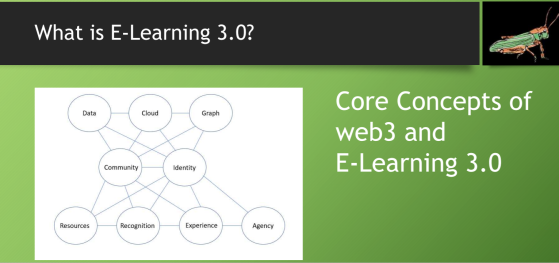
 

Sat Apr 28 Matt Miller on Classroom 2.0: 10 things to ditch in education and what to do instead

Saturday, April 28, 2018
“10 Things to Ditch in Education (and what to do instead)”
If you’re looking for inspiration coupled with practical tips and great insights, look no further than our fantastic presenter, Matt Miller! I know all of us at one time or another have wished that we could “ditch” some of the things we are expected to do but we’re not quite sure what to do instead. In today’s presentation Matt is offering us a lifeline with “10 Things to Ditch in Education (and What to do Instead)” Matt is always inspirational, passionate, humorous and filled with emotion about his desire to making learning the best it can be for students everywhere, and we are thrilled to welcome him back on Classroom 2.0 LIVE!!Webinar Description!
“10 Things to Ditch in Education (and what to do instead)” The world is changing, and education is changing with it … very quickly in some ways and very slowly in others. When we aren’t getting the results from “what we’ve always done” anymore, it’s time to change. In this webinar, we will talk about several things you might consider “ditching” — for a lesson, a week or the rest of your career. You’ll come away with practical ideas to use in class tomorrow AND some great opportunities and resources. Don’t miss it!Matt Miller is a teacher, blogger and presenter from West Central Indiana. He has infused technology and innovative teaching methods in his classes for more than 10 years. He is the author of the book Ditch That Textbook: Free Your Teaching and Revolutionize Your Classroom and writes at the Ditch That Textbook blog about using technology and creative ideas in teaching. He is a Google Certified Innovator, Bammy! Top to Watch in 2016, and winner of the WTHI-TV Golden Apple Award. Onalytica named him one of the top 10 influencers in educational technology and elearning worldwide. After trying to do the traditional “teach by the textbook” for a few years, he launched into a textbook-less path where learning activities were often custom-produced for his students as well as infused with technology. He likes the results a lot, and his students do, too.Matt has presented to thousands of teachers at dozens of workshops on a number of topics related to educational technology, world language instruction and more. He combines a conversational, engaging speaking style with loads of resources, leaving teachers equipped and inspired to move forward.

Remember to follow us on Twitter: #liveclass20

On the Classroom 2.0 LIVE! site (http://live.classroom20.com you’ll find the recordings and Livebinder from our recent “Jennifer Regruth, Featured Teacher” session presented by Jennifer Regruth. Click on the Archives and Resources tab.

Visit Classroom 2.0 at: http://www.classroom20.com/?xg_source=msg_mes_network


Sheila Adams hosts yet another annual 7th grade webcast for Earth Day from Rye New Hampshire

Learning2gether Episode 391

The 7th graders in Sheila Adams classes in Rye, New Hampshire (USA) always do a live webcast for Earth Day. This year they presented on Friday, April 20, from 8:30 am EDT to roughly 12:30 pm EDT (maybe longer). The webcast was streamed in segments and subsequently archived at: http://earthbridges.net/live

They invited anyone to join them at any time and please say hi in the chatroom!  You can still go to the chatroom and say hi: http://chatwing.com/earthcast

2018-04-21_1617earthcast

Sheila set up a Flipgrid for anyone to leave a video message to play during the day or after the fact: https://flipgrid.com/earthcast

Peggy George liked my tweet 🙂 https://twitter.com/VanceS/status/987319580895805440 2018-04-21_1629earthdaytweet

Sheila contributed to an article she and her colleagues put together about teachers networking themselves and their students over Earth Day projects coalescing around Earthbridges and the Worldbridges network.

Last year I contributed a view of the world’s oceans from under water, which can still be seen in the archives available at at http://earthbridges.net/live

Announcements were made

on Facebook

On Google+ Communities

spacer

Earlier events

Tue April 10 IATEFL Brighton 2018 begins streaming live presentations – through April 13

https://learning2gether.net/2018/04/13/and-now-for-something-completely-different-iatefl-webcasting-from-2011-through-brighton-2018/

And now for something completely different: IATEFL Webcasting from 2011 through Brighton 2018

Learning2gether Episode 390

Though Learning2gether had nothing to do with its presentation or organization, Learning2gether monitored the IATEFL conference via its live feed when it opened in Brighton shortly after the conclusion of the annual TESOL conference, this year in Chicago. Learning2gether announced the event at its wiki, IATEFL Brighton 2018 streams live presentations – April 10 through April 13 (in its upcoming events at
http://tinyurl.com/learning2gether

IATEFL has embraced sharing its most recent conferences by streaming many of its plenaries and concurrent sessions live since 2011, and archiving them for anyone to view, online without having to be an IATEFL member. Previously the archives were left online temporarily or more permanently to paid members, but recently they started webcasting most of the conference and left the archive up online, free for anyone with the link, and they appear to have gone back and done the same with the entire archive.

KUDOS to IATEFL!

The 2018 IATEFL in Brighton was similarly archived. To replay it, simply visit https://www.teachingenglish.org.uk/events/IATEFL-Online/2018

I found the previous archives simply by substituting years in the URL. I went back to 2010 before I got no hits.  Just click on a session, and play its recording (for free, no need to log in):

Here is my view Apr 19, 2018 of the website with plenaries and “several sessions” available for viewing online, for free, by anyone with the link

2018-04-19_1752iatefl_archived

These presentations cover a wide spectrum of pedagogical issues in teaching in foreign language contexts, whereas the TESOL CALL-IS webcasts (see previous post in this blog) focus on technology in language teaching.

In contrast, as noted at the end of my last year’s blog post on the 2017 IATEFL conference, https://learning2gether.net/2017/04/07/learning2gether-with-iatefl-2017-glasgow/, TESOL records many of its presentations and offers them for sale. The link given at the end of that post, http://tesol.sclivelearningcenter.com/index.aspx?PID=8529, still works, and offers recordings of selected sessions from TESOL 2018 for $149 US dollars.

2018-04-19_1847tesol4sale

In April 2016, after enjoying sessions from the 2016 IATEFL conference online that year, I posted in my blog my answer to the question, Can a paradigm shift in conference business models reverse declining attendance at face to face conferences?
http://advanceducation.blogspot.ae/2016/04/can-paradigm-shift-in-conference.html

Ostensibly, the post was triggered by a question in the 2016 TESOL conference attendee survey: If you have any suggestions or comments regarding how we could improve the convention and/or English Language Expo, please enter them in the box below.

In the box, I duly typed …

You could follow the IATEFL model of webcasting plenary addresses and certain sessions, and sponsor a series of interviews during the event via an online web site updated throughout the event; e.g. http://iatefl.britishcouncil.org/2016/live-schedule.

Going IATEFL one better, recordings should all go to a permanent online archive openly accessible to all, not just TESOL members. Counter-intuitively to some, this would not prevent members from attending or paying dues to any significant degree, but through the appreciation of those who could not attend, it would stimulate growth since it would create an aura of rock star English teachers and give non or lapsed members an incentive of great value this day and age to come and join in such a forward-thinking organization, and to attend conferences where they felt they ‘knew’ some of the people they would meet there thanks to their online presence, and would want to connect with them both online and personally.

According to TESOL member stats https://www.tesol.org/about-tesol/membership/membership-statistics a quick glance shows a slight decline in membership over the past few years (13,000 down to 11,000 in Jan 2013 thru Jan this year). Perhaps a paradigm shift on the business model is in order.

By creating a conference archive and making it freely available as a gift to the profession, TESOL would benefit from the appreciation of potential members who would want to associate with an organization that was seen to be uplifting the profession by sharing openly.


My suggestion was ignored 😦

There’s more at that post, and also at my recap of the 2017 IATEFL conference here:
https://learning2gether.net/2017/04/07/learning2gether-with-iatefl-2017-glasgow/

The link above still shows membership in TESOL over the past decade and more. Pegging on March figures (the last currently available on the site, March 2017) and going backwards to 2003 (the earliest available) we find

in March 2017 12,176 members, and in March of each year …
2016 – 11,421
2015 – 11,978
2014 – 13,064
2013 – 12,355
2012 – 12,681
2011 – 11,957
2010 – 12,109
2009 – 12,782
2008 – 14,027
2007 – 14,301
2006 – 13,683
2005 – 14,241
2004 – 13,582
2003 – 14,806

So we do find a decline in membership numbers over the past decade, and most likely a decline in attendance at TESOL conferences. I have been to most TESOL conferences this century, and into the last as well. Many of my colleagues declined to attend this year, mainly for economic reasons (no funding, registration at the conference can top $500) and though the experience is always worthwhile for me personally, the network is diminishing.


Addendum: The link to membership stats above is 404 as of now (March, 2021) and I’m unable to find current stats on TESOL’s web site, but they indicated a grand total in 2018 of 10,112 members, as per https://www.tesol.org/docs/default-source/membership/1-monthly-membership-stats-for-public-revised4fc48f42f2fd6d058c49ff00004ecf9b.pdf?sfvrsn=4239e2dc_0

This Wikipedia article, https://en.wikipedia.org/wiki/TESOL_International_Association cites the same figure for 2018, and I am unable to find more current information in March 2021. I’ll update here if I find it


I’m not able to find annual stats for IATEFL, but its web site claims over 4,000 members at present. It would be interesting to see if that is a growing, diminishing, or as with TESOL a fairly steady number over the past decade.

dee968f3b1644d0aae789d7eec75c6c9 (1).jpg
Photo credit: https://www.pinterest.com/pin/225461525074735114/

IATEFL, in contrast to TESOL, is catering to a smaller audience perhaps but producing rock stars.

Here is an example interaction

In this post, Josh Underwood put out on the #IATEFL2018 hash tag an announcement of his poster session,
https://twitter.com/joshuau/status/984401305090363393

2018-04-19_1956underwood

Graham Stanley picked it up, which is what called my attention to it
https://twitter.com/grahamstanley/status/985613647035682816

2018-04-19_1953stanley2underwood

And the “poster” itself takes that concept into the next level. View it online here:
https://sites.google.com/view/joshua-underwood

It’s a poster that is not only online in static form, but also in a video that shows Josh Underwood presenting what we might have seen him do at the conference, and he shares it here, for free, and for the good of our profession:

2018-04-19_2001underwood_poster

And this has to be the shape of blended conferences going forward. My next conference (after WorldCALL in Chile this November) might just be an IATEFL one.

2018-04-22_0509underwood

2018-04-27_1949graham

Meanwhile

This just in from TESOL, in my email

2018-04-20_2033thisjustin

Scooped It

2018-04-21_1642scoopIt390

Vance Stevens’s insight:
This post reflects on a critical difference between two recent major international conferences, IATEFL in Brighton and TESOL in Chicago. I attended both, the one in Chicago, physically in the windy city, and the one in Brighton, virtually. I spent thousands of dollars from my teacher’s salary to attend the former, and nothing to attend the latter. However, the profit may accrue to IATEFL, the one I might be more likely to support on a sustained basis, considering that it’s more in line with a teacher’s desire to share good work without charging those who can ill afford it for every aspect of it (analogous to the mindset driving medical care in America vs that in UK).
spacer

Earlier events

Mar 27-30 TESOL Convention Chicago Illinois

https://learning2gether.net/2018/03/30/learning2gether-with-call-is-webcasting-from-tesol-chicago-2018/

Wed Mar 28 1500 UTC Preparing Teachers to Engage Learners with EVO Minecraft MOOC

https://learning2gether.net/2018/03/28/tesol-2018-chicago-preparing-teachers-to-engage-learners-with-evo-minecraft-mooc/

Wed Mar 28 1530 UTC Best of EVO online event from TESOL Chicago

https://learning2gether.net/2018/03/28/the-best-of-evo-at-tesol-chicago-2018/

Tue Apr 10 0030 UTC – VSTE VE PLN meeting on lesson ideas for using Minecraft in school settings

Our next VSTE VE PLN meeting is in Minecraft! You are receiving this email because you are whitelisted in VSTE Place, the Virginia Society for Technology in Education’s Minecraft server. Please let me know if you wish to be removed. It is not my intention to spam you.

On April 9th we will tour lesson ideas for using Minecraft in school settings. Please build, between NOW and 8:30 PM on April 9th something you would have your students build. My suggestion is something the curriculum has as a diagram that students could instead build in 3D in Minecraft. ​

Here is what I (Vance) found when I went there:

2018-04-10_05.10.14blog

There are building spaces set up for you at /warp schoolwork already. (Just type that into chat and you will get there.) If you need more space add it nearby. Please post signs that give your Minecraft name, project name, and grade level. Feel free to build more than one project.

We will leave this up as an exhibit for teachers new to Minecraft.

Tue April 10 1100 UTC – Globinar with John Traxler – Digital literacy and mobile learning wrt migrant education

Date: Oct 10, 2018 13.00h – 13.45h CEST

Access Link: https://webconf.vc.dfn.de/traxler

https://www.timeanddate.com/worldclock/converter-classic.html

You won’t have to enroll, but there won’t be certificates either.

I’ll insist nevertheless on participants entering their FULL names (first name PLUS last name).

This presentation is made possible by Ton Koenraad (TELLConsult – Technology Enhanced LifeLong Learning, http://www.tellconsult.eu/ ) in an attempt to open Prof Traxler’s content to a larger audience,

Have a look at our full webinar schedule here:

http://www.lpm.uni-sb.de/typo3/index.php?id=1258

or alternatively at: http://globinars.blogspot.de/

Registration: http://lpm.lpm.uni-sb.de/Webinar/index2.php

E4.512-3978: StudentQuiz – Putting students into the Moodle driver’s seat

17.05.2018

Frank Koch / Host: Mary Cooch

Access Link : https://webconf.vc.dfn.de/studentquiz/

E4.512-3778 : Free audiovisual web tools for teaching

24. 05. 2018 | 19:00h – 20:30h CET

Zoé Gallou & Theodora Gkeniou

Acces link: https://webconf.vc.dfn.de/freetools/

E4.512-4378: Moodlebox for teachers

19.06.2018 | 19:00h – 20:30h CEST

Nicolas Martignoni & Mélanie Auriel

Access link: https://webconf.vc.dfn.de/forteachers