Kalyan Chattopadhyay on Language teachers’ use of social networking technologies in India
The audio degradation in this session was caused by a microphone fault. Kalyan and Vance took time afterwards to troubleshoot and Kalyan got his audio back fine using the onboard mic, so we’re sorry for the audio issues, but it was something simple, and we’ll get Kalyan back to repeat his session. Thanks though to everyone in the Elluminate session who was so patient and supportive.
Who: Kalyan Chattopadhyay presented this 45 min CALL Development Paper on 13th July at the 2013 WorldCALL conference in Glasgow, Scotland. Language teachers’ use of social networking technologies in India
Abstract
Teachers and teacher educators in India are increasingly using social networking technologies in a variety of ways with friends, relatives, colleagues, and students for a number of purposes starting from sharing information and pictures to developing personal learning network for their own professional development. Though such use of technologies is very limited in formal learning, and pre-service and in-service training, informal and situated use of these technologies in teaching learning practices is very much visible. In this presentation, I’ll begin by discussing what social networking technologies these English language teachers and teacher educators are using, what they are using for, and how they are being used. Here I’ll draw on an exploratory study that I conducted using a survey questionnaire and semi-structured interviews to have a foundational understanding of how the Indian English language teachers are using social networking tools and media (Chattopadhyay, 2010). Then I’ll share their views on the strengths and weaknesses of such practices, and analyse textual trace of their practices in terms of pedagogical stances such as ‘resistance’, ‘replacement’, ‘return’ and ‘remediation’, and ‘recontextualisation’. Finally, I’ll consider how these technologies can be made more relevant to teachers’ specific educational context.
Kalyan Chattopadhyay was a WorldCALL Scholarship recipient for WorldCALL 2013
Sunday, Nov 10 – Kalyan Chattopadhayay: Language teachers’ use of social networking technologies in India
To be rescheduled; stay tuned 🙂
Sunday, Dec 8 – Phil Hubbard: Digital content curation for CALL
Monday, Dec 23 – Işıl Boy: Does Mobile Learning need to Move?
Postponed to EVO and MultiMOOC, 2014 – Karen Price: Multimodal interfaces: blending gaze, gesture, movement and speech to overcome the limitations of keyboard, mouse & touchscreen
• Questions about online spaces for your sessions
• How are your syllabus and the training going so far?
• Keeping participants motivated – tips and tricks
Earlier this week
Nov 4 and 5 Shaping the Way We Teach English
26 outstanding E-teacher Scholarship recepients are currently in the United States as part of our E-teacher Exchange Program. On Monday, November 4 and Tuesday, November 5, the E-teachers will be presenting their final projects. The final projects are teacher-training workshops on a variety of topics.If you are interested in watching these presentations online, please feel free to join us!
Learn about Bluehost’s SPOKE program, the open platform for education, and the open source tools given to educational institutions that result in visible evidence of learning for students. This webinar will introduce you to Bluehost SPOKE’s open integration with common LMS tools, and the efforts to better the engagement between students and staff members.
Nov 8 to Dec 12 U.S. Dept of State and UC Berkeley – College Writing 2.1x: Principles of Written English
Dear Colleagues,The U.S. Department of State and UC Berkeley are offering a 5-week writing course College Writing 2.1x: Principles of Written English. This course is an open online course available to both English language learners and teachers interested in academic writing.
This course is free and open to any interested participants.
The course begins Friday, November 8th and will be 5-weeks long. All coursework is asynchronous (meaning the content can be accessed at anytime during the week and there are no live sessions to attend) and assignments are due at the end of each week. Learn more and register here:https://www.edx.org/course/berkeley/colwri2-1x/college-writing-2-1x-principles/1194. You can also visit the course Facebook Page.
Check with your local U.S. Embassies and American Corners as some are hosting supplemental facilitation sessions to collaborate with students and colleagues during this learning process. Or consider forming your own learning group!
Peggy George, Lorie Moffat and Tammy Moore will be hosting another Classroom 2.0 LIVE show. As an extension to the Classroom 2.0 Ning community, Classroom 2.0 “LIVE” shows are opportunities to gather with other educators in real-time events, complete with audio, chat and desktop sharing. A Google calendar of upcoming shows is available athttp://live.classroom20.com/calendar.html.
Shelly Terrell topic was YouTube Video Editing Tools. Shelly will be sharing ideas for teaching with YouTube and ways to use the YouTube video editing tools to personalize video creation by students and teachers. She is always inspiring with an endless number of practical examples and stories for using the tools she shares (almost always free tools). Shelly is an education thought-provoker, The 30 Goals Challenge author, International Speaker, #EdChat founder, Host for American TESOL Free Fri Webinars and organizer for the annual Reform Symposium (free, virtual education conference).
More information and details are at http://live.classroom20.com. If you’re new to the Classroom 2.0 LIVE! show you might want to spend a few minutes viewing the screencast on the homepage to learn how we use Blackboard Collaborate, and navigate the site. Each show begins at 12pm Eastern (GMT-5) and may be accessed in Blackboard Collaborate directly using the following Classroom 2.0 LIVE link at http://tinyurl.com/cr20live.
On the Classroom 2.0 LIVE! site (http://live.classroom20.com) you’ll find the recordings from our recent ”Learning with EduPuppets in K-12” session with Sam Patterson. Click on the Archives and Resources tab.
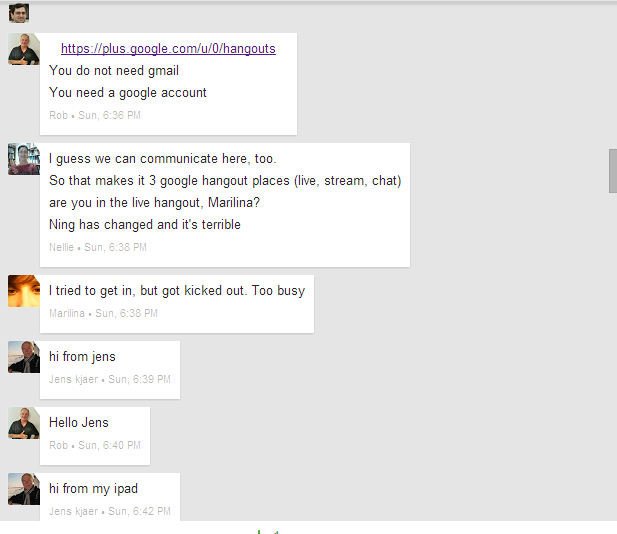
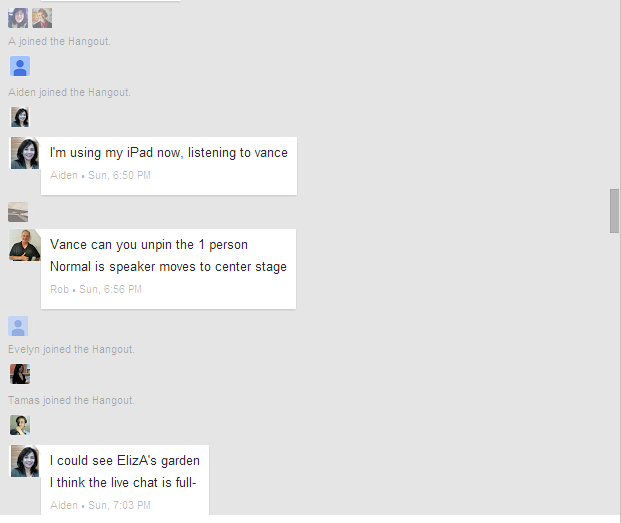
We showed in this session how, although only ten are able to get into a Hangout at any one time, we can manage it with dozens of moderators by setting up an etherpad clone at http://webheadsinaction.org/live, streaming the session there live, and using the text chat to manage a revolving door so that people can have some minutes in the Hangout, withdraw, and others may enter. And everyone can participate.
The Hangout URL for Nov 3 …
Direct Link to Hangout on Air: was posted just prior to the event
The text of these announcements gives more details:
Last week L2g and EVO moderators met at Bb Collaborate Elluminate which is a good choice for online events for simplicity. It works well, anyone can get in without credentials, and will give you a recording of your session. You can download Elluminate Publish and get an mp3 or mp4 of your sessions if you wish. We talked last week about how you can be a moderator of your session and if anyone wants to know more about that just write this list.
This week we are going to learn how to run a Google+ Hangout on Air in such a way that you overcome the just-ten limitation of people actually in the HoA and stream to a wider audience, and interact with them in text chat so that you can revolve more participants in and out of your hangout.
You can set this up in any blog or wiki where you can embed a YouTube video, and in the same way you embed an Etherpad clone text chat. You then set up a Hangout and get its embed code. You can get this before you actually start recording the hangout (in other words, the embed works, but visitors are told to come back later until you start the HoA). When you activate the HoA, the embedded video will stream the Hangout live via its embed code. When the hangout ends, that same code becomes the archive recording of the event, on YouTube.
The technique is to plant this embed at your blog or wiki site. You can also embed a text chat (we use Etherpad clones) so that on the same page people can listen to the streamed hangout through the YouTube embed and interact with you and each other in the Etherpad clone embedded there as well.
I learned this technique from my mentor Jeff Lebow, to whom many gratitudes, and in deference to the master, who took the trouble to take out a domain name on http:webheadsinaction.org/ I continue to use http://webheadsinaction.org/live to stream our hangouts.
To find out what to do on Sunday, you can go to the above link, where you will find the streaming video and the text pad where you can interact with us in txt chat. You can also find here and at http://learning2gether.pbworks.com/w/page/32206114/volunteersneeded#Nextupcomingevents the direct URL for the HoA, which we will have once we start the Hangout (to get its embed code, but not start streaming until 1400 GMT).
So, you can start at http://webheadsinaction.org/live. If you are an early bird you will find the HoA URL there and can join us in the HoA.
When the HoA has ten people you won’t be able to join directly but you can listen in the stream and interact with us in the text pad. We will need people to monitor that by the way and alert me if I miss anything there due to multitasking. If you are one of ten people in the HoA and if you feel you have said what you want to say, you can excuse yourself and we can announce on air and in the txt pad that there are more places in the HoA. Normally we have people coming and going as with a revolving door. At the end you all see yourselves on YouTube, what could be more wonderful?
So, come along and see how it works, and it will be F.U.N. if nothing else.
Nellie Deutsch:17:58 Hello ALL
Nellie Deutsch:17:58 where’s the link to today’s hangout
Nellie Deutsch:18:00 it’s me
Nellie Deutsch:18:00 Found it, Vance
Vance in Al AIn:18:00 in the txt at left, ok
Maizie:18:01 Hi
Nellie Deutsch:18:01 Isn’t it possible to use the chat in the hangout?
Maizie:18:02 Am I in the hangout too?
ElizA:18:03 ElizabethA who has to find out where to add my name once again
Maizie:18:04 the join button in the hangout doesn’t seem to be available for me
ElizA:18:05 Hi Maizie – It just said to me that it was full
ElizA:18:05 once they start recording, we can move in (or out)
ElizA:18:06 Yikes – I’m off to change my colour !
Maizie:18:06 I have been here for ages waiting to join the hangout there was only Vance & me how comes its full?
ElizA:18:07 Oh – well it wasn’t full then I guess
ElizA:18:07 I’ve only just arrived
ElizA:18:07 @Nellie – only people in the hangout can use the chat
ElizA:18:07 so that has the same limit
Vance in Al AIn:18:07 sorry trying to fix the embed
ElizA:18:08 AND – the chat is not on the recording, se we wouldn’t see it anyway
Maizie:18:08 I see that it says that i am about to join the hangout but its been like that for ages and I don’t seem to be able to join
ElizA:18:09 Oh dear – lets hang on until they start streaming it
ElizA:18:10 I was in for 2 seconds – the connection dropped and now it says it full on my screen !
Vance in Al AIn:18:11 refresh this page and try direct Youtube link
Maizie:18:11 Well it still says I’m about to join!
Vance in Al AIn:18:11 does the direct link work?
Maizie:18:12 I refreshed and nothings changed
ElizA:18:12 I clicked on the direct link and have You tube in another window
Maizie:18:12 where is the direct youtube link?
ElizA:18:13 http://youtu.be/TFOmE5UkI1I
ElizA:18:13 on the main page on the right
Maizie:18:14 find it and am now listening to youtube stream
Maizie:18:14 I have been waiting to get in the hangout for 1/2 hour!!! didn’t get in
Tamas Lorincz:18:15 ;-(
ElizA:18:15 that’s a good idea – I’ll get the youtube on my tablet 🙂
ElizA:18:15 Tamas – were you in at any time?
Tamas Lorincz:18:16 No, I didn’t want to barge in, I thought I’d just lurk today 😉
ElizA:18:16 ust realised – it wanted to update my Java – though I did it not long ago
ElizA:18:16 could that be a part of the prob of getting in?
Tamas Lorincz:18:17 Interaction here seems to be pretty awesome though.
Tamas Lorincz:18:17 Yes, that can be a reason.
ElizA:18:17 (@TL – I just don’t see you “barging” anywhere !
Tamas Lorincz:18:17 If java is downnloading/updating it likes to stop java running …
ElizA:18:18 Oh dear 😦
Jens Kjaer Olsen. Denmark:18:18 hi from jens
ElizA:18:18 Jens – are you in or out?
Tamas Lorincz:18:18 Yes, I am and it’s looking pretty good.
Jens Kjaer Olsen. Denmark:18:18 am i on here?
ElizA:18:18 No … in the hangout
Jens Kjaer Olsen. Denmark:18:19 oki
ElizA:18:20 Cool – I’ve got the you tube streaming on my tablet!
unnamed:18:22 hi vance and all! i can’t access G+. tried several times
unnamed:18:22 am following on YT and finally got the text chat going
unnamed:18:22 i need a new computer 😉
ElizA:18:22 Hi anonymous!
unnamed:18:22 unnames is teresa in lisbon area
unnamed:18:23 unnamed, i meant
ElizA:18:23 you’re not the only one
Vance in Al AIn:18:23 Please type your name after pulling down the pawn icon (view screenshot: http://screencast.com/t/iCOKdm1KJNuG
ElizA:18:23 Go to the VERY top under the sign “EtherPas
ElizA:18:23 EtherPad
ElizA:18:24 Pawn in the thop RH corner
ElizA:18:24 top
unnamed:18:24 i now have a name, i hope 😉
unnamed:18:25 nope!!! duh!!!
Maizie:18:25 Vance I have been trying to get into the hangout and it says I’m about to join all the time
ElizA:18:25 A problem with Adobe connect is that people via Satellite can’t use it (their sound doesn’t work
Janet:18:25 hi it’s Janet again just testing this chat box 🙂
unnamed:18:25 now my name shows for me, at least
ElizA:18:26 So Janet is the unnamed
unnamed:18:26 and now janet shows as me in my computer. lol
Janet:18:26 I’ve just posted this once, but it’s on teresa’s name?
ElizA:18:26 lol
unnamed:18:26 right!!! gremlins are around!!!! 😉
unnamed:18:27 brb
ElizA:18:27 I think you both logged on at exactly the same time ROFL
Janet:18:27 That’s strange, I wonder why it’s doing this
Janet:18:27 I see, thanks Elizabeth
ElizA:18:27 I’ve lost the stream – anyone else lost it?
Tamas Lorincz:18:28 I’m still in. Do you need the link again?
ElizA:18:28 It’s on the page to the left – thanks
Tamas Lorincz:18:28 http://www.youtube.com/watch?v=TFOmE5UkI1I
ElizA:18:30 What a fiasco
Janet:18:31 (Janet), no I’m not the ‘unnamed’ lol
ElizA:18:32 I’ve been having a whale of a time
ElizA:18:32 Is that the right whale?
unnamed:18:32 Hi I think I finally managed to log into webheads in action
unnamed:18:32 still nameless. I wonder why
Tamas Lorincz:18:33 Yeyyy, well done. welcome
ElizA:18:33 Bravo!! Now person in Green – go to the top RH corner o this Etherpad section
ElizA:18:33 click on the pawn which says 16
Tamas Lorincz:18:33 Click on the icon in the upper right hand corner of etherpad and insert your name in the top box, and hit enter.
ElizA:18:33 add your name there!
Tamas Lorincz:18:34 😉
ElizA:18:34 But a hangout doesn’t have to be on air
unnamed:18:34 back. just had a wonderful big cup of soup 🙂
ElizA:18:34 It can be private (and is much easier to set up)
ElizA:18:35 Tere – have another try at putting your name in
ElizA:18:35 Please
ElizA:18:36 Good grief – I’ve got a big boobed woman on the right every time I go to the YouTube tab 😦
Vance in Al AIn:18:36 I’m not following the chat here very well, but I’m looking at it now. Any issues?
Vance in Al AIn:18:37 ElizA lucky you 🙂
ElizA:18:37 I think you need just to call in to let people in from time to time
Tamas Lorincz:18:37 ElizA Vance LOL
ElizA:18:39 Goodness – I greatly dislike FB
Tamas Lorincz:18:40 You see, I get Sarah Palin….
unnamed:18:40 Goodbye, everyone. Catch up with you later. this is JA in Brazil
ElizA:18:40 Give me the boobs then
ElizA:18:40 Bye Jose
unnamed:18:40 Take care. Hangout is great
unnamed:18:41 By ElizA
Tamas Lorincz:18:41 By JA
ElizA:18:41 This Etherpad is really not the best thing
ElizA:18:43 There are 11 anaymous people, who can’t get in here
unnamed:18:45 eliza, i find this ethernet user-friendly. hope i’ll change my mind some other time
Tamas Lorincz:18:45 I love etherpad
Tamas Lorincz:18:45 It takes some getting used to
unnamed:18:45 teresa just said that. i’m unnamed again.
Marisa:18:45 Hey I just saw this text chat hi all
Tamas Lorincz:18:45 Hi Marisa.
unnamed:18:45 i believo so, tamas. loved your intro video (teresa)
Vance in Al AIn:18:46 Please type your name after pulling down the pawn icon (view screenshot: http://screencast.com/t/iCOKdm1KJNuG )
Tamas Lorincz:18:46 Cheers.
Janet:18:46 Janet – Hi Marisa
unnamed:18:46 hi marisa
Marisa:18:46 I have put in my name Unnamed People!!!!! 😀
Janet:18:46 (Janet) to Teresa – how can we swap names?
Marisa:18:46 Click on that little icon pls
Nellie Deutsch:18:46 https://plus.google.com/hangouts/_/72cpihpq1o5fa0etl8kfcovr6s?authuser=0&hl=en
Nellie Deutsch:18:46 Maizie, click on the link: https://plus.google.com/hangouts/_/72cpihpq1o5fa0etl8kfcovr6s?authuser=0&hl=en
Janet:18:47 I did 🙂
ElizA:18:49 Bravo -Marisa – I keep getting extra sounds and can’t speak though I’m in the hangout
Marisa:18:50 have you tried the effects in the hangouts? hats etc? 🙂
unnamed:18:50 bye everyone! (teresa)
Marisa:18:50 bye teresa
Janet:18:51 Bye, Teresa
Janet:18:51 I’ve done it, success – managed to change my name 🙂
ElizA:18:51 Teresa – I can understand you
ElizA:18:52 Marisa – I got in the hangout, and then was booted out – so hats …
ElizA:18:52 twice
ElizA:18:52 Now it’s full again
Marisa:18:53 going to go cheers everyone
Marisa:18:54 good to see you all
Tamas Lorincz:18:54 Bye wonderful Marisa.
Vance in Al AIn:18:54 bye marisa 🙂
Vance in Al AIn:18:56 yay Janet~!!!
ElizA:18:58 Thanks Nellie
Janet:18:59 Thanks, @ Vance
Janet:19:00 Sorry I have to leave now. It’s been very informative. Thanks so much everyone!
Vance in Al AIn:19:00 great, nice to see you
Janet:19:01 Thanks, Vance. Bye!!
ElizA:19:06 Bye Janet
Tamas Lorincz:19:09 I’m signing out too. This has been fun.
Nellie Deutsch:19:12 Thank you all
Tamas Lorincz:19:12 Thanks Nellie
Jens Kjaer Olsen. Denmark:19:18 bye everybody…!
And this was in the main window of the same etherpad chat space
Vance Stevens in in this chat space now.
EVO Moderators, and Learning2gether should appear here before 1400 GMT Sunday Nov 3, 2013
You can use this chat space at any time but especially from around noon to 1400 GMT on any Sunday where we have a Hangout planned, to connect with the Webheads in Action and Learning2gether communities.
Hi I’m just going to the Youtube link now. – HI Nina!
Hi Nina. Thanks for the link.
The direct link works!!! What link is that? The link to Youtube streaming live right now. I am watching it 🙂 I am listening and chatting here with you guys (Nina)Who is the pink? Mine does not–I have a big blank white space where the video should be embedded Try this : http://youtu.be/TFOmE5UkI1I Thanks, I am now watching it. How many computers do we need? 🙂 Only one!
maizie, I was in the hangout for a few minutes but it’s full so I came here
I am going to post the streaming video link on the yahoo group brb
Yeah, maybe I was the eleventh person. 😦
I like the colors in text chat, so that I can follow along that it is a different person commenting.
My favourite is the time slider above where you can follow how a text builds up
Hey all Who said that (Nina)
Vance: “kind of moderating”??? (Nina)
A typical problem with hangouts: people running the stream and being on the hangout and then you start hearing yourself in multiple versions… (Tamas) You have to mute or turn off one of them(Nina)
Are you all seeing this little black box with a conversation between ElizA and unnamed?
Yes, Where is that coming from?
If you click on the chat box in the bottom right hand corner you get to see the chat – was that the question? not sure…
I am experiencing this, but not really understanding how I am going to use this for my EVO. Is this an experience of many that I will then choose from to run our session? Good question Well, I ask the same question. I don’t think hangouts are an ideal synchronous meeting space. They are kind of complicated for first-time users. It’s not uncommon to spend quite a lot of time trouble-shooting, like today. OTOH I think for your backchannel (communication among moderators during the training session, afterwards and during the EVo itself) it’s a great option. Few sessions have more than 10 mods. I think BbCollab is probably a better choice for synch meetings, or WiZIQ (stay tuned next week for Nellie’s session) I currently use Bb for my online class. I don’t use a sychronous option because my students are all teachers and tend to be online very late at night. However, they can use Google+ with their collaborative projects. Exactly, it’s a great option for collaborative projects!Nina
Have our own WiziQ class space and an Adobe Connect Pro class – in Second Life though I doubt we will need to use them unless some participants are completely unable to log in and we cant ts stscreenshare Secong LifeIf you have WiZIQ I think that works fine for synchronous meetings and events. Nina who is purple?? OH cool Nina It was a happy accident, purple being my favorite color 🙂 Nina
I have actually used hangouts quite a lot and am quite OK – but limitation of 10 people when you have a large group somewhat limiting Yes, exactly, and this etherpad and youtube stream are a bit …confusing? It’s not obvious how to move from here to there (right now there are 10 people there so there is no room) But is tehre someone over there monitoring this chat? Maybe there could be a line of people who want to try the hangout? But somebody over there needs to be telling people to leave so the next in line can joib. it’s really more complicated than I would like to deal with, if I were moderating a chat.
Jen has a good point though – it might be a good tool for subgroups to work together off SL grid
Hi all watching – @Marisa_C Hi Marisa! Kalos ilthes! (Nina) Geia sou Ninaki mou 🙂
Hello, gorgeous Marisa. Hope you are well. Hi tamasito – mwah 🙂
Hi Marisa, lovely to see you :-)) – this is Janet typing here! Hya there Teresa – trying to catch up on my homework thanks for your help
Susan is making a good point, about having so many spaces to deal with on one’s computer
Absolutely. It’s one of the aspects participants freak out about on the EVO sessions – too many tools and not sure what to do with them…
I notice 2 of the people in the hangout have got funny things on them, lol
Yes, it’s one of the things you can do on hangouts, you can put on funny props – yes I think I read about that- looks like fun
It does break up conversations in a funny way and lightens the mood.
RE: What Vance just said about Elluminate (now Blackboard Collaborate) –it works much better for large groups. WiZIQ too.
“First come, first served–fastest on the draw” Maybe not ideal for EVO? What do you think? Nina
Message for Hangout – can folks leave once they get the hang of it as there are folks in the Youtube Chat that want to try and join
I’ve just discovered I can comment in the chat directly on YouTube! Nina
no you don’t need an account on wiziq
I have just spent some time on WiziQ and it looks really useful.
It’s got a great interface especially the whiteboard tools
Lovely Google effects being tried out at the moment Thanks, everyone. Have to leave now. It’s been great fun! Thanks for coming, Janet! have a great Week 3, everyone Thanks to you all. See yo in week 3 :-)))
Maizie Click this link and then accept that you are going on air and it should work.
This series of 2 free webinars is for all teachers and lectures who have always wanted to connect with classes in other countries but it never actually worked out- this is your opportunity to learn how to collaborate with online partners, find partners for your topic area and age group and have a free social network to carry out your joint activities. The two webinars in this series will give you the tools to carry out successful sustainable online collaboration and give you insights on applications that can help with collaborative online learning. The series is supported by a Fulbright grant.
Every week night during Connected Educator Month, join Steve Hargadon from 7:30 – 8:30 pm US-Eastern Daylight Time for an hour of online relaxed and social time with some great special guests.
A list of the currently scheduled guest for the rest of the month is below, but it’s changing every hour so don’t come here to see it updated–go to http://bit.ly/connected_cafe to stay updated, or look for our events in the Connected Educators calendar.
Each night is associated with one of the themes of Connected Educator Month, with the currently scheduled guests are to the right in bold type.Oct 29 0030 GMT – October 28 21st Century Classroom Management: Suzie Boss, Jane Nelsen Oct 30 0030 GMT – October 29 Connected Leadership: Keith Krueger, Scott McLeod Oct 31 0030 GMT – October 30 Connection to Collaboration: Richard Byrne, Adam Bellow Nov 1 0030 GMT – October 31 Innovating STEM and Literacy: tbd
The above list was updated Oct 21, 2013, but for the Real Definitive List,
Week 1 of the 2013 K-12 Online Conference starts October 21st! 4 presentations will be published each day this week in the “Open Learning” and “Outside Learning” strands. All presentation links will be added to our 2013 schedule as they are published: http://k12onlineconference.org/?page_id=1415
If you have not already, please watch and comment on Shannon M. Miller’s outstanding pre-conference keynote, “Transforming Learning….One Voice At A Time.” http://k12onlineconference.org/?p=1744
All our presentations this year are being published to YouTube. Since the videos are initially “unlisted” on YouTube (because we want to unveil them each day when they are scheduled) they may not immediately appear publicly when you view all videos on our YouTube channel: http://www.youtube.com/user/k12online/videos
Please DO subscribe to our YouTube channel! Strand conveners will make videos public each day of the conference. Please also remember all our videos are available via iTunesU. This year we are not using Blip.tv, which converted videos into mp3 audio format, so only VIDEO versions will be available in iTunesU. Learn more and link to our iTunesU portal on: http://k12onlineconference.org/?p=646
However, you can convert your own YouTube videos to mp3 using Any Video Converter
Vance Stevens raves about this product. You download it (free) to your computer and it works quite well to download a version of the YouTube video of your choice to your computer (in the video format you specify) and from that makes an mp3 from the copy on your computer. Once you set it up it’s a 1-click process to go from your cached video to mp3.
Please also remember to follow us on Twitter and FaceBook! https://twitter.com/k12online https://www.facebook.com/k12online
Sincerely (K-12 Online team):
Ginger Lewman (convening “Building Learning”)
Jose Rodriguez (convening “Leading Learning”)
Karen Fasimpaur (convening “Open Learning”)
Susan van Gelder (convening “Outside Learning”)
Wesley Fryer
Peggy George
Athabasca University will present a series of free noon hour webcasts exploring major issues and opportunities of Open Access and Open Educational Resources. Each session will feature an internationally known promoter and developer of open access and open educational resources research or ideas. Topics will include the state of the art in the distribution of e-textbooks; a look at the situation of open access books in the K12 area of Brazil, the open access situation in Canada; MOOCs and the open access movement; the OER university initiative and other issues relating to open access internationally.
Note: This event is free and registration is not required. There is more information at George’s blog:
Higher education is now entering its second year of MOOC hype. The stream of almost daily pronouncements of additional universities joining existing MOOC providers, new funding, new MOOC offerings, and new reports continues unabated. The term “open” in the most contested in the MOOC acronym. What does it mean to be open? Is it sufficient that learners can join a course without cost? Or without pre-requisites? This presentation will explore the impact of MOOCs, mostly negative, through the lens of openness.
Tuesday, October 22 Tel Amiel
Why think about culture in remix?
Wednesday, October 23 Wayne Mackintosh
OERu: Blending more affordable education futures
Thursday, October 24 John Hilton III
Cost Savings and User Perceptions of OER
Friday, October 25 Elaine Fabbro, Colin Elliott, and Rachel Conroy
Libraries, OERs, and Open Access
Wed-Fri Oct 23-25 Facilitation Across Time and Space: How to Create Change Through Virtual Environments
an online event during International Facilitation Week to focus on facilitation in virtual environments.
There was quite a lot on this past week and today in the way of edtech chatter, as usual. Today the event organized by Learning2gether was WorldCALL scholarship recipient Hora Hedayati and Susan Marandi on impediments EFL teachers perceive in implementing CALL in EFL classes in Iran.
In this event, Hora Hedayati reports on the presentation she co-presented with Susan Marandi at WorldCALL 2013 in Glasgow. The presentation focuses on the impediments Iranian EFL teachers perceived in implementing CALL in their EFL classes.
Fatemeh Hedayati and Seyyedeh Susan Marandi presented this 45 min Research Paper on 13th July at the 2013 WorldCALL conference in Glasgow, Scotland.
S. Susan Marandi authored Ch. 16 “Bravely Stepping Forward: Creating CALL Communities to Support Teachers and Learners in Iran” in the 2010 CALICO publication, CALL in Limited Technology Contexts, Editor, Joy Egbert; Area Editors, Chin-Chi Chao, Yu-Feng Diana Yang, Senem Yildiz, Vance Stevens, Jeff Nelson (20 chapters), https://calico.org/page.php?id=452
Abstract
Despite the spread of reliable technological tools and the availability of computers in the Iranian universities as well as the mounting evidence of the effectiveness of blended teaching, many Iranian language teachers are still reluctant to incorporate such tools in their EFL classes. This qualitative study investigates the obstacles, perceived by the Iranian EFL teachers, toward implementing CALL in Iran. In so doing, 12 teachers, comprising 2 supervisors with no CALL experience, 4 teachers with the experience of integrating technology in their EFL classes, 2 teachers with no CALL experience, and 4 teachers who had recently finished an online CALL teacher education program, were interviewed. The semi-structured interview questions were designed by the researcher with the help of two experts in CALL and teacher education. The researcher conducted the interviews which lasted for 30-50 minutes. The researcher used content analysis of the interview transcripts to find themes relevant to the research question. The results suggest that the obstacles in implementing CALL in language classrooms could be classified into three categories: teacher, facility and learner constraints. Examples for each of these categories are provided and implications for designing CALL professional development programs for EFL teachers and supervisors.
Today, Sunday, Oct 20 – Hora Hedayati: Obstacles in implementing CALL in Iranian EFL classes
Sunday, Nov 10 – Kalyan Chattopadhayay: Language teachers’ use of social networking technologies in India
Monday, Nov 25 – Karen Price: Multimodal interfaces: blending gaze, gesture, movement and speech to overcome the limitations of keyboard, mouse & touchscreen
Sunday, Dec 8 – Phil Hubbard: Digital content curation for CALL
Monday, Dec 23 – Işıl Boy: Does Mobile Learning need to Move?
These other events were on at about the same time as this one, or in the week before:
Thu October 17 Laine Marshall at Moodle MOOC 2 – Flipped Learning in an Online Course for Teachers
Sat Oct 19 1400 GMT Vicki Hollett on Learning to Speak ‘merican
What and Who
In this IATEFL Webinar, Vicki Hollett explores some of the curious differences between linguistic politeness in these two influential English varieties – British and American.
The conference is once again being held entirely online around the clock in multiple languages and time zones. Everyone is invited to participate in this FREE forum designed to foster collaboration and knowledge sharing among information professionals worldwide.
We have 146 accepted conference sessions and ten keynote addresses. There are eight conference strands covering a wide variety of timely topics, such as, MOOCs, e-books, maker spaces, mobile services, embedded librarians,
green libraries, doctoral student research, library and information center “tours,” and more! The current schedule in US-Eastern Daylight Time is below; hour-by-hour session schedules for all of the world’s major time zones are published on the site and you should use those for the most current information.
Sun Oct 20 0900 GMT Luke Prodromou: The Dickensian Turn
How does our work in ELT relate to wider social and economic issues? What does it mean to be a language teacher with a critical perspective in our digital age? Let’s discuss these issues together at this free virtual event open to all!
Sat Oct 12 – 2 to 9 pm GMT – TESOL CALL-IS and IATEFL LTSIG Technology in Teaching free online conference
Technology in Teaching: Principles in Practice is the first, one hopes, of many free online conference on October 12 hosted jointly by
TESOL CALL-IS (Teachers of English to Speakers of Other Languages, USA – Computer Assisted Language Learning Interest Section)
and IATEFL LTSIG (International Association of Teachers of English as a Foreign Language, UK – Learning Technologies Special Interest Group).
Guest speakers include: Christel Broady, Carol Chapelle, Gavin Dudeney, Deborah Healey, Nicky Hockly, Phil Hubbard, Sophia Ioannou-Georgiou, Paige Ware, and Shaun Wilden
The topics are designed to provide a grounding for classroom practice in principled application of technology. Attendees will be able to use the chat box to ask questions and share information with other attendees during each talk as well as during a Q&A session during the last 15-20 minutes of each talk. The closing session will allow presenters to wrap up ideas and answer more questions from the audience.
A WELCOME ADDRESS was given by Paul Sweeney – LTSIG coordinator, UK and Deborah Healey – CALL-IS coordinator, USA
The moderator was Ellen Dougherty
RECORDING (4min): http://iatefl.adobeconnect.com/p42365d6jul/
Carol Chapelle at TESOL CALL-IS and IATEFL LTSIG Technology in Teaching conference
What are the reasons for using technology for language teaching and learning in 2013? I will outline five lines of argument:
* meta-analysis of comparison studies,
* analysis of students’ needs beyond the classroom,
* students’ need for training in language learning strategies,
* the importance of connecting learners with appropriate language, and
* the opportunities for cross-cultural learning.
Each of the five lines of argument draws upon theory and research in different areas of applied linguistics, which I will point out as I describe each of the arguments.
CAROL A. CHAPELLE is Distinguished Professor of Liberal Arts and Sciences at Iowa State University. She is editor of the Encyclopedia of Applied Linguistics (Wiley, 2013) and co-editor of the Cambridge Applied Linguistics Series. She is past president of the American Association for Applied Linguistics and former editor of TESOL Quarterly. Her research investigates the use of technology in language learning and assessment, the topic of many of her books and research articles.
Shaun Wilden at TESOL CALL-IS and IATEFL LTSIG Technology in Teaching conference
In this talk I’ll take a whistle stop look at how the online world has opened new opportunities for teacher development. Â Once online was the domain of early adopter teachers, but now the Internet is full of sites, tools and teachers keen to share and develop. We’ll look at how the Internet and technology has created a wide range of options from formal courses, to the rise of autonomous professional development. Taking in everything from PLNs to hashtags and curation tools a veritable smorgasbord for your afternoon conference delight.
SHAUN WILDEN has been involved in English language teaching for over twenty years. He is currently the International House World Organisation Teacher Training Coordinator but also works as a freelance teacher trainer and materials writer for OUP – contributing materials to a number of coursebooks. Apart from that he maintains several online teaching sites includingihonlinetraining.net <http://ihonlinetraining.net> Â and is interested in the application of technology to teaching. He is also a moderator of the twitter #eltchat group which meets every Wednesday to discuss issues and ideas in ELT. Feel free to follow him @shaunwilden or read his blog (http://www.shaunwilden.com). When not sitting at a computer, Shaun enjoys growing food in his garden and cooking it.
Nicky Hockly at TESOL CALL-IS and IATEFL LTSIG Technology in Teaching conference
Laurillard suggests that classroom practitioners need to become designers of effective learning experiences. This talk examines how we can implement a BYOD (bring your own device) approach in the language classroom, and the role of the teacher as designer of effective mobile-based communicative classroom tasks. Based on my own experience with BYOD, I suggest six parameters for the effective design and sequencing of mobile-device based tasks.
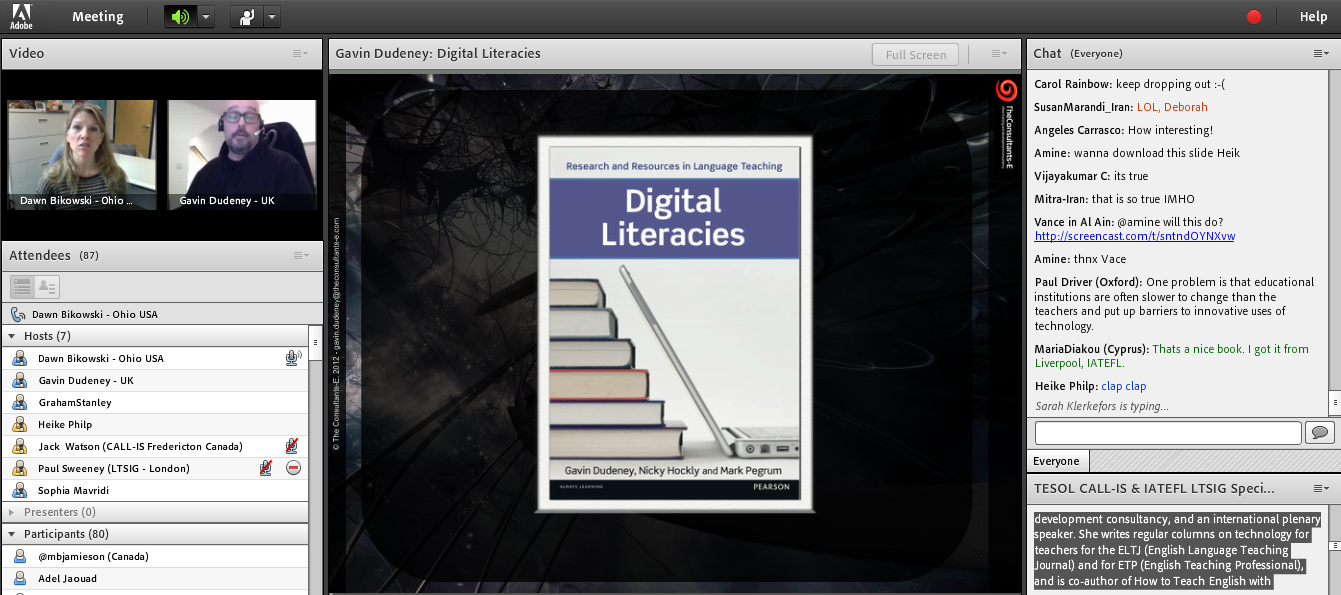
NICKY HOCKLY has been involved in EFL teaching and teacher training since 1987. She is Director of Pedagogy of The Consultants-E, an online teacher training and development consultancy, and an international plenary speaker. She writes regular columns on technology for teachers for the ELTJ (English Language Teaching Journal) and for ETP (English Teaching Professional), and is co-author of How to Teach English with Technology, Learning English as a Foreign Language for Dummies, Teaching Online and most recently of Digital Literacies (2013). She has published an e-book, Webinars: A Cookbook for Educators, and is currently working on a book on mobile and handheld learning. She is joint Coordinator of the IATEFL Learning Technologies SIG, and a self-confessed technophobe turned technophile.
CALL-IS Panel at TESOL CALL-IS and IATEFL LTSIG Technology in Teaching conference
TESOL Technology Standards: Why, how, and for whom – Deborah Healey, Phil Hubbard, Sophie Ioannou-Georgiou, Paige Ware, with help from Elizabeth Hanson-Smith
Moderator(s): Jack Watson and Ellen Dougherty
UTC 17:00
RECORDING (50min): http://iatefl.adobeconnect.com/p2l9shshdzc/
In this session, some of the authors of TESOL’€™s Technology Standards will begin with a brief overview of the Standards, including why they were developed and how they differ from other standards. We will discuss how the Standards can be used in teacher preparation. We will then share a couple of vignettes related to specific standards and describe how teachers can use the vignettes to improve teaching with technology.
DEBORAH HEALEY, Senior Instructor at the University of Oregon, has taught English and trained teachers for over 30 years. She co-authored TESOL Technology Standards: Description, Implementation, Integration with Phiil Hubbard, Sophie Ioannou-Georgiou, Paige Ware, Greg Kessler, and Elizabeth Hanson-Smith, and worked on the ELT game, Trace Effects.
PHIL HUBBARD is Senior Lecturer in Linguistics and Director of the English for Foreign Students program in the Stanford University Language Center. For the past three decades, he has published and presented widely in the field of technology in language teaching and learning. His current interests focus on teacher education, learner training, listening, and curating digital media.
SOPHIE IOANNOU-GEORGIOU has worked as a teacher and teacher trainer in a variety of contexts. She is currently an Inspector for English at the Cyprus Ministry of Education and Culture and continues to train in-service teachers through the Cyprus Pedagogical Institute.
PAIGE WARE is an Associate Professor at Southern Methodist University. She received her Ph.D. in Education at the University of California at Berkeley. Her research focuses on the use of Internet-based technologies for fostering language development and literacy practices among adolescent learners in school settings.
ELIZABETH HANSON-SMITH is professor emeritus at California State University, Sacramento. Her website, Computers for Education, offers free resources for teachers, She has authored many articles and books on CALL pedagogy, most recently assisting with the TESOL Technology Standards vignettes and the ELT game, Trace Effects.
Gavin Dudeney at TESOL CALL-IS and IATEFL LTSIG Technology in Teaching conference
This talk examines how the traditional ‘three rs’ (reading, writing and arithmetic), long considered the cornerstones of basic literacy/numeracy, have changed as we advance into the digital age. We will discover what it means to be digitally literate, explore the new types of literacy that have emerged alongside the advent of Web 2.0 and analyse why it is important to work with these literacies on a daily basis in our teaching.
GAVIN DUDENEY is Director of Technology for The Consultants-E, working primarily in online training in EdTech, and in consultancy work in the same field. Gavin has been Coordinator and Journal Editor for the IATEFL LT SIG and – more recently – Honorary Secretary and Chair of the Electronics Committee (ElCom). A regular contributor to journals, Gavin is author of The Internet & The Language Classroom (CUP 2000, 2007), co-author of the award-winning How To Teach English with Technology (Longman 2007) and co-author of Digital Literacies (2013). He is currently co-authoring a book on mobile learning to be published in 2014.
Christel Broady at TESOL CALL-IS and IATEFL LTSIG Technology in Teaching conference
The sky is not the limit: Connecting with elementary makers in the cloud – Christel Broady (CALL-IS)
Moderator: Jack Watson
RECORDING: http://iatefl.adobeconnect.com/p5655mxx0lg/
Pupils are born into a digital world and used to navigating it for all of life’s facets. However, when they enter school they are often confused by a traditional learning and teaching environment, which is alien to them. In this presentation, a case will be made for a new definition of teaching and learning.
Biodata:
CHRISTEL BROADY, associate professor of graduate education and program director of the ESL teacher endorsement at Georgetown College, has developed and taught many education courses, including educational technology and digital learning. Her publications and presentations include book chapters, articles, international presentations, keynotes, and invited workshops. She is also involved in multiple global collaborations to create and disseminate educational technology knowledge across disciplines via MOOCS and other platforms also providing free training for teachers in developing countries, and collaborating on international book projects. She publishes daily in social media via 2 BLOGS, Twitter, and Facebook.
Joint closing session at TESOL CALL-IS and IATEFL LTSIG Technology in Teaching conference
Joint closing session and open Q&A
Moderation: Paul Sweeney – LTSIG coordinator, UK and Deborah Healey – CALL-IS coordinator, USA
RECORDING: http://iatefl.adobeconnect.com/p5kocrzdpc2/
The fourth annual Reform Symposium Free Online Conference (RSCON) starts this Friday, October 11th, running for three days and in conjunction with Connected Educator Month. It’s an online global event highlighting “wow” moments in teaching and learning, and the entire conference will be held online using the Blackboard Collaborate webinar platform, running out of my FutureofEducation.com community.
This year’s amazing keynote lineup: Sugata Mitra (Opening Plenary), Nicky Hockly, Rafael Parente, John Spencer, Jose Vilson, Chuck Sandy, Mark Barnes, German Doin, Mallory Fundora, Chris Lehmann, Barbara H. Sakamoto, Sue Waters, Steve Wheeler, Josh Stumpenhorst, Angela Maiers, Mark Moran, and Salome Thomas-El.
This year’s distinguished panelists: Erin Klein, Ozge Karaoglu Ergin, Steven Anderson, Jackie Gerstein, Lisa Dabbs, Carla Arena, Burcu Akyol, Thomas Whitby, Pam Moran, Tom Murray, Dr. Alec Couros, Silvia Tolisano, Nicholas Provenzano, and Joe Dale.”
Fri Oct 11 23:30 GMT – and continuing into Sat Oct 12
Steve Hargadon interviews David Loertscher, Tim Lauer, and Bill Brennan on Connected Leadership at CEM Cafe
Every week night during Connected Educator Month, join Steve Hargadon from 7:30 – 8:30 pm US-Eastern Daylight Time for an hour of online relaxed and social time with some great special guests.
Maria Bossa presents her tools and projects to Cintia Costa’s undergraduate TEFL students
What
Maria Bossa in Argentina presented her tools and projects to Cintia Costa’s undergraduate students of Teaching English as a Foreign Language in Bahia, Brasil
Topic:Blending technologies and feedback for EFL writers
Benjamin Steward shared how he provides formative feedback to English-as-a-foreign/second language writers through the use of Canvas (by Instructure.com) and Google Drive. He also covered different ways EFL writers in his class experience feedback through a more transparent way of learning. Listen in and share with others how you approach written feedback to EFL/ESL writers!
Every week night during Connected Educator Month, join Steve Hargadon from 7:30 – 8:30 pm US-Eastern Daylight Time for an hour of online relaxed and social time with some great special guests. The recordings of our time with Dean Shareski, Vicki Davis, Larry Ferlazzo, and Angela Maiers are now available at http://bit.ly/connected_cafe, as well as are the links to join each night.
Thu Oct 10 1500 GMT – Elaine Hoter and Merja Karvinen – 1st of 2 free intercultural online exchange webinars
This series of 2 free webinars is for all teachers and lectures who have always wanted to connect with classes in other countries but it never actually worked out- this is your opportunity to learn how to collaborate with online partners, find partners for your topic area and age group and have a free social network to carry out your joint activities. The two webinars in this series will give you the tools to carry out successful sustainable online collaboration and give you insights on applications that can help with collaborative online learning. The series is supported by a Fulbright grant.
On Sunday Oct 6 2013 we enjoyed a conversation with Carla Arena and a number of other WorldCALL Scholarship Recipients
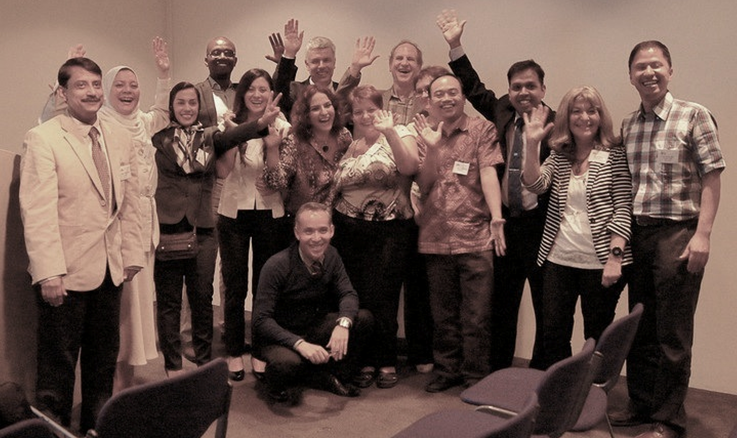
Carla Arena, Hora Hedayati, Miguel Mendoza, were in our session today. They and several others (pictured above) were recipients of WorldCALL Scholarships to attend the most recent WorldCALL in Glasgow this past summer. WorldCALL is an important event in the world of CALL, and takes place only every 5 years.
The discussion today will center on participants’ impressions of the event and delved into the mind shifts required for sharing learning with people like those pictured above, and how we guide students in learning pathways that inculcate the mindsets that enable our own learning.
A lovely conversation with Mike McKay tonight, talking about early days with Webheads, Fire Centaur, Kip Yellowjacket, English Village, and why more people don’t make use of this creative space for language learning, and for that matter, why only 10% of Mike’s students are drawn to the space, despite the contageous passion of the teacher …
What: Mike McKay runs Cyprischat, a space in Second Life where you can practice speaking English 24 hours a day for free.
Watch the video to learn more about this international English learning community at http://cyprischat.org/
I teach 4-6 classes each semester in the English department. My classes range from speaking and writing, to presentations and interactive web environments. I am not a tenured professor and do not ever intend to be one. I enjoy teaching, not writing. A student’s smile is good for the heart.”













 Learning2gether